Jochen.K
Members
-
Joined
-
Last visited
-
Hallo Dirk, ich sichere täglich mein appdata Verzeichnis, wozu auch die Docker gestoppt und später wieder gestartet werden. Normalerweise dauert ein "Backuplauf" etwa 6 Minuten. Es passiert aber manchmal, dass ein Backuplauf ca. 60 Minuten dauert, und so lange sind auch alle Docker gestoppt. Ich denke es liegt an "check" was wohl im Backuplauf mit ausgeführt wird, wenn es fällig ist (bei mir z.b. alle 30 Tage). Ginge es, dass die Docker schon vor check wieder gestartet werden? Ich habe z.B. Openhab als Docker laufen, und in der "Downtime" geht z.B. die Garagentüre nicht auf 🤔 Grüße Jochen BBUI-Appdata_mit_Dockerstop_local_6fce9dfd-15df-4f4c-9abb-93d5a2bde1a3--2026-10-05_02-40-01.log
-
Hallo Thorsten, deine neue Version funktioniert jetzt auch bei mir. Vielen Dank für deine Hilfe. Ich finde Borg Backup UI super 😁 Ohne war mir Borg Backup viel zu kompliziert, jetzt geht es ganz einfach. Grüße Jochen
-
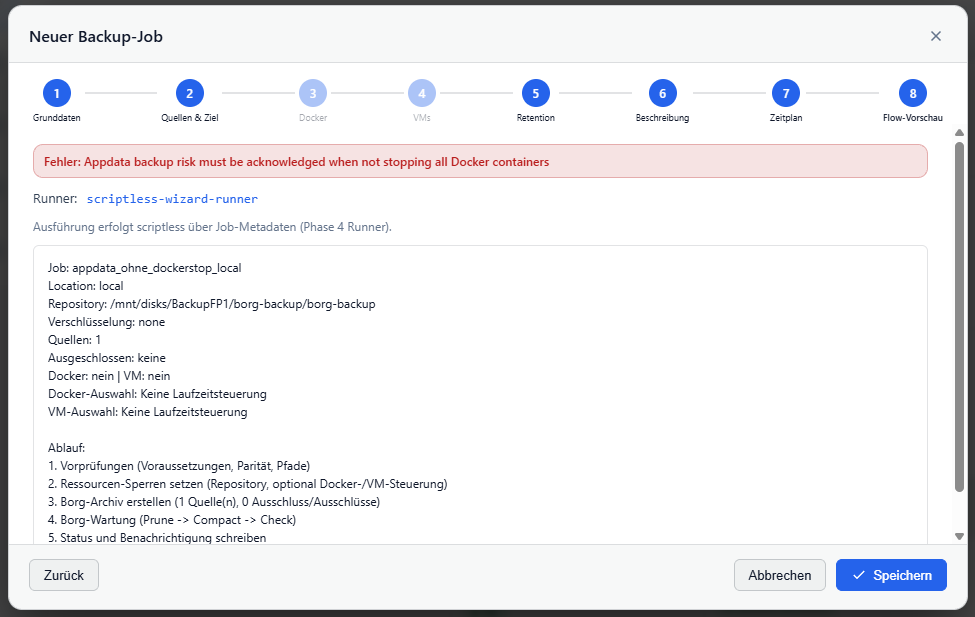
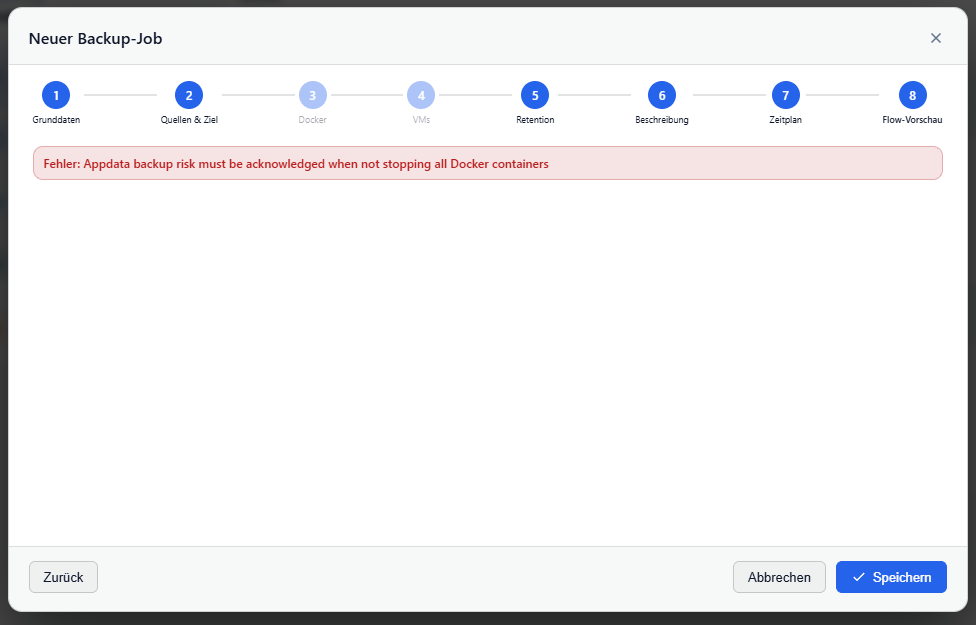
Hallo Thorsten, vielen Dank schon mal für deine prompte Reaktion 🙂 Bei Problem 1 kommt immer noch eine Fehlermeldung. Ich lege einen neuen Job an und wähle nur den appdata Ordner aus, den Haken bei Docker stoppen setze ich nicht. Dann klicke ich immer nur weiter und beim letzten Feld finde ich keine Schaltfläche wo ich bestätigen kann. Wie sieht denn das Fenster bei dir aus? Das mit den Berichten funktioniert jetzt 😀 Grüße Jochen
-
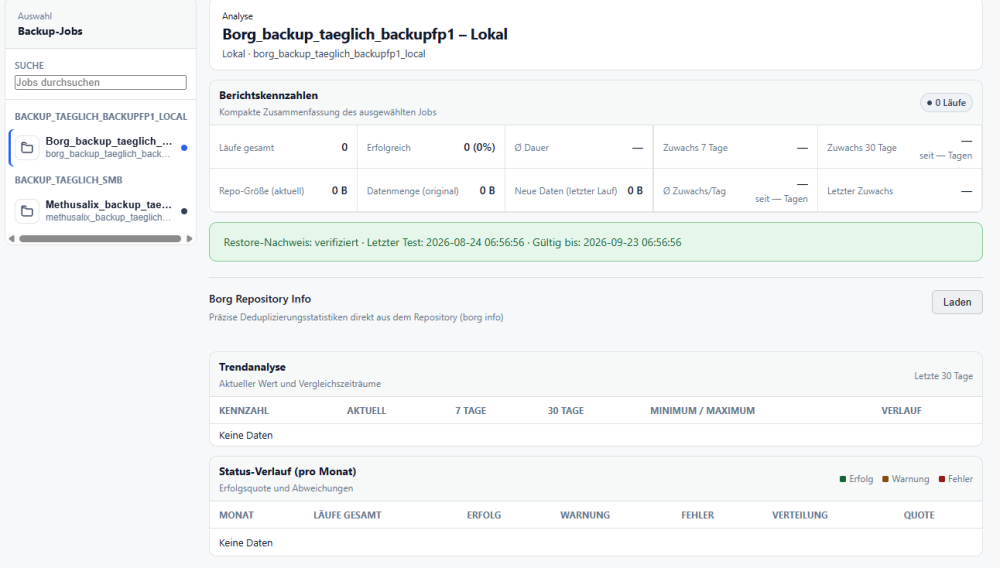
Hallo zusammen, ich bin gerade am ausprobieren und Borg Backup UI gefällt mir sehr gut. Fast alles funktioniert schon 🙂 Bei zwei Sachen bräuchte ich noch Hilfe. Ich möchte gerne meinen appdata Ordner sichern, ohne die Docker zu stoppen. Leider bleibe ich am Ende immer an diesem Fenster hängen. Außerdem bleiben bei mir die Berichte leer, wie kann ich die aktivieren? Grüße und ein schönes Wochenende Jochen
-
Hallo, ich nochmal, jetzt hat's geklappt 😄 Versuchsweise habe ich die Freigabenamen geändert, danach wurden die Shares mit dem Haken im Kästchen und "Löschen" auch wirklich gelöscht. Keine Ahnung was sich da verheddert hatte. Danke für eure Hilfe Jochen
-
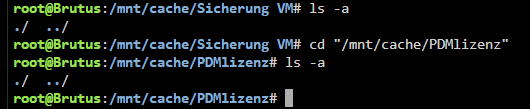
Hallo und Danke für eure Tipps. Leider klappt es bisher nicht. Die Verzeichnisse sind leer cfg-Dateien gibt es für die beiden Shares auch nicht mehr trotzdem funktioniert der Löschbefehl nicht Andere Ideen?? 🤔 Was könnte ich denn abschalten, damit das Löschen klappen kann? Grüße Jochen


-
Schönen guten Abend, ich habe hier das Problem, dass ich zwei Shares, die ich gerne löschen möchte, nicht los werde. Die Shares können mit diesem Befehl schon gelöscht werden: Sobald ich aber auf "Fertig" klicke, werden sie in der Übersicht wieder angezeigt. (Ich denke das Share wird gelöscht und gleich wieder neu angelegt). Fehlermeldung erhalte ich keine. Es handelt sich um die Shares: Sicherung VM und PDMlizenz Ich habe eine Diagnostics mit angehängt, vielleicht kann mir jemand helfen. 😁 Grüße Jochen brutus-diagnostics-20260105-1807.zip

-
Hi Jorge, Version 7.2.1-RC.1 is running. I'll let you know if any problems arise. Thanks for the quick patch and have a great weekend. Jochen
-
Hello Jorge, thanks for the quick answer. I will go back to 7.1.4 and wait for 7.2.1. I think that causes the fewest problems. Bye Jochen
-
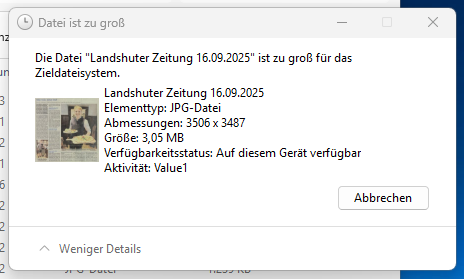
Hallo liebe Community, seit ich auf 7.2.0 geupdatet habe, gibt es immer wieder Probleme, wenn ich eine Dateien auf freigegebene Shares kopieren will. Der Kopiervorgang läuft auf einem Windows 11 Rechner. Es kommt aber die Meldung "Die Datei ..... ist zu groß für das Zieldateisystem". Wobei in Wirklichkeit viel mehr Platz frei ist. Das Problem betrifft alle Shares. Leider finde ich auch im Logfile keinen Fehler, der mir was sagt. Ein Neustart behebt das Problem eine zeitlang. Weil der Fernzugriff morgen unbedingt klappen soll, könnte ich temporär auf 7.1.4 zurückkehren. Aber vielleicht gibt es ja eine ganz einfache Lösung 😊 Wenn niemand etwas weiß würde ich einen Bugreport aufmachen (was ich aber noch nicht gemacht habe). Grüße Jochen brutus-diagnostics-20251104-1920.zip
-
Hallo zusammen, das Problem mit plötzlich unmountbaren Platten habe ich auch immer wieder mit UD-Platten. Heute stecke ich eine Platte an, damit ich Updates machen kann, kommt im Logfile diese Meldung: Sep 5 16:25:02 Brutus kernel: sd 1:0:0:0: [sdb] 3907029167 512-byte logical blocks: (2.00 TB/1.82 TiB) Sep 5 16:25:02 Brutus kernel: sd 1:0:0:0: [sdb] Write Protect is off Sep 5 16:25:02 Brutus kernel: sd 1:0:0:0: [sdb] Mode Sense: 47 00 00 08 Sep 5 16:25:02 Brutus kernel: sd 1:0:0:0: [sdb] Write cache: enabled, read cache: enabled, doesn't support DPO or FUA Sep 5 16:25:02 Brutus kernel: sdb: sdb1 Sep 5 16:25:02 Brutus kernel: sd 1:0:0:0: [sdb] Attached SCSI disk Sep 5 16:25:03 Brutus unassigned.devices: Partition '/dev/sdb1' does not have a file system and cannot be mounted. Sep 5 16:25:12 Brutus emhttpd: online: ST2000LM007-1R8174_WY22LCQR (sdb) 512 3907029167 Sep 5 16:25:12 Brutus emhttpd: read SMART /dev/sdb Das gleiche hatte ich mit den Platten schön öfter. Manchmal hilft es den Rechner neu zu starten. Meistens hilft aber nur platt machen und alles neu drauf kopieren. Ich habe 3 2,5" USB Platten, die ich abwechselnd anschließe und mit LuckyBackup Backup drauf mache. Bei allen drei Platten ist es schon passiert. Meine Arrayplatten haben das Problem nie. Vielleicht fällt jemandem Was dazu ein. Grüße und schönes Wochenende Jochen brutus-diagnostics-20250905-1631.zip
-
Hallo akazu, es liegt wohl an der Android App. Hier fragt auch jemand zu dem Thema: https://help.nextcloud.com/t/kein-hochladen-von-bildern-via-nextcloud-app-mehr-moglich-alle-uploads-wurden-pausiert/215165/4 Gruß Jochen
-
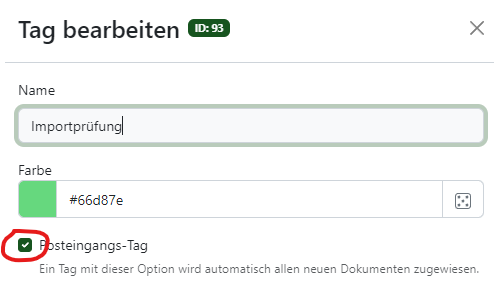
Du kannst deinen "älter2010" Tag auch zum Posteingangstag machen, dann alle alten Dokumente in den Importordner verschieben. Alle importierten Dokumente haben den Tag dann automatisch dran. Bei mir bekommen alle importierten Dokumente den "Importprüfung" Tag mit angehängt. Vielleicht hilft dir das weiter. Gruß Jochen