





sonofdbn
Members
-
Joined
-
Last visited
Everything posted by sonofdbn
-
I updated to 6.12.13, and haven't come across the problem again. One problem was that the new OS version introduced a problem with a VM network driver. Had to change it to virtio-net. Drove me up the wall because it never occurred to me that there was a problem with the OS. But all good now.
-
My 6.12.6 server has stopped responding. Tried to grab diagnostics, but although the window opened, nothing happened. Same thing when trying to update docker containers. I opened the log window and managed to grab the lines below before the log also stopped responding. (Tower is the server name.) Nov 1 09:08:44 Tower kernel: Code: Unable to access opcode bytes at 0xffffffffffffffd6. Nov 1 09:08:44 Tower nginx: 2024/11/01 09:08:44 [alert] 4662#4662: worker process 1580 exited on signal 11 Nov 1 09:08:45 Tower nginx: 2024/11/01 09:08:45 [crit] 1581#1581: ngx_slab_alloc() failed: no memory Nov 1 09:08:45 Tower nginx: 2024/11/01 09:08:45 [error] 1581#1581: shpool alloc failed Nov 1 09:08:45 Tower nginx: 2024/11/01 09:08:45 [error] 1581#1581: nchan: Out of shared memory while allocating channel /cpuload. Increase nchan_max_reserved_memory. Nov 1 09:08:45 Tower nginx: 2024/11/01 09:08:45 [error] 1581#1581: *3192384 nchan: error publishing message (HTTP status code 507), client: unix:, server: , request: "POST /pub/cpuload?buffer_length=1 HTTP/1.1", host: "localhost" Nov 1 09:08:46 Tower nginx: 2024/11/01 09:08:46 [crit] 1581#1581: ngx_slab_alloc() failed: no memory Nov 1 09:08:46 Tower nginx: 2024/11/01 09:08:46 [error] 1581#1581: shpool alloc failed Nov 1 09:08:46 Tower nginx: 2024/11/01 09:08:46 [error] 1581#1581: nchan: Out of shared memory while allocating channel /cpuload. Increase nchan_max_reserved_memory. Nov 1 09:08:46 Tower nginx: 2024/11/01 09:08:46 [error] 1581#1581: *3192385 nchan: error publishing message (HTTP status code 507), client: unix:, server: , request: "POST /pub/cpuload?buffer_length=1 HTTP/1.1", host: "localhost" Nov 1 09:08:47 Tower nginx: 2024/11/01 09:08:47 [crit] 1581#1581: ngx_slab_alloc() failed: no memory Nov 1 09:08:47 Tower nginx: 2024/11/01 09:08:47 [error] 1581#1581: shpool alloc failed Nov 1 09:08:47 Tower nginx: 2024/11/01 09:08:47 [error] 1581#1581: nchan: Out of shared memory while allocating channel /cpuload. Increase nchan_max_reserved_memory. Nov 1 09:08:47 Tower nginx: 2024/11/01 09:08:47 [error] 1581#1581: *3192389 nchan: error publishing message (HTTP status code 507), client: unix:, server: , request: "POST /pub/cpuload?buffer_length=1 HTTP/1.1", host: "localhost" Nov 1 09:08:48 Tower nginx: 2024/11/01 09:08:48 [crit] 1581#1581: ngx_slab_alloc() failed: no memory Nov 1 09:08:48 Tower nginx: 2024/11/01 09:08:48 [error] 1581#1581: shpool alloc failed Nov 1 09:08:48 Tower nginx: 2024/11/01 09:08:48 [error] 1581#1581: nchan: Out of shared memory while allocating channel /cpuload. Increase nchan_max_reserved_memory. Nov 1 09:08:48 Tower nginx: 2024/11/01 09:08:48 [error] 1581#1581: *3192390 nchan: error publishing message (HTTP status code 507), client: unix:, server: , request: "POST /pub/cpuload?buffer_length=1 HTTP/1.1", host: "localhost" What should I do? Edit: Just to be clear, it's the GUI that's unresponsive. I am still able to access files on the server.
-
Yes, it absolutely is. Two suggestions: Option 1. If you're using the CaddyV2 docker image, try using the following: For /data: /mnt/cache/appdata/CaddyV2/data For /config: /mnt/cache/appdata/CaddyV2 Caddyfile is the big problem. The template says "Container Path: /etc/caddy/Caddyfile" but it looks like it's actually expecting the user to have a file named "Caddyfile" (no extension) there before the docker container is installed. (Totally weird and unexpected.) So I created a file called Caddyfile, which contains this: localhost { respond "Hello, world!" } From (many) earlier failed attempts to install the docker, I already had a folder /mnt/cache/appdata/CaddyV2, and I put this file there. So for the Caddyfile parameter in the container settings I used /mnt/cache/appdata/CaddyV2/Caddyfile. Then I clicked Apply and the docker installed successfully (perhaps - more below). Option 2. Install the Caddy docker from hotio. That has basically nothing to fill in - I think I just stuck with the defaults. My only (minor) gripe is that the WebUI is just a graphic showing that Caddy is working. But please keep in mind that all I've done so far is have something up and apparently running. I'm able to type "caddy" in the container terminal and see that Caddy is indeed there, but that's all I have to show it's working. I've struggled to find information about what I should actually do to get Caddy running as a reverse proxy (together with Tailscale), which is my objective. Most of the documentation I've found doesn't deal with Caddy running as a docker.
-
Apologies in advance for this long post, but it might apply to others in a similar situation. I've been running the Linuxserver Nextcloud docker container and accessing it via DuckDNS and Swag. I recently changed ISPs and the new ISP uses CGNAT, which, in brief, as I understand it, doesn't hand out IP addresses to users in a way that works with DuckDNS. I thought this would mean that I would at least be able to access NC from my home network, but it turns out not to be the case. (I can still get to the files in the NC share, but not the NC GUI. In fact, DuckDNS seems to be very persistent, which I'm finding confusing. Let's say my DuckDNS name is NC.duckdns.org, and that's what I used to use to access the NC container. Assume my NC container has a host IP address of 192.168.1.99:100. What I find confusing is that if I now try to access the NC GUI by entering 192.168.1.99:100 in my browser, the browser goes searching for NC.duckdns.org and returns an error message saying something like NC.duckdns.org took too long to respond. (This occurs using Chrome and Firefox.) I don't know why (or how) the browser links a local IP address like 192.168.1.99:100 to NC.duckdns.org. I can understand it working the other way round because of DNS, i.e., linking the name to the IP address. The main problem now is that I sync various files and folders on my Win10 PC to NC. The NC sync client uses an account like [email protected], and now it can't connect to NC.duckdns.org. Based on some googling, it seems there's no way of editing that account. So it looks like I have to create a new account and re-create all the syncing (which looks like it will be quite tedious). But creating a new account has also not been possible. I used the NC sync client to try to add another user using the IP address as the domain; it finds the server (it tells me there's an untrusted certificate issued by LSIO) but then it requires authorisation via a browser using an NC.duckdns.org login address. So I tried briefly to kill NC.duckdns.org by stopping the DuckDNS container and removing the NC.duckdns.org entry in Duckdns and restarting Swag, but that didn't seem to change anything. Admittedly by then I was a bit impatient and perhaps didn't wait long enough for the changes to propogate. More googling showed that it might be possible to install Tailscale in the NC container, but not sure if that will fix the Win10 PC syncing problem. (I'm happily using Tailscale for other things.) I will do some more experimenting but thought I should seek some guidance on this forum. Any suggestions on how to resolve this? (I know that unRAID has great things planned with Tailscale but I need a solution now. And I did see the YouTube videos by SpaceInvader suggesting using Tailscale and a VPS, but I'd like to avoid adding another subscription expense and more complications. )
-
I got this warning/message as well as an email while backing up my plugins: Event: Tailscale State Subject: Tailscale state backed up to Unraid connect. Description: The Tailscale state file has been backed up to Unraid connect. This is a potential security risk. From the Management Settings page, deactivate flash backup and delete cloud backups, then reactivate flash backup. Importance: alert I haven't done anything different with Tailscale for at least a few months. Should I take the actions recommended? I can see where to deactivate flash backup, but have no idea how to delete cloud backups. Also, not sure how whether this helps. If I delete cloud backups then I've lost the backups. Sounds like I should backup manually first. But if I simply deactivate, delete backups and then reactivate, how does this prevent the problem happening again?
-
EDIT: PLEASE IGNORE - ALL SEEMS TO BE WORKING NOW! I'm trying to get this to work on a couple of Win 11 VMs that I have, but have been unable to wake the VMs from my Win 10 PC. I use a WOL utility that works fine with other physical PCs and I can "see" the VMs on it, just can't wake them. Is there anything I need to set up on the VM side? If it's relevant, for the VMs, Network Source is br0 and Network Model is e1000. When I look inside the VMs at the network adapter (comes up as Intel PRO/1000 MT) properties, there doesn't seem to be an option for Wake on Magic Packet and the "Allow this device to wake the computer" option is greyed out. Perhaps I'm totally misunderstanding how WOL works for VMs. I read about a libvirt WOL option, but it looks like that was a plug-in that is now no longer available on the app store. Diagnostics are attached in case they're helpful. t2-diagnostics-20240709-0925.zip
-
I'm aware of NC updating via the container vs the old way of doing updates via the webui. The repo I'm using is lscr.io/linuxserver/nextcloud:latest, and have been using that for a long time. What is the "docker tag" I should be changing or aligning with the NC version? I'm on "Nextcloud Hub 8 (29.0.3)". If I had been many versions behind, I think I would have had to update a few major versions to get to the current version, and that certainly didn't happen. I should add that after I changed that parameter in the config file, there was no lengthy download, verification, etc. procedure, as there usually is with an update. I'm not totally convinced that there was actually an update done after the change. I got into the WebUI immediately and apart from some message about an app (Recognize - can't remember that the message was, unfortunately - maybe updating or restarting) everything was normal.
-
I managed to fix this by editing the config.php file to allow updating via browser, which in retrospect seems quite obvious. (Just changed 'upgrade.disable-web' from true to false.) Has the way of updating the Nextcloud version changed? Maybe I missed an announcement. Anyway, it's working again for me now.
-
I just updated the docker container; I'm on 29.0.3-ls328 (and unRAID 6.12.6). For a few days at least prior to the update I was unable to sync to Nextcloud on my server. I couldn't get into the Web GUI because the home page had a message saying: "Update needed. Please use the command line updater because updating via browser is disabled in your config.php." I recalled that a while back the docker container was changed so that Nextcloud updates were done by updating the container (vs doing it "manually" from within the container). So I thought/hoped that updating the container would fix this problem, but after updating today, I'm still getting the same "Update needed" message. What do I need to do to fix this?
-
I'm struggling with the Czkawka GUI, or don't understand what it's meant to be doing. I tried a small test and it showed a list of all duplicated files. Let's say all the duplicates are in two folders, All or Sorted, and I want to delete all the duplicates in All. Is there a way to do this quickly? (Of course I can select each file individually, but that could take a while.) I thought that by clicking on the Sort button in the lower right and then sorting by folder I would at least be able to group all the All duplicates and delete those. But the Sort button doesn't seem to do anything. I tried selecting all the files and then clicking Sort but that also didn't work. What should I be doing?
-
OK, followed the link provided and am pleased to say it solved the problem. Thanks.
-
Thanks for the suggestion. Am travelling a bit, so no time to try for a few days.
-
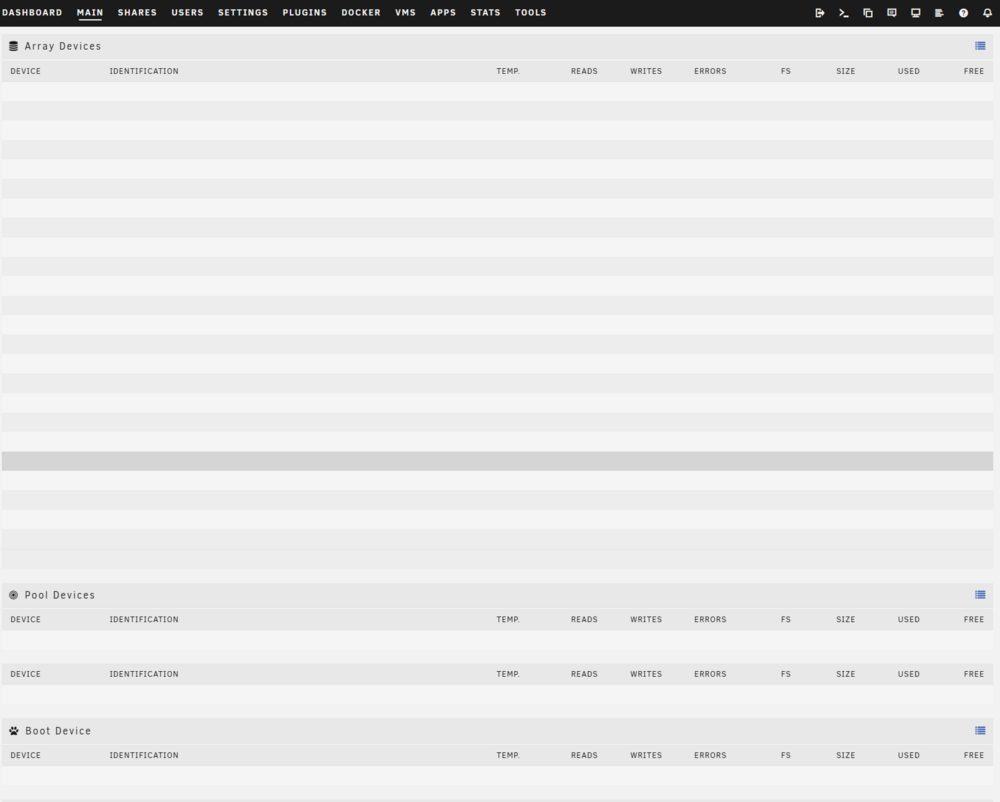
I have the same problem (6.12.6), no array devices showing in the Main tab of the GUI. This happens regardless of how I access the GUI. I've used my usual http://tower/Main as well as the IP address and it happens regardless of browser. Same problem if I try to access from my Android phone. Other tabs and the rest of the GUI seem fine. I've tried stopping and starting the array (NOT rebooting), but that doesn't work. tower-diagnostics-20240603-2025.zip
-
I run a Win11 VM with an nVidia GPU passthrough. I'd like to create another Win11 VM on the same server and passthrough the same GPU to it. I realise I can't run both VMs simultaneously, but I assume that by shutting down the active VM and then booting up the other one, I should be OK. Is that correct? If by mistake I boot up the other VM while the first one is active, what will happen?
-
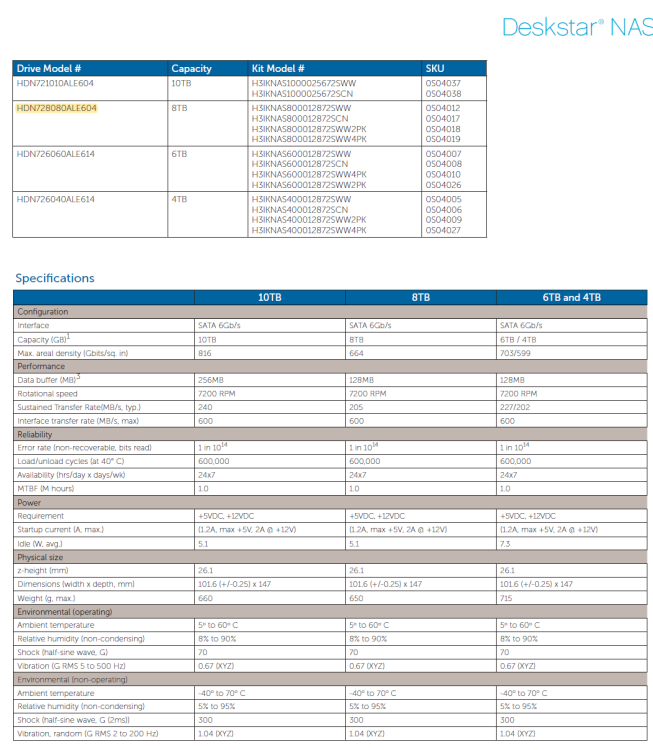
The drive is still in the array, so I can't see what the top looks like. But here's where I saw the model number in some HGST document. It's a Deskstar NAS and there's no mention of helium anywhere. Casual Googling shows that most (all?) HGST helium drive model numbers start with HUH and are Ultrastars. Or perhaps I'm so far behind the tech that most modern drives are helium drives so they don't bother mentioning it?
-
I have an HGST Deskstar NAS drive in my array. Model is HDN728080ALE604, and from what I can find, it's not a helium drive (and I don't recall ever buying a helium drive). But I'm getting this in my notification email from the server: Subject: Warning [TOWER] - helium level (failing now) is 22. I ran a short SMART self-test and no error was reported. This is the third time I've seen the message (the number is going up: 7, 16, 22) but have so far ignored it. First was in in February this year. Should I be concerned?
-
I tried deleting and then recreating proxynet, but that didn't help. Then I tried creating a new network, proxynet2. I assigned my Swag and Nextcloud containers to it and they seemed to be OK. Then I reassigned the containers back to proxynet and lo and behold, they're now working. To tidy up I deleted proxynet2. So far, so good. If things run fine for a few days, I'll mark this as solved.
-
I'm on 6.12.6. I ran into some problems that led to an unclean shutdown. I got some advice here to fix the problems, and followed those steps (switched from macvlan to ipvlan, recreated the custom docker network (same name "proxynet") and recreated the docker image. But now my docker containers (Swag and Nextcloud) aren't connecting to proxynet. Host access to custom networks is enabled, as is Preserve user defined networks. Searching a bit on the forum there did seem to be some cases of problems with custom docker networks not working after an unclean shutdown and possibly the Host access to custom networks setting being shown as enabled when in fact it had not been enabled. The suggested solution was to disable and re-enable this setting, which seemed to work in some cases. I've tried that, also rebooted and tried that again, and I still have the same problem. Here's what I have: root@Tower:~# docker network ls NETWORK ID NAME DRIVER SCOPE bd5116d783dc br0 ipvlan local a3b3aaa3ce56 bridge bridge local 83cf0e1b1ef5 host host local 9e74c89874cb none null local 69ed37939ece proxynet bridge local root@Tower:~# So it looks like proxynet is running? There was also a suggestion that the problem was caused by a race condition, where the docker container tried to connect to the custom network before the network was up. I tested that as well by restarting Swag, same problem. Then also tested by setting Swag autostart to off, disabling docker service, re-enabling docker service, waiting a few minutes and then starting Swag. Still had the same problem. Any suggestions on how to fix this? tower-diagnostics-20240331-2100.zip
-
I've switched to ipvlan, recreated the custom docker network (same name "proxynet") and recreated the docker image. But now my docker containers (Swag and Nextcloud) aren't connecting to the custom network. Host access to custom networks is enabled, as is Preserve user defined networks. I'm sure I've done this before, so I think I'm missing some obvious step. Here's the result of docker network ls: root@Tower:~# docker network ls NETWORK ID NAME DRIVER SCOPE 16453c5dced9 br0 ipvlan local 7c5d56aee35f bridge bridge local 83cf0e1b1ef5 host host local 9e74c89874cb none null local 69ed37939ece proxynet bridge local tower-diagnostics-20240331-1848.zip
-
Thanks so much. Will carry out the fixes once the parity check has completed.
-
The GUI has become unresponsive at least twice more in the last month. Not sure if it's the same problem, but would like to know if there's something obvious that I should be doing. Still on 6.12.6. This resulted in unclean shutdowns each time. Diagnostics and syslog are attached. Syslog is lightly redacted; hope I haven't removed anything that's pertinent. (\\IP address\Tower_repo is a Tailscale connection.) This time the GUI got stuck while updating the DuckDNS container - I saw some error message (unfortunately can't remember what now) and then the GUI gradually froze - various tabs became unresponsive. tower-diagnostics-20240329-1010.zip syslog-192.168.1.14.log
-
Just want to confirm: we can still buy current (Legacy) licences before 27 March at the prices shown, but that deadline doesn't apply to activation of the licence? In other words, I could buy the licence tomorrow and activate next year and not pay anything more.
-
I'm with @Sissy on this. For a long time I used an adapter to run the flashdrive off a USB header on the motherboard, so it was of course inside the case. Was quite happy until one day the flashdrive died. Then I had to open up the server to replace the drive. Much as I love my Fractal Design R5, for me the glass side panel is incredibly difficult to align (too much flex) and closing it up while it's vertical involves a bit of non-techie thumping. (I could place the server on its side, where replacing the panel is a bit easier, but my SATA cables seem to be quite sensitive, so didn't want to do that. Also, with 10 hard drives, it's not a trivial matter to move the server around.) I had to test a few times to find out whether the problem was with the flash drive or the adapter - I think in the end it was indeed a dying flash drive. But after that I thought I might as well just stick the flash drive into one of the USB ports on top of the case. At the very least there would be no worrying about whether the adapter was working. No one else comes near the server, and in my (untidy) situation, there are some many other things that are more likely to be dislodged or knocked over (ethernet cables, UPS cables, network switches and their power cords, etc.) One possible additional advantage to mounting the flashdrive externally, admittedly not tested yet, is that it might be useful if I have a dualboot server. On my other server, I have Win11 installed on an NVME drive that is passed through to a VM. Usually unRAID runs on the server and I access Win11 via the VM. The BIOS boot order is unRAID first, then the Win11 drive. A week or so ago, I managed to mess up the VM (I think when I tried to run WSL2) and could only access Windows by booting into the NVME drive directly. This meant fiddling with the BIOS to change boot device order so that I could boot directly into Windows, trying a Windows fix, and then resetting the boot order to go back to unRAID to test whether the VM was working. This had to repeated every time the fix didn't work, and I ended up having to do this a few times. I think that if I had had the flash drive mounted externally, I could simply have removed it, so that when the BIOS couldn't find it, it would boot into the next item, the Windows NVME drive. After that I could just plug in the flash drive again to boot into unRAID. Haven't tested this out because there hasn't been any reason to open up the case (another R5) to move the internally mounted flash drive). I'm sure there's a better alternative boot process involving GRUB or something similar, but I haven't looked into that.
-
I can't help on this specific situation, but I got passthrough working using the guide here: https://forums.unraid.net/topic/133563-gpu-passthrough-is-easy-heres-how/ I have a Win 11 VM and an nVidia GPU.
-
Well it so happens that I forgot to disable syslog server from some past investigation, so I actually have a syslog. I've removed earlier things and lines after rebooting, but can add those back if needed. Looks like the crash was around 3.00 am on Feb 24. syslog_1.log



