






SSD
Moderators
-
Joined
-
Last visited
Everything posted by SSD
-
Strangely - when it boots with this option, the syslinux menu does not count down. It just sits there saying it is going to count down but it is stuck at 5 seconds. After a while the machine reboots. If I hit enter to select one of the syslinux options, it boots fine.
-
@nthu9280, @johnnie.black, I have been having other boot issues - seems that if an HBA has too many hard disks, that the BIOS overflowed or something and the boot would hang (keyboard lights stopped working), always a bad sign. Only if i hit the button to manually pick the boot device could I get unRAID to boot. So went searching BIOS for options. I found this setting called "CSM (Compatibility Support Module)" with choices of Enabled or Disabled. When enabled it initializes each disk controller and recognizes the drives like normal, but when disabled, it skips all that completely. The USB boot just happens right away. When unRAID boots, it recognizes the controllers and disks just fine. I think that is all I need! Nice BIOS feature, that didn't exactly jump off the screen as something useful at first glance. Maybe this info will help someone else in the future. But when I move this card into the backup server, I will want to flash it if it is generating long boot delays as that is an older MB and I'm pretty sure does not have this feature. Thanks again!
-
I am on MPT2BIOS-7.19.00.00 (2011.05.16). Is this a newer BIOS? Should I upgrade?
-
Thanks Fireball3 and @johnnie.black, So help me with what I need to do to be able to run the sas2flash program. Do I need to boot into DOS? Where would I find the current version of sas2flash? Is there a thread that I could follow? I am seeing flashing instructions but nothing for the 9201 specifically. Thanks!
-
I deactivated the BIOS. It still sits there forever on boot.
-
Hey - hoping someone here can point me in the right direction. I have an IBM M1015 controller that I crossflashed a very long time ago - when this tread was young. I have no idea what process i followed, but it worked. When I boot the server says: LSI Corporation MPT SAS2 BIOS MPT2BIOS-7.19.00.00 (2011.05.16) Copyright 2000-2011 LSI Corporation It will sit there for at least 2-3 minutes - probably longer than that. Eventually it will boot and works fine. But I am setting up a new server and boots are common. I've lived with it for years, and one lengthy boot in a great while is not an issue, but I am doing several a day trying to resolve some issues and am going nuts. Is there an easy flash process that I could perform to update the firmware on this card and avoid the lengthy delay in the boot process? Help greatly appreciated!
-
@MrOnionSkins - For any motherboard upgrade, suggest that you burn in the new system thoroughly, including memory testing. You definitely don't want to subject your data to risk of a bad motherboard or memory. While a motherboard swap can be simple for a NAS only array, if you have VMs with passthrough GPU and/or USB controllers, these will not move over smoothly. Advanced server tuning can also include configurations that won't move over. And even if you don't use these features, there are other considerations beyond just the motherboard swap. I'll try to cover some of these topics and considerations. If you have VMs, you really need to back them up, get them working without passthrough (using VNC or something like NoMachine), and configure the keyboard without passthrough. You also need to remove passthrough directives and tweaks to your syslinux configuration. Get these working on the current motherboard and they will move over better. If you have done tweaks to your VMs and/or Dockers limiting/specifying cores, you would need to consider those in the upgrade. The core matching may be different on the new CPU. Your logical core count may have even gone down (e.g., moving from a quad core i7 to a hex core i5, logical core count could go from 8 to 6). Not sure how KVM or docker would react to referencing non-existent cores. As was mentioned, if you don't have a backup server, an upgrade is a good opportunity to set one up. You can set up the new motherboard in the backup server, do the burn in, and get everything figured out in terms of passthrough and tuning, and then do the case or drive swap. Depending on what your server does, like host your Windows workstation, logical router, downloader, media library, even basic TV, whatever - it may be desirable to be able to bring up the backup server as the primary server so critical functions are not impacted. There is no cookbook here, but something to consider. I'm actually working on this with an upgrade I am working on, so my old server is both a data backup as well as redundant server for critical functions. You also need to consider if you are upgrading your cache to NVMe or new SSD. You'd need to transfer the contents over. If your USB stick / cache contents are old, going back to older versions of unRaid, or even if your Docker configs are old and unnecessarily complex, you might consider starting from scratch and rebuilding the stick and cache and Dockers. The setups and defaults have changed over time. This can also be an opportunity to rethink your library setup in Plex for example. Starting clean eliminates the hodge podge, and uncomfortable feeling of not knowing what is real and what are remnants of a prior generation. If this is your plan, you might think of standing up the new server, getting everything working, and as the last step moving just the disks to the new server. And your current server runs largely unchanged and ready for backup duty. So an upgrade can be very straightforward, but can also be pretty involved. There can be quite a lot to think about. Give it some thought so the cutover goes smoothly. Feel free to ask questions as you consider your upgrade. (#ssdindex - Server upgrade)
-
I remember at the time these features were being implemented, there were a lot of problems with DVD files getting split across different disks, which resulted in pauses as the other disk spun up. Tom implemented a lot of different options trying to get the secret sauce (including spin up groups), so we have a lot of options that are somewhat similar.
-
Yea, understanding split level and the fact that a disk can be excluded from a user share but still get files based on the split level is important to understand. The included disks only come into play when writing and there is no split level match. For tv shows shares, you can use something like most free. That will result in new TV shows going to the disk with the most free space. But with the split level set properly, new episodes of tv shows are steered to the disks containing that show.
-
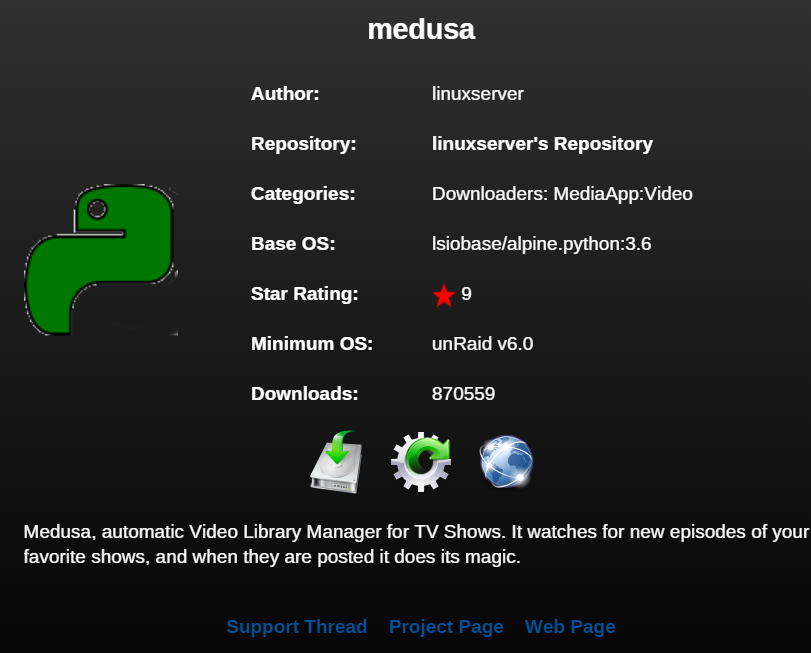
Thanks! Is there a way to know what release number I last installed? binhex uses the app's version number which would make it easier to figure out.
-
Not seeing it.
-
Sorry, realizing this was the binhex thread. I am running the LinuxServer version. Is there a similar link for those tags?
-
I've had issues with 2 Medusa updates, and am generally nervous about updating. Is there a simple way to apply an update and test it out, but then be able to revert back to the prior version if there are issues?
-
I noticed this happened on a new build I am doing. It applied to system, appdata, domains, and one other I think. I deleted them from the array disk. But I think this is probably something @limetech would want to hear about if it is affecting others as well. I actually wound up losing a VM XML in the shuffle, but it was easily recreated as I had the image file. But other users might not know how to do that.
-
Passthrough is a VM concept. Never need to pass through anything to a Docker. What you need to do is set up a volume mapping of the UD to the Docker to be able to see it in the Docker.
-
Nice workbench concept. Well executed. But ... If its like my basement, there is storage stuff coming and going, dog winds up down there from time to time, xmas decorations moving in and out once a year, looking for tools, rummaging through old boxes of junk. This is too open and easily knocked by an unsteady human with awkward load. One steadying hand lands on one of those drives and it is going down, getting twisted and mangled due to the screws trying to hold it vertical against an adult body weight. And then crashing into its neighbor with metal grinding against metal and a spark or two as the electrical cords get pulled out violently and cables rip from their connectors. Mangled fingers, cuts, screams of pain, emergency room, fire department, law suit, wife on the warpath (understatement). Massive data loss. Who knows! And if it is you that did it, no one else to blame! I can see no happy endings with one accident. Maybe if the top would flip over and drives dangle down. That would help. I'd like giant cover for this thing with fans blowing in and out that could be removed when you wanted to work on it. Would block balls, pets, kids and other humans - generally make it a lot safer. But leaving it like this 24x7 is a liability concern and puts the data at risk. No way!
-
I think this newest method is going to take care of the problem, but would not want to our brain power coming up with ways spammers could circumvent. Let's keep those to ourselves and not share with the enemy. Feel free to PM me if you have specific concerns or ideas along those lines to shared among the moderator / Limetech community,.
-
@pwm The mods are experts and have been reading the forums for years. It will be very difficult to fool us with old or made up posts.
-
Just marked 6 spammers in approval queue! (No legit new users to approve) It's working!
-
I approved one new user post. There was no spam in the approval queue.
-
Ahhh, makes sense. How did you mount - did you use those somewhat flimsy metal strips I mentioned?
-
Ahhhh. Makes sense. I'll look in my spare parts I probably have something similar. Don't know if I'll use it for spinners, as I want the hot-swap for them, but sounds good for SSDs. But I do have 2 RAID0 drives for parity. Might consider putting them there if I can get good cooling to them. They almost never need to come out or be swapped around. And cabling just two drives not much risk. Yea - too bad they didn't think to put a 120mm fan there. Disadvantage of a case from that era, when 120mm were considered large, and 80mm more the standard. I have a 4.5" hole saw. Planning to drill the fan mounting holes in the top of the case, and use them to screw a piece of plywood to the top of the case. Then use the plywood to drill in the arboring hole. Should work and keep the hole saw from bouncing around as it hits the case cutout for the 80mm fan. Once cut I can unscrew the plywood and mount the fan. While writing this I thought about moving to a 140mm fan on top. Have to check to see if there is room. Can you clarify? I think there is only room for one 200mm fan. They are huge. Are you using 2 120mm fans mounted in that round cutout? Think it might fit, but not sure how you'd secure them. The 200mm can screw to the rather flimsy metal tabs that are present, but not sure if it would be good enough to not rattle. Probably would need to secure it better. On my setup, my 5in3s each have a strong 92mm fan. So I'd have 4 of those + 200mm (100 cfm) fan blowing in, and two 120mm blowing out, (one back and one top), maybe 80mm fan in the lower PSU area, as well as the PSU exhaust. I have some rather loud 120mm fans that move a lot of air, but even using them there is still going to be a lot more air coming in than going out (not optimal). If I omit the 200mm fan, the in and out flow would balance better. I already have the 200mm fan, so may try both ways and see what happens to the temps under load. Still considering if there is another location for another exhaust fan. So you are using the 80mm hole for something. See my post above. Thinking of just have two pushbuttons in the black plastic. Or use the intrusion switch rigged for as power initially. Thanks Johnnie!
-
Yea - that's what I was thinking. Found these, that are a little pricey but would mount nicely on plastic panel at top front. https://mnpctech.com/case-mods-gaming-pc-liquid-modding-custom-computer-mnpctech-overclock-cooling-fan-grills/switches-toggle-pc-computer-power-reset/red-vandal-resistant-pc-power-switch-22mm-clone.html Other idea was to disable the case intrusion switch, and use that for power. Don't think I much use the reset button on the unRAID server. Used it from time to time on old Windows boxes. This would be super secret. If off, no one could figure out how to turn on!
-
Few questions if you wouldn't mind ... 1. Can you explain the mod you did? Hot swap or fixed installs? Cooling fan? Have a picture by chance? Too bad the opening is so short. 80mm fans are pretty small. 2. I am removing the 80mm top fan and replacing with a 120mm exhaust. Took a little dremeling on the upper PSU cage to remove a cross member to make room. Expanding that 80mm square into a 120mm (4.5" actually) hole is not going to be easy, but have a plan. Did you do a similar mod or leave this fan alone? 3. Considering adding 200mm fan to the side panel for extra cooling. Did you put a fan there? (If so, input or exhaust). Read side fans in general may not be helpful. But with 2 GPUs + more powerful CPU in there, might need extra cooling. 4. Getting the 12th (top) front drive slot free required removing the piece that includes the power button, reset button, lights, and usb slots. I don't care about the usb, or even the lights, but definitely need power and reset. What did you do? Thanks man!
-
I found one of THESE brand new on the clearance rack of a mom and pop computer store. $75 (have a $170 price tag on it). 12 drive slots (enough for 4 5in3s (20 drives)). Lots of aluminum. On wheels. Made like a tank! It is taking a little modification with a dremel and hole saw (to enlarge the top fan), but I love it! Looks like the Antec is going to be retired soon!


