cybrnook
Members
-
Joined
Everything posted by cybrnook
-
Sure do, and your other containers as well.
-
1.12.0 loaded up fine! Thanks @Djoss Sent you a little bit (more)
-
Super cool! Downloading now. Been needing something like this to do a mass cleanup on my library, this adds one more tool to your arsenal.
-
Thanks!
-
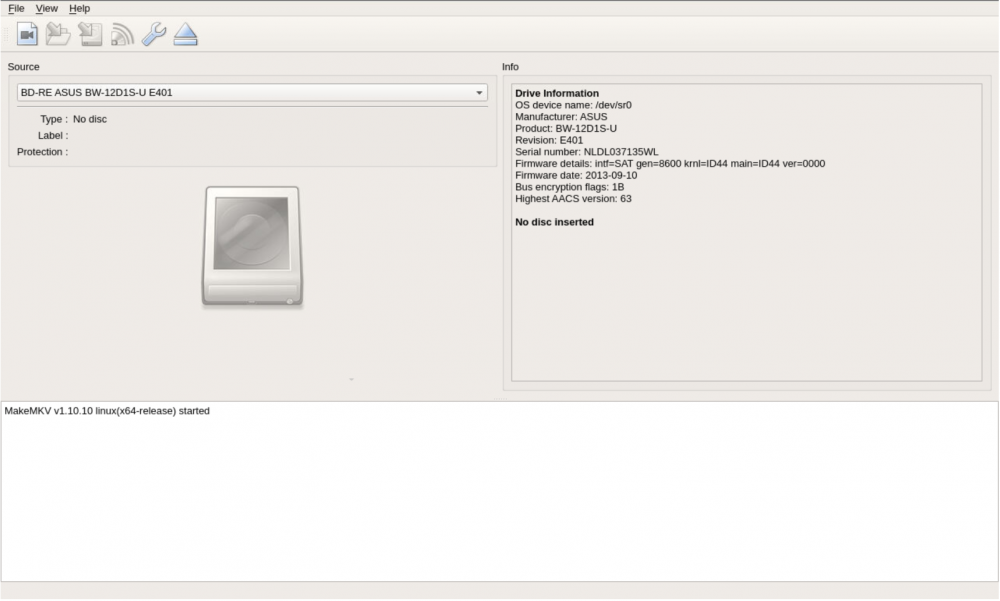
:-) Is there a way to comma separate the --device string? I just did --device /dev/sr0 --device /dev/sg1 thinking maybe I can --device /dev/sr0:/dev/sg1 ? @Djoss thanks for the log hint, made it a breeze :-)
-
Are we literally wild carding the third character (sr*, sg*), or is the * representation just an example, users still need to identify the numeric value for their device, then pass it through?
-
I trust/hope now that the ground work is laid out, he will have a quick one liner in the 11 release "adjusted permissions for linux builds". What are you doing to work around it? Are you just passing an additional --device in the gui, or are you adjusting a script within your container?
-
See you making progress in there. Seems the root cause was nailed down today :-)
-
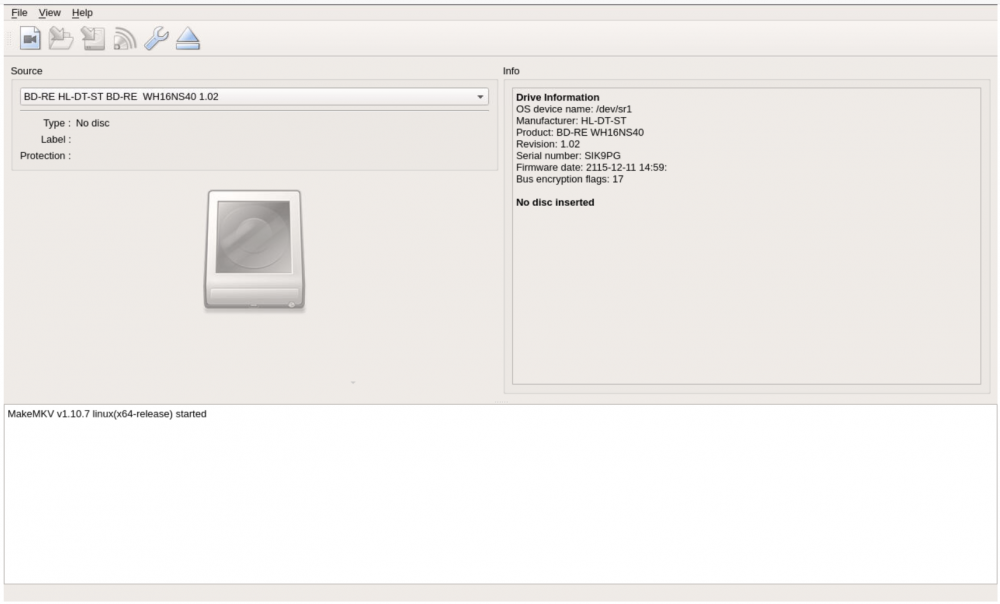
@Djoss 1.10.10 seems to be out : https://www.makemkv.com/forum2/viewtopic.php?f=3&t=224&sid=b580bf9325d77c6b0391be68408b11cf EDIT: Scratch that, seems to be still not fixed: https://www.makemkv.com/forum2/viewtopic.php?f=3&t=16939&start=15 Might as well set your main image to 8.
-
Yep, will just hang back and watch the makemkv thread where DJoss is at: https://www.makemkv.com/forum2/viewtopic.php?f=3&t=16939&sid=eed59b6f6bddfb826995145685a6adc1
-
@Djoss I dropped back to your jlesage/makemkv:v1.5.1 and that let me downgrade so my Asus USB Blu-ray was detected again. I am getting an "update" notification now for your Docker on the 1.51 branch, is this correct?
-
Just came here to note the same. EDIT: AND Drive is detected again :-) I assume when an update comes out to fix this, you will update the main repo and have us set it back to jlesage/makemkv ?
-
I don't think they have a native linux server compiled. I think it would require wine since they only offer the server for windows.
-
and what if you launch the Docker directly from within unraid, not using vncviewer? You can left click on the docker icon and choose webgui.
-
I just ended up mounting my new cache drive (nvme) through unraid, having unraid format as btrfs ( no problems). Then used UD to mount my old cache drive, copied over the contents, then unmounted and rebooted.
-
Not possible to format a fresh nvme drive to btrfs? (I want to format and mount ahead of time so I can copy my current cache contents over before removing the original cache drive) Nov 12 09:44:43 theark unassigned.devices: Formatting disk '/dev/nvme0n1' with 'btrfs' filesystem. Nov 12 09:44:43 theark unassigned.devices: Format disk '/dev/nvme0n1' with 'btrfs' filesystem result: btrfs-progs v4.7.2 See http://btrfs.wiki.kernel.org for more information. Nov 12 09:44:43 theark unassigned.devices: Format disk '/dev/nvme0n1' with 'btrfs' filesystem failed! Nov 12 09:45:04 theark rc.diskinfo[8174]: PHP Warning: Missing argument 2 for force_reload() in /etc/rc.d/rc.diskinfo on line 691 theark-diagnostics-20171112-0958.zip
-
Confirmed, back up and running. Was close to picking up a key. But some more beta testing would be nice :-)
-
Alright got it. I see after a reboot my server went to /dev/sr0, problem #1 :-) And damn, you even added a nice little note in your docker explaining how to add an optional drive. Needless to say, I got it. Thank you for adding this!!
-
No, I removed that parameter before updating. Is that what I'm missing? If so, I feel silly. New to docker, I am getting the feeling that the standard docker layout is universal for all containers, and that parameter is needed to pass a devices through. Yep, let me test that :-)
-
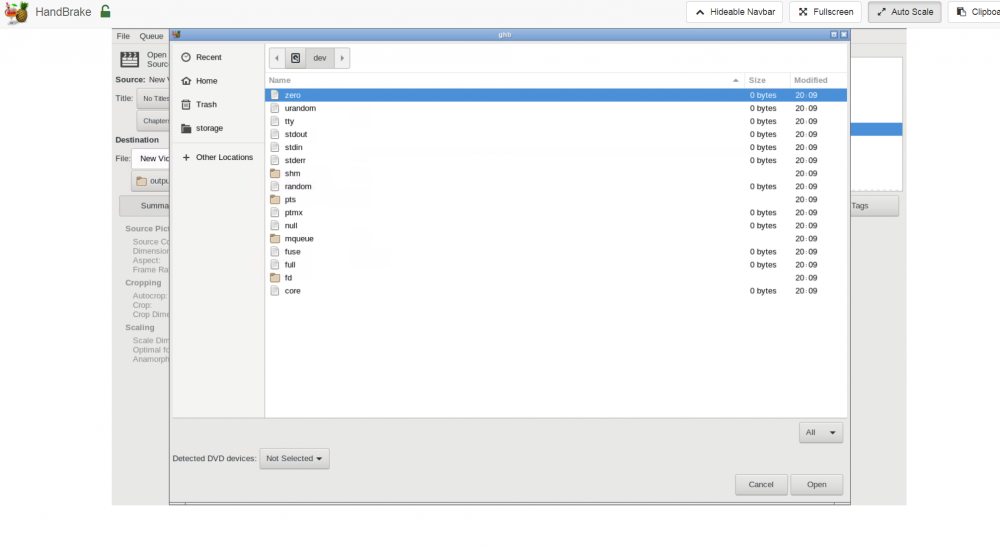
I give, am I just not seeing /dev/sr1 ?
-
Updated, but didn't see my sata drive. Also tried the same additional option like we use in makemkv, also no bueno. I assume it's something different we need to do?
-
Anything special to get it going, or just update and *poof*?!
-
Yep, I understand. Typically you need a middleman to hijack the encryption (AnyDVD). But handbrake can still be used for non encoded disc read/writes.
-
Anything special that needs to be done in order to get a SATA connected Blu-Ray drive to be picked up by this docker? I got MakeMKV working fine with the --device additional argument.
-
Thanks, all setup: