





Joe
Members
-
Joined
-
Last visited
Everything posted by Joe
-
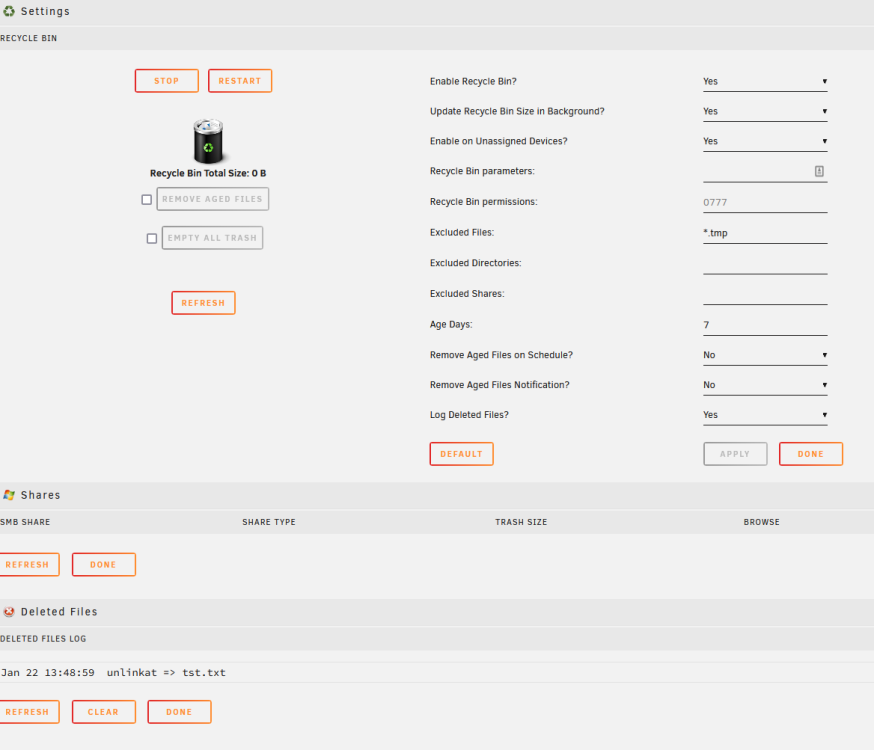
Mine is not working and has been not working for a while. I just got some time and deleted the plug in and all recycle bins and reinstalled. It logs the file deleted as unlinked but no new .Recylebin folder is created.
-
My server runs at 99 watts most of the time. Ryzen 7 1600 32GB RAM 5 - 14TB 7200RPM drives 2 - 500GB SSD P200 and AMD 6450 GPUs I re-built the system about 3 years ago because I had a AMD FX8350 (I think) that ran over 200 watts and wanted to save energy and money. I also got double the threads from 8 to 16. I am thinking of upgrading just the chip to a later gen (G) with video to give me more options with VMS and decoding video.
-
Because I either forgot or did not know about going to Previous Apps. It is so infrequent that I have server issues that it's like starting from scratch when I have problems.
-
I think I have it sorted. The new installs were not using the correct directories in appdata directory. I moved stuff around and it mostly works except Plex is not updating the libraries, and my Nvidia P400 does not show up on the dashboard anymore. I have no idea why all this is happening as it was a proper shutdown.
-
The old configs are ending in .bak file on the flash drive. How do I access it to rename them to .xml?
-
Nope the templates are good but the re-installs wiped the data from my dockers in the app folder. My Plex, Sonarr, Deluge data is gone. I may have a backup of the appdata folder that is in a .tar file that I am trying to extract with 7zip. It will be a while. It has been so long I don't remember how I had even set that up. What would you suggest now?
-
They are now installing. I think I was hitting save instead of apply. Any idea why all my settings are gone? Any way to recover them?
-
It does not matter if I install or re-install. No dockers will install at all. Here is the command. /usr/local/emhttp/plugins/dynamix.docker.manager/scripts/docker create --name='plex' --net='host' -e TZ="America/New_York" -e HOST_OS="Unraid" -e HOST_HOSTNAME="Tower2" -e HOST_CONTAINERNAME="plex" -e 'VERSION'='docker' -e 'PLEX_CLAIM'='' -e 'PUID'='99' -e 'PGID'='100' -e 'UMASK'='022' -l net.unraid.docker.managed=dockerman -l net.unraid.docker.webui='http://[IP]:[PORT:32400]/web/index.html' -l net.unraid.docker.icon='https://raw.githubusercontent.com/linuxserver/docker-templates/master/linuxserver.io/img/plex-logo.png' -v '/mnt/user/TV/':'/tv':'rw' -v '/mnt/user/Movies/':'/movies':'rw' -v '/mnt/user/appdata/plex':'/config':'rw' 'lscr.io/linuxserver/plex'
-
I go through the install but files never download or install. I did a 1 minute capture for you. Please let me know what other info I can provide. Thanks for the help. Joe Tower2_Apps — Mozilla Firefox 2022-08-11 13-24-06.mp4
-
We had a power outage last night and I have an UPS on my server. I did a graceful shutdown and brought it back up after power was restored. No parity check required. Everything worked fine but my Plex docker would not start. I deleted it and tried reinstall, but no luck. Then I tried to install random dockers and nothing installed. I deleted my docker.img and restarted but can still not re-install any of my dockers. They do not even try to download. Attached is my server diagnostics. Thanks for any help you can provide. Joe tower2-diagnostics-20220811-1116.zip
-
I am having the same problem with the same error. Were you able to resolve this? If so please share the fix.
-
Thanks so much. This was driving me nuts! UB Da Man!
-
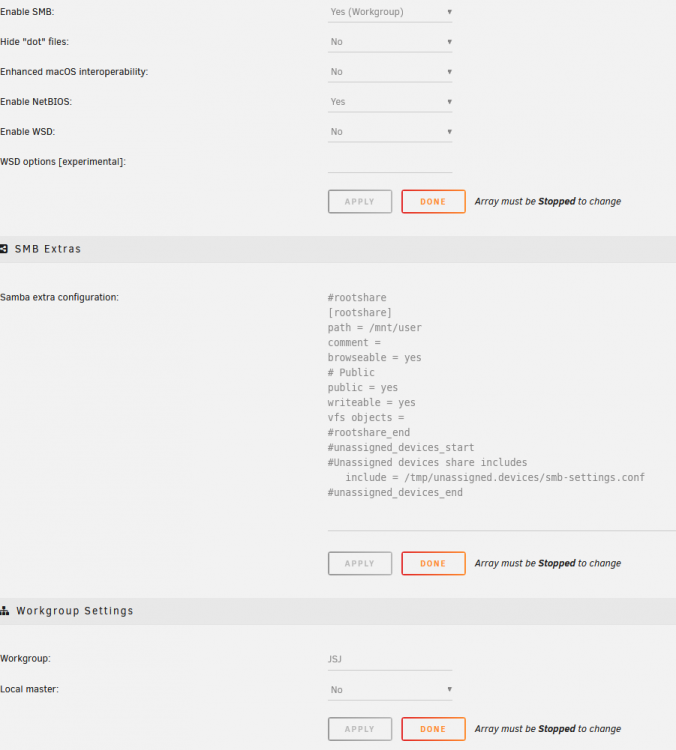
Yes I was able to mount a share on my unRaid server to the Shield. These are my share settings.
-
Thank you. That worked. I could have sworn that I checked that the directories were deleted after removing the plugin. I deleted them through terminal using MC and instead of /flash I found the files through /boot. I was wondering why in the Krusader docker I see a /flash and /boot but can not get into either, but using terminal and Midnight Comander to navigate, there is no /flash, only a /boot and I can see and delete the files.
-
I am getting the same error as Solverz: Warning: Invalid argument supplied for foreach() in /usr/local/emhttp/plugins/unassigned.devices/include/lib.php on line 1106 I tried uninstalling the plugin, rebooting, etc. The error keeps coming back. Thanks Joe
-
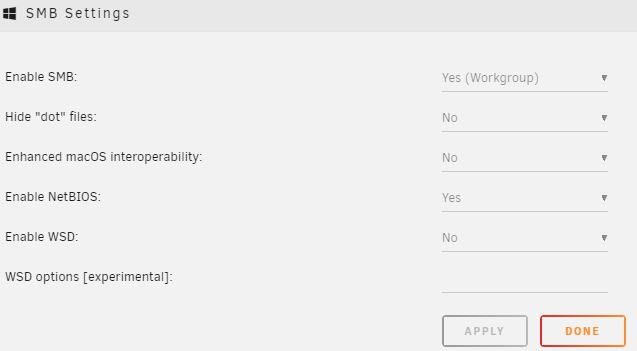
These are my settings. unRaid finds my shield when trying to map using the gui, I then fill in the ID and password, on the next screen when hitting the down arrow to find the shares it comes up empty. I try typing it in and it says mapped but I it will not mount.
-
Thank you. I tried this by having Netbios as yes (This was set) and I turned WSD to off, it was on Select 'Yes' to enable WSD (WS-Discovery). The only reason to turn this off is when you are running an old LAN setup based on SMBv1. Still will not load the share. unRaid found the Shield, I typed my id and password. Then no shares showed up. I tried manually but it would not mount them.
-
I am trying to mount a drive on my Nvidia Shield. I know that the problem is that the Shield only uses SMB1 and that unRaid now wants to use SMB2. I had the same problem on Windows 10 after an update and had to go to features and add SMB1 support back in. How do I do this on unRaid? thanks Joe May 22 23:59:27 Tower2 kernel: CIFS VFS: cifs_mount failed w/return code = -6 May 22 23:59:27 Tower2 unassigned.devices: SMB1 mount failed: Retrying with upper case share name mount error(6): No such device or address Refer to the mount.cifs(8) manual page (e.g. man mount.cifs) and kernel log messages (dmesg) . May 22 23:59:27 Tower2 unassigned.devices: Mount of '//SHIELD/shieldSamsung USB driveNVIDIA_SHIELD' failed. Error message: 'Retrying with upper case share name mount error(6): No such device or address Refer to the mount.cifs(8) manual page (e.g. man mount.cifs) and kernel log messages (dmesg) '.



