





bdydrp
Members
-
Joined
-
Last visited
Everything posted by bdydrp
-
So the move cmd in unbalance will move the files (or this case copy them) and not delete from source?
-
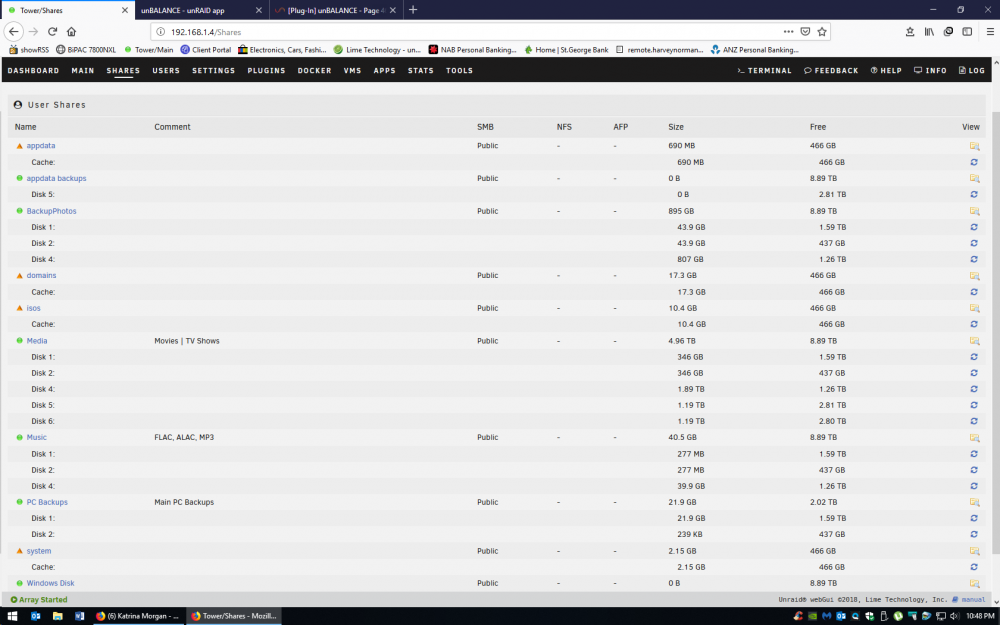
I can see from this screenshot, that all Disk 2 is the same size as Disk 1, for each share (except pc backups, but that fine) Is this good sign that it indeed copied everything to disk 1?
-
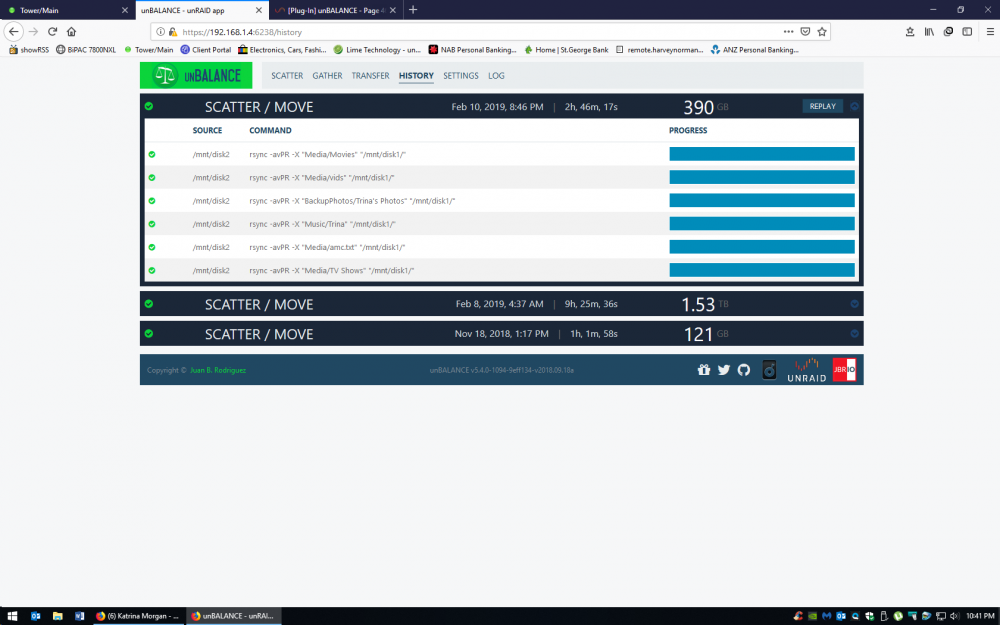
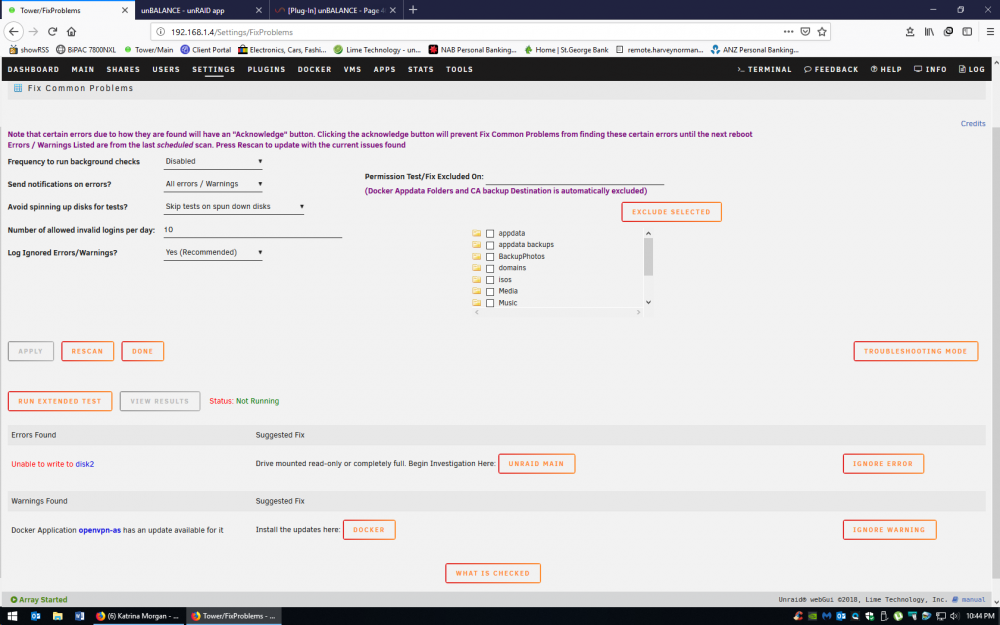
Have just run another instance. Moving contents of Disk 2 to Disk 1 Instead of Move, it seems to have copied the files instead. Could it be because, for some reason disk 2 is set to read only in Fix Common Problems Is there a quick way to verify all of disk 2 contents are on disk 1? apart from exporting disk shares, and using explorer to cross reference? Cheers
-
-
The main reason im using this, is to be able to change file system on 2 of my drives. Once i have change both drives, and i want to re-scatter files around, im going to assume that unbalance still follows the split levels set by each share?
-
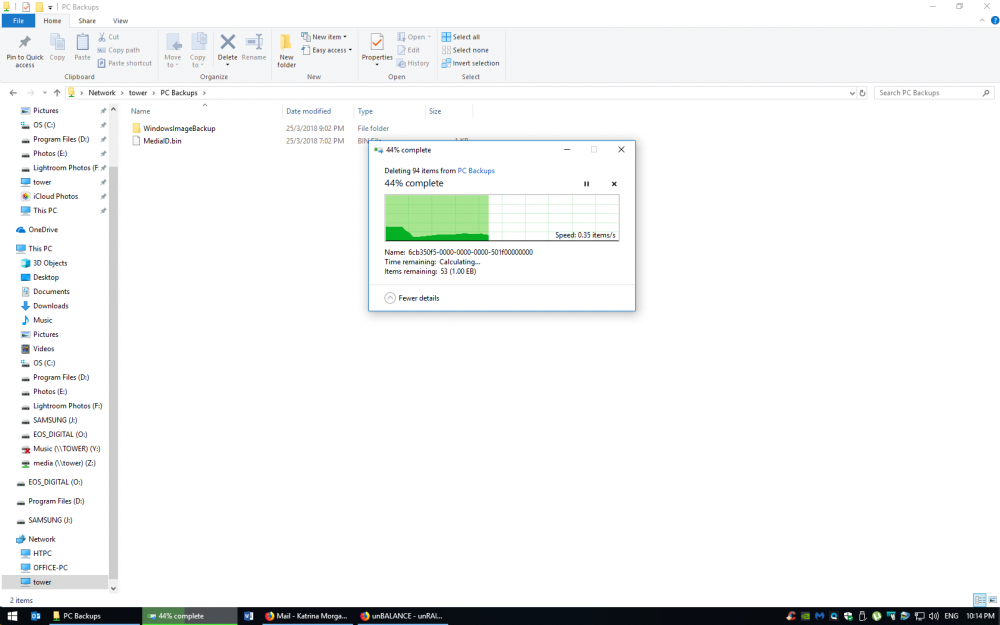
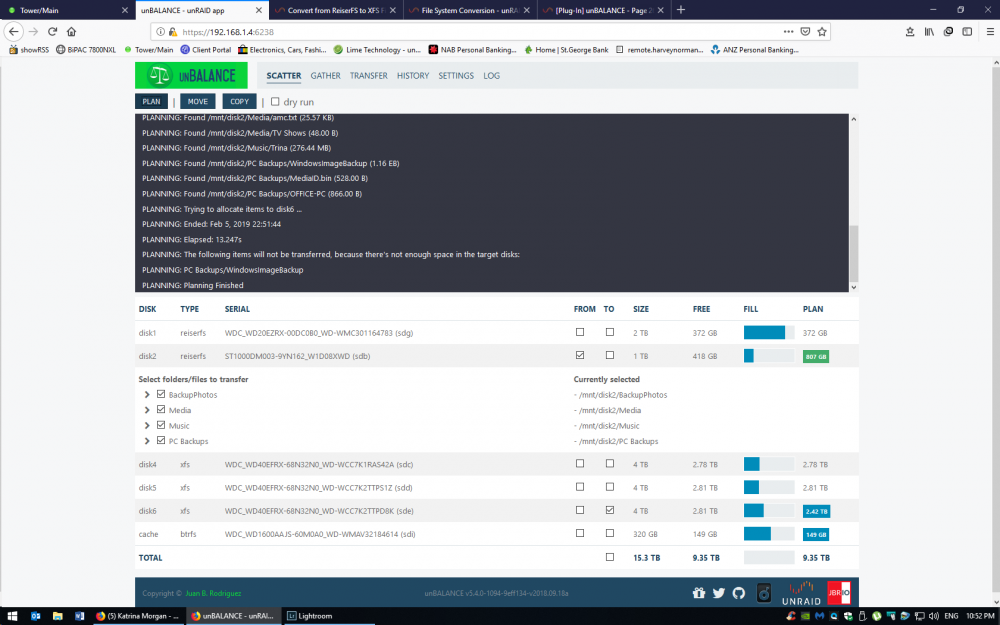
So i just tried deleting that folder contents on my windows machine, and windows popup reporting as 1.0EB Im baffled!
-
How can it be reading EB? I dont have THAT much storage! I think i will delete that folder, as i can manually run a backup later.
-
@jbrodriguez Result from cmd line 1155541323535496270 /mnt/disk2/PC Backups/./WindowsImageBackup 528 /mnt/disk2/PC Backups/./MediaID.bin 866 /mnt/disk2/PC Backups/./OFFICE-PC
-
@jbrodriguez Not sure why its reading like that. When i look at the share size in the GUI, it reports as 551 GB Ill try a restart, and see if it helps! Cant think of anything else
-
Not sure if it is something im missing, but im trying to move the contents from disk 2 to disk 6 Disk 2 has got 582GB, and disk 5 has 2.8TB Free When i run the Plan option, it tells me that a folder cant be moved because the target disk doesn't have enough space Am i missing something here?
-
I think that drive has problems. The Pending Sector count needs to be 0 for the drive to be used successfully with unRAID and that SMART report for the drive shows 1453 (it has probably gone up since). That is probably why the count shown is incrementing so slowly - the drive is continually retrying to read sectors, and eventually giving up and marking them as 'pending' to indicate a read failure. I bet if you looked at the syslog it will be filled with read errors for that drive. Thanks itimpi - Now you've mentioned syslogs, i do remeber seeing errors, but dont recall if they were for the drive...Should have realised with a preclear in process.. I agree bjp999 - Rather it happen now than later for sure. Im assuming that there is no point in restarting it? Just wait till it finally finishes and see the report?
-
In theory you can start again with the post-read, but that leaves open the question of why it failed in the first place! Things to do before trying again would be:Run the tools->Diagnostics option in case it has any information relating to why the preclear failed. You could post the ZIP file here if you want anyone else to look at it. See if you can obtain a SMART report for the drive (there should be a copy in the diagnostics file but doing it for just this drive will see if it may have dropped offline. Also the SMART report might indicate if the drive is having problems. Look in the preclear reports to see if there is anything useful about the earlier stages. Check cabling to the drive Thanks itimpi. Ive noticed the sector count has changed, but ever so slightly and at an extremely slow rate. Ive also attached my smart report. Thanks tower-smart-20160120-2219.zip
-
I started a pre-clear of 3 drives the other day. 2x2TB and 1x160gb. A 2tb and the 160gb drive cleared no problems. But it seems the other 2tb has frozen at 66%. ================================================================== 1.15 = unRAID server Pre-Clear disk /dev/sde = cycle 1 of 1, partition start on sector 64 = Disk Pre-Clear-Read completed DONE = Step 1 of 10 - Copying zeros to first 2048k bytes DONE = Step 2 of 10 - Copying zeros to remainder of disk to clear it DONE = Step 3 of 10 - Disk is now cleared from MBR onward. DONE = Step 4 of 10 - Clearing MBR bytes for partition 2,3 & 4 DONE = Step 5 of 10 - Clearing MBR code area DONE = Step 6 of 10 - Setting MBR signature bytes DONE = Step 7 of 10 - Setting partition 1 to precleared state DONE = Step 8 of 10 - Notifying kernel we changed the partitioning DONE = Step 9 of 10 - Creating the /dev/disk/by* entries DONE = Step 10 of 10 - Verifying if the MBR is cleared. DONE = Post-Read in progress: 66% complete. ( 1,329,595,392,000 of 2,000,398,934,016 bytes read ) 63.9 MB/s Disk Temperature: 42C, Elapsed Time: 46:03:23 The number of bytes read has not changed in the last half hour. Question. Since its at Post Read, can i just run Post Read again or do i need to start from the beginning? I'm using Joe's script and the plugin if that matters Thanks
-
CA has built into it a special mode where if it senses that you're going to yell at it (or I am) that it'll start working perfectly. Ha Well it must of sensed me then.....lucky for it.
-
So....got home clicked add on a app.....and it bloody worked this time without the need for rebooting....so frustrating here's the URL for reference - http://192.168.1.4/AddContainer?xmlTemplate=default:/var/lib/docker/unraid/templates-community-apps/284.xml At least its working, but a pain cos i don't know what caused the original issue...... Thanks all for assisting
-
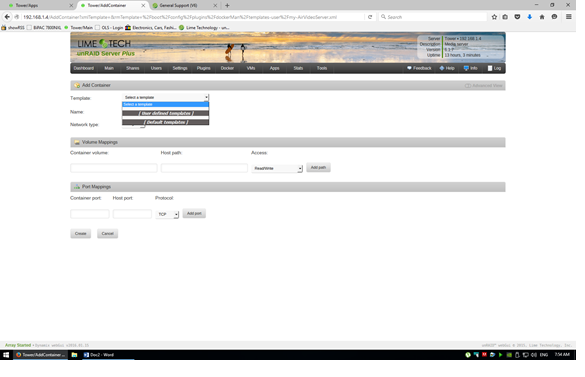
I was getting that page as a pop up after clicking add from the apps page. ( without the drop down being shown) all other fields were empty. It happens on any 'app' I remember previously when I click add, a new page would open with the app description and fields to enter to map the location docker image.. Now I get nothing. I'm off to work now, but will try rebooting when I get home to see if that does anything Cheers When you try again, give me a screenshot before doing anything on the screen. In particular I need the url Thanks Squid, will do....Just for my knowledge, when clicking 'add', should it open in a new tab?
-
I was getting that page as a pop up after clicking add from the apps page. ( without the drop down being shown) all other fields were empty. It happens on any 'app' I remember previously when I click add, a new page would open with the app description and fields to enter to map the location docker image.. Now I get nothing. I'm off to work now, but will try rebooting when I get home to see if that does anything Cheers
-
When i click add on an 'app' - i get the following screen shot Its all completely blank
-
No need for repositories. If you click Add from CA then it fills in the page for you. Selecting a template is only for when you want to get the page filled in from one you have already saved. Thats what i thought. Tho when i click add, it comes up to essentially a blank page with no template loaded Not sure if the attached clear - but that what i see after clicking 'add' EDIT - Attachment didnt work, will try again
-
With CA do you need to add each docker repository manually still? Ive just installed a cache drive and created "appdata" share on cache only. Docker.img is set to cache. When i click "add" on a docker application, the popup takes me to the add container page and asking me to select a template. I though this was done automatically in the past? Running latest version of unraid, and have removed all things docker and CA plugin and tried again...but still the same Any clues?


