





bdydrp
Members
-
Joined
-
Last visited
Everything posted by bdydrp
-
Unfortunately, this has happened a couple of times now with duckdns not updating IP
-
Think i worked it out. Logged into duckdns account and noticed it had not updated my IP. Once i manually updated mg IP, everything worked again
-
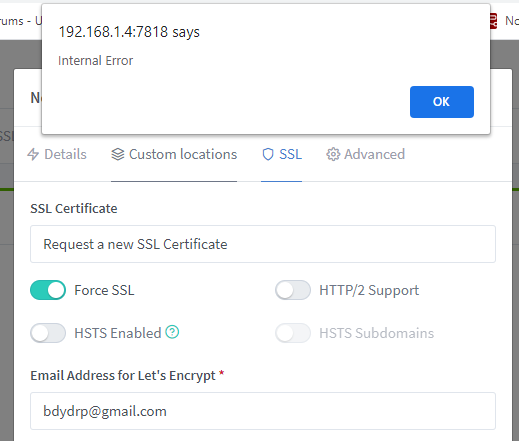
what would cause this error when setting up a new proxy host and getting an SSL certificate?
-
all good When i was setting up the vm, at the point of auto selecting wan/lan port, i connected a cable from my switch to these ports. So i might delete and remove vm. Then that time of auto selecting wan port, unplug current router and connect isp straight to wan port, then lan to switch. See how that goes.....Nothing to lose!!
-
Sorry, in a VM!
-
Thats what i had thought, but i cant get pfsense to get an IP from my ISP - and hence no internet connection
-
OK - Dumb question My current setup is: VDSL modem (DHCP) > netgear router > switch With pfSense, what the correct way? VDSL > wan port on nic > lan port on nic > switch? VDSL > switch > wan port on nic > lan port on nic > switch? reason i ask , is that when setting up pfsense, and auto selecting wan/lan ports both these were connected directly to the switch, but pfsense didnt get an external IP from my ISP but instead an IP in my local range (192.168.1.xxx) When i disconnect my current router, cant seem to get pfsense to get an IP from my ISP!!
-
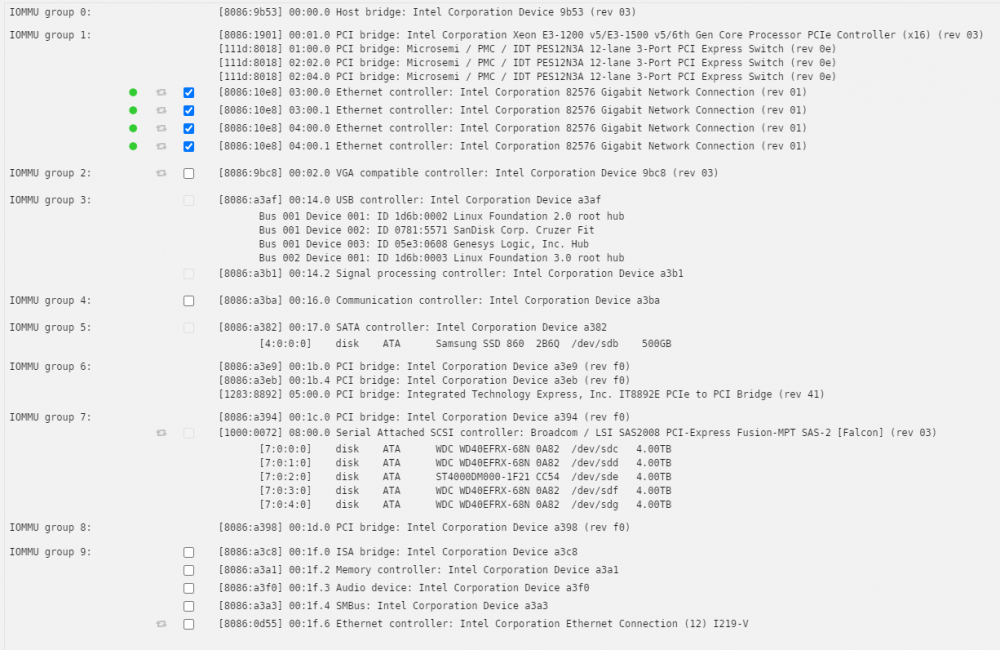
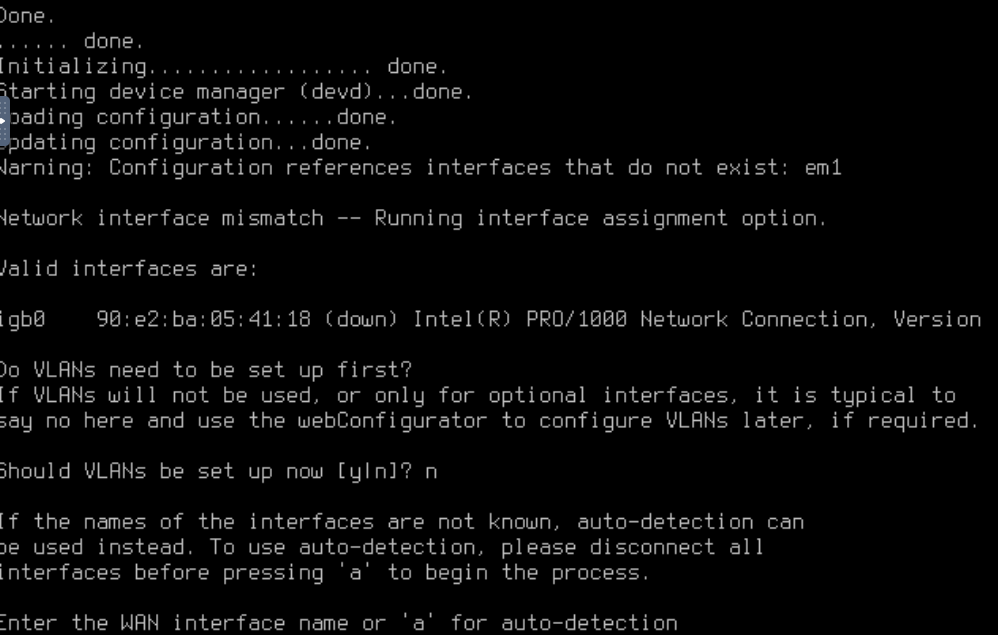
Have followed along and when its time to assign interface ports, pfsense doesnt see that 4port NIC This is my IOMMU groups I am assuming the ticked items in Group 1 is the 4 port intel NIC, but not sure if the remaining item in thatgroup are ascociated? Do they need to be split? I have tried the overide option on or off, this is what pfsense displays igb0 is the onboard nic? EDIT: In the VM creation it automatically sets the machine type as Q35-5.0 Once i changed it to Q35-2.11 everything worked as per the video And i did not have to set any pcie overrides. My intel nic in group 1 passed through no problems. pfSense now installed!!
-
I'm going to revive this thread as there is a similar amazon node that i would like to install. BUT, in order to do so, it requires node-red to be running on the host network, for alexa to be listening on Port 80 Since i have my dockers on br0 with individual assigned IP's, is there anyway to have br0 listen to port 80 on the host network? This is my run cmd Thanks

-
Like so? If yes, i get a 502 - Bad gateway error, when accessing domain name EDIT - In NPM, i had my Proxy Host set as HTTPS, changed to HTTP and all works now.. Thanks

-
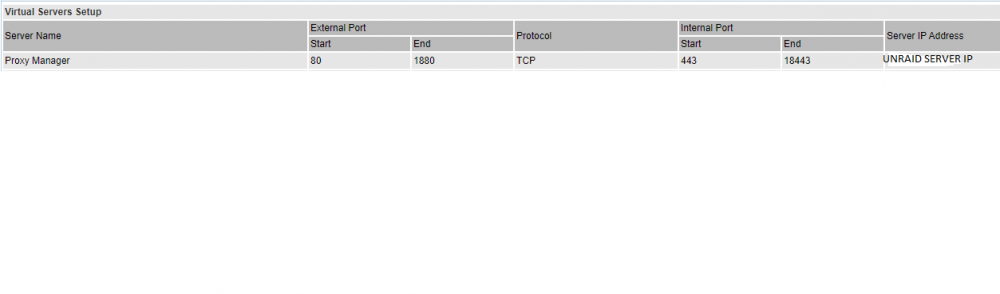
So ive had this working for some time now, but the other day i noticed that me port forward setting dissapeared from my router. I have set them up again, but cant get any of my subdomains to forward to where they should go. If i use https://domain name i get site cant be reached error, and if i use http://subdomain i reach my router webui (which i have not entered its IP anywhere NPM is set to bridge, with all setting leftas default This is my router port forward settings: And this is the proxy settings: Is there someting else im forgetting? Cheers

-
Thanks - Have left it in bridge for now! Tho, the other docker im accessing (jellyfin) has an IP assigned, and i can still access it Cheers
-
Ive read through this topic, and think i have everything set correctly. When i have NPM set to Bridge, and forwarded ports 80>1880 & 443>18443 everthing works. I can access my docker via dns name. But, when i set NPM to br0 and forward ports 4443>4443 & 8080>8080 to NPM IP, my dns name rerturns error - Site cant be reached Is there something im missing in using br0? Cheers Adam
-
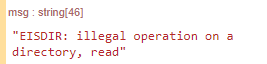
This is what i tried: chmod 777 /mnt/user/appdata/nodered Still get this error. I'm wondering if its a palette issue, as NodeRed itself can save flows and new palette info to the directory!
-
I'm pretty sure i have tried that previously and it didnt help. Will try it again tho Cheers
-
Yes, ive looked at the guides. authFile just gives me a "unexpected JSON end" error. If i put any other path file - this returns a "no such file or directory exists" error Ive tried many paths/filenames etc, but nothing works Ill keep trying tho!
-
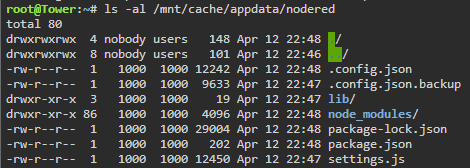
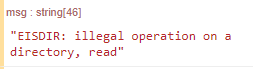
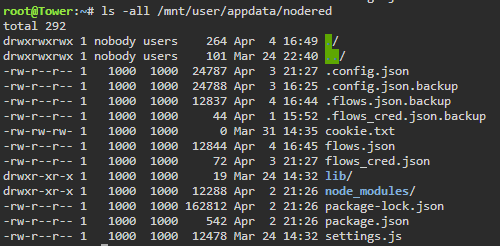
So i have removed and reinstalled Nodered again - Just so i could compare permissions to what you have stated in yours. Only the top directories are nobody:users - This is the error i get in the palette im using: To me, (and clearly i VERY novice with linux) that would seem like a permission error as it cant write to the /data directory? But, on the other hand, when i add palette's and save flows, it has no problem writing these to the directory!!
-
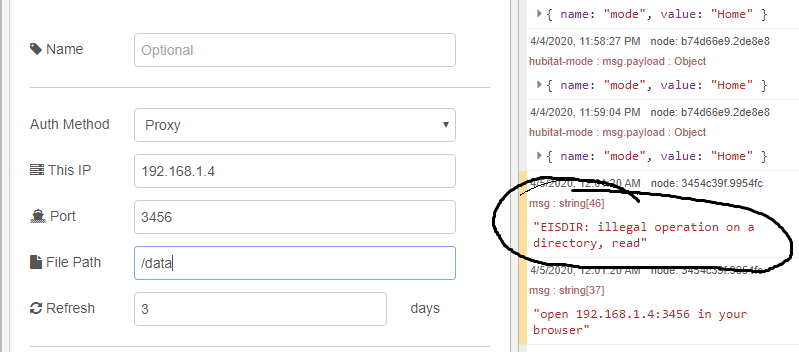
Thanks. The error i have above "EISDIR, ilegal operation on a directory, read" i took as a permissions error as it cant write a file to /data. Which is owned by 1000:1000 - i thought whis was needed by the nodered documentation I tried a completey fresh install without changing permissios but still got same error. So now im not sure what to put in the file path location for that palette!
-
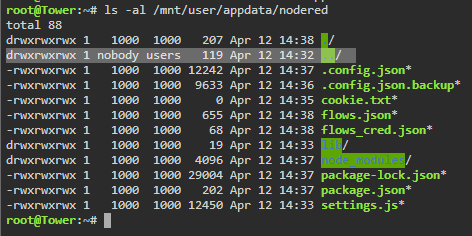
In this screenshot, which line is the host directory? ../ or ./ Nodered red ownership should be 1000:1000 but not sure if my error is because the highlighted line is nobody:users?
-
@spants Ive changed the directory to /data now i get this error Cheers
-
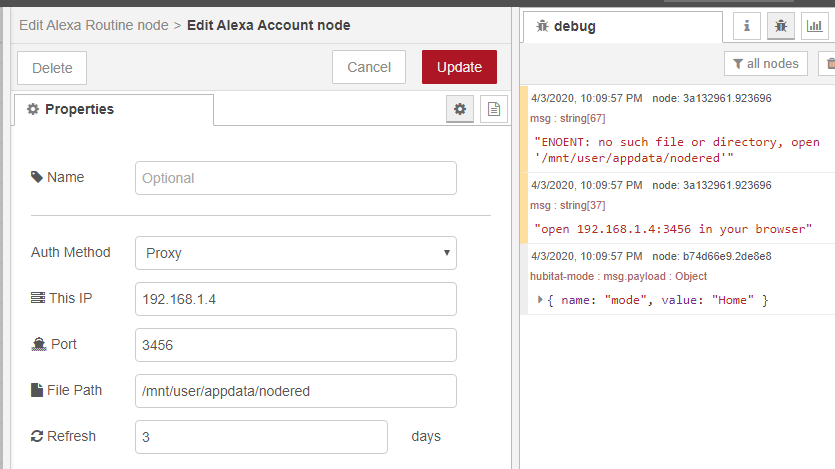
I have saved a cookie.txt file in /mnt/user/appdata/nodered and given user permission to match Still keep getting "no such file or directory" error
-
Hi Guys, Hoping someone could point me in the right direction, as i dont know if this issue is with the docker path or with the node palette! I have installed the palette node-red-contrib-alexa-remote2 Inside the settings a path to save the amazon cookie to a text file, but no matter i put, i keep getting a path/directory not found error Anyone know what i could try?? Install instructions i have seen say i should just put "authFile", which i presume would save it in the installation directory - but it doesn't Cheers
-
Quick edit - I restarted unraid and now the service is running Not sure why a reboot was required!
-
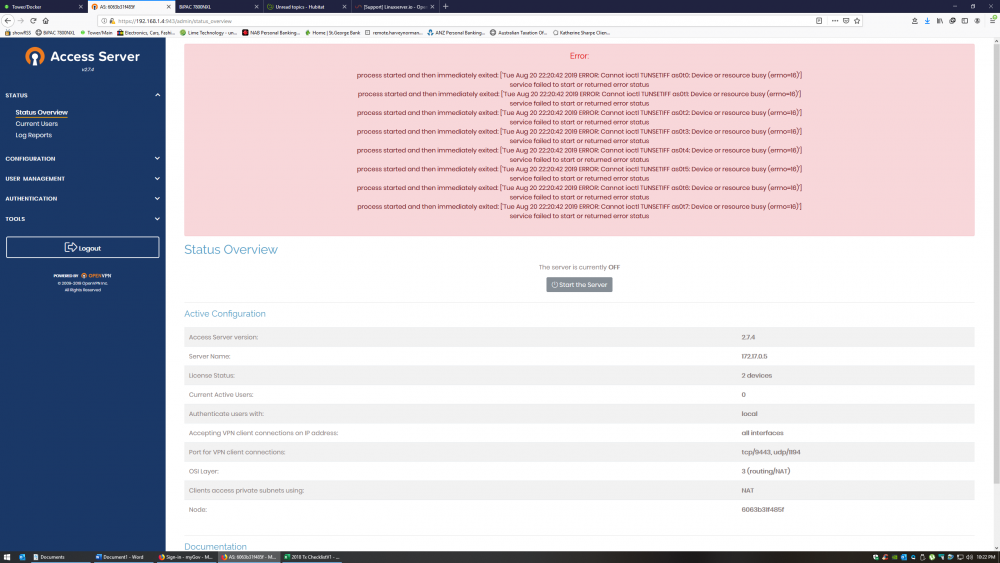
I have freshly installed this docker, and on the main webui page, i need to click on start server but get the following error: Any ideas on where to start looking to fix? All docker setting were left as default Cheers
-
Thanks - I was double checking that even tho i had used the move cmd, files were still copied to the target disk even tho disk 2 had errors. Which Yes it did. Disk 2 had an error, so in this case, file were copied from Disk 2 to disk 1. leaving file on source disk. Knowing i had duplicate files, i could safely format disk 2.


