cherritaker
Members
-
Joined
-
Last visited
Everything posted by cherritaker
-
I started having a issue where my shows folder changes it’s file permissions. I have tried to run the docker file permissions and using Dynamis file manager to change the file permissions. It seems to work for a few days then the folder will change its permissions on its own. Not sure what could be causing this or what else I can try any help would be greatly appreciated. Thank you in advance.
-
Ok I only had one docker with the Bro configuration that I deleted to see if it makes any difference.
-
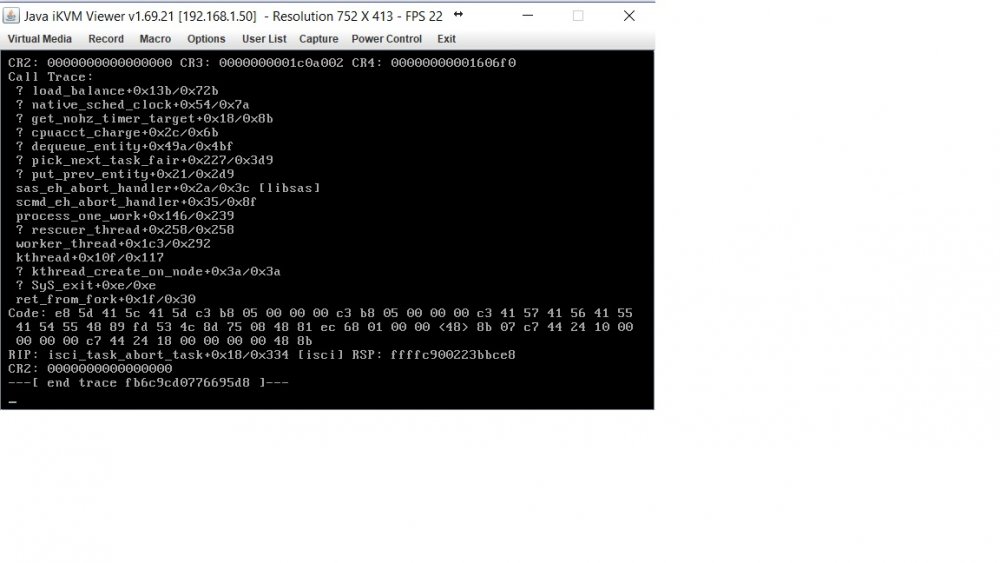
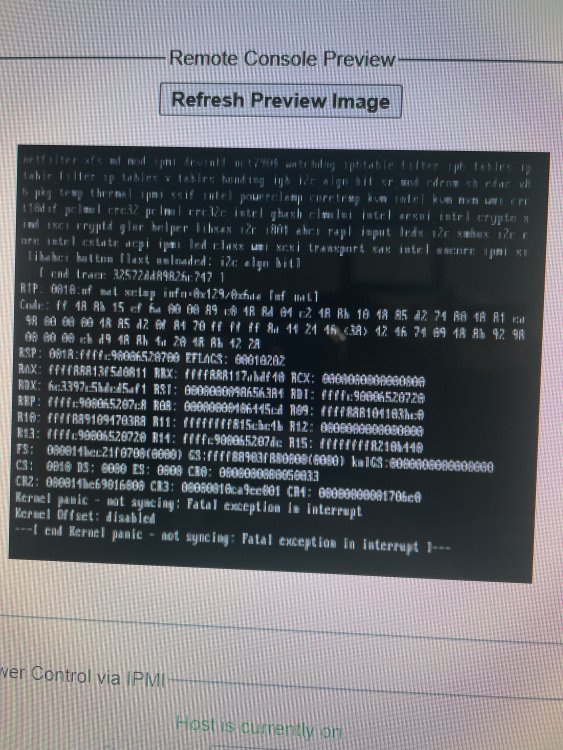
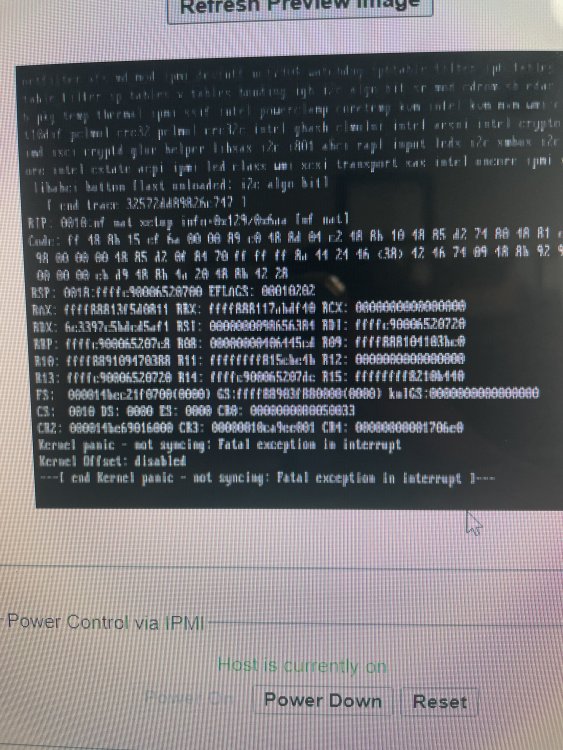
I have been having random crashes that force me to hard reset my server. They usually happen after a week or two. I cleaned and dusted my supermicro case hoping it was overheating issue but it did it again today. I took a picture of what i can see on my ipmi window because i don't have a vga monitor and will include a diagnostic and syslog hopefully it can help on resolving my issue. tower-syslog-20210715-0526.zip tower-diagnostics-20210714-2219.zip
-
Ok thanks for the help i noticed the same issue happening to my deluge vpn. I asked a friend of mine and his seemed to be working fine even with him using the same provider and ovpn file so i thought it might be a bad install thank you. Everything is up and running now.
-
Hello i just recently started using this docker but im stuck on this error that wont let me load up the webui i have tried several different servers with the same results heres a copy of my log.
-
ErrorWarningSystemArrayLogin [s6-init] making user provided files available at /var/run/s6/etc...exited 0. [s6-init] ensuring user provided files have correct perms...exited 0. [fix-attrs.d] applying ownership & permissions fixes... [fix-attrs.d] done. [cont-init.d] executing container initialization scripts... [cont-init.d] 01-envfile: executing... [cont-init.d] 01-envfile: exited 0. [cont-init.d] 10-adduser: executing... ------------------------------------- _ () | | ___ _ __ | | / __| | | / \ | | \__ \ | | | () | |_| |___/ |_| \__/ Brought to you by linuxserver.io We gratefully accept donations at: https://www.linuxserver.io/donate/ ------------------------------------- GID/UID ------------------------------------- User uid: 99 User gid: 100 ------------------------------------- [cont-init.d] 10-adduser: exited 0. [cont-init.d] 20-time: executing... Current default time zone: 'America/Los_Angeles' Local time is now: Sun Feb 9 19:36:59 PST 2020. Universal Time is now: Mon Feb 10 03:36:59 UTC 2020. [cont-init.d] 20-time: exited 0. [cont-init.d] 30-config: executing... existing data found, reinstalling openvpn-as backing up certs.db backing up cluster.db backing up config.db backing up config_local.db backing up log.db backing up notification.db backing up userprop.db backing up as.conf Selecting previously unselected package openvpn-as-bundled-clients. (Reading database ... 13024 files and directories currently installed.) Preparing to unpack /openvpn/openvpn-clients.deb ... Unpacking openvpn-as-bundled-clients (5) ... Setting up openvpn-as-bundled-clients (5) ... Selecting previously unselected package openvpn-as. (Reading database ... 13037 files and directories currently installed.) Preparing to unpack /openvpn/openvpn.deb ... Unpacking openvpn-as (2.8.0-beb4c556-Ubuntu18) ... Setting up openvpn-as (2.8.0-beb4c556-Ubuntu18) ... Automatic configuration failed, see /usr/local/openvpn_as/init.log You can configure manually using the /usr/local/openvpn_as/bin/ovpn-init tool. /var/lib/dpkg/info/openvpn-as.postinst: line 72: systemctl: command not found Stopping openvpn-as now; will start again later after configuring cat: /var/run/openvpnas.pid: No such file or directory kill: usage: kill [-s sigspec | -n signum | -sigspec] pid | jobspec ... or kill -l [sigspec] restoring certs.db restoring cluster.db restoring config.db restoring config_local.db restoring log.db restoring notification.db restoring userprop.db restoring as.conf [cont-init.d] 30-config: exited 0. [cont-init.d] 40-openvpn-init: executing... [cont-init.d] 40-openvpn-init: exited 0. [cont-init.d] 50-interface: executing... MOD Default {} {} MOD Default {} {} MOD Default {} {} MOD Default {} {} [cont-init.d] 50-interface: exited 0. [cont-init.d] 99-custom-scripts: executing... [custom-init] no custom files found exiting... [cont-init.d] 99-custom-scripts: exited 0. [cont-init.d] done. [services.d] starting services [services.d] done. This is the log for the docker attached as well.
-
root@localhost:# /usr/local/emhttp/plugins/dynamix.docker.manager/scripts/docker run -d --name='openvpn-as' --net='bridge' -e TZ="America/Los_Angeles" -e HOST_OS="Unraid" -e 'PGID'='100' -e 'PUID'='99' -p '943:943/tcp' -p '9443:9443/tcp' -p '1194:1194/udp' -v '/mnt/user/appdata/openvpn-as':'/config':'rw' --cap-add=NET_ADMIN 'linuxserver/openvpn-as' 8e356127ef4712a502b0a24a3d9b9324c7c6fcedc5e8a2273cb4a4461ba97c28
-
How does one go about finding the docker run to post?
-
I'm getting an error when I try to log in as admin to openvpn that says my "session has expired, please reauthenticate (9007)" I removed the docker and image and did a clean reinstall and it still pops up with the same error. The full error reads: Sorry, a session error has occurred It is possible that your session has expired or your login credentials do not allow access to this resource. See error text below for further details: SESSION ERROR: SESSION: Your session has expired, please reauthenticate (9007) It give a link to retry the login but I end up in an endless loop to this page again. Any ideas as to why I cannot log in with this clean install? thanks.
-
Since radeon gpu run natively on osx could if i follow this tutorial just not do the nvidia part and stick a RX 580 instead would i have video and audio working? Or do i still need to modify some of it? I followed the tutorial complete using a Nvidia Gt 710 and everything worked but i could not get hdmi audio working at all. Now i want to test a RX 580 and see if it will run out of the box without modifications. Thanks.
-
I have a quick question i noticed that when i connect a new drive it takes a while to detect it and not sure if its my system or maybe a option i can enable for faster detection. I have seed my friends system and his seems to detect drives a lot faster. Any input on this would be greatly appreciated.
-
Lol yea i saw that and got the proper keys just still get error so it might be my drive ill continue reading thank you. I didn't see the updated thread thanks was reading a old one. Thanks a lot guys works just was reading a outdated thread.
-
Do i need any extra files because i think my drive should support ripping uhd not sure its a LG WH16NS40. Not sure if its my drive or what but i get a error about keys missing.
-
Is there any 4k support for this yet? I know they released keys and some people are able to rip 4k now with certain drives not sure if it only works on windows version or if it would also work here. Thanks
-
Thank you so much seems to be working now.
-
So for now just dont use the plugin? And is there anything else i can do or try to make it work? When you had me manually download the plugin it didn't save it to unraid after i rebooted the system the plugin wasn't there like it never installed.
-
Should i be restarting the server every time i do a command?
-
this is the only thing i saw it do. Linux 4.14.13-unRAID. Last login: Sun Jan 21 11:05:28 -0800 2018 on /dev/pts/0. root@Tower:~# /boot/test.php parity sdg disk1 sdn disk2 sdq disk3 sdf
-
After running the command the system crashes so i can't do a diagnostic so i had the log window open and copied it here it is.
-
After doing the commands i get this. root@Tower:~# /sbin/hdparm -N /dev/sdc /dev/sdc: max sectors = 1953525168/1953525168, HPA is disabled root@Tower:~# /sbin/hdparm -N /dev/sdb /dev/sdb: max sectors = 1953525168/1953525168, HPA is disabled
-
Here they're. tower-diagnostics-20180121-0815.zip syslog.txt
-
Ok just got around to it .
-
Thanks squid that sounds great.
-
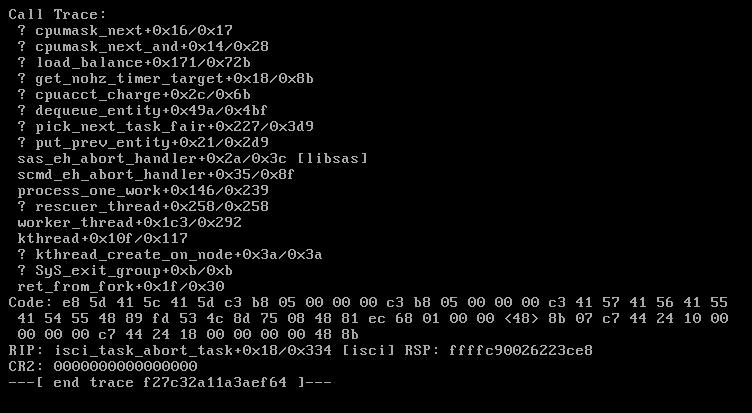
Ok i'm trying to do that right now but as soon as i install the plugin or start it nothing works. It wont allow me to do a diagnostic download i did capture another screenshot gonna try some more in maintenance mode.
-
Is anyone having trouble with the plugin being stuck on the Scanning screen. I recently noticed this after updating to 6.4.0 and ran into this issue after running the plugin it never finished scanning and made my server unresponsive. If i tried to stop it or reboot or shutdown it would just hang. I had to hard reset it. I installed a new clean version of Unraid on a new flash drive and ran into the same issue after over a hour still stuck on the scanning screen. And once again after attempting to stop uraid or reboot it just hangs. Doesn't stop it and becomes unresponsive. This is a screenshot of my motherboard ipmi that i don't quite understand when i run the plugin. Any help would be appreciated.