





CHBMB
Community Developer
-
Joined
Everything posted by CHBMB
-
What has PIA got to do with it?
-
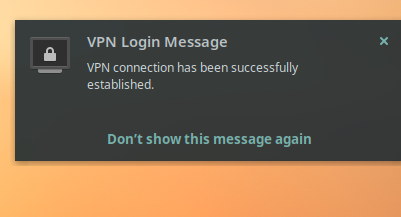
Just tried it on Solus as well and it worked fine..... Download your profile onto your Linux machine, go to network, add VPN, choose option "From file" click add. You need to be outside your LAN to connect to it though, I use a hotspot on my phone and a 4G connection to test
-
I've had it working on Ubuntu as a client.
-
Ah, my money would be on the server RAM. 4GB is tight just for Unraid, let alone running docker containers on top of it. I've got 64GB and prior to that 32GB and never had any issues.
-
I got no idea to be honest. I've been running this since before we released it and not encountered that issue. Tried a trusty google of the error messages?
-
Sorry Edgar, I guess if you've added them and Nextcloud is complaining, might be better off asking them.
-
You could map php.ini from outside the container to replace the one inside the container. But I wouldn't support that. The error you posted looks like a database issue to me, but no idea what from
-
No, I've not had any problems either via my reverse proxy or VPN. Suspect it's a routing issue with your setup.
-
You sure that's our container? It says owncloud rather a lot.
-
I really can't help thinking there was a better way of saying this my friend......
-
If I remember correctly it only works with a subdomain, and not with a subfolder
-
Don't think we can help with that one, and it doesn't look like upstream TVH are going to tackle it either.
-
Yeah, can confirm something isn't working. If you tag and pull 47 that'll get you working until we fix and then you can change the tag back to :latest
-
Good, glad we got there in the end
-
You don't need the port, that's the whole point of a reverse proxy.
-
On line 49 you have the closing bracket and you've posted the ubooquity config below that, it should be above the closing bracket. You need to be really careful about where the brackets are otherwise, like you've found, the file breaks.
-
There's no ubooquity config in that
-
That's 4 lines..... But if that's what is at the end of the file you need another closing bracket around it } If that doesn't work you need to paste your file so I can take a look, screenshots are no good. Also that owncloud file shouldn't be a .txt file, it shouldn't have a file extension
-
There's an error in your default file on line 72 which is stopping nginx from starting
-
It won't as it's not. It's http therefore unencrypted Look at the letsencryt docker logs, something isn't right somewhere
-
This is the Unraid forum. Discord or our own forum if you're not an unRAID user for support as per the first post in this thread
-
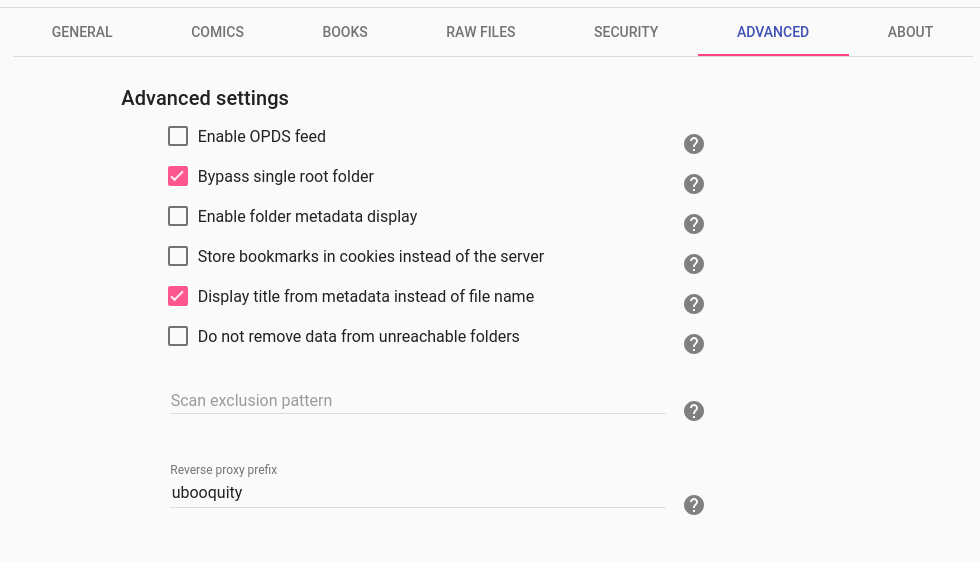
That config is correct, don't forget you need to restart letsencrypt after modifying the default file and you also need to set the reverse proxy prefix as well in the ubooquity admin config.
-
Or mount it as an External Storage in Nextcloud
-
Yes
-
@Drider I'd go with @Frank1940's suggestion and use @Joe L.'s script. I'd also keep using the command line too, rather than the plugin.


