





hernandito
Community Developer
-
Joined
-
Last visited
Everything posted by hernandito
-
‘sure…. Let me work on it today. This would be a static icon. Can’t re-figure out how to do the animated stuff… What is the MASSIVE piracy scandal? I have not heard about it. What is SSO?
-
like these....


-
Sorry, just saw this... Which version of the color scheme are you using? I cant recall how I made the animations all those years ago. I would be happy to create a static photography icon, but which color version are you using? A screencap of the collection would help. Thanks, H.
-
It has been about 2+ weeks and everything is running smoothly. Thank yuo @itimpi and @mathomas3 for the solution!
-
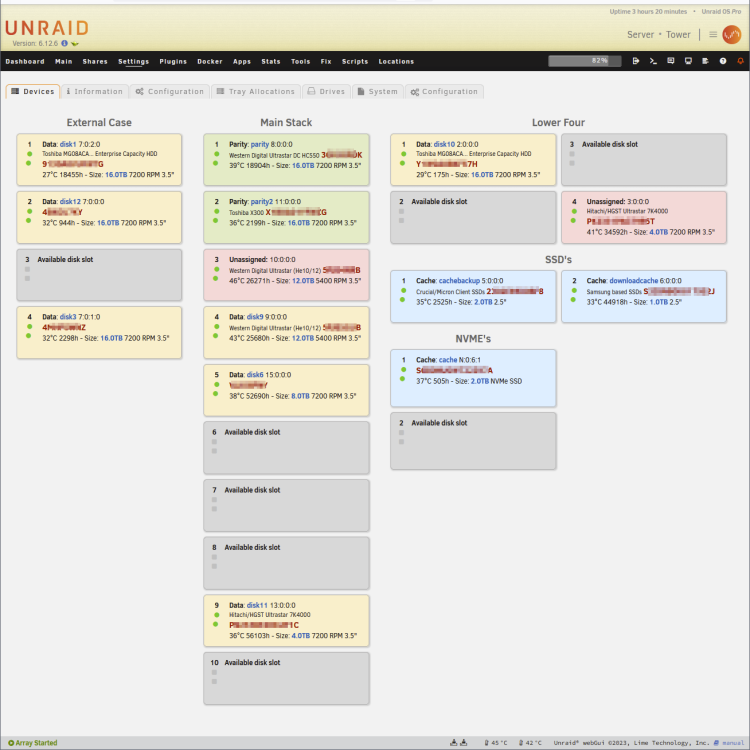
I think I just entered The Twilight Zone. At some point I do a refresh of the Disk Location Page.... and the changes I suggest in my post above are implemented!!! I am not sure what happened... I did reboot the server. I had to spend time investigating. Turns out sometime last year, I manually edited files and stored them in /flash/config/plugins/DiskLocations. I have a script in my server that does some tweaking around. As part of this script, I have the below lines: cp /boot/config/plugins/disklocation/devices.php /usr/local/emhttp/plugins/disklocation/pages/devices.php cp /boot/config/plugins/disklocation/disklocation_devices.page /usr/local/emhttp/plugins/disklocation/disklocation_devices.page cp /boot/config/plugins/disklocation/disk.css.php /usr/local/emhttp/plugins/disklocation/pages/styles/disk.css.php I assume these files are of an older versions of the plugin that make the design changes. But they do the job. Just in case someone likes these edit's, I am attaching the three files. Again a warning, these are likely outdated. Here is what it looks like: UPDATE #2: The files did break the current version of the plugin. I cannot get into any of the Configuration screens. I have edited the files from the latest release with those edits. I am attaching them here. It's scary how I forgot I did this... and that after that script executed, all of a sudden, the changes are there. Thanks! disklocation_devices.page devices.php disk.css.php
-
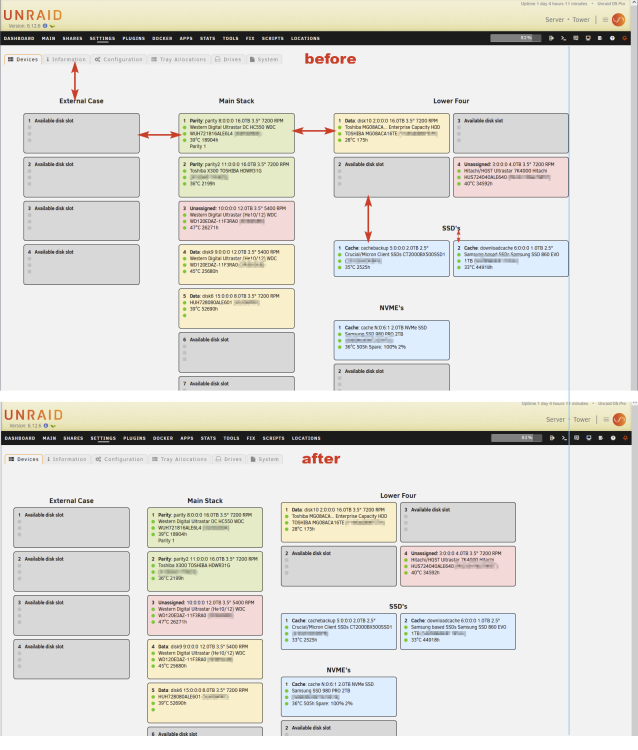
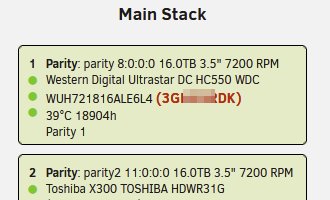
Hi @FlamongOle Thank you for this very useful plugin. If I may offer some visual design improvement ideas. Obviously the plug in is meant to help identify where the different drives are located within your server box. The typical way I search for a drive is by its serial number. Currently, on the main Devices page, it's kind of hard visually searching for the serial number among all the info that is displayed. It would be great to let the user change the font size, font weight, and font color of the Serial Number. Much like how you allow the color configurations. If this info is not easy to parse out, perhaps, with the Serial Number is always inside parenthesis, you can extract this and give it is own class name for CSS. Second suggestion. Because of my server's layout, I have 5 separate Disk Tray Layouts. I find that the disk padding between the Layouts is quite large. This forces me to have to make my browser window wider than normal. Please consider either reducing the distances shown below OR add the ability for the user to control this like how you do w/ the colors. It would be nice to see more on the screen at the same time. Here is a quick mock-up; Thank you again. H
-
I swapped back PSU... to my original... a 1600W Platinum rated unit from EVGS (or is it SVGA). I am now using ONLY sata power connectors that came w/ PSU. I have two SSD's that I did split off a molex. Rebuilding the now missing drive. Wish me luck.
-
I did switch PSU when this started happening... but it did not fix... Going to work on the cabling.
-
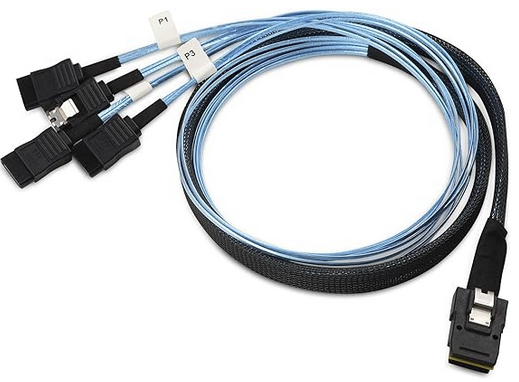
Hi Guys, I have a SuperMrico XDP1 motherboard (Dual Xeon CPUs). The board comes w/ three of the SAS connectors with the 4 SATA cables coming out. I also have a couple of Dell LSI controllers that have been flashed to IT mode. I have tried switching the SATA data cables around between the on-board and the adapter cards w/ the same results. I did upload the diagnostics before my re-boot. I think that the server rebooted itself overnight because this morning the one drive had the X and it was doing an unscheduled Parity check. How can I replicate this? Rebuild the one drive and wait? Thank you guys! H.
-
I do...! Let me try adding more to my modular power supply. Please stay tuned.
-
Thanks @mathomas3. I don't think this is related to SATA vs SAS... and I don't think the drives are failing. Making the switch is too expensive. And I have been using SATA drives for over 10 years on my server. I am retiring some Hitachi 4TB even though they are running smoothly.
-
Hi Team, I am at my wit's end. Over the past month, a good chunk of my drives have been failing one after another. Some drives are new, some are old. I know this is not typical, and something else is wrong. Typically I get one or two of the drives getting the red X. On another unix machine, somehow I have been able to get them to work, either by xfs_repair or mounting and re-mounting. I have shuffled my data around so much into spare new drives. I have also managed to shrink my array by copying data from old smaller drives into new drives. Thinking this could be a symptom of a bad power supply, I replaced it w/ a more powerful one - 1800W. No luck. This past weekend, I managed to complete a new configuration with a complete parity rebuild. This morning I woke up to another red X. I powered off the server, took the drive out, put it in a separate PC and using PartedMagic, I tried to mount w/ no luck. I ran an XFS_Repair... It started w/ attempting to find the second superblock, where you get all the sequential dots... This has never fixed anything in the past, so I canceled. I took the drive and put back in unRAID, and the X is still there, the disk shows as "Not Installed". But in Unassigned Devices it shows up. I am able to mount it and read its contents. This is what has been happening for weeks. I would copy the data to another drive, and try to rebuild everything again... It keeps happening. Any thoughts what could be wrong? I am attaching two Diagnostics, one is from this morning when I woke up, and the second is from right now where the failed drive is mounted, but still shows as "Not Installed". I really need some help. Thank you! H. tower-diagnostics-20231218-0606.zip tower-diagnostics-20231218-0927.zip
-
Also…. How useful is seeing that long list of items? I assume when you expand the folder, you will get all that info. What if there is code that parses out just the first 10 items in the list and puts a “more” tag at the end.
-
‘sorry to start w the obvious. How many or which containers have such long lists they flow off the page? Are we going crazy trying to solve for the exception of the rule? Sorry for lazy way out, but this would be even worse without our beloved FolderView.
-
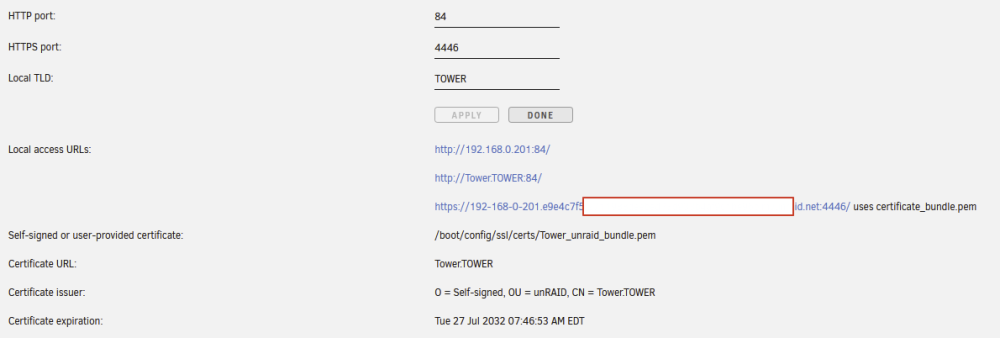
Hi Team.... I have a similar issue. For ages, everything on my network was \\TOWER... Windows shortcuts, Windows mappings, Libreelec Kodi shares on several devices, custom bash scripts, etc). Nothing is now resolving to TOWER... It will be a chore to go back to get everthing working by changing to the server ip. There is stuff that was made years ago, which I forgot, that will require adjustments. Is there a way to simply get \\TOWER back? I have this in "Fix Common Problems" This in Management Access: Is there something I can change on my router (192.168.0.1)? Thanks, H.

-
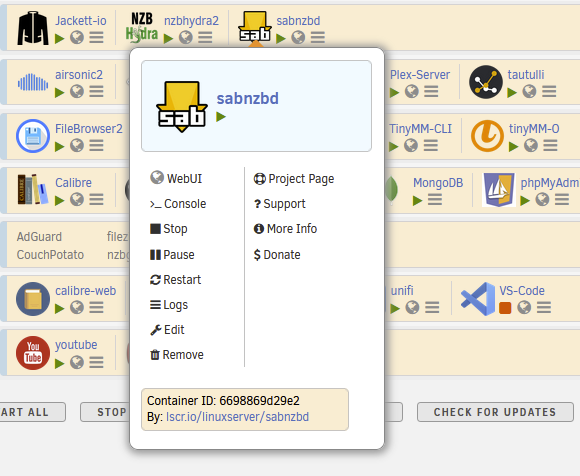
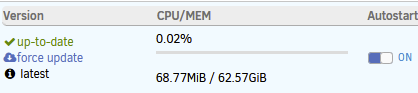
@scolcipitato or anyone, do you like this view for the Advanced Menu pop up display? I did this quickly and roughly just editing the css. I am sure I violate a ton of things to the Tooltipster root. If you like, maybe it can be an additional choice for the Context Menu choices.? If yes, I would add/squeeze the contents of the below to where I have my blue header. And/or perhaps the graph section can show/hide toggle via a right/left arrow. My reasoning for this, is that, when I open the current Advanced View, the graph starts populating from zero. By the time the graph shows anything meaningful, I was well done w/ what I needed to do, but I dwell on it wanting to see something. Please let me know. Thanks, H.
-
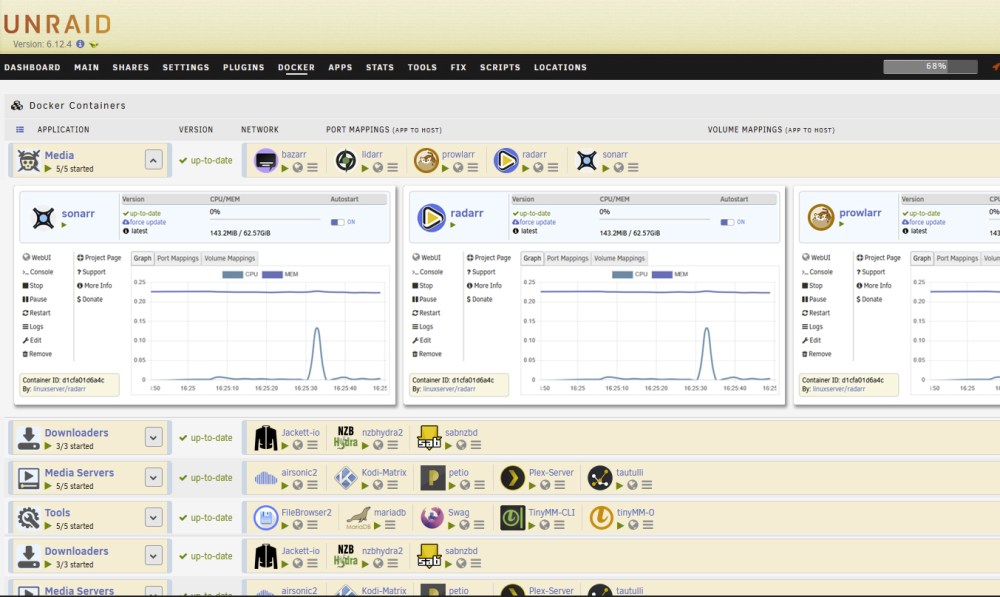
OK... Don't freak out... don't shoot me... I was just daydreaming and inspired by the Advanced View. This is only a Photoshop mock up, a lot of things would need to be designed/compacted/adjusted. This would be an alternative view to the Docker Folder. It would allow you to group Dockers that work together with each other and see the how they perform at the same time. Could add a network tab for download/upload... Transcoding in Plex, while downloading in Sab. Maybe this is not FolderView, but some other plug-in, call it DockerCards? Maybe you can get the same thing from one of those Grafana setups.
-
Would the below also be altering the toooltipster root? div[id*='tooltipster-'] div.tooltipster-content { border: 1px solid #888888 !important; -webkit-box-shadow: 1px 1px 10px 3px #D1D1D1; box-shadow: 1px 1px 10px 3px #999999; padding: 8px !important; border-radius: 10px; background-color: white; }
-
Only problem w/ mine are if one has long Docker names. I keep mine short. I guess users can tweak.
-
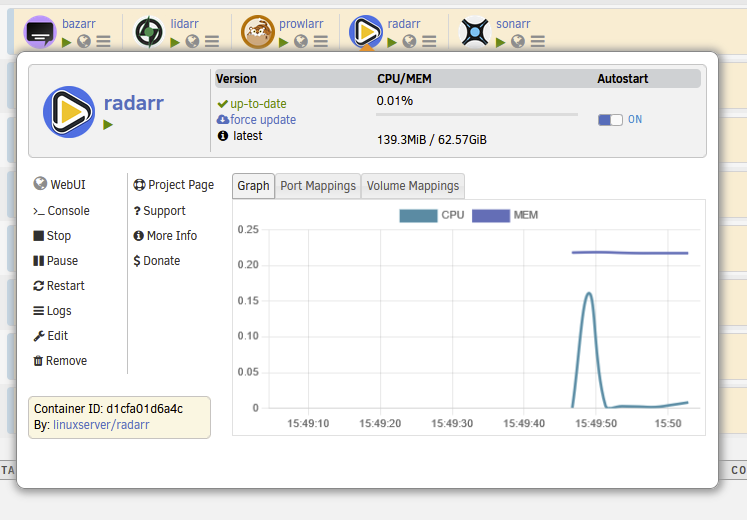
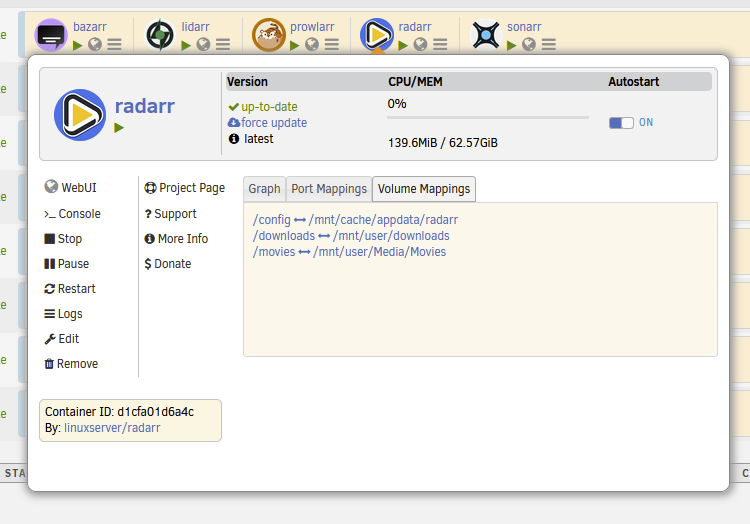
I missed this response... on my own I got this: With this code: /* ========================================== Advanced Docker ToolTip Box ========================================== */ div.tooltipster-content { border: 1px solid #888888 !important; -webkit-box-shadow: 1px 1px 10px 3px #D1D1D1; box-shadow: 1px 1px 10px 3px #999999; padding: 8px !important; border-radius: 10px; background-color: white; } div.tooltipster-content img.img, i.img { width: 58px !important; height: 58px !important; padding-left: 10px; font-size: 2.3rem; font-weight: bold; } div.tooltipster-content div.preview-actual-name { padding-left: 5px; } div.tooltipster-content span.appname { font-size: 2.3rem; font-weight: bold; } div.tooltipster-content div.info-ct { padding-right: 30px; } div.tooltipster-content div.second-row { padding-top: 17px; } div[id*='info-ports-'] { padding-top: 10px !important; background-color: #fff7eb !important; padding-left: 10px; color: #486dba !important; border: 1px solid #d6d6d6 !important; } div[id*='info-volumes-'] { padding-top: 10px !important; background-color: #fff7eb !important; padding-left: 10px; color: #486dba !important; border: 1px solid #d6d6d6 !important; } div.tooltipster-content canvas { border: 1px solid #e1e1e1; padding: 2px; } div.tooltipster-content div.preview-name { border-right: 1px solid #c2c2c2 !important; } Does this still violate the Tooltipster root?
-
Sorry... I figure out how to resolve the icon size.... let me keep trying before I keep asking for crap....
-
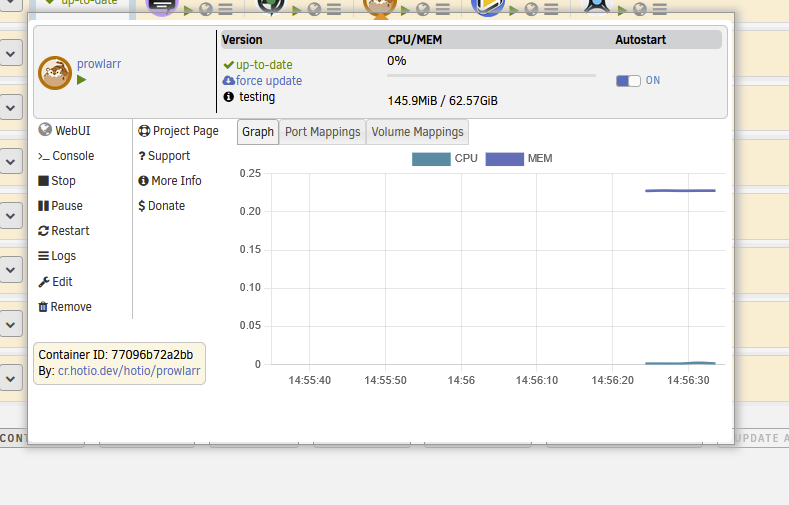
Apologies some item are responding... I was updating the Dashboard custom css. It would be great to make the Docker Icon and the Docker Name both larger. Maybe add some padding below the top light gey box. Right now they have the same class as the regular items behind.
-
Some Tooltipster items are common to the regular docker view. Would you consider making some items in there have their unique classes? Thanks.
-
@scolcipitato Hi, I am trying to do tweaks to the Advanced context menu (with the graphs and such). Does it react to items in the Tooltipser elements inserted in custom-docker css? I try this and it does not respond: ========================================== Advanced Docker ToolTip Box ========================================== div.tooltipster-docker-folder { border: 1px solid #999999 !important; -webkit-box-shadow: 1px 1px 10px 3px #D1D1D1; box-shadow: 1px 1px 10px 3px #D1D1D1; }
-
Tue enough... I was looking at the whole thing as Stand Alone user experience. For one, I am rarely in the dashboard. I'm normally on the Docker tab. It's nice to see all the great dockers up and running; knowing they are working for me.




