





Everything posted by ashman70
-
One quick question, when I was first setting this up Sonarr created two folders in my TV directory on the unRAID server on which the dockers run and I cant delete them, it saying I don't have permission for user /Nobody. How do I delete these folders? I was able to rename them, just not delete them.
-
Thanks very much.
-
How do I install Perl for the system temp plugin?
-
I would suggest you head over to the plex.tv forums and see if anyone is able to help you. http://forums.plex.tv/discussions
-
I got it working properly, thanks so much for your help.
-
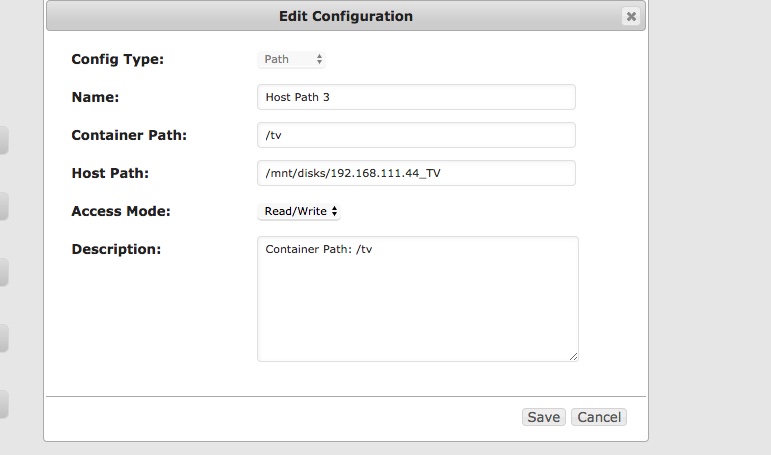
So I mounted a share and updated the sonarr container path, does this look correct now?
-
Not sure what you mean by this? Then edit your tv Show(s) and set the location of them to be within /otherServerTV
-
The problem is that I have a share on this unraid server called TV, but I have another unraid server called TV with the same share TV where I want Sonarr to move the downloaded files to, how do I accomplish this?
-
Ok I am now getting all these email alerts that sonarr is sorting my tv episodes and they are disappearing from my 'completed' folder...Where are they being moved to?
-
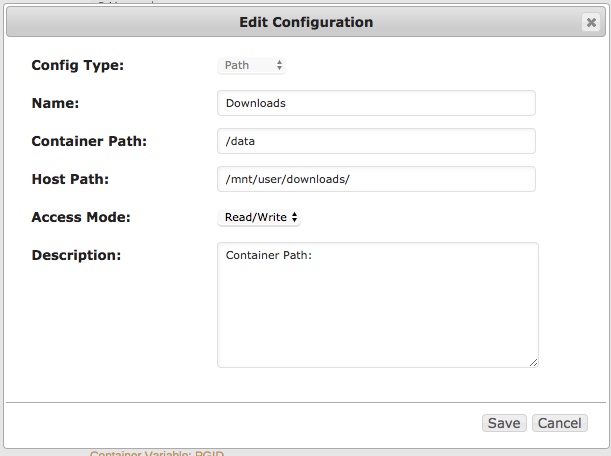
Ok fixed, this is the sonarr container now, correct? What are the next steps now with sonarr and the folder mappings?
-
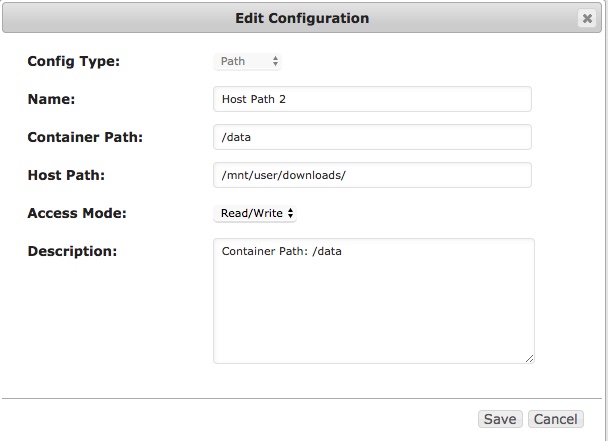
I'm guessing I need to add the container path in Sonarr to match that of Sabnbz to /data ?
-
This is the same one for Sabnzb
-
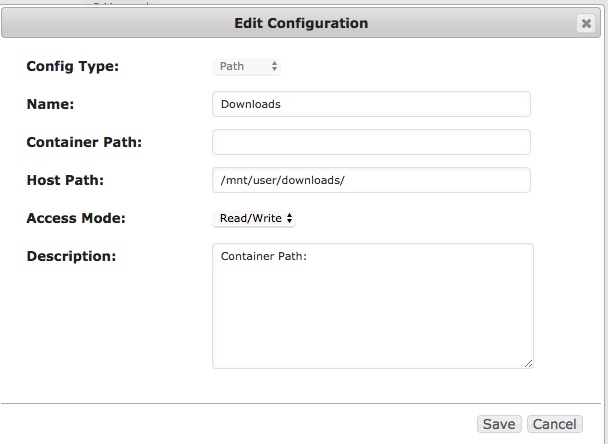
Here you go
-
Ok I added the container to Sonarr, but the path is not listed, for sabNZB it says :data does this matter? See attachments. Now that I have added this to Sonarr what is the next step?
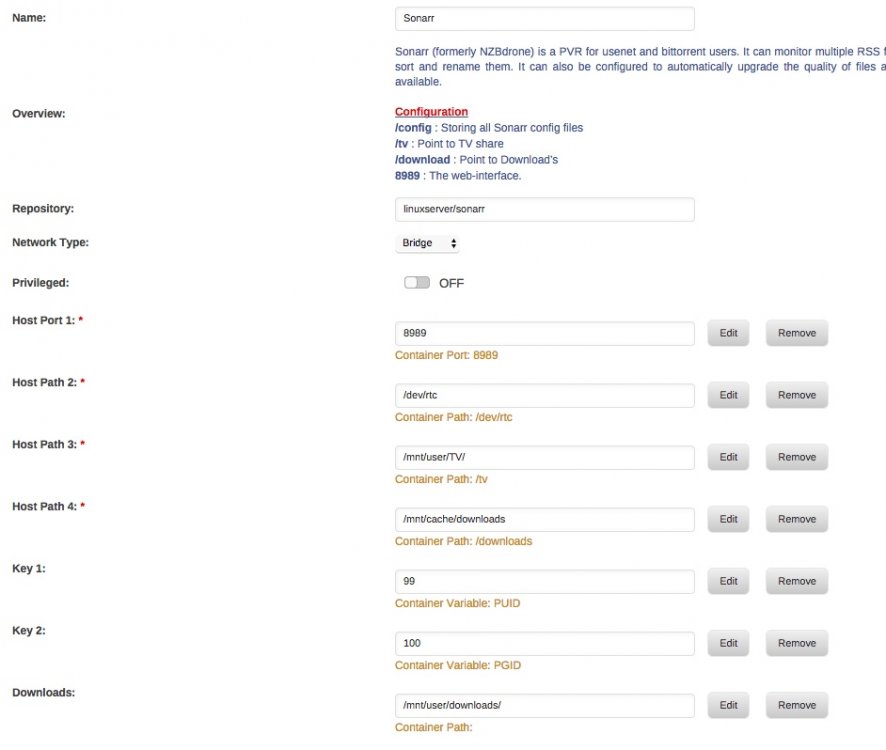
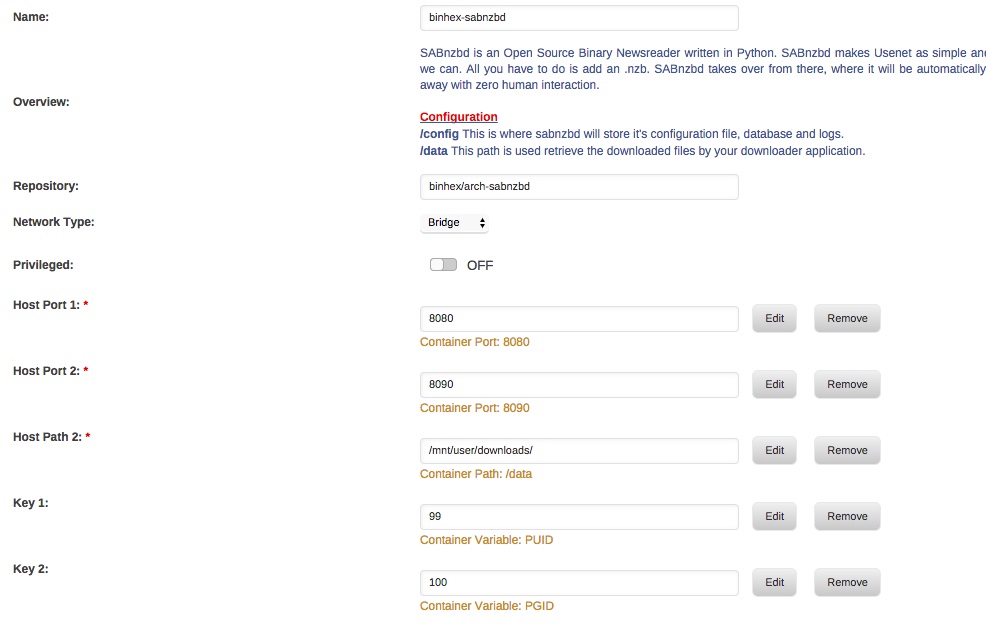
-
root@localhost:# /usr/local/emhttp/plugins/dynamix.docker.manager/scripts/docker run -d --name="binhex-sabnzbd" --net="bridge" -e TZ="America/New_York" -e HOST_OS="unRAID" -e "PUID"="99" -e "PGID"="100" -p 8080:8080/tcp -p 8090:8090/tcp -v "/mnt/user/downloads/":"/data":rw -v "/mnt/user/appdata/binhex-sabnzbd":"/config":rw binhex/arch-sabnzbd aacbc1a1f59cf41c1c8c3c13efa14b749e4f15c9fbc0452106cde789f0875a08 The command finished successfully!
-
root@localhost:# /usr/local/emhttp/plugins/dynamix.docker.manager/scripts/docker run -d --name="Sonarr" --net="bridge" -e TZ="America/New_York" -e HOST_OS="unRAID" -e "PUID"="99" -e "PGID"="100" -p 8989:8989/tcp -v "/dev/rtc":"/dev/rtc":ro -v "/mnt/user/TV/":"/tv":rw -v "/mnt/cache/downloads":"/downloads":rw -v "/mnt/user/appdata/Sonarr":"/config":rw linuxserver/sonarr 6f1197d2ccc0dd4107a005b07514146137e91b64cf9c22280b241b5e341b5e17 The command finished successfully! Is this what you wanted?
-
Presumably Sonarr already has the tv show in it with it's locations as /TVShows/Sleepy Hollow/Season 4 No Sonarr doesn't have this location, it downloads the show to a local folder on the servers cache drive. Where do I find my docker 'run' commands to post?
-
Maybe I am just thick or something but I am not following. What I want is this: Sonarr sends a request to sabNZB which grabs a show and downloads it to my folder 'completed downloads' Lets say for sake of argument it grabs Sleepy Hollow S04E01. I want it to then move that episode to a share on another server say \\TV\Sleepy Hollow\ Season 4 Is this possible and is it possible to automate?
-
Well that is not happening, so is this a Sonarr config issue then?
-
No I am using Sonarr to grab show and send them to sabNZB
-
How easy is it to configure sabNZB to move downloaded files to a specific share/folder? Is there a guide on how to set this up?
-
I run plex on my server behind my firewall and expose only the single port required for plex, it works great as a media server. Not sure why you have to test it to find that out.
-
unRAID is not hardened and so therefore not meant to be internet facing. Your experiment is no different then putting a windows 10 box on the internet to see how quickly it will be compromised, except maybe that linux has a few less ports open by default. I don't really see the point of the experiment.
-
Umm yeah, close those ports and get your server behind a firewall ASAP.
-
Is there no firewall between your plex server and the internet? Typically a internet facing server is setup like this: Server with internal IP 192.168.x.x ======> lan facing firewall port or gateway======>firewall with internet facing port NAT'ing public IP to internal IP and port Are you saying your unRAID server is on the internet without firewall protection?

