





shremi
Members
-
Joined
-
Last visited
Everything posted by shremi
-
Ok i seem to have fixed the tokens issue , however i cannot install any skills via the onboarding menu or the , web browser , i can finally make small talk with the bot tho . Any ideas ?
-
Hi so i was finally able to make it through the onboarding , using node dist/index.js onboard I needed to conect via chatgpt plus account since i do not have any other AI models , but now whenever i try to connect via the web UI i get a token mismatch error , any ideas on how can i change this ????
-
No no no , why wouldnt i trust you ????/ As i stated , i tried multiple time and even proved with the screenshots selecting the version and waited , then rebooted this didnt worked for me at all i provided screenshots yesterday . That command i didnt know what it did but it worked i can reboot and have the version i selected
-
According to chat gpt : rm -rf /boot/config/plugins/nvidia-driver/packages/* rm -rf /boot/config/plugins/nvidia-driver/NVIDIA-OpenKernel* rm -rf /boot/config/plugins/nvidia-driver/NVIDIA-Driver-Open* Reinstall nd reboot , this fixed the issue and now can properly download lets see if it survives a reboot
-
mmmmm is there a safe way to delete everything and reinstall which commands should i use ???
-
I can reproduce the issue and it’s a kernel/userspace version split, not scripts. After selecting Production 580.119.02, nvidia-smi and nvidia-container are 580.119.02, but /proc/driver/nvidia/version and modinfo nvidia show the Open Kernel Module 580.95.05 (Dual MIT/GPL) still loaded. dmesg shows: “API mismatch… client has 580.119.02 but kernel module has 580.95.05”. Also both NVML libs exist on disk: libnvidia-ml.so.580.95.05 and libnvidia-ml.so.580.119.02 in /usr/lib and /usr/lib64. So the plugin updates userspace but does not replace/load the matching kernel module when switching from Open Source driver to Production branch.
-
right now it is fixed since i moved to a rtx 2070 supper but i plan on using the 1060 again : yestertay showed like this : Failed to initialize NVML: Driver/library version mismatch NVML library version: 590.44
-
Thanks for getting back is there a command line i can use to check for this ??? My scripts are only related to backups and file management nothing that touches the GPU. As for docker containers i only use nvidia for Jellyfin and Frigate , everything else is not gpu bound.
-
tower-diagnostics-20251216-0004.zip I captured this yesterday does this work ?
-
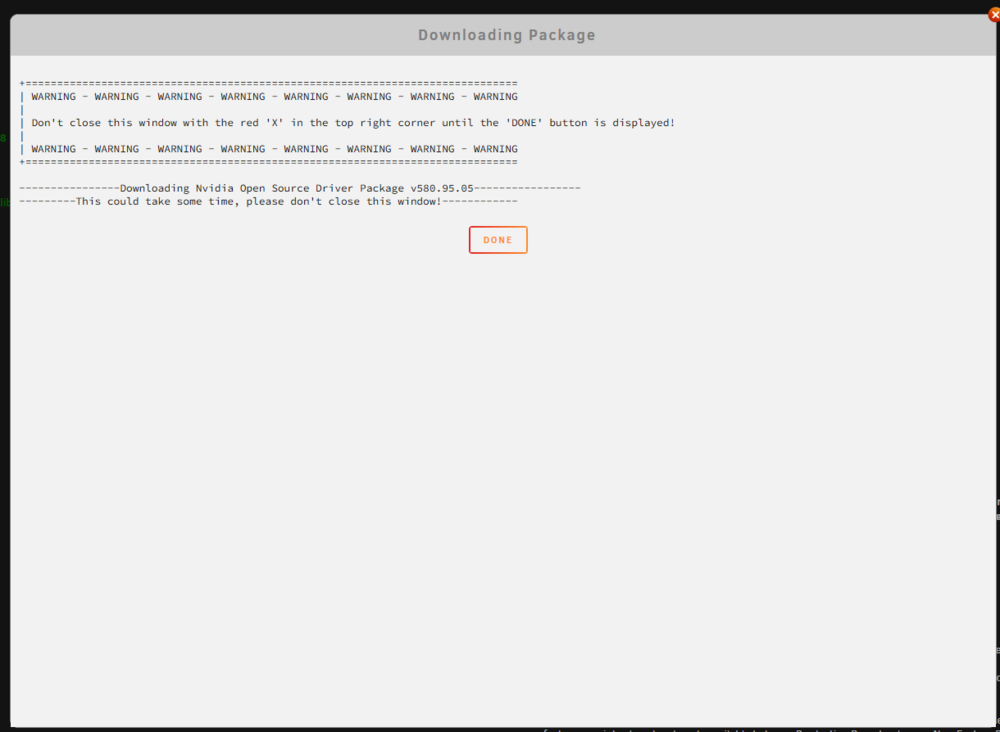
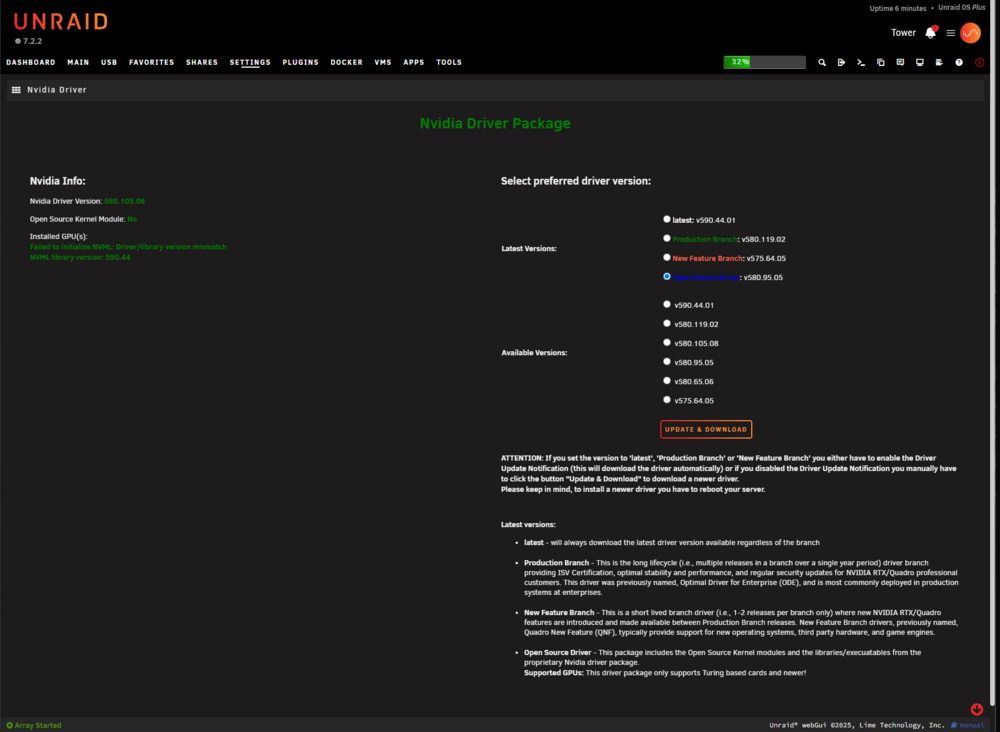
So far it does not work with : v580.119.02 v580.105.08 I am going to reboot and check if the open source driver is working for me other than the 590.44.01 those 2 are the ones who stick
-
Thanks , yes this is the process i am doing and it is not working
-
Hi there sure , it seems that i am stuck in some weird loop where my system does not want to install another driver , yes i have tried multiple times rebooting after installing the 580 version , so far i managed to get it to work using the opensource version , that one it did wanted to take however once with that one installed it simply does not want to go to the 580 version. In the meantime i have managed to instal an RTX 2XX card i had as my pc backup/spare but will be super usefull to know why is my system behaving like this . So far if i can revert to the open source package i think i can make it work until i find a solution Uploading Attachment... tower-diagnostics-20251216-0004.zip
-
My issue is that i cannot seem to downgrade . Whenever the plugin is installed it gets the 590 version , and if i manually select the 580 production version i get the : Installed GPU(s): Failed to initialize NVML: Driver/library version mismatch NVML library version: 590.44 So i am in a loop cannot do anything
-
Any idea on how to downgrade ??? Nvidia Info: Nvidia Driver Version: 580.119.02 Open Source Kernel Module: No Installed GPU(s): Failed to initialize NVML: Driver/library version mismatch NVML library version: 590.44 I dont know why i keep getting this error when using the last version
-
Hi Team, A long time ago, I purchased a second Unraid license key which I had intended to use on a future system. I still have the original purchase email and the USB GUID that was registered to that second key. However i seem to have misplaced the usb. Now that I’m ready to deploy a second Unraid box, I’m trying to figure out how to proceed: Is this key still valid? Can I use it to activate a new USB drive with the same GUID? Or do I need to contact support directly to reissue or transfer it? I just want to make sure I do this the right way without violating license terms. Happy to provide the original email and GUID privately if needed. Thanks in advance for any guidance!
-
Just wanted to report and document an issue I ran into with UD 7.1.4 on Unraid 7.1.4: I had a disk with a valid XFS filesystem and no mounting issues on UD 7.0.4 After upgrading, UD 7.1.4 recognized the partition (/dev/sdc1) but gave this error: Partition '/dev/sdc1' does not have a file system and cannot be mounted. blkid returned nothing, and udevadm info didn’t show ID_FS_TYPE However, wipefs -n showed: sdc1 0x0 xfs ... Torrents sdc1 0x747024c4000 zfs_member ... sdc1 0x74702504000 zfs_member ... Turns out the disk previously had been used in a ZFS setup, and those deep ZFS signatures confused the FS detection logic. After running: wipefs -f -o 0x747024c4000 /dev/sdc1 wipefs -f -o 0x74702504000 /dev/sdc1 Everything started working — blkid showed proper FS info, and UD auto-mounted the drive as expected. ✅ Issue resolved, but this might trip up others. Maybe UD could warn or provide a hint when multiple FS signatures are present? Thanks again for all your work!
-
After updating to Unraid 7.1.4 (UD 7.1.4), my 8TB XFS-formatted drive is recognized but not mounted by Unassigned Devices. Logs: unassigned.devices: Partition '/dev/sdc1' does not have a file system and cannot be mounted. However, the same disk mounts without issue on Unraid 7.0.4: Mount cmd: /sbin/mount -t 'xfs' -o rw,relatime '/dev/sdc1' ... Running fsck shows the filesystem is intact, and mount -t xfs /dev/sdc1 /mnt/test works fine. I suspect UD 7.1.4 now fails to detect XFS filesystems that don’t have a label or UUID set — blkid returns nothing unless I run xfs_admin -L ... to add a label. Please advise — is this a known change or regression?
-
Hello i have upgraded to the latest 7.1.2 , somehow the plugin doesnt want to mount my 8tb xfs disk that i have for downloading torrents , i dont know if this issue has been reported but rolling back seem to have fixed the issue for now.
-
So i decided to upgrade my cache drive , everything went ok or so i thought. I have a strange issue when i update a docker container it resets the network connection. i am attaching some pictures. I apply the update Pulling image: linuxserver/radarr:latest IMAGE ID [1211727932]: Pulling from linuxserver/radarr. IMAGE ID [3b8cf8713836]: Already exists. IMAGE ID [07a0e16f7be1]: Already exists. IMAGE ID [667a39f8e19d]: Already exists. IMAGE ID [ecfc18e38ba1]: Already exists. IMAGE ID [486a0ab8af67]: Already exists. IMAGE ID [d13bf8c7752d]: Pulling fs layer.Downloading 100% of 69 MB.Download complete.Extracting.Pull complete. IMAGE ID [e0ce5493cc2f]: Pulling fs layer.Downloading 100% of 964 B.Verifying Checksum.Download complete.Extracting.Pull complete. Status: Downloaded newer image for linuxserver/radarr:latest TOTAL DATA PULLED: 69 MB Stopping container: radarr Successfully stopped container: radarr Removing container: radarr Successfully removed container: radarr Command execution docker run -d --name='radarr' --net='none' -e TZ="America/Mexico_City" -e HOST_OS="Unraid" -e HOST_HOSTNAME="Tower" -e HOST_CONTAINERNAME="radarr" -e 'PUID'='99' -e 'PGID'='100' -l net.unraid.docker.managed=dockerman -l net.unraid.docker.webui='http://[IP]:[PORT:7878]' -l net.unraid.docker.icon='https://raw.githubusercontent.com/linuxserver/docker-templates/master/linuxserver.io/img/radarr.png' -v '/mnt/user/Downloads/Complete/':'/downloads':'rw' -v '/mnt/user/Media/Movies':'/movies':'rw' -v '/mnt/user':'/mnt/user':'rw' -v '/mnt/user/appdata/radarr':'/config':'rw' 'linuxserver/radarr' 7a3132194df32fb3bdf7e7fe700df14644475a6ec2cc04d5067cd7a38f7ea445 The command finished successfully! Removing orphan image: 9e6f315ce211 Error: Image can not be deleted, in use by other container(s) And now the docker loses the dockernet network. Any ideas on how to solve this


-
Yeah i am trying to add my usb-rtl dongle to my home assistant VM , from what i read , it is required to connect as serial for home assistant.
-
Hello i am trying to add my rtl 433 USB device to my home assistant VM . I am getting some virsh errors. root@Tower:~# cat /usr/local/emhttp/state/usb.ini | grep error virsherror = "" virsherror = 1 virsh = "error: Failed to attach device from /tmp/libvirthotplugusbbybusHassio-003-004.xml error: unable to stat: /dev/serial/by-id/: No such file or directory And the weirdest thing root@Tower:~# cd /dev/serial/by-id/. bash: cd: /dev/serial/by-id/.: No such file or directory I am at a lost in here , any advice on how to proceed ????
-
Thanks for this guide and docker @aeleos, was able to set it up and close my port frowarding rules. How are you guys handeling reating new certs ? DNS challenge ?? I use NPM and since i closed the ports 80 and 443 i get error when creating new certs. I also assume that this applies when renewing certificates also
-
I think i messed up when configuring the address on the extension. All fixed now i believe it wasa typo Thanks for the help bro
-
Yeah i am able to acces via the web ui .... i can even log in and set up a few passwords. I did use Nginx proxy manager for the reverse proxy tho.
-
Guys i have a quick bitwarden question : I have set up the docker container and the reverse proxy to it. I also created an account and i can log in. However when trying to use the chrome extension what changes do i need to make ?? I have pointed to my self hosted address but i have this errors. Failed to construct 'Request': Failed to parse URL from https://:bitwarden.xxxxxx.com/api/accounts/prelogin


