






ich777
Community Developer
-
Joined
Everything posted by ich777
-
Do you have Diagnostics? Please don't, as mentioned a few posts or even one post below this is not the preferred method, simply use: nvidia-persistenced What do you mean by that? How did you get that screenshot then? You can always create Diagnostics when opening a Terminal or even locally and type in: diagnostics This will then be saved to the logs directory on your USB Boot device.
-
Yeah, but it doesn't as you can see in your screenshot. This has nothing to do with luckyBackup, the application sendemail is used to send the Mail, you have to first solve the authentication issue. Maybe there is somewhere a setting that you can enable to make that work. I don't have a GMX account (and TBH, I don't want one) so I can't test that. Through sendemail, however as said, with my provider (a local one over here) it works just fine. Nope, I think you have to contact GMX support or research further how they are doing authentication or why it's not working with GMX. No, since you see that the Mail doesn't go through when using the command line, that's the whole issue, if you get it to send the Mail then nothing should prevent luckyBackup since it, as mentioned above, uses sendemail for sending the Mails.
-
It will just install the selected drivers, issue with the drivers is that they are not 100% compatible with each other and therefore you can just install one of the four drivers. However you can try to use the TBS driver since this driver includes also many other drivers in the package or you try the OpenELEC driver and see if these are working with your DVB cards. I would recommend if you have issues, you create Diagnostics so that I can see what's going on in between testing drivers so that you have Diagnostics if it's not working to diagnose further.
-
I have a start script that works in Linuxserver.io containers and possible in the containers from @binhex but I'm not that familiar with his containers, however @binhex has his own method of doing the connected containers thing to restart all containers, maybe try to switch over to his containers and use his method.
-
I removed a few of your screenshots since they provided sensitive information. The command fails because of SMTP authentication as far as I can tell, why that is, I really don't know. I tested it with a different provider and everything was working over here, even with sending attachments. You first have to solve why SMTP authentication fails, this seems to be the main reason why it won't send you any mails.
-
I assume you are on 7.2.2, if yes, the answer is no because the legacy driver doesn't compile against newer Kernels and is basically deprecated. You don't need the Nvidia driver if you want to use it in a VM, please read the first post again. It is not recommended to install the driver at all when you want to use the card in a VM.
-
And the Test Emails go through correct? Please try the following: Open up a Terminal from the container (by clicking on the container icon within Unraid and click Terminal) Enter: su $USER Enter: sendemail -f "<YOUREMAILADDRESS>" -t "<RECEIVINGMAILADDRESS>" -u "luckyBackup report" -m "THIS IS A TEST" -s "mail.gmx.net:587" -xu <YOUREMAILADDRESS> -xp <YOURPASSWORD> Obviously you have to replace all things wrapped in <> and including <> When the Mail goes through and you see something like: endemail[140]: Email was sent successfully! then it should work through luckyBackup too, however what you can try is that you don't include the log file since it can get pretty big and therefore some mail servers will not send the message, you simply do that by removing -a %l BTW: You also don't have to include the -o parameter usually because sendemail defaults to auto which is basically yes. I would be grateful if you answer the questions since I try to diagnose your issue since you also have to take into consideration that you haven't even posted how you configured sendemail in luckyBackup until your last post after I asked for scrrenshots and just came here and said that it doesn't work. :D Please keep calm, just trying to diagnose.
-
Have you yet tried to click test again after the backup is finished? Does that still work? Can you please send some screenshots how you configured the mail notifications?
-
I would rather recommend that you buy a legit version from Unraid. Thanks!
-
Yes, this should solve your issues. Nothing to worry, this is also true in my container at the Show more sections but I use slightly other keys: UID, GID and UMASK.
-
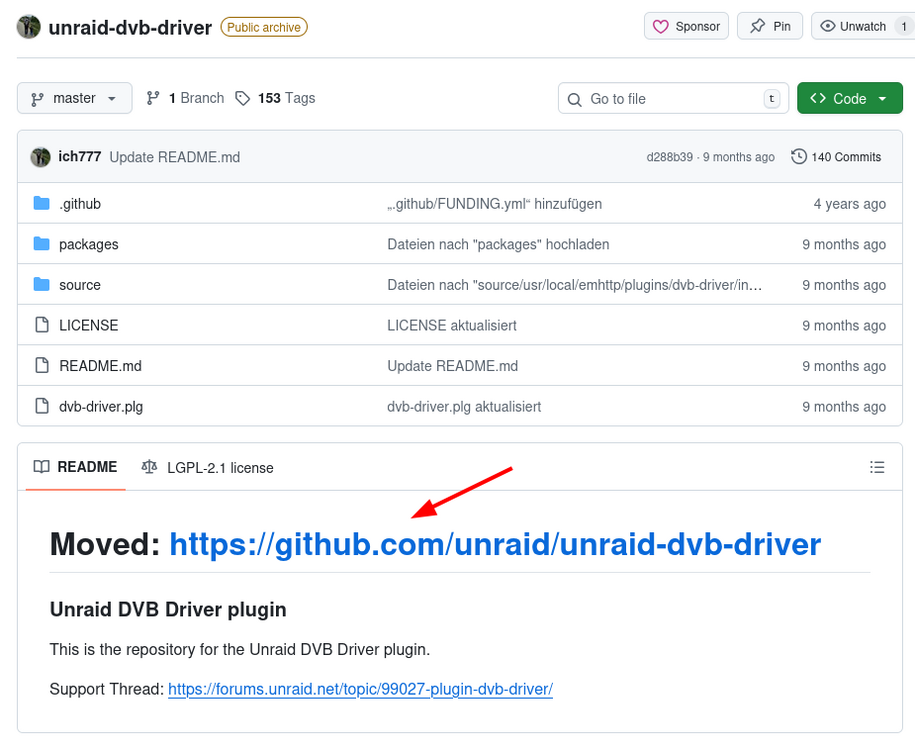
Yes, if it wouldn't be you would get a notification when upgrading to that version. Thanks for the heads up, I've now changed the link in post two, however if you look at the repository: The plugin was simply moved to the Unraid repository and you don't have to do anything on your side, the new repository was already pushed to the users on the last plugin update. By reading the release notes which are presented when you upgrade: https://docs.unraid.net/de/unraid-os/release-notes/7.2.2/#linux-kernel However you also get a notification when upgrading if the driver was properly downloaded or not: https://github.com/ich777/unraid-plugin_update_helper?tab=readme-ov-file#update-notifications
-
Sorry but I don't support pirated versions from Unraid: /boot/config/go: export UNRAID_GUID=0951-1666-DBDE-E74128760E31 export UNRAID_NAME=Jonathan-Server export UNRAID_DATE=1654646400 export UNRAID_VERSION=Pro /lib64/ld-linux-x86-64.so.2 /boot/config/unraider @SpencerJ
-
Standard ist immer auslegungssache, bei dem einen ist das 10er subnetz standard beim anderen 192er, sind beides erlaubte private IP kreise für zu Hause, mach mal was anders und nim ein 10.56.21.0 subnetz. ;) Scherz, wüsste nicht warum man das ändern sollte.
-
Oh, I did get that wrong, sorry. Does it work when you do the same again? How many days where in between the backups, or was it really the second day? That doesn't mean you do anything wrong, however maybe use another Mail provider, usually this has something to do with the provider, I can only assume that app passwords for GMX are not forever.
-
This has nothing to do with your VRAM, this message usually means your System reserved memory which is a part of your RAM. However can you try to add nvidia-persistenced to your go file and reboot please? This is a common issue with Nvidia 50 series cards and you can find also much posts on the Nvidia Developer Forums. Most of the times it seems like a hardware incompatibility issue or boils down to a configuration issue. Even I encountered this on my Linux Desktop PC running Debian with a 30 series card and the Open Source Driver, the solution was to apply the default settings in my BIOS, I assume that it had something to do with ACPI on my machine. However I would recommend that you try: Updating the BIOS Try it with the default BIOS settings Lower the PCIe Gen to something like Gen3 or even Gen4 Make sure to enable Above 4G Decoding and Resizable BAR Support in your BIOS More driver related than Kernel related but I'm not too sure, most of the times it's a hardware incompatibility issue, or a misconfiguration. The message that you see is that the card can't be reset properly and therefore initialization fails. In the future please always add your Diagnostics since I don't even know which hardware do you use (CPU, Motherboard,...) since most users who reported such issues are on AMD Systems.
-
Sorry, I've overlooked your message. Possibly the path mapping is not correct, please check what paths that you have set for the gamefiles in the template, if you have set /mnt/cache/appdata/... then you have to make sure that the appdata share stays on the cache and is not moved to the array, so to speak the Mover takes no action in the share settings <- I would say this is the preferred settings. You can also change the path to /mnt/user/appdata/... which will most likely fix your issue but is not my preferred solution. For the future, if you have any such issues please go to the support thread from the container by clicking on the container icon on the Docker page and click Support.
-
The last update from Astroneer (Megatech) broke the dedicated server. Sorry, I have to deprecate it for now since I don't found a solution yet to solve this issue.
-
Most certainly, if you want to see the most recent release from the server: https://github.com/rustdesk/rustdesk-server/releases
-
Yes it is automatic but I really don't know why you would have an update? 🤔 There was no update from RustDeskServer-AiO because RustDesk never released an update since January 25th 2025 and therefore no update was published.
-
I can only imagine that the Proxy is really slow and that this causes the UI to time out. However if you want to deploy a container manually you can always do that from the command line: lxc-create --name CONTAINERNAME --template download -- --dist ubuntu --release RELEASE --arch amd64 You have to replace CONTAINERNAME of course with the name that the container should have and RELEASE with the release that you want have, I assume noble is what you want to have. This should work since from the terminal it won't run into the timeout, except if the connection is that slow that it times out.
-
Please check for updates, I've pushed a full plugin update.
-
I already answered on GitHub, please give us a few more days.
-
The download from the container took too long and the Unraid WebUI timed out, may I ask what Internet connection do you have and where you are located in the world?
-
Ich verstehe die Logik hier in keinster weise aber gut. Ist das nicht dieser "Reiserouter" mit riesigem display der QR codes und so anzeigen kann <- mittlerweile kann man das glaub ich sperren mit PIN oder so aber in meinen Augen is das ein Riesen Sicherheitsrisiko, speziell wenn du direkt deine VPN drauf hast für zu Hause, was ist wenn dir der gestohlen wird, also nur mal so in den Raum gefragt. :) Bist du dir auch bewusst das so ein Gerät von den meisten IT Admins nicht gerne im Netzwerk gesehen wird... ich sag ja nur. :) Mit meiner Lösung kannst praktisch nur deinen DoH in den Browser eintragen (das können schon fast alle soweit ich weiß) und fertig, du verwendest deinen DNS von zu Hause.
-
Was meinst du mit angreifbarer? Ich hab das mit einem reverse proxy gelöst, brauchst keine ports frei gaben, klar port 80 und 443 brauchst, aber das haben doch die meisten hier freigegeben wenn ich mich nicht täusche richtig? Was sollte man da angreifen? Ist deine domain denn so publik und transparent ersichtlich? Du könntest die auch obfuscaten wenn du maximalen schutz willst. Darf ich mal fragen was ihr hier denn so illegales macht das ihr VPN und co für das Handy braucht oder ist das nur Paranoia. :D



