





fc0712
Members
-
Joined
-
Last visited
Everything posted by fc0712
-
He He uses SSLforfree I use the linuxserver lets encrypt container. Does anyone know what causes this error?

-
Hey I have the SSL certificates running on the NGINX webserver. I now need the certificates for my openvpn acces server web server. Any of you guys know which files to upload under CA bundle, Certificate and Private Key. Thanks in advance
-
I just found out that I have bonding enabled on my unraid server is there any benefit to that when only having one NIC?
-
Hey Thanks for this container according to the Readme i need to SSH info the server everytime there is a Update to the container ? Is there Anyway to make this setting persist through Update Tslking about the change of default admin password
-
Can anyone share how they are doing their USB(boot) and Appdata backup to the cloud (fx through Rclone)
-
I wasn't that clear How often would you recommend running it? Would running it more than once daily grant me any benefit?
-
It's more when setting the scheduled trim if it's important that I'm not reading or writing from the ssd at that time
-
I can recommend this guide: https://cyanlabs.net/tutorials/the-complete-unraid-reverse-proxy-duck-dns-dynamic-dns-and-letsencrypt-guide/
-
Is it important to only make the SSD trim, when the SSD is not in use?
-
This looks very promising. I'm completely new to Nginx and reverse proxy. I have a static ip at my ISP and have my own domain name. Can you guys recommend any reading material/Guides to learn how to set up reverse proxy. As I understand it when I have a static ip a DDNS is obsolete. Currently my domain's DNS is hosted at Cloudflare with only DNS activated. Can someone if possible briefly explain or link to an article or guide etc on what to add on my domains DNS record (how it works). I assume DNS A records pointing to my public ip. Thanks in advance Which DNS would you guys recommend im only using Google for business and reverse proxy through this docker As followup to my original question every application this docker need to make reverse proxy is hosted in containers on my unraid machine
-
Nevermind it seems to go through the correct VPN gateway Whois database/query at a torrent ip check site detects the ip as Russia even though it is infact Netherlands.
-
Hey. I just noticed, that my PIA vpn through this docker connects to russia, even though I have set the VPN_REMOTE to nl.privateinternetacces.com. Have anyone experienced something similar?
-
Would it work if I just do a backup to a local folder on my unraid server and then set up a rclone sync script to sync that folder to my google drive?
-
Hey I'm using Google drive rclone to backup my media. I'm looking into also backing up my app data folder. Should I then just do a backup through this tool to a local folder on my server, and then make an rclone script to sync that folder with my cloud provider (google drive) or is there a better way?
-
Hey I have a problem What should I do if I can't find a specific app(container/docker) Link: https://hub.docker.com/r/lsiocommunity/organizr/
-
Thanks Know of any way to make the client auto connect if its losses connection?
-
Appreciate this plugin very much I need to reboot my server and need the client software to connect at startup, because I'm not home at the moment at use client to client communication. Is there anyway I can activate the "start Openvpn at moutning of array" without stopping the vpn first? Or any way to the openvpn client connect at startup
-
I did have some weird web gui problems, where I needed to reboot the server around 2 days ago. Could that have affected Deluge external connectivity?
-
Yeah okay It's just weird that every other container works perfectly fine It's only deluge that I can't acces
-
PIA I have attached the log file supervisord.log
-
The container only had to restart not the whole server any tips how to fix the issue?
-
I just updated the docker and it now it won't let me acces the web ui. Should I change some ports or anything after update? Edit: It seem that sonarr and radarr still have a connection to radarr. I just can't acces it. I'm away from home and accessing through openvpn reverse vpn. Openvpn on a VPS and Openvpn client acting as vpn gateway (Acces to private subnet) It works fine with unraid webui and other dockers just not delugeVPN after the update.
-
Hey I'm using Rclone and have imported the script to User Scripts, and it works Now I want to schedule it every night at 03:00 am So I'm choose the custom option in User scripts and pasting the following in to the box 0 3 * * * Would that work?
-
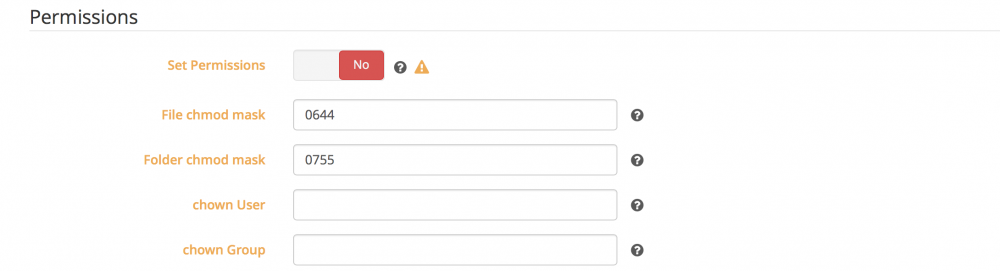
I'm in the procces of setting up deluge, sabnzbd, sonarr and radarr. I was wondering if I need to to activate "Set Permissions" In sabnzbd the permissions for completed downloads is set 0777
-
I fixed it By changing from tun to tun5 in .ovpn file
