






Can0n
Members
-
Joined
-
Last visited
Everything posted by Can0n
-
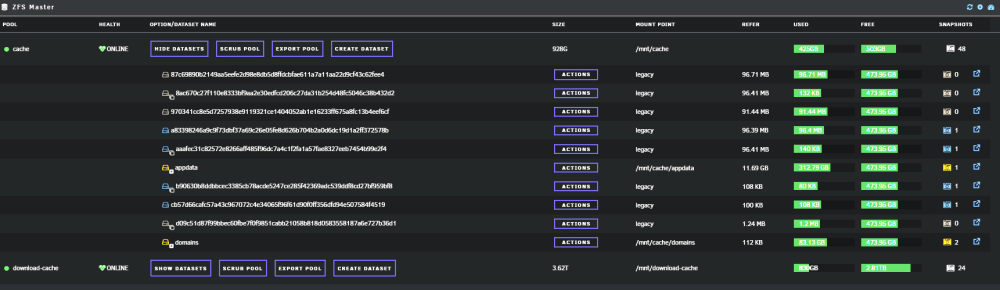
well still not sure how they showed up, but once i started clearing them one at a time with the -R i i saw the massive list drop very quickly as i did them almost done
-
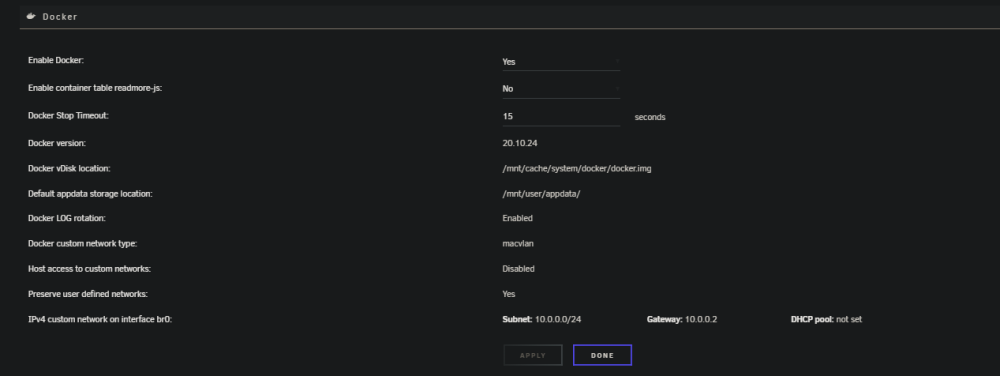
yeah script was never known by me when i played with docker directory but once i got docker work once converting to ZFS from BTRFS using the docker.img file i wanted to create datasets so found the script this is my docker setup since using the script
-
I never ran the script when trying docker directory thats whats odd about it I hadn't looked at the datasets in a while server was up 25 days with no issues just noticed it today then my server started locking up so spent time diagnosing that and its running better now so thought id look into why and how these all showed up
-
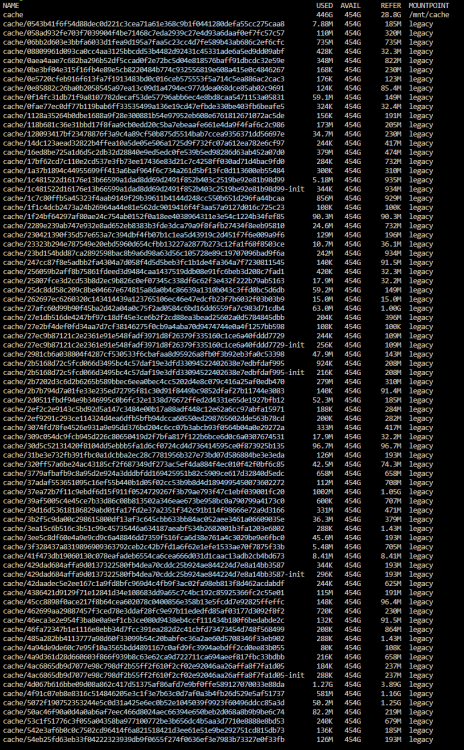
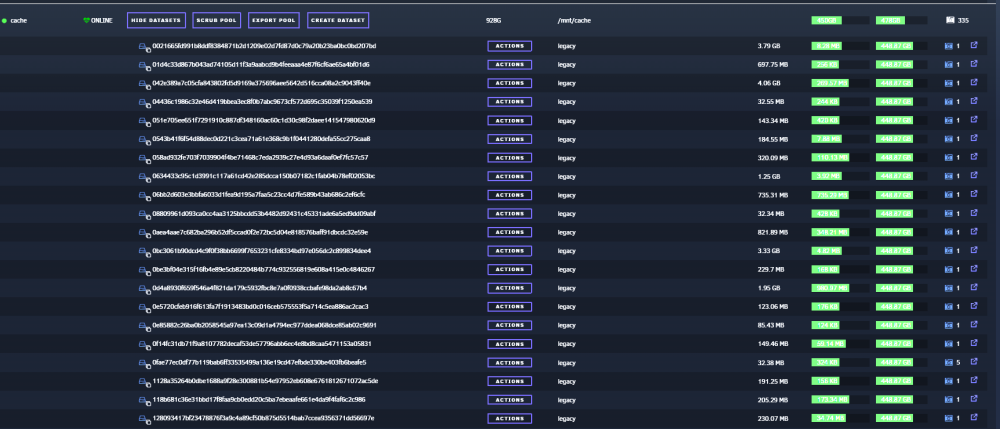
without wild cards its going to take a while looks like its all cache/randomstring and there is a lot more than in this screenshot possibly multiple hundreds not related to my correct datasets (appdata, domains, system, isos) here is a smaller screenshot showing cache/domains it seems what ever happened created all these in the cache root so hopefully someone who knows ZFS better might be able to point me to a equivalent to ZFS Destroy -R cache/0* type command
-
there are hundreds i did use the script to create the ones via docker.img not sure when it would have run to create them when DockerDirectory was tested. no way to mass remove all but the ones i need (appdata and domains) I mean its very massive list
-
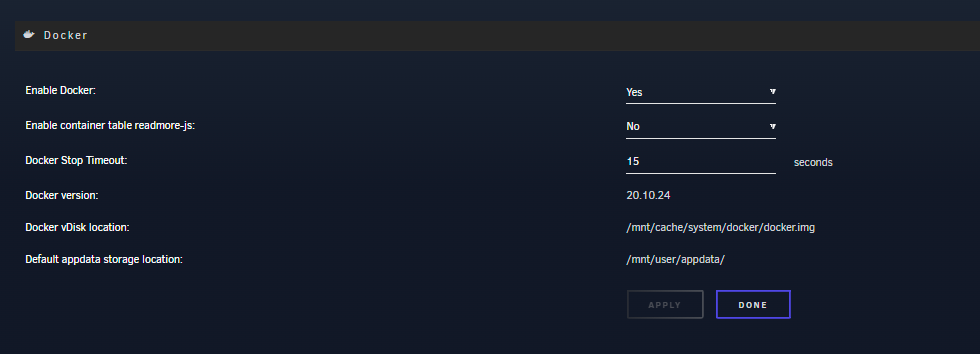
looks like the dockerdirectory dataset is still there from when i was playing around with ZFS and docker but im actually usign BTRFS file system for docker.img...i manually delete the docker directory but the ZFS master plugin still showing all the super long strings and not the actual docker container names like it used it
-
Hello I just happened to notice today all my containers (which were converted to datasets using SpaceInader1's script) are listed completely scrambled and there are way more than there should be. advice/support please?
-
No, I'm sorry to say my Plex is still completely unstable after going to 6.12.3 and adding the extra parameters I had to restart it three times in a 20 minute span again I tried Docker directory and my reverse proxy failed to work. I tried an XFS docker image file and my reverse proxy failed to work. Went back to the BTRFS Docker image and everything fires up again, but I am afraid it's probably not going to be very stable again. I've already got a post on the bug reports section for 6.12.3 with my diagnostics and the Plex Docker log is useless. It doesn't say anything is wrong
-
despite putting --no-healthchecks being added to the containers advanced settings I am still having to restart Plex so many times a day to get it working for 5 or 10 min the cache pool is on ZFS and these issues have started since converting to ZFS on 6.12.2 and persist in 6.12.3 whats going on please help. this is driving me crazy as I am out and about and have to remote in to restart it when family and friends tell me it is not working again docker logs for plex are useless and say nothing is wrong here is what is coming through while its down uptime kuma and paid service uptime robot do not detect out on port 32400 through its monitoring service [cont-init.d] executing container initialization scripts... [cont-init.d] 40-plex-first-run: executing... [cont-init.d] 40-plex-first-run: exited 0. [cont-init.d] 45-plex-hw-transcode-and-connected-tuner: executing... [cont-init.d] 45-plex-hw-transcode-and-connected-tuner: exited 0. [cont-init.d] 50-plex-update: executing... [cont-init.d] 50-plex-update: exited 0. [cont-init.d] done. [services.d] starting services Starting Plex Media Server. [services.d] done. Dolby, Dolby Digital, Dolby Digital Plus, Dolby TrueHD and the double D symbol are trademarks of Dolby Laboratories. Critical: libusb_init failed diagnostics_thor.zip
-
No problem I added the --no-healthcheck andnits pretty stable so far *fingers crossed* For the mover yes I had a thread for 6.12.2 with diagnostics about mover being extremely slow from zfs->XFS and xfs->ZFS but write construct might fixed the speed issues. As for datasets etc and mover no worries when I get some time I'll runs some mover tests and post a new thread
-
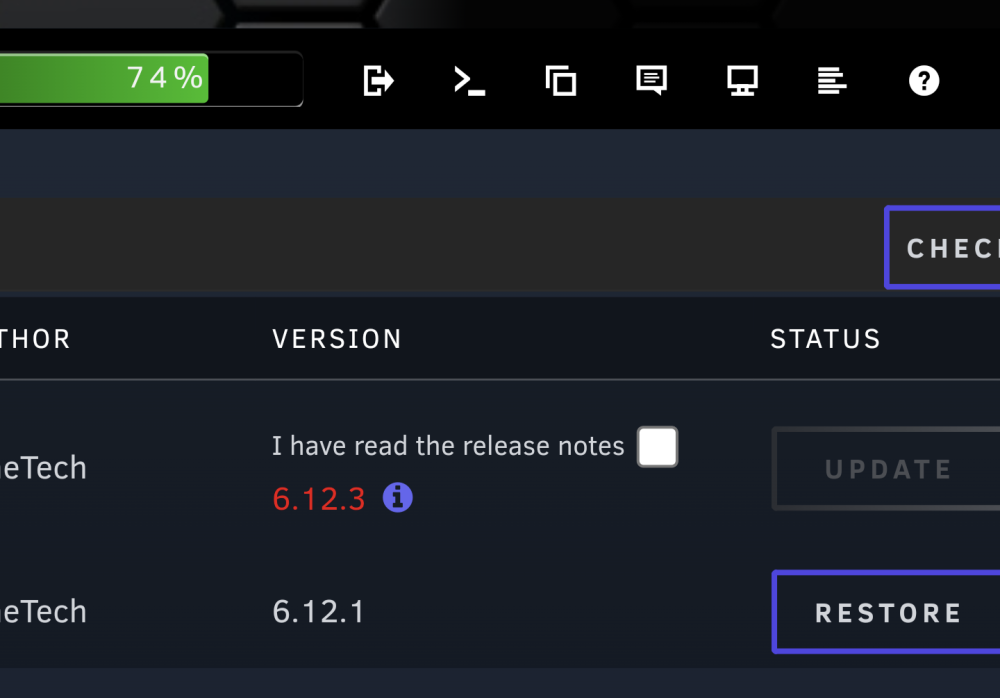
I see a new acknowledgment release note have been read That's a great step. I've been seeing nothing but questions about Docker on reddit and when we see the specs I saw the issues listed in the release notes and how to fix them. People need to read more lol
-
I sure hope this updates the stability of some of my containers on ZFS Been having a lot of problems especially with Plex (using official container) and I have a lot of friends and family that use it. It's been going down several times a day where we started the container is necessary Mover has a lot of problems on 6.12.2 as well, especially when trying to move shares from a ZFS pool to the array using xfs it will never finish completely because it can't delete the data sets from ZFS
-
Mover still incredibly slow moving any thing even large linux isos to ZFS from XFS or XFS to ZFS ZFS is using datasets so i think its hanging on the delete portion of the mover script as it not checking for datasets and doing a recursive zfs destroy command
-
unfortunately unbalance doesnt support datasets just shares so that could explain why i could not see the temp location i had moved my appdata to
-
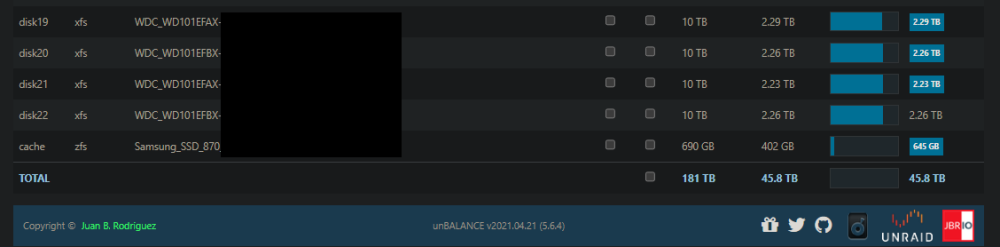
Hello @jbrodriguez love the unbalance plugin however I am seeing one issue one of my cache pools is now showing up I have 2 party, 22 array disks, 1 ZFS pool with two 1TB SSD's and the pool not showing is a second ZFS pool with two 4TB spinners in ZFS it is also reading the size of the ZFS SSD's incorrectly as 690GB in size the pool is called download-cache so not sure if there is a character limit for it to display or what the issues is and wondering if you could take a look
-
thank you for this I was pulling a some drives from a zpool to redo them from a 4 drive config to a 2 drive config and started and stopped too soon and docker.img held up the stop process as soon as i saw your command ran it and everything unmounted clean Still relevant 3 years later ! thank you!
-
So got Plex in appdata working now used mover and rsync -avh and then a quick move from /mnt/cache/apps2/PlexMediaServer to /mnt/cache/appdata/PlexMediaServer after 15 hours of mover started using rsync for all the tiny meta data files and found a vast majority of the 214GB was old PhotoCache i removed all that and it made Plex about 64GB
-
Well it was the most painful move ever 15 hours of mover trying to move 214GB plex folder. I ultimately using rsync with -avh to move the folders with smaller and more files and let mover handle the database files took nearly 24 hours but I got Plex up and running on a ZFS pool now with no watched status lost for myself ore my users! I took a snapshot right away
-
I do have that but it doesnt see the download-cache only the cache and my disks...odd
-
mover seems to have gotten stuck it says its still moving but no dat is being moved in meantime only things not moved for Plex is the Cache/Phototranscoder and gigs and gigs in it I might try moving the contents outside of plex and that way mover running plex back to cache pool might be quite a bit faster
-
my Plex Folder alone is 214GB i have 31 containers installed and run about 20 of the full time
-
yeah the -v is just verbose so you can see what it is spitting out. wish I had enough ram for that I have 64GB max for my i7 10700k i am running a plex transcoder scratch disk write reconstruction seems to be helping
-
yeah 400GB 4 hours isnt bad Plex has millions of little files but moving from ZFS to XFS is dog slow since its just plex now and mover i moved all the other docker appdata using rsync -avh /mnt/download-cache/apps /mnt/cache/appdata and it was from ZFS pool to ZFS pool at about 45min plex went as well but when i started the container up it was trying to set me up as a new server. when i mapped the contain back to /mnt/download-cache/apps/PlexMediaServer it fired right up so rsync is breaking something in plex i enabled reconstruction and monitoring thanks for the tip I thought i had that on a long time ago
-
its beautiful I would love to add that now! i have been trying to move a 214GB plex appdata folder from my ZFS 4 drive zpool to the array trying to get it on my newly formatted SSD in ZFS) for over 13 hours its moving sooo slowly i need to see the status I have dozens of messages coming in why my plex is down...it litterally not showing in the logs that its moving I see trickles of data on Disk1 and the ZFS cache-pool here and there but it is taking forever....the initial appdata move of over 500GB from BTRF to array took 4 hours
-
So here is the story. My current server (6.12.2) has two 10TB parity disks and 22x6,8 and 10TB XFS disks for the array I used two 1TB SSD in BTRFS RAID1 and two 4TB Spinners as a secondary pool called download-cache using BTRFS I also have 2 USB3 4TB drives attached with unassigned devices I wanted to convert both pools to ZFS so here is what i did. set mover for the download-cache to move all the data to the array stopped all applications using the download-cache so no files were locked. ran mover when it was done and set the share (Media and a couple other shares) to array and primary no no secondary storage. Once the download-cache was empty i let the apps use it again as the data would only go to the array. I stopped the array and removed the 2x4TB disks and started the array without them then stopped it again and assigned them setting the file system to ZFS then formatted them adding the 2x USB3 4TB drives as well for a raidz 1 group of 4 disks. once done my next step was appdata, domains and system shares (current on BTRFS) i shutdown vm manager and docker and set the shares to move to the array. once done I did same process to remove cache, re-add and format as ZFS Mirror 1 group of 2 devices. i decided to rsync it back to the cache from array as Mover took over 4 hours rsync took about 1.5 hours. most of my dockers failed to work correctly and i saw perms completely borked. i ran mover to move them to the download-cache to test them and they all worked albeit slower being on spinner drives. now i used a different rsync option to keep time, owner/groups and permissions rsync -avz /mnt/download-cache/apps /mnt/cache/appdata that seemed to copy ok and all my dockers except Plex worked. Plex is acting like its a new server despite database and all files seeming to be there. I updated the config to point back to download-cache where the folder apps still had all the data Plex is working albeit slower so i decided to run mover on it last night the only thing moving is the Plex folder and its been 12 hours and still moving Attached diagnostics but would like to know why BTRFS over 400GB took 4 hours to move and ZFS to XFS 214GB is taking more than 12 hours some takeaways: Would be nice to have a progress bar on Mover to see its status and potentially pause it if needing some bandwidth on the drives. if a progress bar is not easily able to be added perhaps an estimated time to completion based on its current file list thor-diagnostics-20230706-1155.zip



