serch826
Members
-
Joined
-
Last visited
Everything posted by serch826
-
But what is the point of canceling array autostart?, yes i've access till flash over SMB Thanks for your time
-
Thanks for your advice, i did that, but still the issue, don't know what to do, attached the new diagnostics, thanks again. Edit: When in safemode it works after i started the Array so all my shares are OK, before the Array is started works also but ofcourse it show just the Flash drive that isn't in the Array. When in normal mode it also works after i Stop and Start the Array manually, but after a reboot nothing works again. tower-diagnostics-20230616-1157.zip
-
Hello everyone, today updated to ver. 6.12 and suddenly my server lost SMB access in Windows 11, but if i STOP and START the ARRAY on Ver. 6.12, so it works fine, but after server reboot the issue is back again, I have searched everywhere but can't find any solution to this problem, if I go back to ver. 6.11.5, so no problem with SMB, all my Shares are available, attached the diagnostics and much appreciate the help tower-diagnostics-20230615-1930.zip
-
Hi, I have looked everywhere for this with no success, tried to change the "rc.local_shutdown" script to remove the "beep -r 2" in the "rc.d" directory but it didn't work as it gets overwritten after the server is restarted . My server has a HUANANZHI X99-QD4 with 32GB Ram and an Intel® Xeon® CPU E5-2666 v3 @ 2.90GHz, it has a PC speaker that beeps once when you start and twice when you turn off the server. I've also tried disabling the first beep from Unraid by adding "pcspkr.conf" to "modprobe.d" and same thing, it's removed after reboot, I know you can solder off the PC speaker, but I wanted to fix it without removing it. In the bios I can't find how to disconnect the speaker either. I would be very grateful if someone here could help me with this, thanks in advance *Solved this with a new bios from GITHUB user Koshak1013.
-
That was from the fix errors plugin that inform about this after scanning, but no problem I went back to just Nextcloud docker. Thanks for your time.
-
Okay, but Unraid tell me that there is a problem with this, so no way to fix it?
-
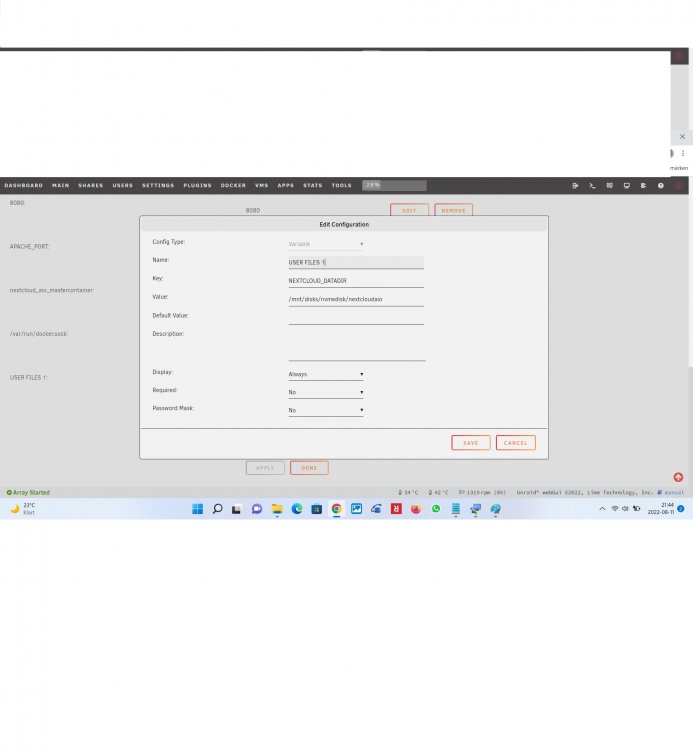
Hi, how to edit this slave option when in the container configuration there is a Variable (NEXTCLOUD AIO) where the path in mounted not as a Path and you can not do this in the Variable edit option. Thanks for helping.
-
So my last update for this issue, i fixed it very simple, i put the LAN IP ADRESS (in my case: 192.168.1.31) of my OnlyOffice container in the Onlyoffice's subdomain.conf file (/mnt/user/appdata/swag/nginx/proxy-confs/) in: " set $upstream_app" and the PORT 4430 in: "set $upstream_port" and now i can put the "OnlyOffice.mydomain.com" adress in the Nextcloud setting page for OnlyOffice and everything work fine, even the connection is secure through Cloudflare.
-
After many attempts with Onlyoffice through "onlyoffice.mydomain.com" without making it work, I chose instead the LAN address with port 4430 because with this works great and outside LAN also works great with Swag and Wireguard activated, I am satisfied with this result.
-
Hi, thanks! it worked, but client can´t connect, tested from Android and Windows, any way i installed Dynamix WireGuard and works fine, will Throw Open VPN as.
-
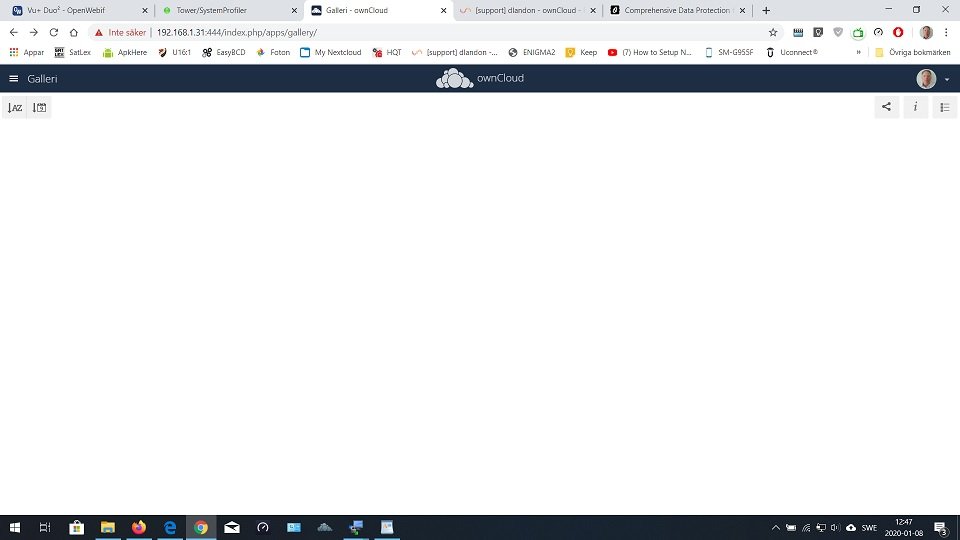
Hi, thank you for your Owncloud X, it's working awesome, for me this is the best working on my system, i've tested all the other versions, including the Nextcloud's. Just want to ask about the Gallery app, can't get it to work properly, it doesn't show any picture. Any help will be appreciate. Thanks!