





jang430
Members
-
Joined
-
Last visited
Everything posted by jang430
-
hi @sparklyballs, I think this is the command I should be running? echo "alice:MyC0mpL3xPass:10" >> ~/.config/deluge/auth How do I run it inside the docker app? Edit: I found this- docker exec -it deluge echo "alice:MyC0mpL3xPass:10" >> ~/.config/deluge/auth Is this correct? Thanks
-
Anyone? Sent from my iPhone using Tapatalk
-
Hi. I recently downloaded this. I am also using linuxserver's Deluge. linuxserver's sonarr connects to linuxserver's deluge properly. but linuxserver's couchpotato cannot "see" deluge. Deluge's network type is set to Host, is that right? My Unraid's IP is 192.168.1.104, using port 8112. Instead of using localhost:588xx, I'm using 192.168.1.104:8112 for my Deluge setting. Username I used is admin, password, I have since changed to blank. I've also added label to couchpotato movies. Same goes in Deluge. Any ideas?
-
rdping to the VM's IP work! Thanks
-
Hi all, yes, my VM is windows 10 pro. And I also enabled allow remote desktop, still I cannot RDP into 192.168.1.103 (my unraid ip). Does any port number have to be specified? Thanks for the tip on adding virtual sound card. As for the network, I assumed I will on bridge, since it is the default? Will double check it. Sent from my iPhone using Tapatalk
-
Hi. I asked this before, but can't find my answer in search. But want to ask again maybe something has changed. Can we RDP into Windows 10 VM on unraid? I have got the best user experience with it. Furthermore, my X9SCM-F Supermicro motherboard doesn't have built-in audio, so I don't have audio when I remote. I believe RDP provides this? Or is it RDP supports audio over VM? By using TurboVNC, I don't get any audio. This is my primary issue. Sent from my iPhone using Tapatalk
-
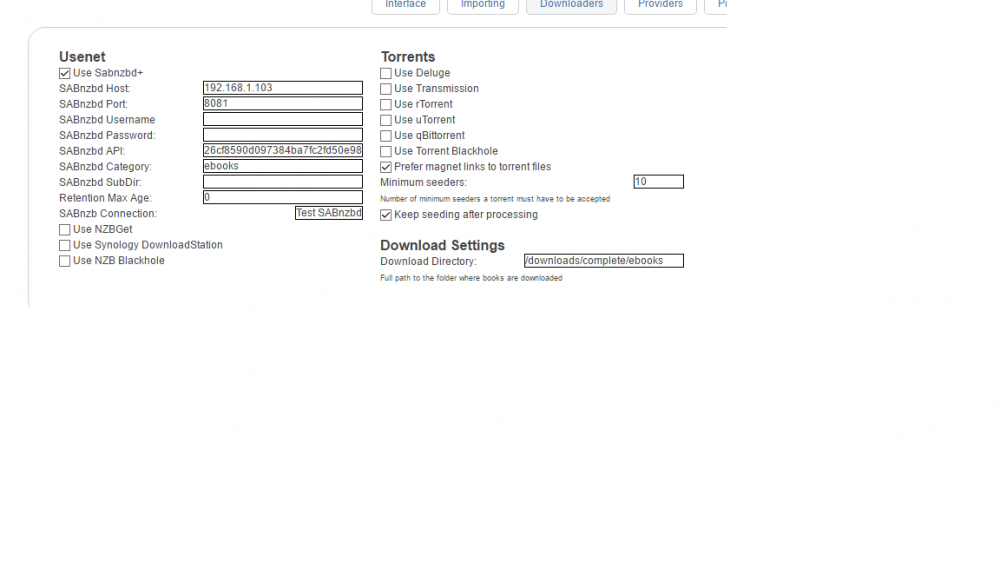
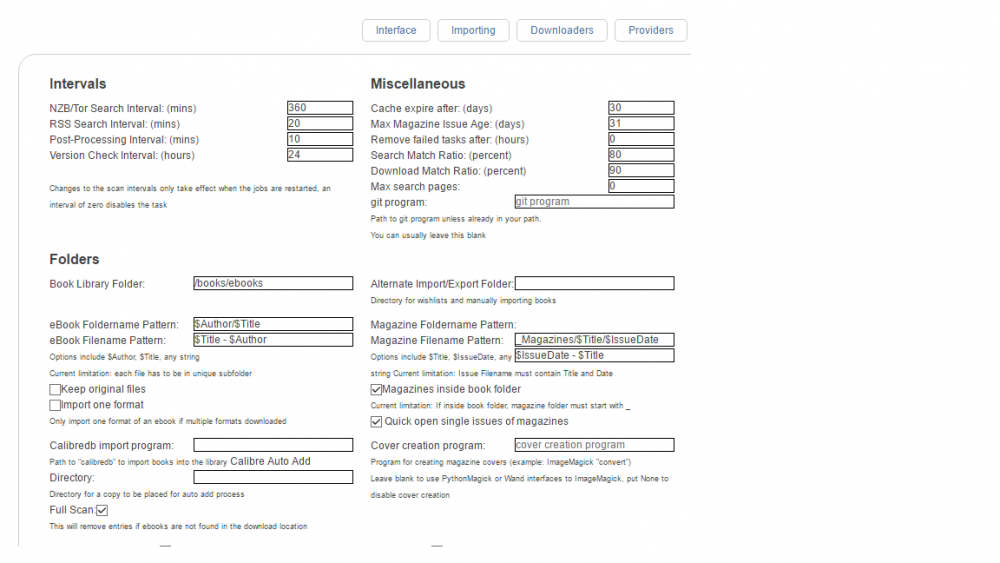
follow-up question. I have a category in sabnzbd ebooks, which downloads to /downloads/complete/ebooks I have configure the 2 paths I can find inside lazylibrarian as such (seen on attachment). All downloads stay at /downloads/complete/ebooks. It doesn't go into /downloads/complete/ebooks/_Magazines. It also doesn't move to /books/ebooks (Media/ebooks). Maybe you can help me check which path am I missing? Are there any other parts worth taking care of?
-
That did it! Thanks jonathanm
-
Oh, I see. So what steps can I do to fix this? I've already deleted the container, even deleted the previous config when adding the same container. I also made sure there are no Orphaned containers. Any ideas?
-
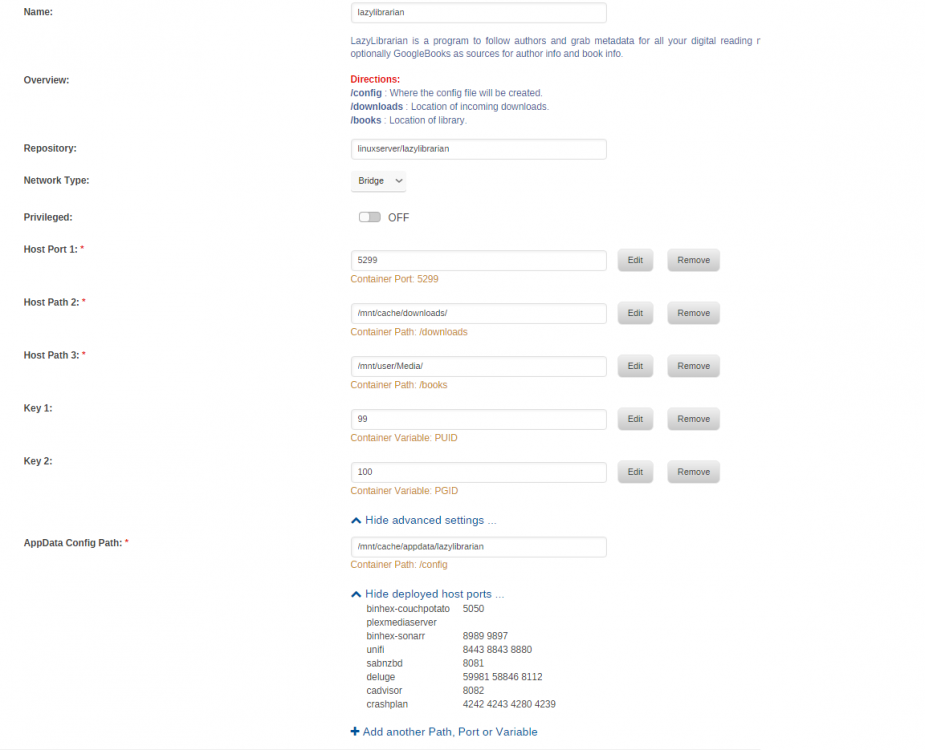
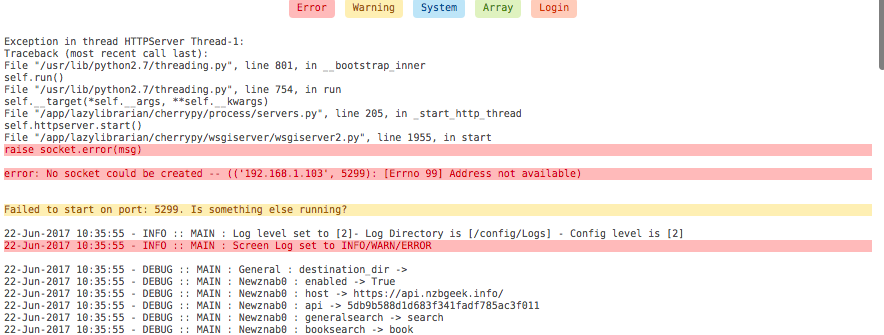
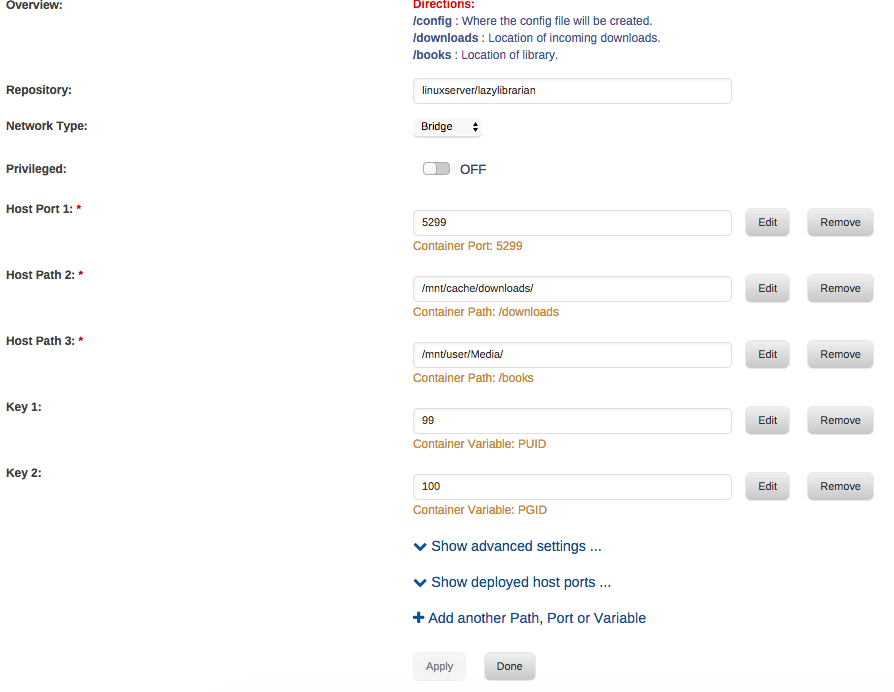
Hi, all my docker containers are accessed via http://192.168.1.103:8081, 8989, etc. Is this wrong? In this case, I try to access http://192.168.1.103:8085. This is what I see now that I set it to 8085. I install the app by searching through the app tab in Unraid.
-
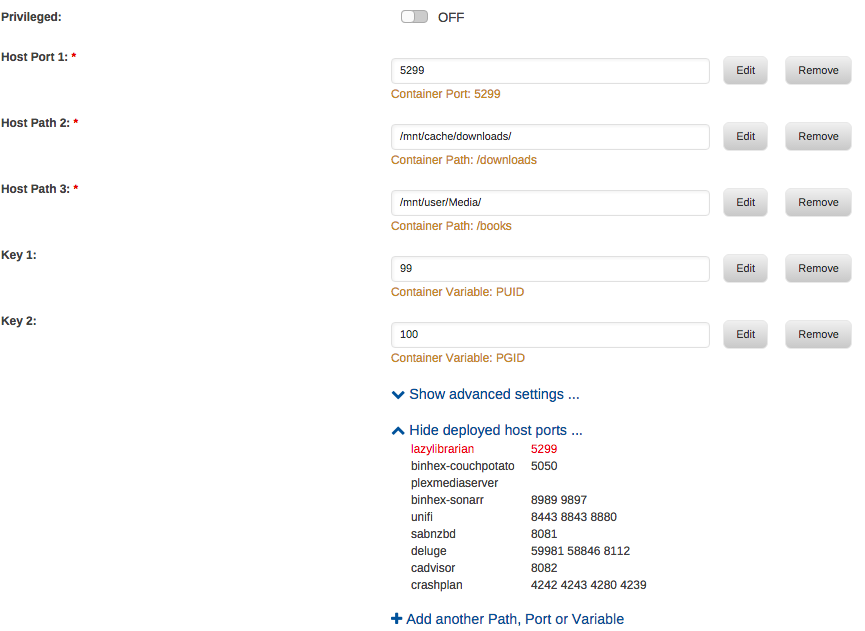
Hi, see attached. But before posting here, I've tried using another port already, and result is the same.
-
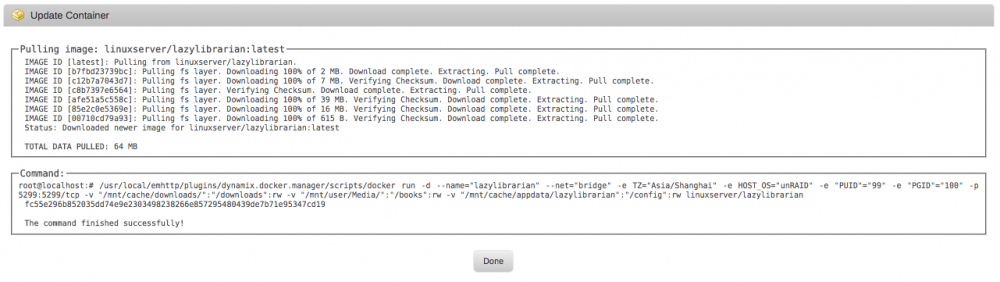
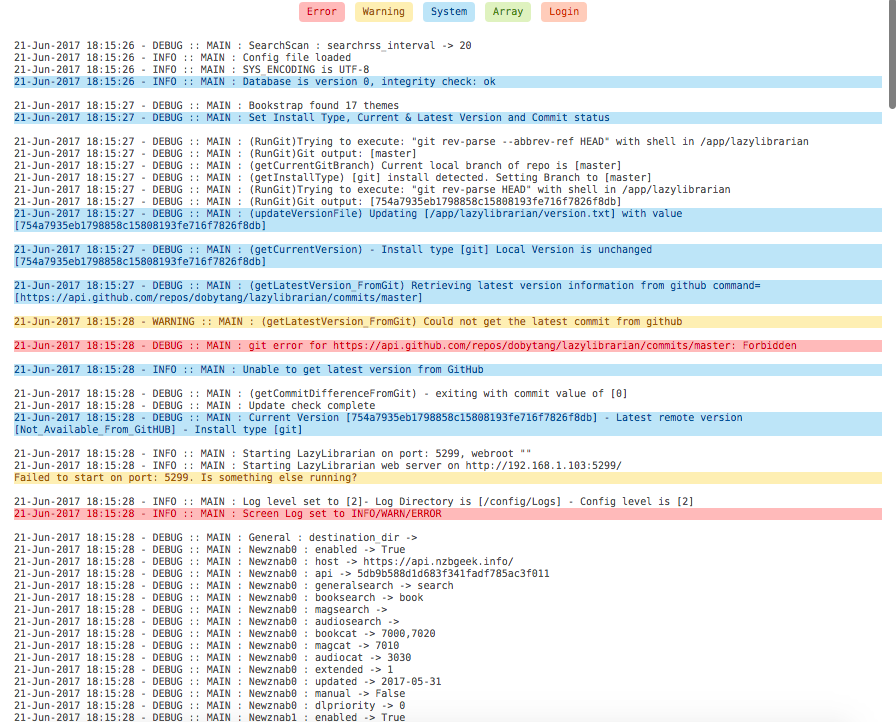
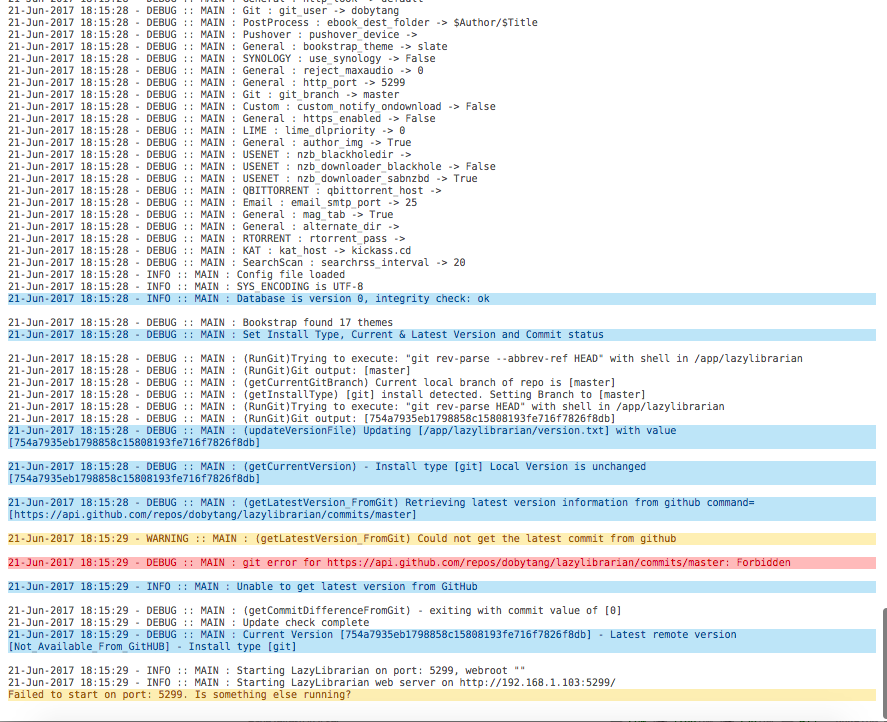
Hi. I tried installing this again, deleting the old container. Can someone help troubleshoot? It says Lazylibrarian is running, but I don't see anything.
-
Sorry, misunderstood. I'm happy to finally report that with your suggestion of getting it to Heavy IO, indeed, CPU fan stayed constant at close to 50%, and Fan A (Noctuas) stayed constant at about 750 RPM. I did have Low Noise Adapters connected though, so It's supposed to run at a lower speed. On top of that, since it's in Heavy IO mode, Fan A speed was further reduced, I think. Thanks for the suggestion. Before that, I had fans set to Standard mode, and was revving up and down. I wouldn't have guessed that heavy IO will make it stable at about 50%. at 750 RPM though, it won't be enough to cool my hard drives. In the end, what cooled my hard drives are the original fans that came with the Fractal case, all 3 of them connected to the HDD side. All those fans have 3 pins, that I connected to the fan switch that came with the case, set to High. That took care of the fans blowing the HDDs. Since I have a dedicated CPU Fan, the motherboard side of the case, with Fan A (Noctuas) blowing at low speed, it doesn't really get hot. What a journey! Thanks to all of you guys! I do hope dmacias finds a way to control fans so that I can utilize my Noctuas properly.
-
Hi johnnie.black, How are they connected? Did you use the low noise adaptor to limit fan speed? How about the CPU fan connected to Fan1? Doesn't it rev up and down at Heavy IO?
-
Found out that the fan that is too noisy is in fact another Supermicro provided fan from 1U rackmount case that I use as CPU Fan. The 3 of the other fans are the Noctua. I followed the steps detailed above. Connected CPU Fan (Supermicro) to Fan 1, and Noctua Fans to Fan A. Reset BMC, set threshold. Set fans to full. At Fans set to full, CPU Fan runs at 3300 RPM, and Noctuas run at 1275 (within limit of 1300 RPM). But the Fractal Design Node 804 is poised for TAKE OFF! :-) Despite 1275 RPM at full speed for Noctuas, the HDD temps seem to be at 40 to 41, older models go up to 45. Is this enough? Is there a way to just lower the speed for the CPU fan, and not affect Noctuas' maximum speed at 1275 RPM?
-
Just want to make everything clear :-), the following commands, what I'm doing is open ssh session to my Unraid. I go to /mnt and execute the commands below. 1) download current config to a text file ipmi-sensors-config --checkout --filename=sensordata.conf 2) use an editor like nano to change the values you want nano -w sensordata.conf ctrl+o to save, ctrl+x to exit nano 3) commit the changes ipmi-sensors-config --commit --filename=sensordata.conf I hope all these time, I'm doing it in the right place.
-
@dmacias, I turned it off to be sure. I'll perform all steps above, which also includes resetting BMC. I'll report back. Fingers crossed
-
This is the content of my ipmi-sensors.config, as checked via ssh to the machine. EndSection Section 138_FAN_1 EndSection Section 205_FAN_2 EndSection Section 272_FAN_3 EndSection Section 339_FAN_4 EndSection Section 406_FAN_A EndSection I will be trying 2 things today. 1 is to reset BMC, 2, to connect all 3 fans to FAN A, and CPU fan to FAN 1. Planning to follow this guide given to me by another person helping from another forum: Connect your CPU and fans on the motherboard side to FAN1 - FAN4 headers on the motherboard. Use a Fan splitter cable to connect all 3 fans marked in Post #4 by @marcoi to connect to FANA header on the motherboard. Reset your BMC to factory defaults. (Maintenance -> Factory Defaults -> Reset) Once the BMC comes back online define the fan thresholds manually with the commands 1 and 2 below. ipmitool sensor thresh FANA lower 200 250 300 ipmitool sensor thresh FANA upper 1300 1400 1500 This should set the thresholds for the 3 Noctuas Restart your BMC (Maintenance -> Unit Reset -> Reset) Set the fan speed to Full It's another hail Mary I'm doing to make sure I get things right.
-
I just tried to enable it, but seems to do nothing. The Editor is missing a lot of details regarding my fan. Since I don't know what to put inside the configuration file, I leave it as it is. Sent from my LG-D855 using Tapatalk
-
Hi. Saw on IPMITools, upper left of Sensor Config page, there's a selector "Load Config @ unRAID Start" Should this be enabled? Checking my config though, it looks pretty plain, and all the commands I run, are not listed here. Could this be the reason fans are not taking even effect after I set thresholds?
-
Thanks saarg
-
Hi. Will this development also work on my board X9SCM-F? Sent from my LG-D855 using Tapatalk
-
Yes, using latest BMC firmware, as well as bios firmware.
-
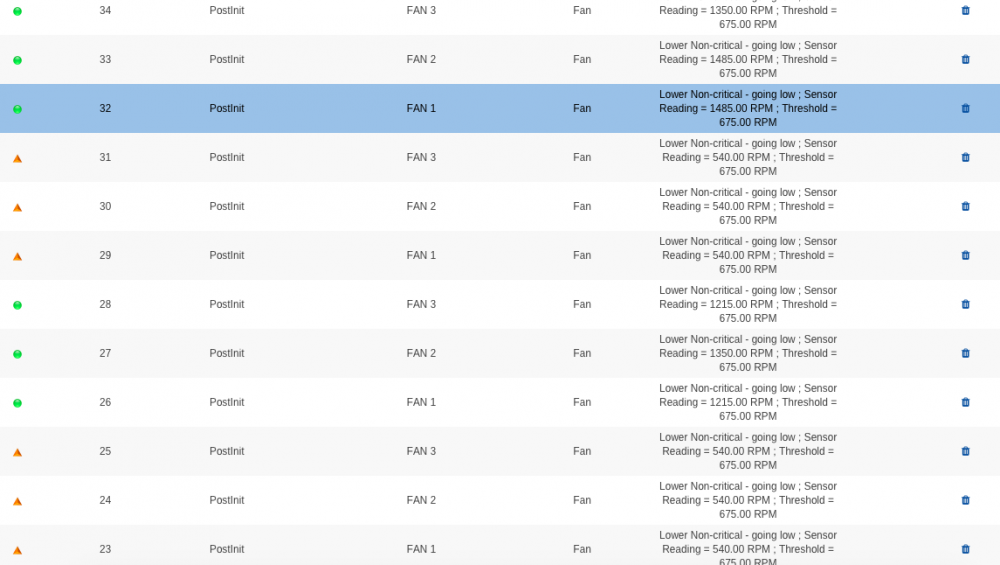
Hi. Saw some event logs today. Any other possible theory?
-
Thanks. Will try and report back Sent from my LG-D855 using Tapatalk


