





Benjamin Picard
Members
-
Joined
-
Last visited
Everything posted by Benjamin Picard
-
Anyone have a working config for Rust?
-
here's another crash. yes the nginx crashing seems to be it. crash 21-09-2025
-
Here's the file. Sorry i was away for a few weeks. Seems like we see the crash. Is that nginx ? I'm not able to SSH when it crashes so, it would be weird that it's only NGINX. syslog-previous
-
So i did everything in that post, it will crash randomly. Here the last diagnostics file from yesterday C state is disable, it doesn't seems to be the problem I thought it could be the VM because i crashed 1 or 2 times while i was using it Yesterday, even with the VM down, the server crashed. When it crashes, i'm not able to SSH so, it seems like it's not only the webui. However, like before, most of my dockers are still up. Thank you for you help tower-diagnostics-20250818-0722.zip
-
before anyone pointed that up, i just activated ssh to be able to restart nginx when it crashes again.
-
Hello, Since a few weeks, i'm having multiple stability problems in this Unraid server. WebUI is crashing within 1 hour to 10 days. Dockers seems to be always up (i can watch emby without problems) Only solution is for me to hard reboot the server. I check the ram, XPM is disabled. I can't link the crash to anything specific. I can't found anything suspicious in the syslog I just tried to disable the c-state option in the bios, let's see. So, if someone have i clue, i would gladly take some help :) tower-diagnostics-20250814-1535.zip
-
Any update on this ?
-
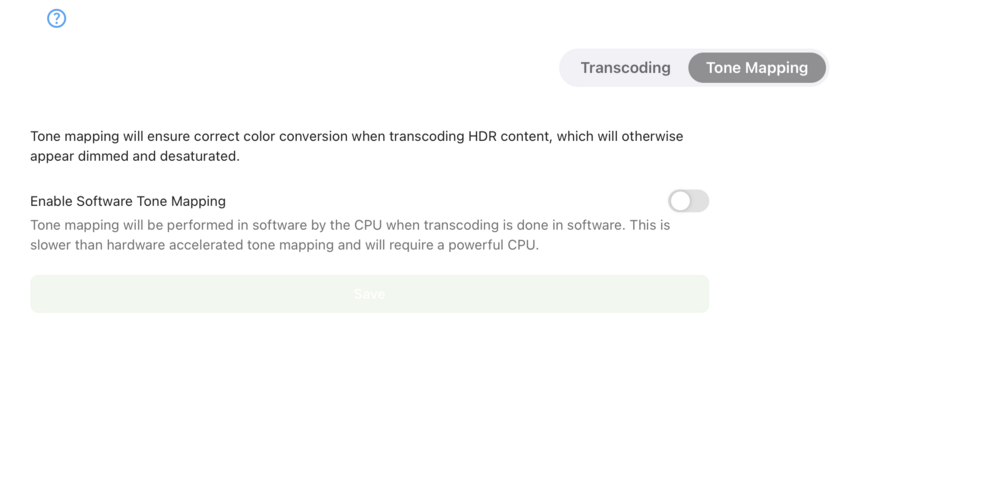
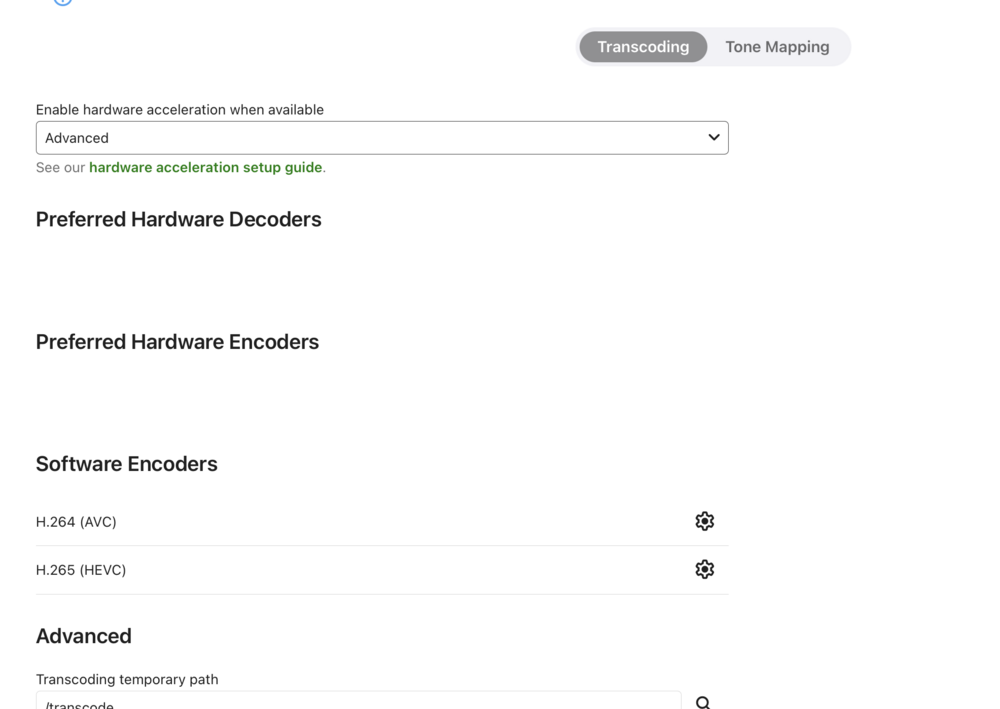
I tried disable it but, i still have the error 18 in the log. With the error, i'm not even seeing the B580 in the webui. Found this thread. Seems like i'm not alone. https://emby.media/community/index.php?/topic/135987-issues-with-hardware-detection-failing-on-ubuntu-2410-with-intel-b580/
-
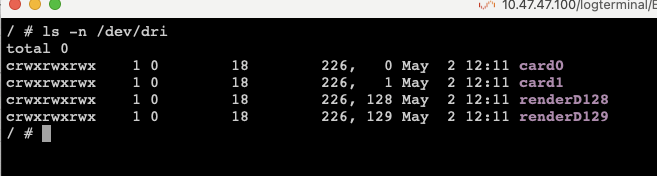
I tried with renderD128 and also card0. With renderD128 i have the same error. With card0 it's getting a DRM error ( "Message": "Failed to open the drm device /dev/dri/renderD128")
-
Also tried this in the docker console / # vainfo Trying display: drm libva info: VA-API version 1.22.0 libva info: Trying to open /lib/dri/iHD_drv_video.so libva info: Found init function __vaDriverInit_1_22 libva error: /lib/dri/iHD_drv_video.so init failed libva info: va_openDriver() returns 18 vaInitialize failed with error code 18 (invalid parameter),exit / # Seems like it's iHD_drv_video.so that fails to initialize.
-
Yes it's there. I tried the latest and beta branch. Also tried the other emby dockers. Could it be a problem directly in unraid or since the card is detected, it's a problem from emby?
-
@MowMdown any idea ?
-
Yeah i tried about everything hehe docker run -d --name='EmbyServer' --net='bp' --pids-limit 2048 -e TZ="America/New_York" -e HOST_OS="Unraid" -e HOST_HOSTNAME="Tower" -e HOST_CONTAINERNAME="EmbyServer" -e 'UID'='2' -e 'GID'='2' -e 'GIDLIST'='2,18' -e 'NEOReadDebugKeys'='1' -e 'OverrideGpuAddressSpace'='48' -l net.unraid.docker.managed=dockerman -l net.unraid.docker.webui='http://[IP]:[PORT:8096]/' -l net.unraid.docker.icon='https://raw.githubusercontent.com/MediaBrowser/Emby.Resources/master/images/Logos/logoicon.png' -p '8096:8096/tcp' -v '/mnt/user/appdata/EmbyServer':'/config':'rw' --device='/dev/dri/' So i get the GPU detected in emby but, i can't have it enabled. Whatever i tried, here's my i get in emby hardware log. "DeviceIndex": 1, "DeviceInfo": { "VendorName": "Intel Corporation", "DeviceName": "Battlemage G21 [Arc B580]", "SubsytemVendorName": "Intel Corporation", "VendorId": 32902, "DeviceId": 57867, "SubsytemVendorId": 32902, "SubsytemDeviceId": 4352, "DevPath": "/sys/bus/pci/devices/0000:17:00.0", "DrmCard": "/dev/dri/card0", "DrmRender": "/dev/dri/renderD128", "IsEnabled": 1, "IsBootVga": 0, "Error": { "Number": 18, "Message": "Failed to initialize VA /dev/dri/renderD128. Error 18" } Always this Error 18. I tried with other emby dockers, i get the same error.
-
hey sorry, i just want to use the ARC B580 to transcode my streams.
-
Hello! Do you know if the image includes xe2 drivers for Intel B580 gpu? I'm trying to get the transcode working with this GPU. I can get it detected in the log but it always returns an error 18 (emby is not able to initiate it).
-
anyone is able to make the Intel ARC B580 works in the docker? I tried everything, i can't get it to work (i'm on 7.1 RC3)
-
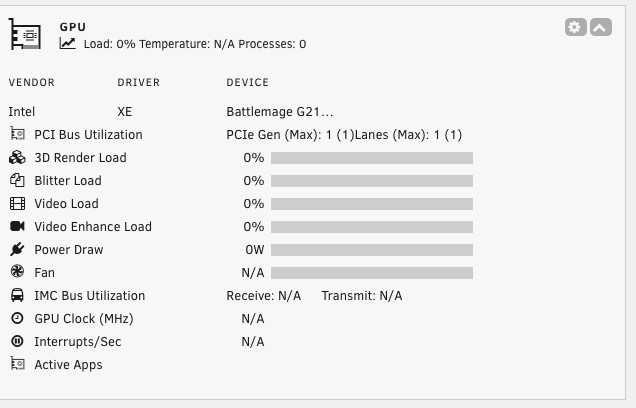
Working!
-
"[\n {\n \"period\": {\n \"duration\": 1000,\n \"unit\": \"ms\"\n },\n \"frequency\": {\n \"requested\": null,\n \"actual\": null,\n \"unit\": \"MHz\"\n },\n \"interrupts\": {\n \"count\": null,\n \"unit\": \"irq\\\/s\"\n },\n \"rc6\": {\n \"value\": null,\n \"unit\": \"%\"\n },\n \"power\": {\n \"GPU\": null,\n \"Package\": null,\n \"unit\": \"W\"\n },\n \"engines\": {\n \"Render\\\/3D\": {\n \"busy\": 0,\n \"sema\": 0,\n \"wait\": 0,\n \"unit\": \"%\"\n },\n \"Blitter\": {\n \"busy\": 0,\n \"sema\": 0,\n \"wait\": 0,\n \"unit\": \"%\"\n },\n \"Video\": {\n \"busy\": 0,\n \"sema\": 0,\n \"wait\": 0,\n \"unit\": \"%\"\n },\n \"VideoEnhance\": {\n \"busy\": 0,\n \"sema\": 0,\n \"wait\": 0,\n \"unit\": \"%\"\n }\n },\n \"clients\": []\n },\n {\n \"period\": {\n \"duration\": 1000,\n \"unit\": \"ms\"\n },\n \"frequency\": {\n \"requested\": null,\n \"actual\": null,\n \"unit\": \"MHz\"\n },\n \"interrupts\": {\n \"count\": null,\n \"unit\": \"irq\\\/s\"\n },\n \"rc6\": {\n \"value\": null,\n \"unit\": \"%\"\n },\n \"power\": {\n \"GPU\": null,\n \"Package\": null,\n \"unit\": \"W\"\n },\n \"engines\": {\n \"Render\\\/3D\": {\n \"busy\": 0,\n \"sema\": 0,\n \"wait\": 0,\n \"unit\": \"%\"\n },\n \"Blitter\": {\n \"busy\": 0,\n \"sema\": 0,\n \"wait\": 0,\n \"unit\": \"%\"\n },\n \"Video\": {\n \"busy\": 0,\n \"sema\": 0,\n \"wait\": 0,\n \"unit\": \"%\"\n },\n \"VideoEnhance\": {\n \"busy\": 0,\n \"sema\": 0,\n \"wait\": 0,\n \"unit\": \"%\"\n }\n },\n \"clients\": []\n }\n]"
-
/tmp/gpurawdata0000:17:00.0
-
Doesn't seems to exist root@Tower:~# ls -l /tmp/gpurawdata ls: cannot access '/tmp/gpurawdata': No such file or directory
-
Almost nothing, this is what i'm getting.
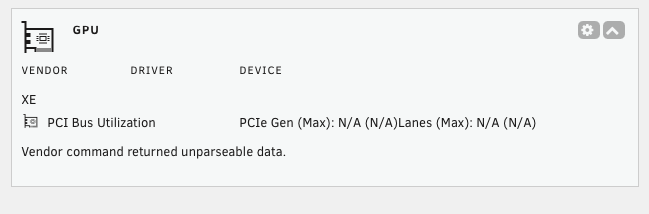
-
What i got: 17:00.0 VGA compatible controller: Intel Corporation Battlemage G21 [Arc B580] Subsystem: Intel Corporation Device 1100 Kernel driver in use: xe Kernel modules: xe 18:00.0 Audio device: Intel Corporation Device e2f7 Subsystem: Intel Corporation Device 1100 Don't hesitate if you want other infos or me to test something
-
Hello, Wanted to report that it's doesn't seems to work with the Intel B580 arc gpu. Saw that someone else reported it. Thank you
-
Hello, I used to have like 3-4 months uptime or more without problem. I upgraded the motherboard, ram and added some hard drivers 2 months ago and from there, i had multiples crashed and my system is unstable really often. I thought everything was behind me before last night I had a crash during the night. Nov 3 01:50:26 Tower kernel: BUG: unable to handle page fault for address: ffffc9801d1b7a50 Anyone can help me understand the crash? It was a 1:50AM when no one were using / accessing my NAS. The system was 100% unresponsive. I had to hold the power button to restart it. Can it be something related to the network that would explain that I can't access the NAS or the docker images when it crashed? I attached my syslog which was written to my flash drive. Regards, syslog-crash
-
Hello, Anyone using the freescout docker? I always get this problem when I stop / restart the dock : Starting php-fpm is lopped forever Thank you



