





luca2
Members
-
Joined
-
Last visited
Everything posted by luca2
-
Hi, I tried both options and just wanted to report back that in both cases trim works the same on all the ssd´s in the array. I frist tried running the script via script UserScripts as Squid said, and trim works on those ssd´s mounted outside of the array with UD. I also tried configuring a cache drive, using the dynamix trim plugin, and it also works (in this case trim also works on those ssd´s mounted outside of the array with UD). Thx Squid for support!
-
Hi! I lost my password to acces the deluge GUI. Even after re-install of docker it still happens ("deluge" is not valid). Any idea how to solve this? Rgds.
-
Great! Will have a look at your solution adding a script.Thx! Does the script have to look like this?: #!/bin/bash /sbin/fstrim -a -v | logger &> /dev/null #!/bin/bash /sbin/fstrim -a -v | logger &> /dev/null
-
no cache ssd. 2 ssd´s assigned in unassigned devices. so the plugin should work with my 2 UD ssd´s.

-
Hi, no option to scroll down further! I checked in mozilla and chrome. Maybe clean cache? Any idea how to solve this?
-
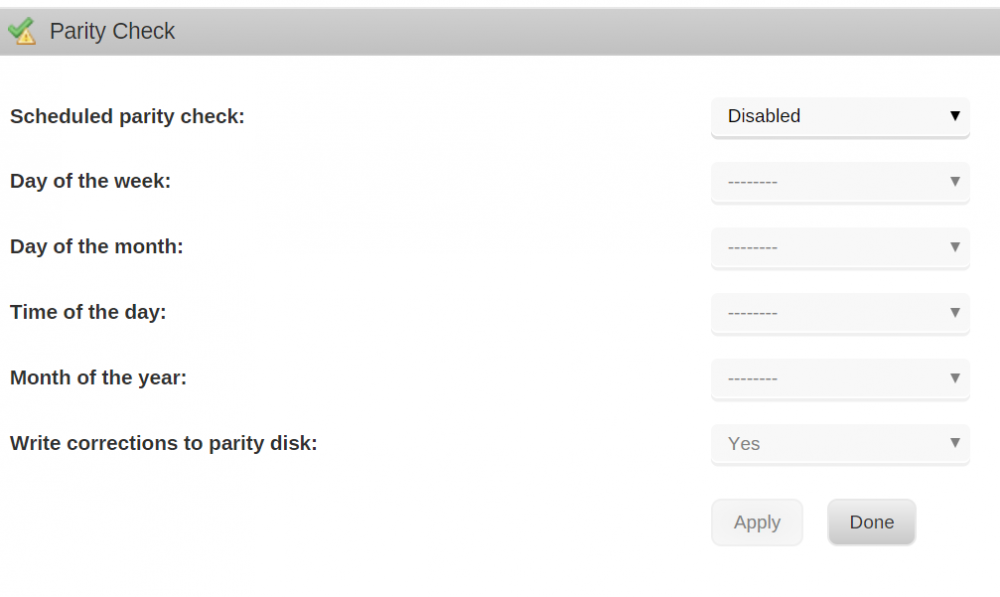
Hi, after installing trim plugin, this is what I get when I open it. Maybe something I am missing? Rgds.
-
Thx for help trurl. I checked again and it works. Now, although I have not setup security in my shares, but I did in UD, the first time I access from a windows machine in my network to Unraid it asks for a login. Should this happen? Also, what happens if I activate security now also in my unraid shares? Rgds.
-
Hi, After reading carefully your first post I activated security in your plugin. I have my desktop pc running and accessing a disk mounted in UD (more precise accessing a mapped network share located in this disk). But also a vm is accessing it. I get an error mesage in my vm when trying to access the mapped network share saying in windows two machines cannot access the same share/disk simultaneously. This happens after my desktop pc already accessed the mapped share. Is there any way to solve this? Also, I read it is recommended to create a user and set a password in Unraid and that both should match the Windows_desktop/vm user+password that will access Unraid to avoid login problems. Is it like this when using UD too? Do I need to set the root password the same as the one used in the new user that I created? Feel free to ask if you need more info. Rgds.
-
Thx Brit! That worked exactly as you described. Rgds.
-
Hi, as I wrote in the title I lost my unraid password. I still do have a detailed list of my hard drives (array, cache, etc...) and how they are assigned. I guess the only option left for me is to do a fresh install, right? Pls , let me know if I can do anything else. Rgds.
-
Hi, how do you measure latency of the vm's? sent from Tapatalk
-
Hi, I know unraid already offers ups support, but it is limited to APC ups's. I propose to add NUT plugin support to a future version. I have running macester's but plugin which works well. I just miss you guys updating the driver version and updates of the plugin itself. It would be useful for lots of unraid license owners. I assume it does not add to much coding work for you...maybe I am wrong. I keep an eye on what you think about it. Rgds and great job done in the latest releases of unraid. sent from Tapatalk
-
No it doesn't (and this posting should be in the CA thread) - just tried deluge vpn and it does indeed bring up the template for deluge vpn Sorry for posting in the wrong place. It is solved, just rebooted and everything is working fine.
-
I just tried it and it works perfectly. Close all your browser windows and try again. (or tell me the exact steps your doing to see this Did a reboot and now everything is working.
-
Hi Squid, community applications has wrong download links. For example, binhex deluge vpn takes to you to another docker download. Running latest stable>clean install.
-
Thx for the update Squid. Now it is solved!
-
Sorry Did miss this line!
-
If I understand what is posted before, if I reboot the array and also my laptop it should be gone, rigth? Not my case. EDIT: I just started Tips and Tweaks and my screen (gpu out of Unraid) shows this message: grep: /etc/php-fpm.d/www.conf: no such file or direct If I change anything in this plugin, after clicking Apply I get the same message.
-
Hi, I get this error Warning: basename() expects parameter 1 to be string, array given in /usr/local/emhttp/plugins/fix.common.problems/include/tests.php on line 837 after only changing this in Unraid: -installing Tips and Tweaks (did change the following: Disable NIC Flow Control?: yes Disable NIC Offload?: yes Disk Cache 'vm.dirty_background_ratio' (%): 5 Disk Cache 'vm.dirty_ratio (%): 10 Disable FTP Server & Telnet?: yes -adding to my syslinux: isolcpus=2,3,6,7 My server keeps running, just want to make sure waht can cause this. I posted here: https://lime-technology.com/forum/index.php?topic=56527.msg539414#msg539414 also another error I got when re-starting the server. Today after running fix common problems I got the first error I described at the beginning of this post. Rgds.
-
I did not touch " Settings - Unassigned Devices - SMB Security", so it is set to "No". I have been playing around and found this funny thing: after much trying entering a user/password to get access to "/mnt/disks/deluge downloads", once I got access (after clean laptop reboot + erase windows login credentials + disable/enable ethernet adpater) then I could not access the rest of the public unraid shares. I started again from a laptop reboot and accessed at the beginning the public unraid shares, so then I got no access to "/mnt/disks/deluge downloads". It seems windows handle them as different things allowing only accessing one of them at a time. I will report back after I try whay johnnie.black suggested. P.S. So far working as suggested by johnnie.black ... thx all for help! Will report back if it fails.
-
Hi, I installed Unassigned Devices in 6.2.4. I attached a 500gb disk, mounted it and created /mnt/disks/deluge downloads . After that I cannot access this share from my laptop (although I can access all my public array shares). I am running w8.1 pro in my laptop. Everytime I try to access the "deluge downloads" share a pop up shows up in windows asking for my credentials. Nothing works here: my laptop login/password, unraid´s login(root)/password. Any idea how to solve this? Rgds.
-
Hi, I just installed this great docker for the 1st time. My "container Path: /data" is /mnt/user/downloads/. This share is created in a single disk (disk9) of the array. I downloaded a torrent file and left it sharing. I observed disk9 is up, but also parity and disk1 is up all the time. Just wanted to ask what disks will spin up while sharing a torrent? Thx in advance. Rgds PS: I have no vpn set up.
-
As far as I know. What error(s) are appearing? Hi Squid, I think I have a connectivity problem. It has nothing to do with this plugin then. Sorry.
-
Hi, is the link provided for installing the plugin working? I paste it and nothing happens. Rgds.
-
OK I will give it a try and report back. THX for support. sent from Tapatalk


