





ClintE
Members
-
Joined
-
Last visited
-
Exactly this. I kept hitting "Resend" and it messed everything up. "Cancel" button works. Interestingly, I haven't seen the issue after clicking "Cancel" on either server. BTW, this does not happen on an older version of unRAID that I haven't updated yet (think it's 6.7.something), perhaps because the plugins can't update on that old version.
-
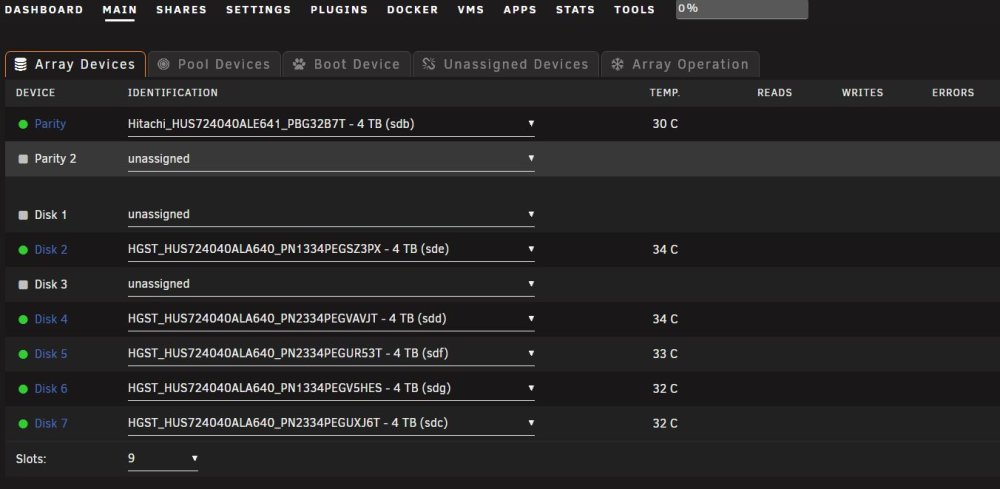
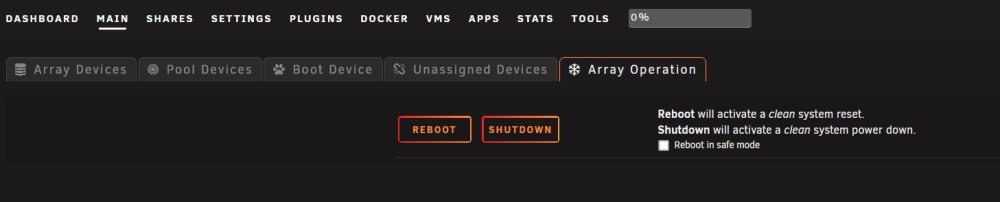
After reboot, start array button is available. After hitting start button, I get the "resend" requester twice before getting the screen without stop array button, just reboot and shutdown. When booting in safe mode, array starts, whether UD is installed or not. Then I get all array control buttons available. Update: Noticed the status bar at bottom of screen says "Array Stopped" and "Stale Configuration". Docker containers and a single VM working.
-
After start array button press, I get "resend" requester twice from browser (Firefox). Same on other browser (Chrome).
-
Much appreciated! ur1-diagnostics-20230110-1441.zip
-
Same as if uninstalling plugin, array starts.
-
ur1-diagnostics-20230110-1338.zip
-
Hello, Haven't seen anything like this in cursory scan of posts here, but that's not saying there's nothing in here about the issue. After installation of UD plugin, when starting array, I get the unRAID "busy" indicator for a bit, then it flashes the screen with all the buttons (for when array is started), then all I get are reboot and shutdown buttons. Array does not start. If I reboot, then I get Start Array button with the other two, reboot and shutdown. Attempt to start array results in same. No other plugins installed except for CA Apps. This is happening with two servers. 6.11.5. Thanks!
-
Hello, Trying to bind 4x ports of Intel I350 ethernet card, but when doing it this way with the plugin, it only binds first two ports. All four ports are in their own group, and when I inspect the vfio-pci.cfg file, it shows all four devices enumerated properly. UnRAID version 6.7.2. Edit: Meant to say each ethernet port has its own group; four groups for the card. Thanks!
-
After almost a year and 2 licenses, loving unRaid! Please keep up the excellent work, and here's hoping for another great 14 years for Limetech!
-
You should be able to upgrade to 64gb ram with no problem. The Z370 motherboards can address 64gb in dual channel mode just like you're running now. Cheers!
-
If I'm right with my rough calculations, that means it would take about 9 days or so to preclear the drive. Probably shouldn't take that long. Try restarting the system after cancelling the preclear and see what the speed is at that point. Maybe set the array to not auto-start before rebooting, but that shouldn't have anything to do with the preclear. I've tried preclearing drives with and without the array running, and haven't seen any difference in speed of preclear. Even though I see the screen messages from my LSI SAS9201 controller BIOS, I have the BIOS set to disabled, since it's not using any of the BIOS functions and just running JBOD in IT mode firmware; not sure if that makes any difference either.
-
128
-
I'm having the same issue, set parity schedule to run once a week and runs at the proper time scheduled, but every day. Doing it manually right now...
-
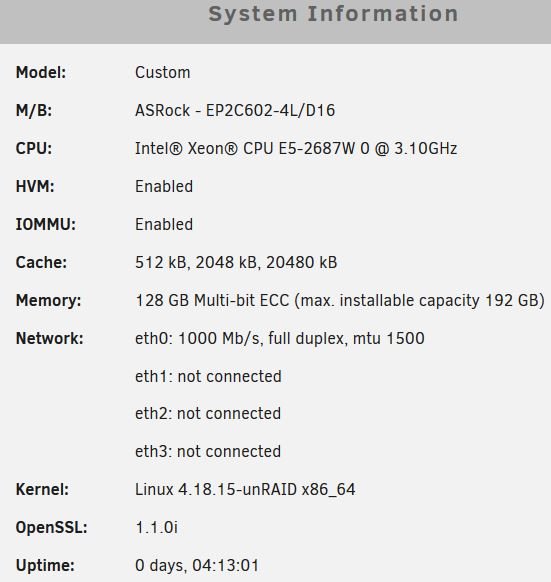
Hello, I'm very new to unraid, plugins, etc. but lots of experience with many flavors of hardware and software in general. Hardware: Motherboard -- AsRock Rack EP2C602-4L/D16 CPU's -- E5-2687W 0 At idle, BIOS screen reports CPU temps around 50 C or so, and this plugin reports about 35 C. Could there be an offset being applied automatically? I thought 50 was a bit high, but not really concerned about it. Would like to have temps in 35 range, of course. Thanks for all your great work with this plugin!



