





pappaq
Members
-
Joined
-
Last visited
Everything posted by pappaq
-
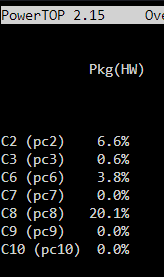
Thank you. I assume the HDDs are NOT spun down, right? Otherwise that would be a massive idle powerdraw tbh.
-
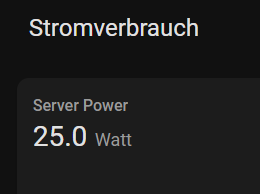
Very interesting. Could you provide the powerdraw of the system?
-
Inzwischen läuft das Setup seit diesem Post durch. Jedoch habe ich mit den Controllern ab und zu etwas zu kämpfen, da sie manchmal eine Platte nicht mehr erkennen. Vor allem bei einem Reboot, dann fehlt einfach eine. Einziger Workaround ist das Ausschalten und dann wieder Anschalten, dann funktioniert alles einwandfrei. Jedoch habe ich mit dem Setup immer wieder iowait Probleme. Und ich weiss einfach nicht mehr, wo ich noch suchen soll...hat sonst wer mit der Board und Controller Combo ähnliche Probleme? Ich bin für jeden Hinweis dankbar. Grüße
-
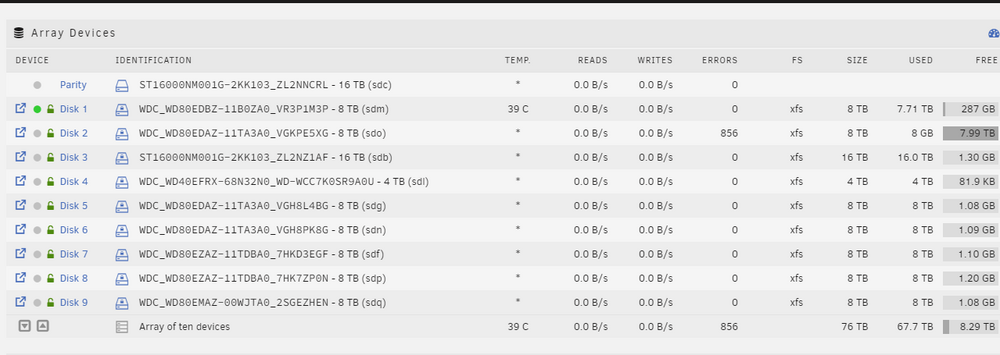
If these errors won't rise, it should be fine, right?
-
In the UI I see this, still:
-
I've run 2 parity checks now. One correcting, one without. The disk still has its 856 Errors. Is there still something I should do? Here the diagnostics. dringenet-ms-diagnostics-20241206-1941.zip
-
Will do so, tomorrow! Thanks.
-
Here you go: dringenet-ms-diagnostics-20241203-2008.zip
-
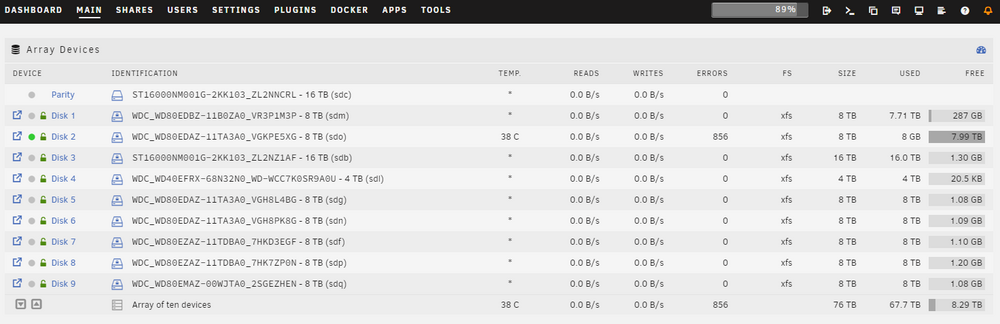
Hey there, my system reported errors on one disk during parity check. I canceled the parity check to lower stress on that drive so I can securely scatter the data from that disk to the other disks, because my plan is in order to secure the array again I am going to exchange the current parity with a 18TB drive and fill in the disk2 with the old parity drive. Before I commence, I wanted to ask if these errors are an indicator for a failing drive? I've done a short SMART selftest and the drive seems okay. Thanks for your input in advance!
-
Ich bin immer noch auf 6.12.4. Daran liegt es wohl nicht. Aber wenn es dadurch nicht mehr zum Abmelden der Platten kommt, dann nehme ich die 2,5-3W hin.
-
Ich habe seit dem Flash auf die neue Version eine Erhöhung des Stromverbrauchs des Servers um 3 Watt im Idle. Ist das hier auch schon jemand anderem passiert?
-
Danke, dann werde ich es zunächst auch erstmal mit der Version probieren dieses WE.
-
Welches ROM hast du geflasht? 11080000.ROM oder 11180000.ROM?
-
Moin, entschuldige, dass ich jetzt erst wieder hier reinschaue. Ich habe die Notifications aus gemacht für das Forum hier. Freut mich aber, dass du meinen Build nachbauen konntest. Ich habe inzwischen ein ähnliches Problem mit den Controllern. Ich konnte noch nicht einkreisen, welcher von den beiden dafür sorgt, dass HDDs nicht mehr erkannt werden beim Neustart, aber ich denke auch weitere ioWait etc. Probleme werden bei mir davon ausgelöst. Bin gerade bei der Fehleraufnahme. Zu deinem ASPM Problem: Auf dem Screenshot kann ich auf Anhieb nichts erkennen, das bei mir anders aussähe. Welche PCIe Slots hast du denn nun im Gebrauch?
-
Scrubbed the pool again and the errors are gone, for now...the scrub speed was very good though. The speed is slow anyways and the iowait is super high when there is traffic on the zpool...
-
I've noticed data corruption on the ZFS pool but where did you see the corruption for the BTRFS pool? In the UI it does not show any errors. I will run memtest as soon as I've got the time for it...the system is completely new 😑
-
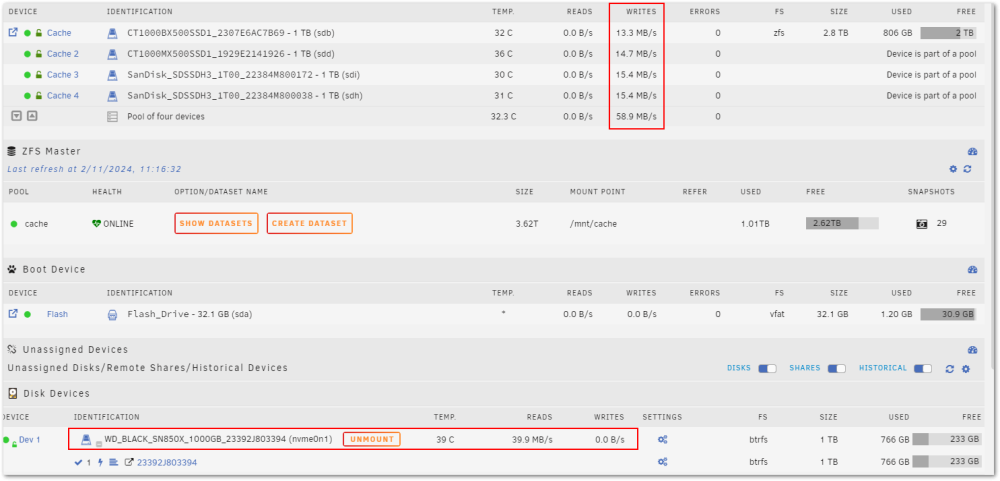
Hello everyone, I have the following problem: All copy or write operations to and from the encrypted formatted ZFS cache pool are incredibly slow. Maximum 60MB/s. Even, as you can see in this screenshot, when I copy from SSD to SSD. The IOwait is then also high. I would like to stay with ZFS because of the storage efficiency, but the speed is ridiculous. I've read about a problem of Unraid when using ZFS for the array itself but not when using it for pools. Could someone give me a hint? Thanks in advance! dringenet-ms-diagnostics-20240211-1113.zip
-
I've changed my backup jobs to drive shares. Currently the smb is responsive as it backups...so that seems like a win. Lets see, if I can streamline the usage of the array around this circumstance. Thanks @JorgeB
-
Had to hardreset the system. Changed the RAM but no change at all. When a backup from my workstation is running, the system becomes unresponsive smb wise... I have read many iowait issues unraid related in the past 6 month. Is there anything that can be done about this?
-
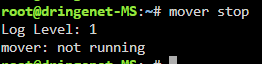
Even a poweroff -f command doesn't bother the system as it runs the mover command...I cannot reboot, shutdown or stop the mover process, even shell telling me it is not running anymore. Feels like complete randomness.
-
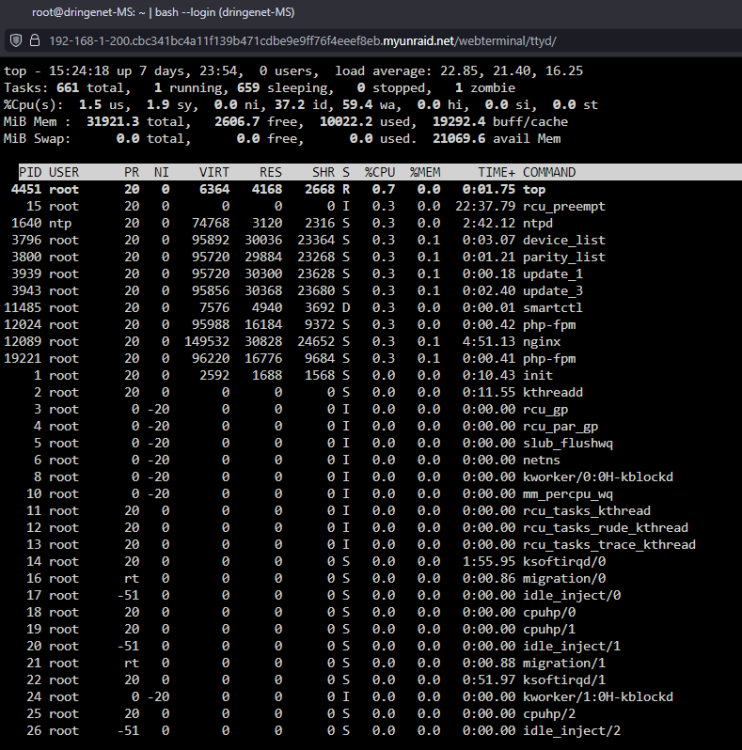
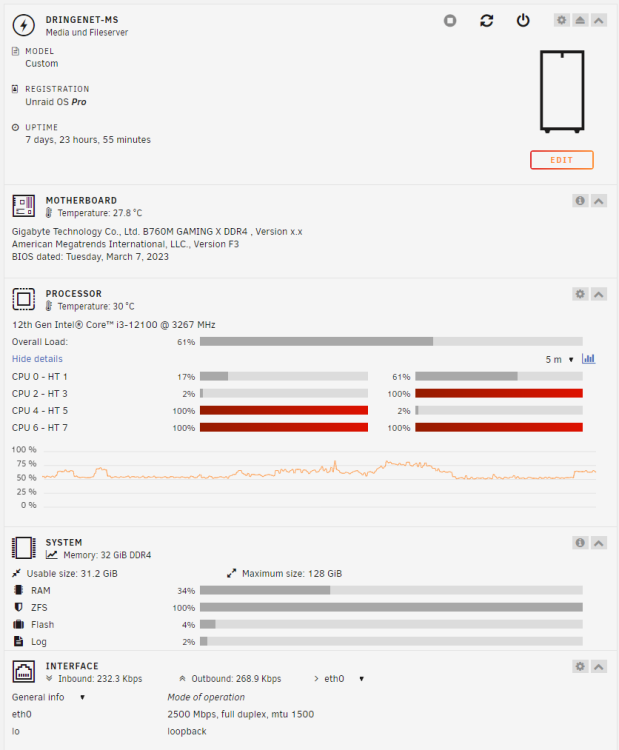
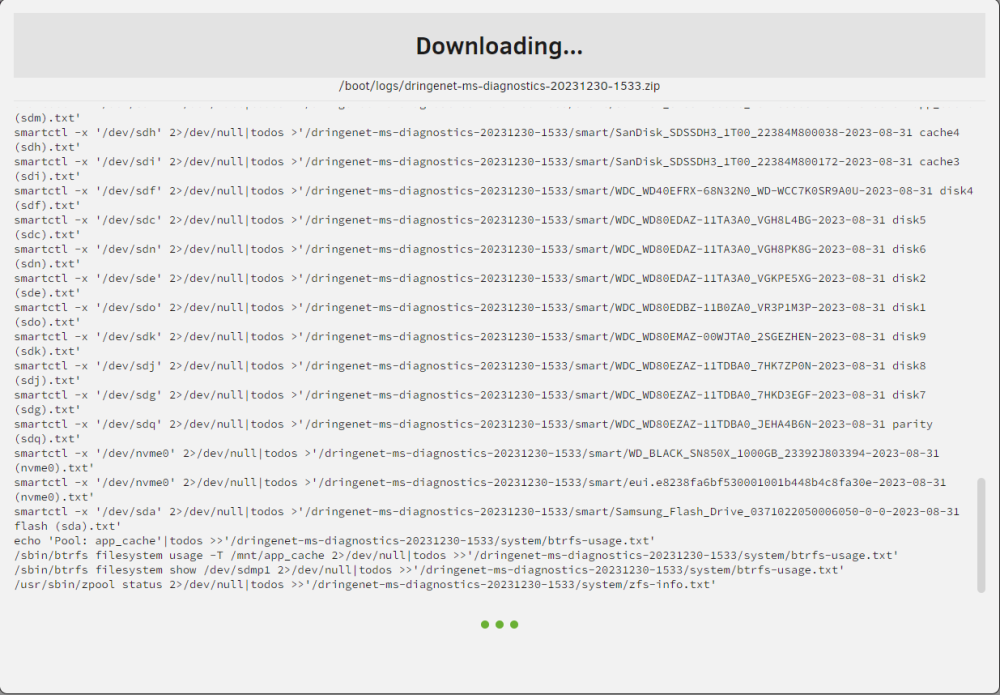
And it's happening again. VMs are disabled completely, I've managed to disable the docker service as well when it happened...nothing changed. As if unraid is busy with itself. When I try to get the diagnostics, the process hangs at collecting the zfs info: I've then tried to stop the array. But it does not work, the gui indicates, that it is running... But it isn't anymore: New RAM is on its way. Could it be something else? Diagnostics via shell is also not possible.
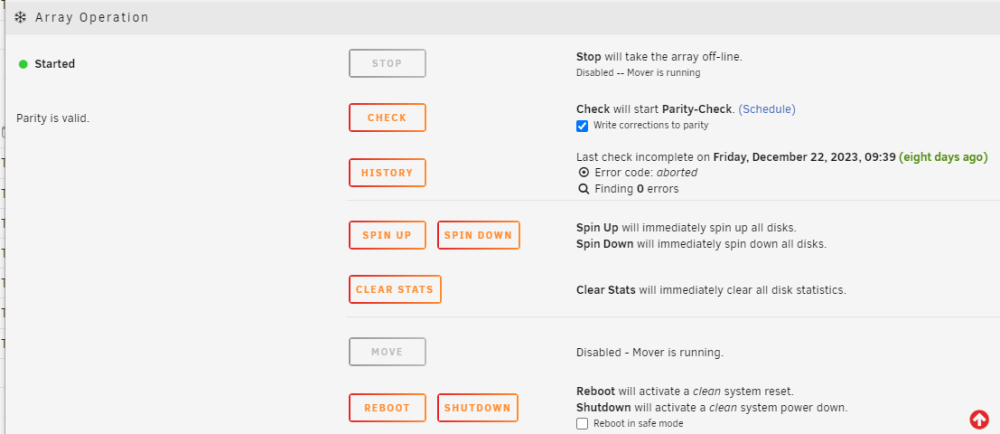
-
How can that happen? After rebooting the flash drive is up and running again. I've changed the flashdrive just some month ago and it is a Samsung one, that is recommended by Spaceinvaderone... These problems are getting so annoying.
-
Hey there, my server is again acting weird. The CPU goes up to 100% and it locks up during that time. After it is reachable again the UI does weird stuff like showing the drives of the array as mountable and such... Could someone please take a look? I thought I've found the issues of the system, by: - exchanging the Ryzen system for a complete Intel i3 System - exchanging the older controllers for new ones. The only thing that's the same as before is RAM, USB Stick and the SSDs and HDDs... Weird as well is, that the created diagnostics are named "tower" and not like the server should be named. tower-diagnostics-20231222-0924.zip
-
I've changed my whole system from Ryzen to Intel and switched all old controllers to new ASM1166. All iowait issues are gone now. So I assume it had something to do with it.
-
Wo hast du denn 18TB für 199€ gefunden?



