





Iceman1199
Members
-
Joined
-
Last visited
-
Yup, I found a command similar last night and everything was added back. Was even able to add back my users with their data.
-
How did you remap your existing data to your new nextcloud setup? My data exist on my array, but I guess when I setup nextcloud, it created a new database in my nextcloud share, and now Nextcloud is only looking at that database for files.
-
Might give it a go tonight. Appreciate the info and advice.
-
Did you remove the image as well?
-
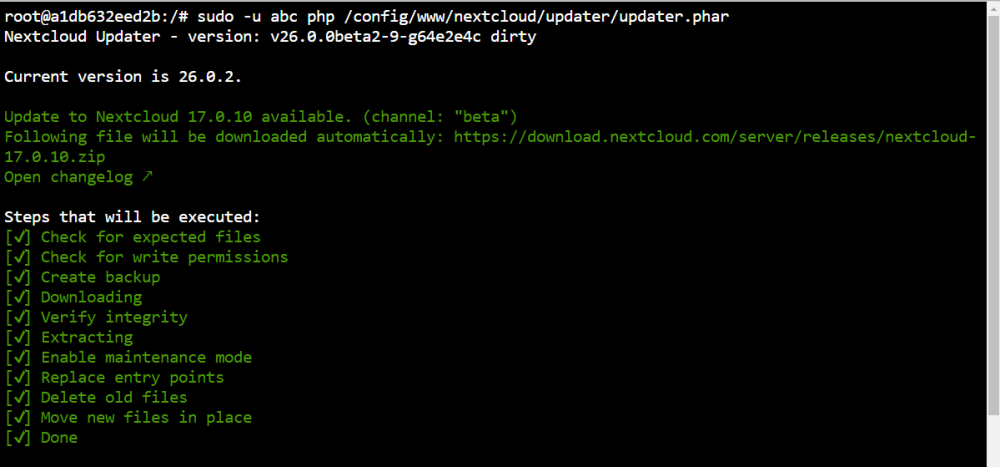
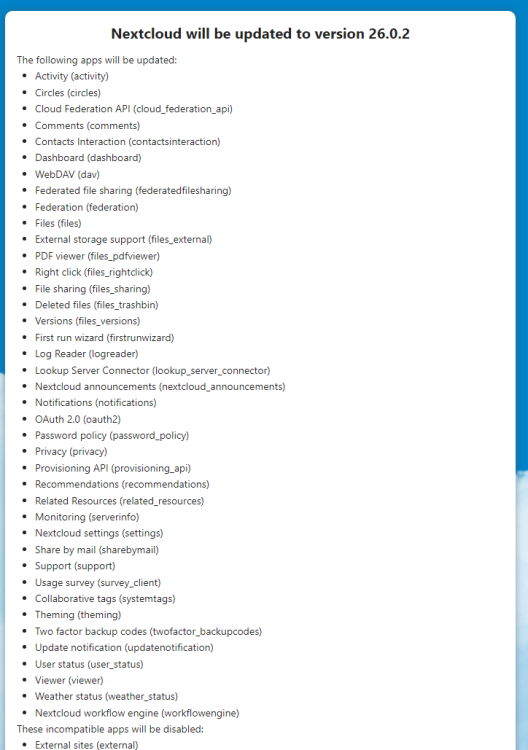
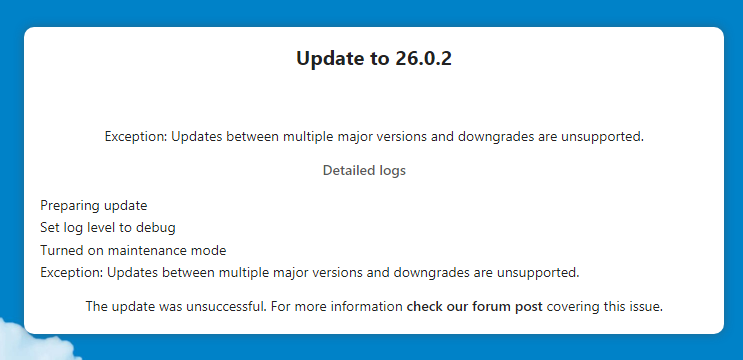
I get something similar to @johnwhicker, except mine is telling me the next update is Nextcloud 17.0.10, and my channel is beta. IT says my current version is 26.0.2, but even in the GUI its asking me to update, which fails giving the same error about updates/downgrades between major versions not supported. Not sure what went wrong and I've been at it for almost two days. Any help would be greatly appreciated.
-
I'm in the same boat. I tried @Danuel @allinvain and @dodgypast steps. I even get the error about permissions being needed, but they are correct from what I can tell. And when I try to run the docker exec -it nextcloud updater.phar command, I get this mess: Nextcloud Updater - version: v26.0.0beta2-9-g64e2e4c dirty Current version is 26.0.2. Update to Nextcloud 17.0.10 available. (channel: "beta") Following file will be downloaded automatically: https://download.nextcloud.com/server/releases/nextcloud-17.0.10.zip Open changelog ↗ Why is it looking for 17.0.10 and even beta now? Really just thinking about blowing it all away and restarting lol. Thoughts?
-
You're the real MVP for this one sir!
-
Run `unraid-api restart` in your unraid terminal. Shout out to @MaxBth for the Solution
-
Nevermind....I noticed the tdarr node docker template also had a "node port" line. Once I removed that, it was able to reinstall.
-
I was able to remove the extra "Node Port" on the tdarr docker template, but I still get an install failure for the tdarr node. Any suggestions?
-
Yup...just did a force update and configured IPT with cookies and had no issues.
-
I'm having this issue due the IPT's update. I see where you can manually add the cookies with the supplied directions, but I'm still getting an error about " An error occurred while updating this indexer Your cookie did not work: Found 0 results in the tracker" Has anyone been able to get passed this part?
-
Scratch that last thought. I just changed the port on Grafana instead and I got RocketChat up. Thanks for the fix bro!!!!
-
Wow!!! I feel like an idiot. That is exactly the reason why. Any thoughts on how to get around that? Grafana is using port 3000. I worry just changing the port on the Rocketchat docker won't work.
-
Thanks SpaceInvader One. I'm following your guide, but when I try to start up RocketChat docker I get a "Execution Error:Server Error". Any ideas on what might be causing this?


