





darthjonathan12
Members
-
Joined
-
Last visited
Everything posted by darthjonathan12
-
So I recently installed Veeam (free edition) on all of my windows VMs and physical devices. They all backup to a share on my Unraid server. All of them work except for my gaming PC (was working fine for a while but now wont). When it tries to backup the data I get the following. 1/3/2022 9:10:24 PM :: Error: Shared memory connection was closed. Failed to upload disk. Agent failed to process method {DataTransfer.SyncDisk}. Exception from server: An unexpected network error occurred. Failed to flush file buffers. File: [\\192.168.1.18\Big Red C drive\Veem Backup Location\BigRed\Job BIGRED\Job BIGRED2022-01-03T205944.vbk]. Cannot handle notification about a written block. Failed to download disk. The only thing different with this computer is that it has a 10gb nic (unraid has 10gb nic as well) It is not a point to point though, it goes into a switch that has 10gb and 1gb ports for the whole network. Is there something that needs to be changed on my SMB share or on my network card? tower-diagnostics-20220104-0908.zip
-
Hi all, So I love Unraid and use it at home. My place of work (MSP) has a very specific issue that I need to grab some other options/ideas for. We have recovery stations for SATA drives for backup, and checking drive health as well as any potential errors that may be on them. Our issue exists with SAS drives. Recovery on these drives is not an issue (all servers have RAID and constant Backups) however checking the disk health of a drive we might want to place in used stock or put into a different server is our issue. With windows and most dell servers (cards aren't in IT mode) just getting a smart report with power on time and reallocated sectors is almost impossible. However when I take it home and place the drive into my server it comes right up and I can get a full smart report with all the info. The chances of building even a cheap Unraid server for the office is pretty unlikely so I want to know if there are other linux distros that provide this same level of ease of use. How does Unraid manage this smart reporting?
-
Ok, so strangely this issue has disappeared. Remote Audio is sounding decent for a video stream. Perhaps I just needed to give RDP time to fully configure by connecting and disconnecting multiple times???
-
I just installed Guac on my pc and a VM. I have a few audio questions. On both machines, when the volume in the system tray is turned up I get an echo which sounds like two audio sources at the same time. When I mute there is no audio on either. The VM is not as bad but the quality of the audio seems lower. Is there a way to improve this? They look to be using a device called "Remote audio"
-
I am putting this in general because I have no clue what's going on. This morning I connected to my unraid UI and it was running however the cache pool was empty (should have a 2TB cache drive) and in the top right by registration it said I was missing my key. I tried to explore the file path on the flash drive but it was empty. My VMs were running but I couldn't connect to them (they use the cache disk). One of them mines through nicehash using an old GPU I have and I could see it was still mining. I decided to reboot to see what would happen. After a slightly long reboot it came back up and started a Parity check and everything seems normal, cache is showing and USB has data on it again. Is this a bug or have I royally screwed up my server? tower-diagnostics-20211011-0723.zip
-
Does anyone have any advice on next steps to try to get this to start?
-
Just installed the docker however when trying to start I get 'Execution error: server error' any ideas to what's causing this?
-
Trying to setup for first time followed spaceinvaders video however once I try to open the nextcloud UI I get Internal Server Error The server encountered an internal error and was unable to complete your request. Please contact the server administrator if this error reappears multiple times, please include the technical details below in your report. More details can be found in the server log. but my log just looks like this. To support LSIO projects visit: https://www.linuxserver.io/donate/ ------------------------------------- GID/UID ------------------------------------- User uid: 99 User gid: 100 ------------------------------------- [cont-init.d] 10-adduser: exited 0. [cont-init.d] 20-config: executing... [cont-init.d] 20-config: exited 0. [cont-init.d] 30-keygen: executing... using keys found in /config/keys [cont-init.d] 30-keygen: exited 0. [cont-init.d] 40-config: executing... [cont-init.d] 40-config: exited 0. [cont-init.d] 50-install: executing... [cont-init.d] 50-install: exited 0. [cont-init.d] 60-memcache: executing... [cont-init.d] 60-memcache: exited 0. [cont-init.d] 70-aliases: executing... [cont-init.d] 70-aliases: exited 1. [cont-init.d] 99-custom-files: executing... [custom-init] no custom files found exiting... [cont-init.d] 99-custom-files: exited 0. [cont-init.d] done. [services.d] starting services [services.d] done.
-
I'm having the same issue as well. I wish this had more support documentation for use in unraid.
-
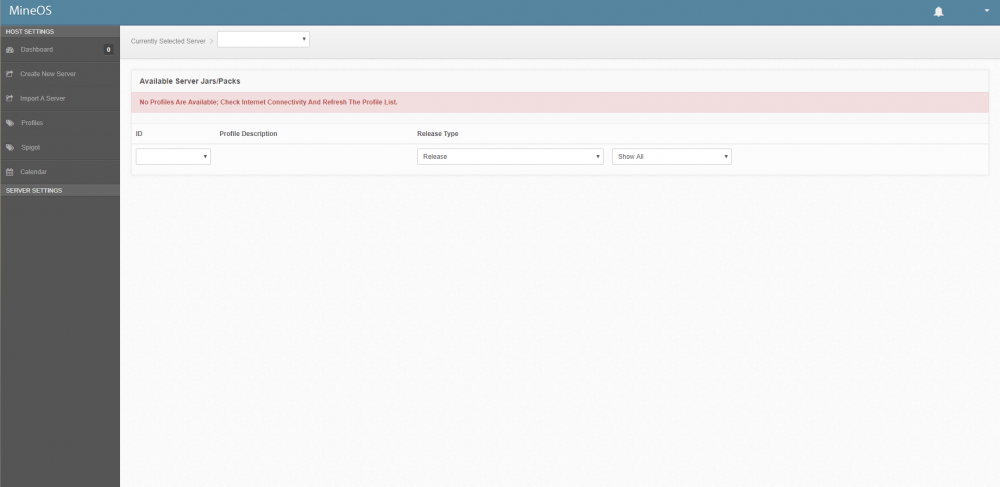
Can someone help me with this? I have tried restarting and uninstalling the docker. I haven't changed anything other than the password
-
I've used Unraid for probably over a year now and my data hoarding life has become so much better thanks to it.
-
Could the e1000 be a bottleneck on a 10gbe connection? If so what should be used?
