






yayitazale
Members
-
Joined
-
Last visited
Everything posted by yayitazale
-
Yes you are right, this is an error. I deleted the duplicated line, sorry about that. The Intel/AMD GPU is only used for optimizing the performance of the FFMPEG image decoder using integrated GPU for hardware acceleration, reducing your CPU load. The CORAL is used to offloading TensorFlow of the CPU. Is an order of magnitude faster and will reduce your CPU load dramatically. https://blakeblackshear.github.io/frigate/configuration/optimizing If you can't start the container maybe you don't have a hard. acc. compatible CPU, so you just can delete that record of the template and start it without hard. acc. FFMPEG and instead use your CPU to decode image. If you are using low number of cameras you'll not notice much difference.
-
pushed an update to correct it
-
The privileged flag is set on following the instructions of the developer: https://blakeblackshear.github.io/frigate/installation Edit: changed to false as default config.
-
Sorry I have been busy this weeks, I'll check out your PR today. Edit: merged
-
Maybe you are confused but AMD64 is not refered only to AMD CPUS, is refered to 64 bit architecture but the name comes from the first development made by HP for AMD: https://en.wikipedia.org/wiki/X86-64 You can run this container on any x64 bit proccesor, like my Intel Intel Pentium Gold G5600.
-
Ok. I replicated the error of the first time. With 6.9.1 if I update to the module of Digital Devices instead of leaving the openelec ones I'm not able to see mi recievers....
-
I have a issue with this plugin aftes upgrading to 6.9.1 I reinstalled the pluging to make it work again and it broke all the boot files of the flash. I recovered to 6.9.0 boot files again, upgraded to 6.9.1 and as I see I get a Kernel version mismatch at the installation that breaks everything. Downgraded to 6.9.0 I got same error: plugin: installing: https://github.com/ich777/unraid-dvb-driver/raw/master/dvb-driver.plg plugin: downloading https://github.com/ich777/unraid-dvb-driver/raw/master/dvb-driver.plg plugin: downloading: https://github.com/ich777/unraid-dvb-driver/raw/master/dvb-driver.plg ... done +============================================================================== | Installing new package /boot/config/plugins/dvb-driver/dvb-driver-2020.11.17.txz +============================================================================== Verifying package dvb-driver-2020.11.17.txz. Installing package dvb-driver-2020.11.17.txz: PACKAGE DESCRIPTION: Package dvb-driver-2020.11.17.txz installed. +============================================================================== | WARNING - WARNING - WARNING - WARNING - WARNING - WARNING - WARNING - WARNING | | Don't close this window with the red 'X' in the top right corner until the 'DONE' button is displayed! | | WARNING - WARNING - WARNING - WARNING - WARNING - WARNING - WARNING - WARNING +============================================================================== -------------Downloading DVB-bzImage for Kernel v5.10.19--------------- --------This could take some time, please don't close this window!---------- ---------------------Sucessfully downloaded DVB-bzImage--------------------- -----Kernel version missmatch patching bzImage for Kernel v5.10.19----- -----------------Downloading -DVB-Driver-Package------------------- ---------This could take some time, please don't close this window!--------- ---------------Can't download -DVB-Driver-Package----------------- plugin: run failed: /bin/bash retval: 1 Updating Support Links Finished Installing. If the DONE button did not appear, then you will need to click the red X in the top right corner PD: I deleted the /boot/config/plugins/dvb-drivers folder and now I got installed...
-
Yes you can, you can detect any of the things listed on the coco model, and also you can use another model. Please read the docs: https://blakeblackshear.github.io/frigate/configuration/advanced#model
-
Hi: ¿Did you modify the HTTP port? FYI, this threat is only about unraid template of Frigate, if the problems is regarded to the APP itself, as I'm not the developer please use the github issue page: https://github.com/blakeblackshear/frigate/issues
-
I have some issues with the hard. accel using the intel /dev/dri/. Uncommenting all the ffmpeg from the config file is working but with no hard. accel. I need to do more test to solve this out.
-
Same here, I'm updating right now so I will test everything this morning. Fore the Nvidia versión, I will give a try this weekend.
-
As you can read on the original post and the container description itself: This is because I'm currently using Unraid DVB and I can't test the nvidia version of this app. The current container is only intended to be used with a Coral Edge TPU so I can't help you with the docs yet. You can try to build your own custom container poiting to the "blakeblackshear/frigate:0.8.4-amd64nvidia" release and following the instructions. Anyway, the update from 0.7.X to 0.8.0 was a mayor and breaking change update: If you are coming from a pre 0.8.0 release please start from scratch creating a new config file and adding the cameras one by one following the new instructions from https://blakeblackshear.github.io/frigate/ The last stable release of frigate is the 0.8.4 as you can see https://github.com/blakeblackshear/frigate/releases/ so you are on the latest one.
-
Thank you for posting. I'm currently using an USB TPU and the overall performance is much better, so I highly recommend it to you if you can afford it.
-
You don't need to add the port to the firewall if you are only going to connet to the ui on your local lan. The UI doesn't have any kind of security or login so opening the port to the world is a really bad idea. Anyway: Did you create a config file before running the container? Is the docker running? Can you post your configuration of your container and the logs?
-
Updated to v0.8.0 now you can easily use this to detect and record 24/7. See https://blakeblackshear.github.io/frigate/configuration/cameras#247-recordings
-
Just updated the template to match with the new v0.8.0 realease. This is a breaking change so please follow the steps that you can find on the docs: https://blakeblackshear.github.io/frigate/ I recomend you to create a new config file from scratch.
-
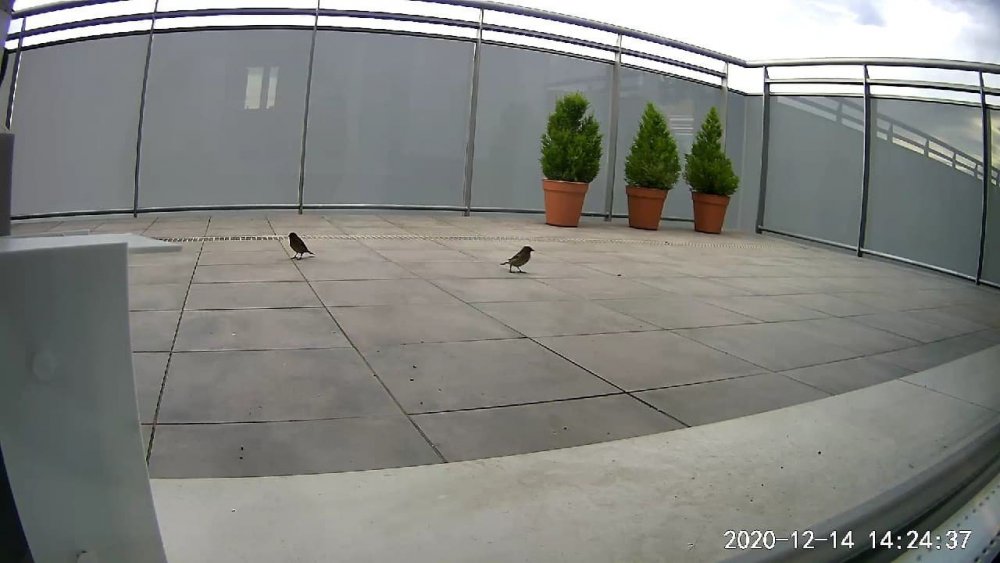
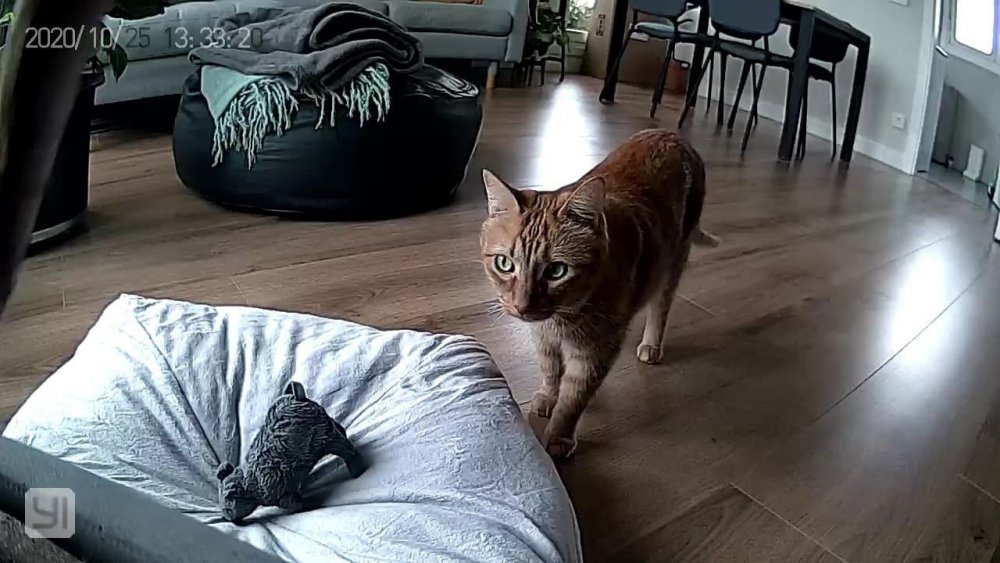
Home Assistant is not intended to record 24/7. For that goal, as you said, Shinobi or Zoneminder are the best options. As far as I know, Shinobi doesn't have any pluging that supporst Coral and TFlite (There is a TF pluging but not a TFlite one). Zoneminder does support CoralEdge TPU, but is not so easy to install and configure all the system. So, at this point, I think you just can use one of them as pure NVR recording 24/7 and then using the same RSTP streams of the cameras run this docker using CoralEdge TPU to achieve the notification automations on HA vía MQTT sensors. Anyway, if you only need to record clips for the detection events and not 24/7, you can achieve that using only this docker by two ways: You can use the integrated clip recording of frigate as you can read here: https://github.com/blakeblackshear/frigate#recording-clips You can activate the record at HA using the detection binary sensor for each element (car, person, cat...) and for each camera In my case, I'm using HA to pull telegram messages with attached images of the events as you can see here, I'm detecting birds at my balcony when they are close to the feeder I placed there and my cat's movements when I'm not at home.
-
You can ask directly on the projects github, maybe there is someone can help you. I don't have a m2 to try... I'm sorry.
-
As I reed here, you can try to run the docker on privileged mode, is just a workaround... https://github.com/blakeblackshear/frigate/issues/165
-
You are welcome. You can limit the FPS to 5 with almost no difference in the results and you will decrease the CPU usage.
-
IMPORTANT PLEASE UPDATE V0.15.0 IS A BREAKING CHANGE: PLEASE READ THE CHANGELOG TO UPDATE YOUR CONFIG FILE Support for Frigate docker container. Uses OpenCV and Tensorflow to perform realtime object detection locally for IP cameras. Designed for integration with HomeAssistant or others via MQTT. Application Name: Frigate Application Site: https://github.com/blakeblackshear/frigate Docker Hub: https://hub.docker.com/r/blakeblackshear/frigate/ Github: https://github.com/blakeblackshear/frigate Documentation: https://docs.frigate.video/ This container is only for AMD64 architecture CPUs (Intel/AMD) and its intended use is with a Coral Edge TPU accelerator to reduce de CPU usage. Make sure to look at the complete documentation available on Github! Any question about the usage of the app and runtime errors please use the github issue page. Post any questions or issues relating to this docker in this thread. PD: To use a M.2 or PCI CORAL instead of a USB Edge TPU install the drivers easily thanks to @ich777 by going to CA Apps and installing the 'Coral Accelerator Module Driver' app. To use a Nvidia dedicate graphics card install the 'Nvidia-Driver' plugin from CA Apps.

-
same problem here I just force the update of the first docker on the list and then hitted check for updates and now all the containesr are up-to-date again...
-
It works using the dockered version on Ubuntu Server. The only thing it is not working is Jibri behind a external Reverse proxy as Nginx Proxy Manager.
-
-
Thanks, but I get same results, no gmap.html and no aircraft.json.... I thinks this is something about permissions... but I can't figure it out how to solve it.




