





Danuel
Members
-
Joined
-
Last visited
Everything posted by Danuel
-
i just me or this is not working after latest update ?
-
what message do you get in terminal ?, must be something why will not take the key
-
does anyone have problems with this docker ? for some reason client is not working with the server :(, client is all the time in idle
-
hi, can anyone please provide a urbackup.subdomain.conf to set this up for a internet backup
-
did anyone try to use this with a cloud service ? and can you change the passphrase or in order to change you have to format HDD again ?
-
i can confirm that with privileged mode is working
-
another update but still not working
-
anyone else has problem with this ? i got this message when i try to open "The application cannot be started. A internal error occurred" i see this in the logs 2021-03-27 20:19:36,229 DEBG 'start' stderr output: _XSERVTransmkdir: ERROR: euid != 0,directory /tmp/.X11-unix will not be created. 2021-03-27 20:20:30,420 DEBG 'start' stderr output: SConnection: Client needs protocol version 3.8
-
did anyone make this work ? because for me is not working
-
sorry but i see no option to set the specific disks
-
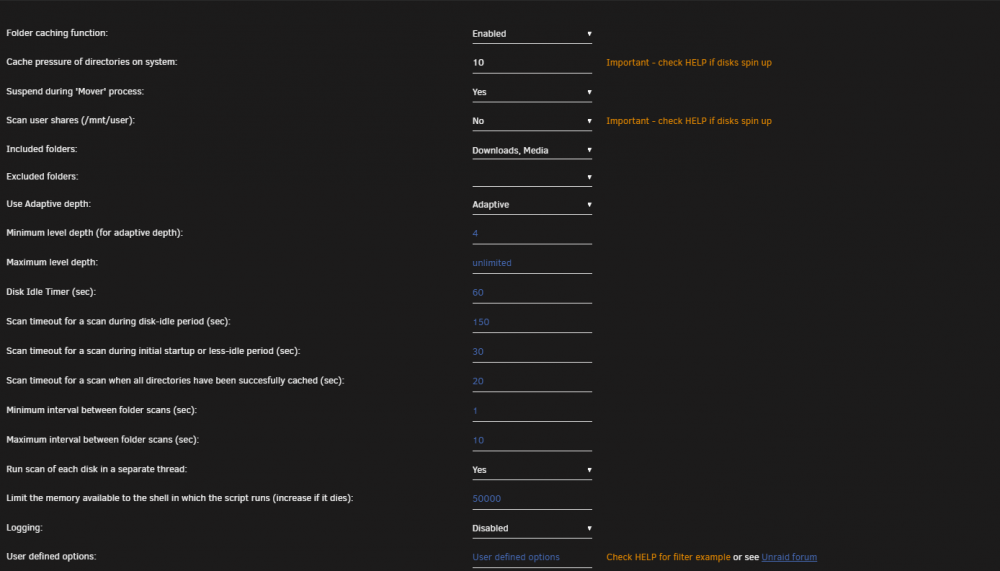
is only me having problem with HDD not spinning down ? i noticed that this is not working after i installed some application that are accessible over the internet, everything in Dynamix Cache Dirs is set properly. any ideas ?
-
@linuxserver.io can you please point for the tag that has version 1.3.11 or 1.3.6 please, thank you
-
try version YaRSS2-2.1.2, did appear in the installed side, but i was not able to manage and config
-
did you try a different version ? or a different repo ?
-
you have to use this version https://forum.deluge-torrent.org/viewtopic.php?f=9&t=39551 if is not working when you try to install, then add the plugin in deluge plugin folder then, go back to web interface and should appear there
-
i think your torrent might not be in white list, official release is 2.0.3 there is no version 2.0.4 https://dev.deluge-torrent.org/wiki/Download , have a look on your tracker regarding white list torrent, some of them don't accept beta clients that is another reason why i am still on 1.3.15 try to downgrade to 2.0.3 and see if is working
-
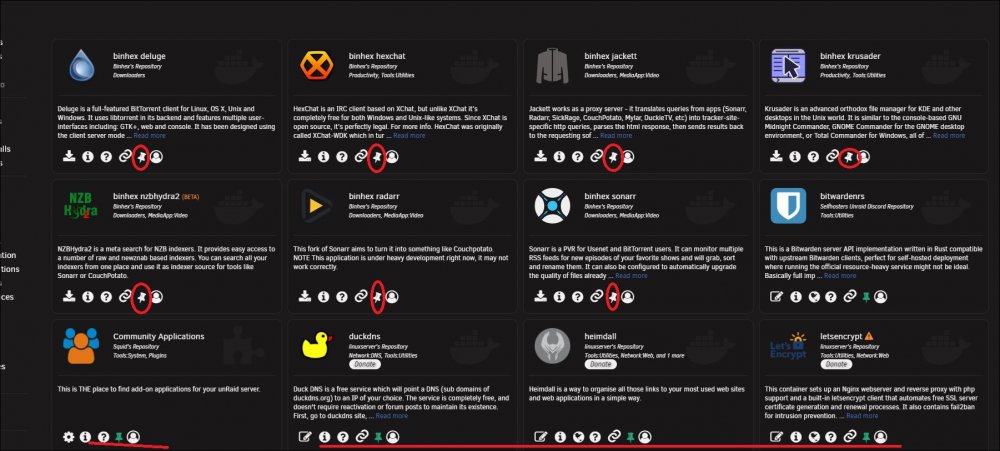
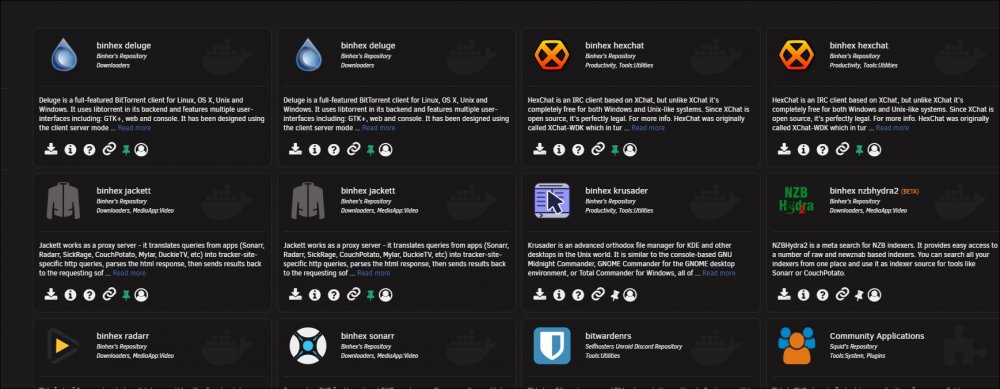
so deleting Community Applications also delete from flash drive config/plugins/ when pinn the application i am back to step 1 where only few show up , at the moment single work around is to manually edit pinned_appsV2.json this is working. i saw something interesting, the pinned apps that i edit in the pinned tab do not show as pinned, but they appear in the pinned tab, but if i pin that app from pinned tab, will create a duplicate and when removed, apps still visible in the pinned tab, but in the pinned_appsV2.json will show as false. i though you want want to know this pinned_appsV2.json
-
i only delete the file and re-pin, i did not done any update since was to the latest version ...but i can try doing that. to delete community application from drive and reinstall ..
-
i did delete the file, that why i made the replay and did not work. | and i can confirm editing the file as suggested is working, thank you ..:D
-
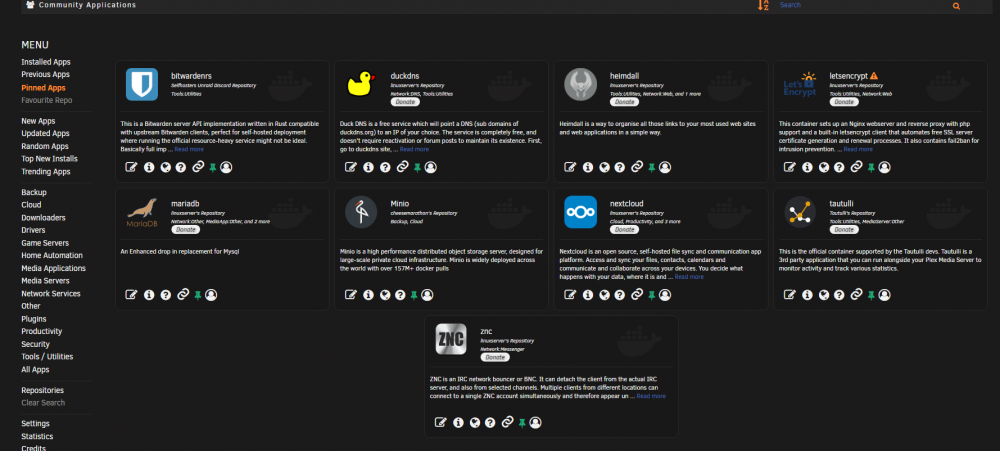
that is what i try to say, i have 19 pinned apps and only 9 show in the pinned tab, i have no favourite repository added, have a look at the pinned_appsV2.json i added (they are in the file) but they do not show in the tab
-
sorry but nothing changed pinned_appsV2.json
-
latest update behave the same as preview one regarding pinned application. basically applications or not all application are pinned, even if they do show as pinned under installed, not all show in pinned apps
-
that setting was regarding HSTS (HTTP) which is a web security policy, if you search on google HSTS you will find more information.
-
Stop nextcloud and letsencrypt go and edit nextcloud.subdomain.conf and under line include /config/nginx/ssl.conf; add this line add_header Strict-Transport-Security "max-age=15768000; includeSubDomains; preload;";
-
please find the attached file with the debugging file, strange was that after i start pinning and go to check in the pin tab, everything disappear CA-Logging-20210110-2146.zip




