





jeradc
Members
-
Joined
-
Last visited
Everything posted by jeradc
-
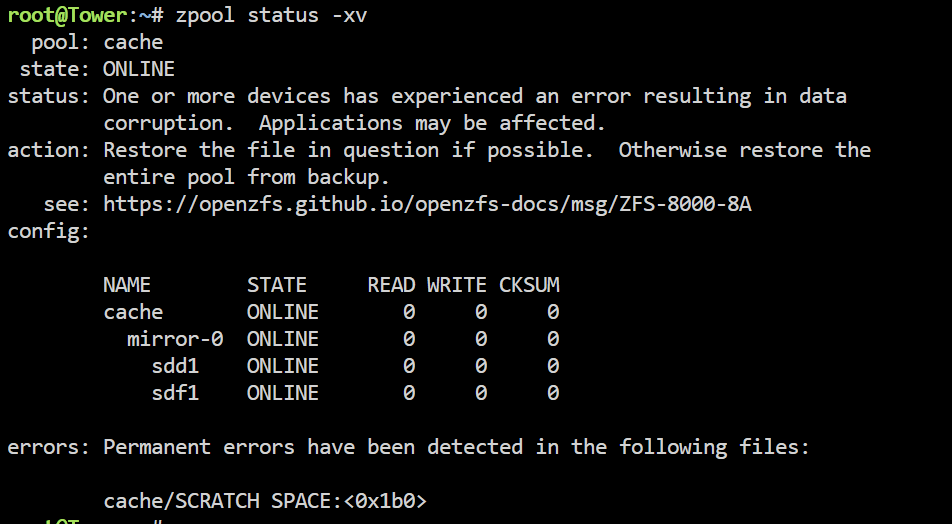
The system wont fully boot up, I think it's hung bringing up the file shares? Lower left corner of the UI says "Array Starting - Starting Services..." Docker wont start Reading up on the link provided in the log to Openzfs github, I've run the recommend command: I don't care about anything in that folder ("Cache/Scratch Space"), and don't mind blowing it away completely. But... I don't know how to repair the ZFS filesystem to allow Unraid to continue booting and getting docker up again. Any next steps would be appreciated. tower-diagnostics-20240131-0009.zip
-
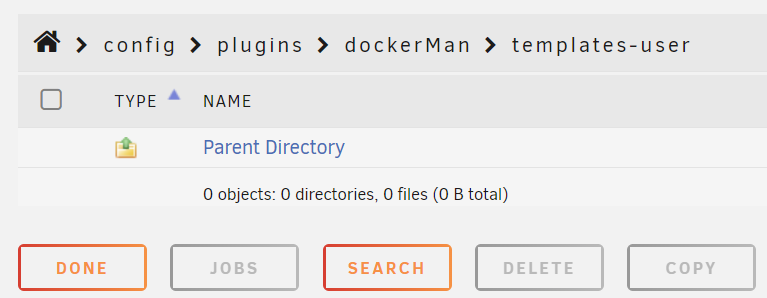
I dont understand how that can be true when I have (21) docker containers configured and running right now.... and the config folder is completely empty. I'm assuming the template folder is just a prettified version of a docker compose yaml file or something.
-
Thank you. re: Docker ------------------------------------- I was hoping to find the location of the docker compose yaml file, or whatever, that is currently storing my docker settings. I do NOT have the templates, but everything is configured and running as before. So somewhere on my server in unraid-land, these docker settings (port mappings, volume mappings, etc.) must be saved. I'll keep looking for it.

-
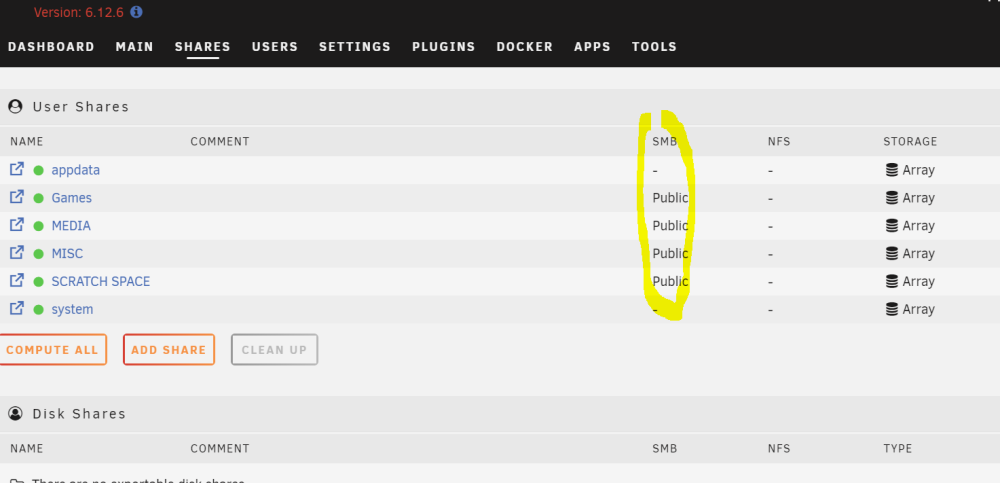
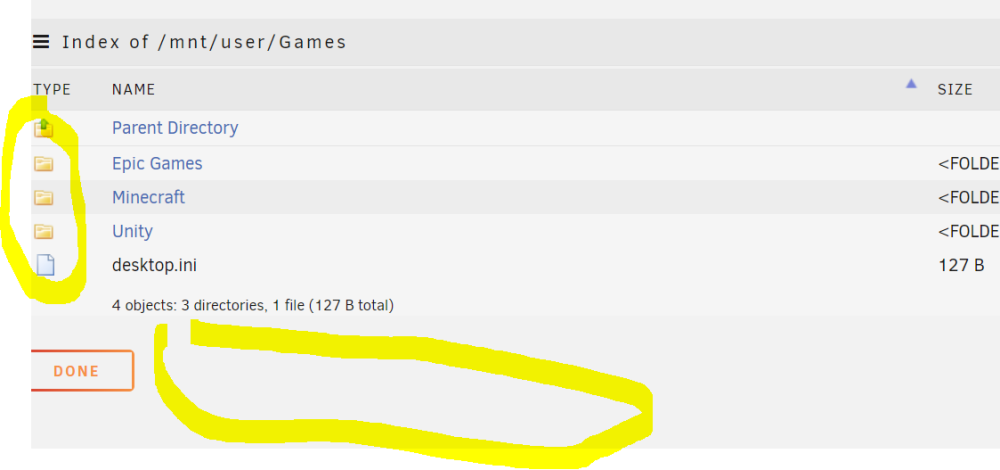
Setting Export to yes, enabled the shares to be remotely accessible. That issue is resolved. I'm not able to manage the files from the GUI though, like I used to. I thought that was native behavior, and not a plugin. Previously I was able to choose the files/folders, and then take actions that were listed across the bottom (or all the way on the right had side via a drop down. Still no progress on finding the docker settings....
-
1) I guess since I don't know what a share export is.... they are not. 2) I don't have a backup. Is there a way to access their current configuration for me to manually write down their settings before I reinstall? Everything is running correctly, but remembering each share, port, etc. is impossible. Maybe in a super.dat file I've read a bit about? Thanks.
-
I assume the downstream port on your networking device supports > 1 G connection?
-
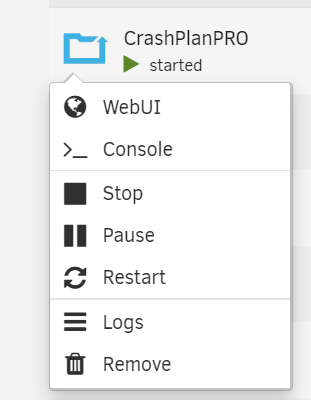
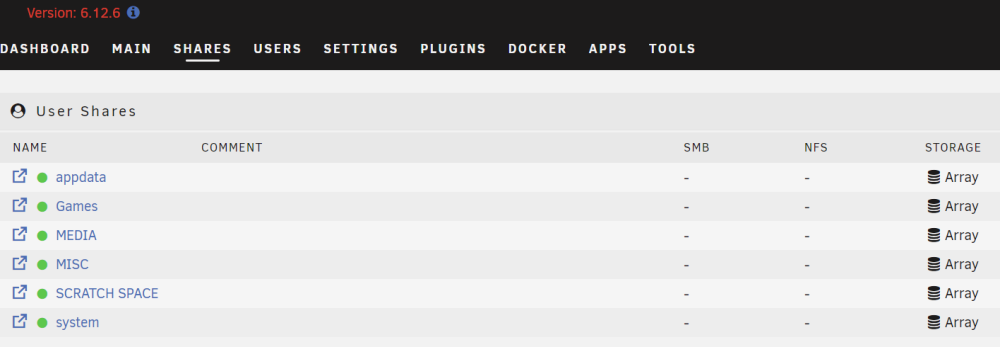
Hey folks - I've rebuilt my server on 6.12.6 using the config folder and syslog information from a diagnostics zip that I had from a month ago, onto a new USB key with a new License. I promise to back it up from now on. But (2) things are still problematic: I can no longer edit my docker containers. My SMB shares are no longer viewable from my Window desktop, are not editable when I browse them from the GUI, and show nothing under the SMB column when viewing the Share Tab. Any suggestions for getting either of these back to "normal"? Thanks!
-
I only read the release notes, the new FAQ, and the github repo. I didn't read the notes on the (3) realtek drivers in Community Apps.
-
Tools -> System shows my onboard motherboard NIC driver as "Realtek Semiconductor Co., Ltd. RTL8111/8168/8411 PCI Express Gigabit Ethernet Controller" Fix Common Problems says "Realtek R8168 NIC found". But nothing I'm reading says anything about 8411. So... do I install the 8111/8168 drivers, or not? Thanks!
-
Upgraded yesterday (09/01/23) from a 6.11.x with no issues. Deleted and rebuilt my docker image, to recover 10 GB of space. Beyond that, haven't really done anything else with the system. So far, just the single crash today (09/02, around 6 pm) , but I'm not sure how to interpret the syslog, or if there is anything I should do / be concerned about. Syslog, to me, actually shows 3-4 different errors happening this afternoon. Dunno. FYI. syslog tower-diagnostics-20230902-1904.zip
-
I re-setup everything 3 days ago, and my user and Org's are gone.... again for like the 3rd time. What is going on. The logs are just full of "authorization not found" (of course, because the user is gone). Why do I keep losing everything here.
-
I literally have about 50 tabs open, but this was probably the one that I ended up following: https://tfahl.com/2017/08/04/graphing_snmp_data_with_prometheus_and_grafana.html Thanks to him and you, I have both Prometheus and the Prometheus SNMP exporter running in (separate) containers, talking to each other, collecting data..... and I've produced graphs in Grafana, also in a separate container. So, success! Thanks GilbN!
-
I've been reading about prometheus, prometheus snmp exporter, snmp generator, etc. for 5 hours this morning.... and I swore something said there is just a plain jane default file. I'm going to lose my mind if there is not. argh. so, no... I have not. thanks edit: ok, I'm not entirely crazy: https://prometheus.io/docs/introduction/first_steps/ does say it comes with a sample, I just assumed it was in place.
-
I wish I knew how cross1991 got prometheus running, this is my error: all the volumes, mounts, binds, etc. look correct me to me. can anyone point me in the right direction? thanks!



