





RadTechDad
Members
-
Joined
-
Last visited
-
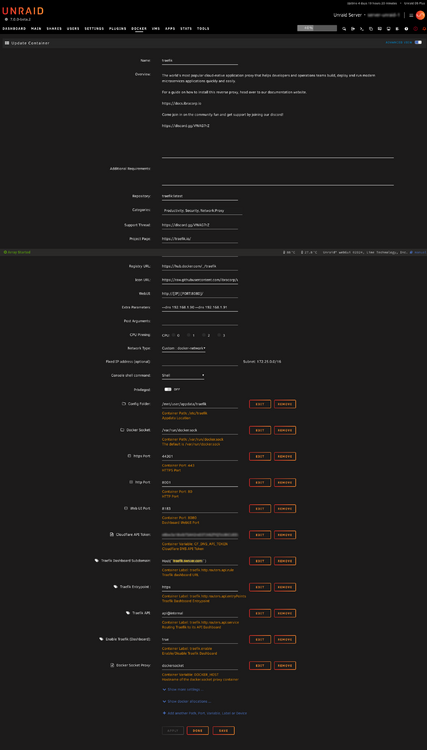
I asked on the Ibracorp discord and someone said that Traefik needed ports 80 and 443, but my unRaid Dashboard was also on 80 and 443, so once I changed those, it worked.
-
** The domain listed below and in the configuration files are an example domain, not my real domain. ** Can someone help me configure my unRaid server? I've been trying to get it up for over two months now and I'm still having issues. I have a domain name (for example, `er.com`) of which I'd like to use one first-level subdomain to name all of my devices (`comput.er.com`), and then a second first-level subodmain (`serv.er.com`) to host all my services through a reverse proxy. So my devices would be something like `server.comput.er.com`, `router.comput.er.com`, etc. Then my services would be something like `cloud.serv.er.com` (which would map to `server.comput.er.com:3333`). I have my domain registered at porkbun.com, so I set their DNS servers pointing to Cloudflare. From cloudflare, I have the normal domain `er.com` pointing to my webhosting. So `er.com` just goes to a blank page. But then I have four individual A records that point `comput.er.com`, `*.comput.er.com`, `serv.er.com` and `*.serv.er.com` to my home's public IP. On my router, I setup port forwarding to point to my server (different ports depending on what reverse proxy i'm trying to get working). I've setup two raspbery pi's running Bind9 as my primary and secondary DNS servers (`ns1` and `ns2`). I set them up to be the SOA for both `comput.er.com` and `serv.er.com`. On my router, I also setup my DNS servers as the only two DNS servers for my network. When I run `nslookup` from any pc on the network on `server.comput.er.com`, i get the appropriate response from my nameservers. I can also view my unRaid dashboard via `server.comput.er.com` The last reverse proxy I tried (which is still currently running) is Traefik (following the ibracorp documentation/video). The Traefik Dashboard shows when I visit it via IP/port, or by `server.comput.er.com:[port]`, but when i try `traefik.serv.er.zone` (which is what i configured in traefik's config), I just get sent to my unRaid server's dashboard. So it seems the DNS server is doing the re-routing instead of Traefik. Any help would be greatly appreciated. If someone would be willing to work with me one-on-one via discord too, we could talk about possible compensation for time as well. Thanks in advance for any and all help. DNS Server: named.conf comput.er.com.zone serv.er.com.zone Traefik Config: traefik.yml fileConfig.yml
-
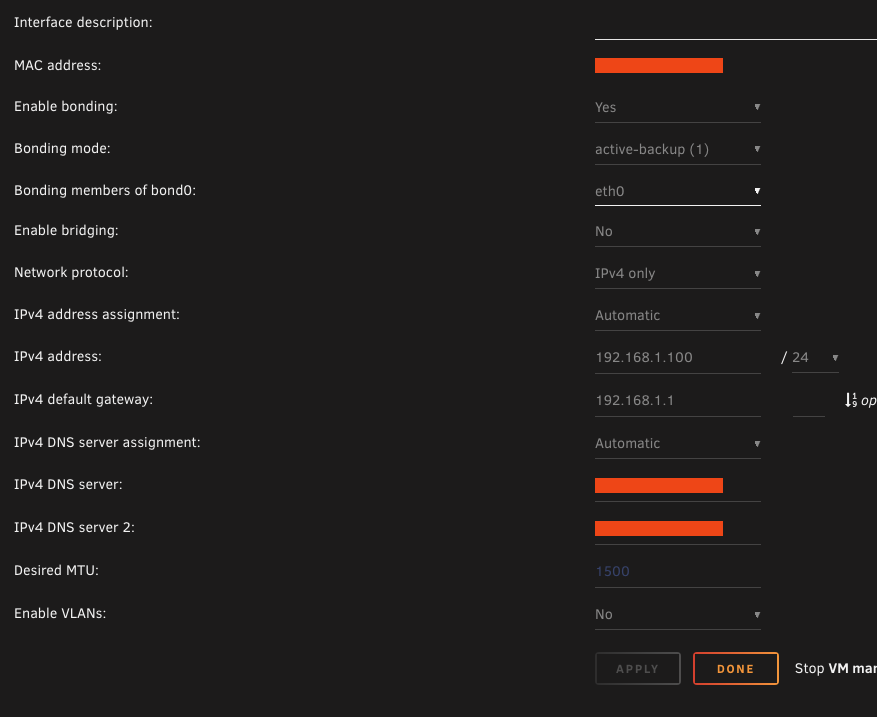
I currently have my network using 192.168.1.0/24. I created a custom docker network called `docker-network` for all of my dockerized containers. However, I noticed on my router that i keep getting messages like: Multiple devices are using the same IP address: 192.168.1.100 . Please check each device's configuration to ensure none are communicating with a rogue DHCP server. and I see that the eth0 MAC address on on my server and the vHost MAC address are both set to 192.168.1.100. What is the best way to approach resolving this issue? or what's considered best practice? Should I create another virtual network for just VM's and containers? Also, here are my current network settings. I'm not sure what is/was default, but does this look okay? Shouldn't bridging be turned on? Thanks in advance
-
RadTechDad changed their profile photo
-
Would it be possible to add other types of fields, and/or conditionals / logic to the CA templates? Like drop-down menus, or boolean variables? Some basic if/else logic? What I'm thinking is that when you try to install an app, if you say yes/no to one question in the template, then it will enable/disable other fields in the template.
-
I'm just going to put this here for anyone else. If you look at the written guide on Ibracorp's website (https://docs.ibracorp.io/cloudflare-tunnel/), the first step they say is to create the appdata directory and give it proper permissions first with the following command: mkdir -p /mnt/user/appdata/cloudflared/ && chmod -R 777 /mnt/user/appdata/cloudflared/ Then you can follow the rest of the video.
-
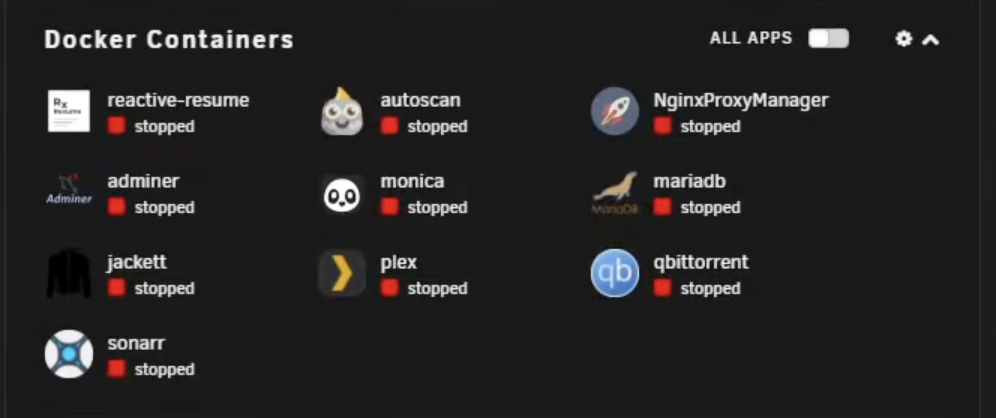
So I'm a little lost. In the Ibracorp video, when you take a look at his installed docker apps, he didn't already have the dockerized container installed Am I supposed to install it before following the directions on the GitHub page? I tried following without it, but I'm getting the following error: `error writing cert to /home/nonroot/.cloudflared/cert.pem: open /home/nonroot/.cloudflared/cert.pem: permission denied` I know that `/home/nonroot/` doesn't exist in my filesystem, am I supposed to create it? Then I read something on here that if I use the dockerized container, i'm supposed to use some UUID/token in the advanced settings. I saw that, but where do I get that from? Do i have to create a tunnel first through cloudflare's site?
-
System Buttons used to work for me, but now it doesn't. They're just gone.
-
So are you saying that it SHOULD be 192.168.8.1? The IP of my original network? Yes, I already setup the static route.
-
OMG, Thank you!!! This is exactly the same thing that was happening to me and the reason i was about to post! First off, thank you for having the same unraid setup as me (custom domain, using cloudflare, same issue with wireguard). Secondly, I took your suggestion and went with it. I didn’t like having my domain root (domain.com) not being protected by cloudflare’s proxy. So i created a subdomain (vpn.domain.com) for this purpose. So my A record still is protected by Cloudflare, but now my subdomain’s CNAME record isn’t. I know in the end it still points to the same place, but I still feel better having it setup this way. One last question though... From what I read, the Peer DNS Server should point to the router OR to another DNS server. My network uses the 192.168.8.0/24, but WG uses the 10.253.0.0/24. So my server usually has 192.168.8.10, but gets assigned 10.253.0.1 through WG. So when it comes time to fill in the Peer DNS Server, would I put in the router’s IP as 192.168.8.1? Because when I do that, it doesn’t work — I can connect to the VPN, I can access the router at 192.168.8.1, but I cannot access the unraid server at 192.168.8.10 OR at 10.253.0.1. Oh, it DOES show that it’s trying to connect to my unraid server via the xxxxxxxxxxxxxxxxxxxxxxxx.unraid.net domain. So in the end I’m forced to put in 1.1.1.1 to get it all to work correctly. I would prefer to just put in my router’s IP so that if i ever change the DNS Server, I just change it in one place (my router) as opposed to my router AND the WG settings.
-
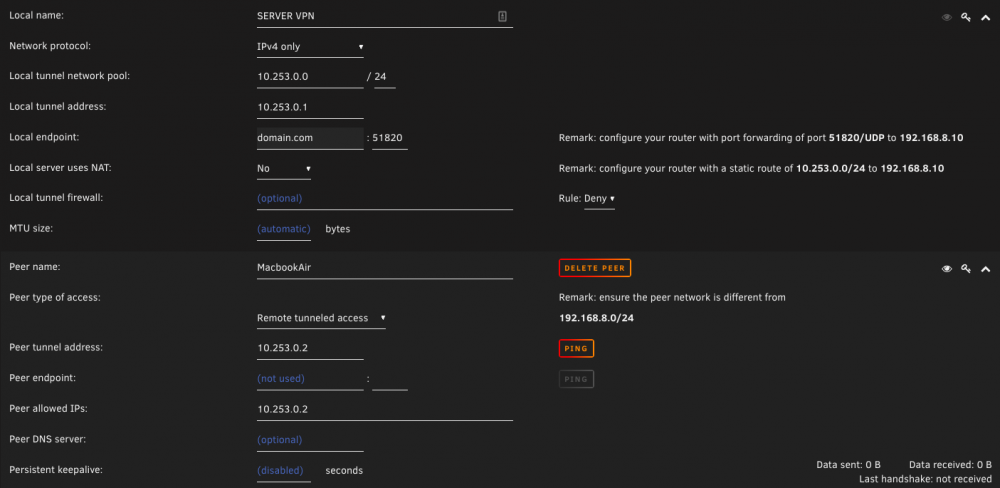
I tried following the tutorial on the blog (https://unraid.net/blog/wireguard-on-unraid). I am able to connect to my VPN, however, I lose my internet connection and cannot connect to the server or any other computer on the lan. Also, I tend to access my unraid dashboard by going to domain.local, but when I'm connected via VPN, how should I connect to my dashboard? Should domain.local still work? Or do I have to connect to it via IP? Am I supposed to use my internal IP address? or the new IP address range that is being assigned via VPN? (I tried both, but nothing is working -- which is why I'm posting about this in the first place). Attached is an image of my settings (domain name replaced). And I have the port forwarded in my router. Can someone help me figure out what's going on? This is my first time trying to use WireGuard. I usually use a commercial VPN solution without issues.
-
I'm running into the exact same issue. I can connect to my VPN, but no internet connection, nor can i see any of my other computers on the network. Also, I tend to access my unraid dashboard by going to domain.local, but when I'm connected via VPN, how should I connect to my dashboard? Should domain.local still work? Or do I have to connect to it via IP? Am I supposed to use my internal IP address? or the new IP address range that is being assigned via VPN? (I tried both, but nothing is working -- which is why I'm posting about this in the first place).
-
Thanks, I JUST saw that.
-
This was working fine for me a few days ago. The only thing I've done was added a SAS controller to my hardware. I updated Krusader and now I'm getting the following message:





