






kakburken
Members
-
Joined
Everything posted by kakburken
-
any news on when it will show up in unraid CA?
-
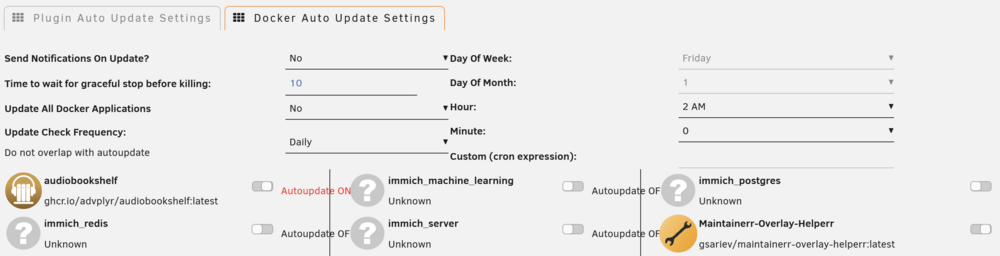
the containers i see in the "docker auto update settings"-list in this plugin is not in the "previous apps" list. but i deleted everything there, but the containers (immich) still show up in the plugin. Edit: added diagnostics if anyone could help out. and a screenshot showing the immich "containers" in the plugin that shouldnt be there. unraid-diagnostics-20260226-1655.zip Edit 2: apparently a reboot of the server is needed to clear the list in the plugin of containers no longer present. so for anyone coming here with the same issue, reboot the server.
-
i deleted all immich containers but they're still showing up in the "docker auto update settings"-list in this plugin for some reason. any ideas on why?
-
the backup failed last night on all containers with this reason: tar creation failed! Tar said: tar (child): /mnt/user/backup/AppdataBackup/ab_20250917_040001/Posterizarr.tar.gz: Cannot open: No space left on device; tar (child): Error is not recoverable: exiting now; tar: /mnt/user/backup/AppdataBackup/ab_20250917_040001/Posterizarr.tar.gz: Cannot write: Broken pipe; tar: Child returned status 2; tar: Error is not recoverable: exiting now Cant figure out why though since im nowhere near out of space at that location (1.8TB free at the disk unraid is currently using and 5.1TB free in total amongst all disks in the array) and one backup run (all containers) uses about 25GB of data total. any suggestions?
-
i bought a new usb flash drive (sandisk cruzer blade) and threw away the samsung bar plus and it got better, but after a while it happened again, and then after a while.. again, but these times it got back to working again after a short while (like a few minutes to half an hour or something). but then i went and bought a shitload of ram (because of wanting more ram for plex) and replaced the 32GB RAM i had with 128GB RAM instead, and since then it has been fine. but im still nervous about it happening again. not sure if it beeing fine at the moment has anything to do with me replacing stuff, but it atleast got better after doing it.
-
i might have been wrong regarding which containers were affected. i created a new user-defined (custom) bridge and removed the old one. so far the network hasnt changed to "none" on any of those that uses the new custom bridge network. and none of the containers with other network has had any issues since i created this post (so perhaps i was just imagining that the others were affected too)
-
Ok thats weird, seeing as everything suddenly becomes unavailable and nothing about it is logged. , but heres the diagnostics attached to the post. unraid-diagnostics-20250306-2056.zip
-
a few weeks ago my unraid server became "unresponsive" (for a lack of better word), where i couldnt access anything regarding unraid over the network (not unraid web-ui, no docker container or their web-uis, not my VM .. well, nothing. i could however see the unraid server beeing "online"/having LAN-access in my Unifi OS/router and i could ping it. ended up having to force shutdown it as i had no monitor to connect to the server at the moment. And last night it happened again.. at least this time i had syslog enabled and heres the link to the log (the log are from the beginning of that day, up until the last line until i force shutdown it/started it up again (also added the first line after/while booting up)): https://gist.github.com/nmbrg/3e985414c0a46f905e3964d2dc9b74c0#file-gistfile1-txt so, heres hoping someone can find something in the log telling me what the issue might be, because i cant find anything. and im clueless at the moment on why this is happening.
-
For some reason when i update some of the docker containers i have (granted there are a lot of them with this issue, but not all or even half of them), the network they are assigned, some of them the custom bridge "br1", some of them "host" and some of them the default bridge, are changed to "none". tho it does not seem to happen to the containers i have using my custom macvlan network "bond0". And i have to manually change it back to the network it had before updating. And next time there is an update to the container, the same thing happens.. over and over again.. The only thing i come of think of is that i think it started after i added another network card to the server and bonded the current and new card together (mode 4), but that might just be coincidence.. I created "diagnostics" before updating a container (in this case sonarr) and then a new set of diagnostics after it had updated and the network had changed to "none" and added those zip-files to the post here. So, i guess im hoping someone here can help me solve this since its driving me insane at the moment. unraid-diagnostics-20250224-1138-AFTER_UPDATE.zip unraid-diagnostics-20250224-1137-BEFORE_UPDATE.zip
-
i have been running the plugin for some time now, so wasnt a fresh install. and been keeping up with updates (was on the latest when i posted the question). not sure what you mean with boot, if you mean boot of unraid or boot (i.e start) of the plugin. but i havent rebooted unraid for quite some time now (since update to 7.0.0). ran a force update all now and seems that did solve it since they are all green now. thanks!
-
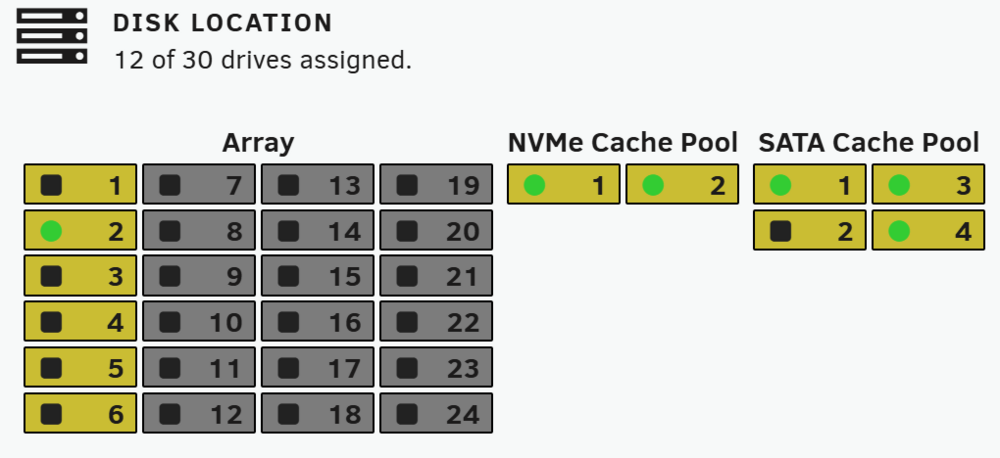
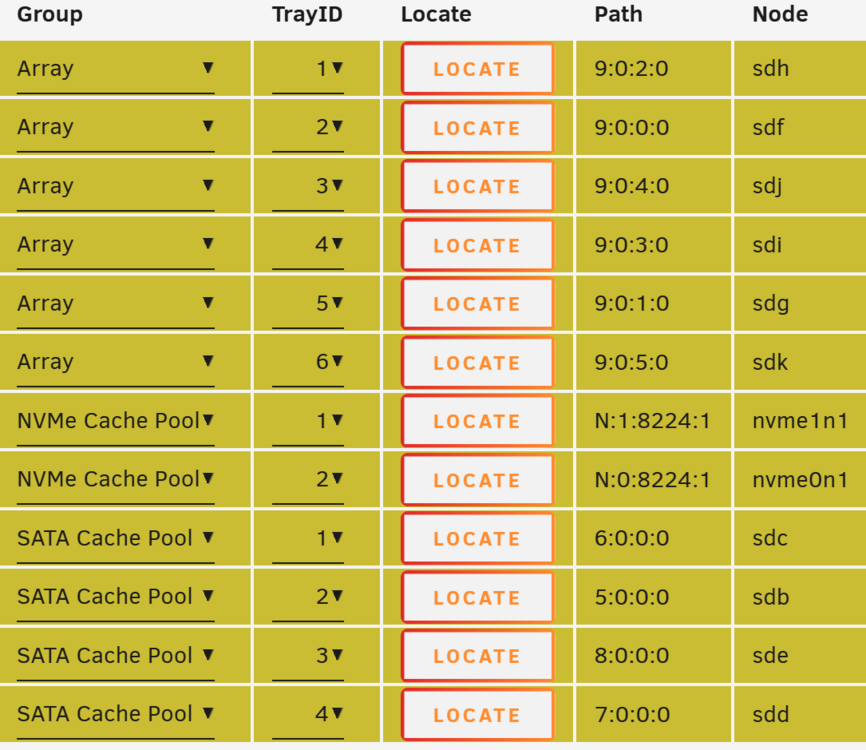
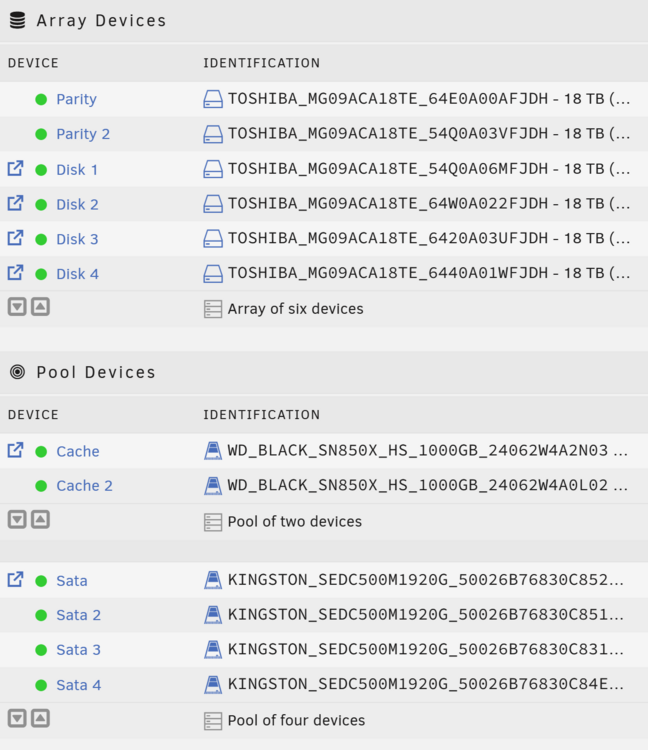
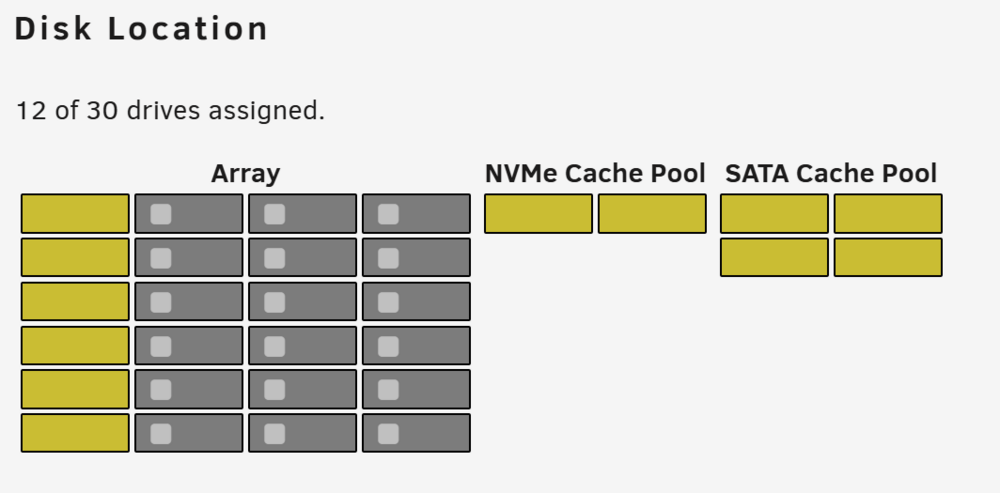
i have a lot of disks that has a black icon (device not present) as seen in the first image (from the dashboard). allt the yellow background ones should be green. they are all very much present and working. so why is the plugin saying otherwise?
-
ok, sorry for beeing unclear about what i meant. what i meant was that before i updated, every drive on the dashboard had information. Information that i no longer remember what they were, but information that i hadnt changed at all, so it was "default" when i first installed the plugin. And after the update i now have rectangular boxes with no information at all except the colors filling the boxes (see the image). So, its the information that every box had before updating that i want back.
-
what was/is the default information that were visible on the dashboard/front page of unraid web-ui for the disk location plugin before it went all "blank"?
-
i cant even get past the "now scanning your system" pop-up. the percentage never shows and its just stuck at that pop-up. And i also had the "could not check for blacklisted plugin" yesterday.
-
i would really like to know how i can run this container with "--upload-only" and "--no-remote-delete" so it only uploads TO onedrive and does not delete stuff on onedrive that isnt available locally on unraid. can i add those to the template in some way?
-
Oh ok. Well that seems nice. But if no one is seeding there’s nowhere to download from (I have no idea how usenet works lol)? well doesn’t matter I guess. I’ll never get in to any good nzb's anyway. I think I’m to late to the game. So I need to seed and that means I need it in the same share to be able to hardlink. So in my case I guess I need to use cache on all or nothing. But I’ll cross that bridge..
-
Thanks! I don’t use Usenet because I’ve got no good nzb's or whatever they’re called. I do have all good torrent trackers though. so that’s the simple explanation for that. and as i stated a couple of times earlier, this Unraid build will only be storing media. All applications etc will be on another NAS. i see you’re using one share for downloads and one for media (where *arr's have the files moved to). So you’re not using hardlinking since that is considered two different “storage spaces” and hence hardlinking not possible. And by that talking up double the amount of storage for stuff that’s both seeded in download share and stored in media share. If I’m not misunderstanding how you have it setup. The recommendation is to have it all under something like /data. So downloads would be /data/torrent/downloads/ and media would be something like /data/movies/the greatest movie of all time/. that way hardlinking is possible and you save a ton of valuable space (also, the “transfer” to the media folder is almost instantaneously since it’s only linking and not copying files). anyways, it’s a constant battle in my head regarding cache pool. my guess is that in the end I’ll just buy a m.2 (or two) so I can try both with without cache pool.
-
Thanks, didn’t even think about that part. that would explain it. I’ll try without cache pool first.
-
Actually i cant recall one single time i had to wait like that. But perhaps my memory is just bad. But it was A LOT of years since i used HDD's (if that matters in this context with SATA). Anyway.. Thanks for the clarification! Still unclear why "back in the days", when there wasnt even 100mbit connections, the HDD's (that was already then 7200rpm afaik) had issues when using torrent and downloading (pretty sure it was buffer or some kind of "overload". Memory is fuzzy...) when with the info i've got now from here, seems theres no problem at all downloading torrents to HDD with a 100mbit (or even 250mbit) connection. But i guess i'll notice when i try it out for the first time. I might hold back on the SSD until i atleast tried what happens. My torrent client is inside a docker, but not on the unraid machine. Its located on the Synology NAS. Unraid is just going to be a "share".
-
yes, thats right, i can add it later. just wanted to know beforehand if it was a certain yes or no. But i guess ill see what i do. perhaps ill try without first or perhaps i wont. I dont feel thats odd at all. the contrary, i rather save those ~$28 every month to buy new disks (thats about a new 12TB drive every 7th month or so..). And 250mbit (or even 100mbit) is often way more speed than you need for downloading/seeding. Its not like i sit around and wait for stuff to be downloaded and need it done within a few minutes. And i dont have the need to be that cool kid with gigabit fiber bragging about it on reddit or other forums. And why i need so many? You can never get enough storage space. that and im building myself some kind of personal/for-my-own-use streaming service with as much of the good stuff from every streaming provider possible since im sick of all the quadrillion services that costs a fortune if you want to access all (or most) of the good stuff. So until they do something like the music industry did, im showing them my middle finger (well not really) and downloading it instead. (if its frown upon to talk about that stuff here let me know and ill remove that part of the answer in this post)
-
Thanks for answering and giving me all that info! I’m using 250mbit at the moment, though I can get 1gbit connection if I want, I’m not sure I’ll ever want to pay that cost (around $70/month). If anything I’ll go down to 100mbit again. But as for now I’ll stick with 250mbit for about $42/month. I’m not educated enough on Unraid yet to know if I’m going to have Unraid store new files on different drives. Don’t know the pros and cons yet. Or why you’d like to do that (or not). By saying “SATA could become a blocker”, do you mean my SATA HDD's or the SSD's (cache pool)? I guess I’m not sure you mean that cache pool is a good thing if my internet speeds are comparable to the drives (I’m guessing you talk about the HDD's here) or if it’s a bad thing. I might add that IF I decide to use SSD cache pool it will be SATA, and not M.2 for a couple of reasons. scratch that last thing. Haven’t decided yet between M.2 or SATA.
-
i went with the corsair rm1000x 1000W PSU, since that one came with enough cables and had enough connectors on the PSU to connect three cables to the backplane and have connectors on the PSU over for use with SSD. It was also possible to buy more cables if needed from them. To top it off they had a super fast support (email) and very helpful. It was also among the cheapest of the bunch even though it was at the top tier marked as gold (top in its tier). All the other PSU's ended up either having to few connectors on the PSU or having to few cables (and couldnt buy more). Some didnt even respond (thermaltake) when i mailed them and asked. One brand even tried to have me buying some thirdparty inexpensive no-brand cables that i have no idea if they work with the PSU. thanks for all the help! EDIT: i was wrong about the amount of cables in the box (only came with two), so i had to order one spare cable from corsair. EDIT2: apparently corsair also likes to lie, because the cable they claimed was a "spare part cable" for that specific PSU, that according to them is identical to the cables that comes with the PSU, is not at all identical since the pins are not at the same spot in the connector. So i have to de-pin them and insert them in the correct slots.
-
And you still don’t understand the question. ” Are there any recommended NICs to use with Unraid? That works better than others, for whatever reason..” Is that clear enough? So Unraid do not support IEEE 802.3ad? I’m pretty sure I read somewhere that mode 4 on the bonding settings was for IEEE 802.3ad. And since it’s a standard it works the same everywhere or else it isn’t IEEE 802.3ad. Hence it should be able to setup load-balancing and not only failover. Though I do not find that specific information right now. But I’m just gonna go ahead and buy an intel I210-T1.
-
This wasn’t a question regarding if the NICs supported IEEE 802.3ad but rather a question is there were any recommendations on which brand or model of NICs where more suitable/works better with Unraid than others. perhaps I should’ve phrased my question differently. And, you don’t know what you’re talking about if you think that IEEE 802.3ad only works one way. It balances in both directions. and no, once again.. I’m not going to spend almost $1200 for a switch that can handle 10gbE when it’s good enough with the current equipment (1gbE) using IEEE 802.3ad LACP and a NIC for about $50. and frankly I get a bit frustrated when I ask a simple question and people make up their own questions they feel the need to answer. I’m a busy man and stuff like that just wastes both yours and my time. but perhaps asking about NICs and LACP here was a sensitive subject and something people gets offended by. If that’s the case I’m sorry.
-
Yes. Wouldn’t have said I was going to use IEEE 802.3ad if I didn’t. But I do not agree with that there’s not much benefit. Having “two gbit connections” (not 2gbE) of sorts instead of one does indeed have benefits I would say. Especially when multiple people are streaming and/or stuff is simultaneously being seeded/downloaded or whatnot. but, anyhow.. this wasn’t intended to be a discussion about the benefits of using LACP. So I’ll gladly take recommendations on the NICs now instead. but thanks for trying to help!


