





TIE Fighter
Members
-
Joined
-
Last visited
Everything posted by TIE Fighter
-
Did some more test gaming and yet again the server auto shutdown due to critical temp reached, this was again after about 40min of gameplay. where do you suggest the "thermal.nocrt=1" ? in terminal, command not found.
-
no "parity check tuning" plugin installed as i do no have a parity drive in the array yet. I disabled the plugin "corefreq" deamon and uninstall the plugin. gamed on both Vm:s for about one hour and no force shutdown yet. however one Vm was crashing with " vfio-pci 0000:4a:00.0: vfio_bar_restore: reset recovery - restoring BARs" in syslog, i did some more readings in the forums and added "pcie_aspm=off" to flash syslinux config file and that seems to solve it. i'll return if critical temp issue persist after more testing.
-
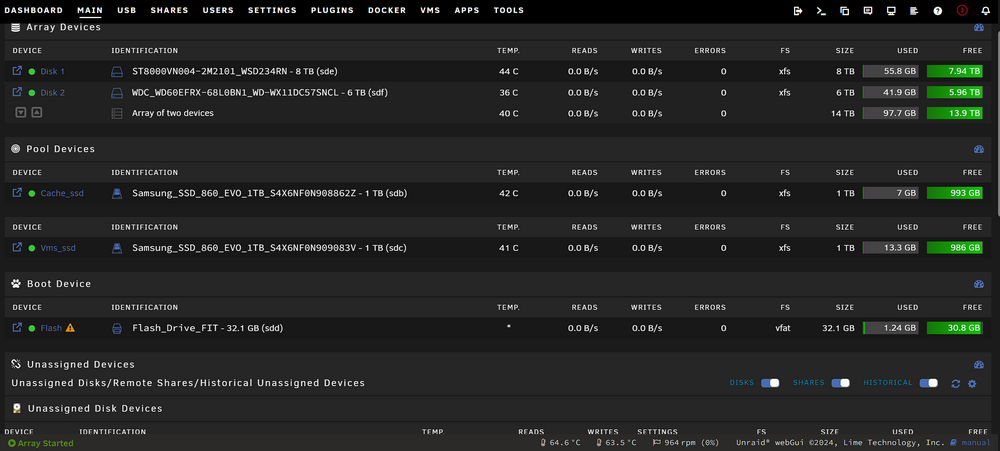
no high temp warnings from any of the drives in a well ventilated game case.
-
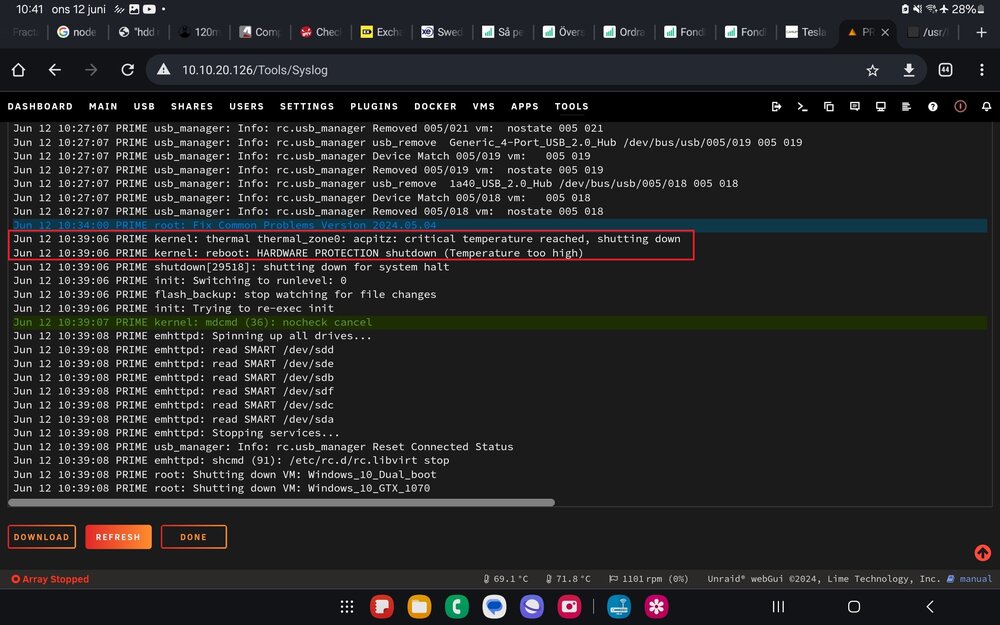
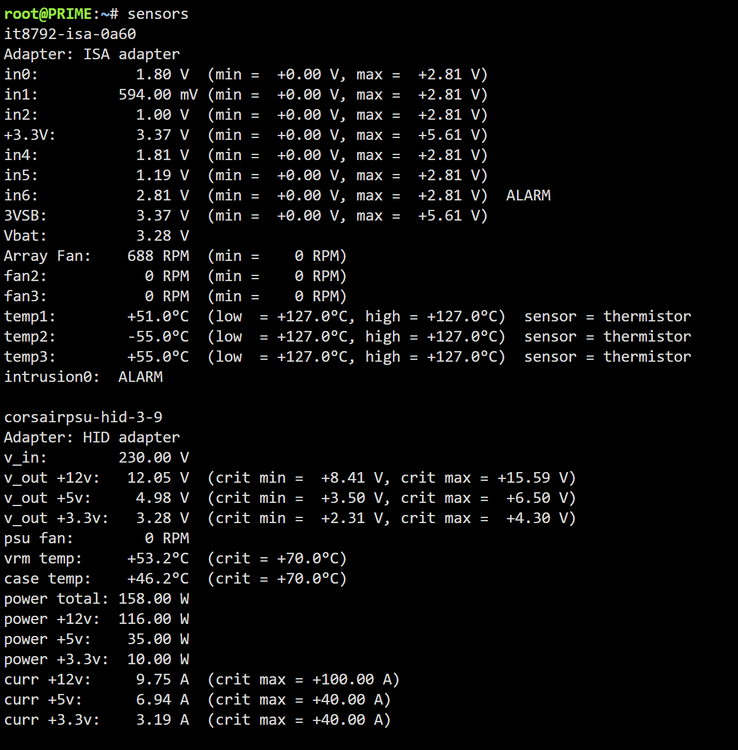
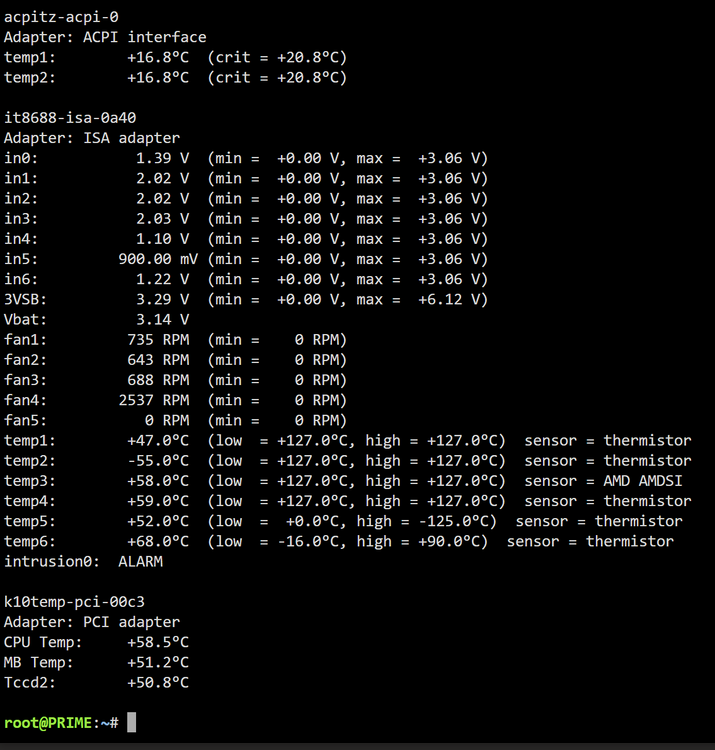
hi all My unraid server with two win 10 vms running is force shutting down and syslog shows warning "critical temperature reached, shutting down" after abt 40min of gameplay testing. cinebench testing on each vm goes without problems. the server was updated recently but i cant remember having this problems before. I'm not sure what the correct way to find the device associated with the thermal_zone0 name is. something in /sys/class/thermal/thermal_zone0 folder? sensors att i have searched for why this is happening but to no avail. any help would be much appreciated syslog att syslog-previous
-
It is possible but like @JorgeB replied u will need 2 different usb controllers. i went the long road and bought 3 pcs of "ORICO-TCM2-C3" https://www.orico.cc/us/product/detail/4039.html" and then by using the firmware update tool https://www.station-drivers.com/index.php/en/component/remository/Drivers/Jmicron/JMS583-NVMe-USB-3.1-Controller/Jmicron-JMS-583-NVMe-USB-3.1-Controller-firmware-Version-0.2.0.9/lang,en-gb/ updated the firmware and changed the serial no on each controller, this way all 3 devices was detected in unraid. you can read more in this thread. https://forums.anandtech.com/threads/stable-nvme-usb-adapter.2572973/
-
Same for me aswell s3 sleep plugin do not put the server to sleep. So this is a new setup, Unraid 6.11.5, just installed all the plugins i normaly use and put settings for sleep in the plugin but just realised last night that it doesent go to sleep. Any fix for this? @bonienl megatron-diagnostics-20230410-1659.zip
-
@Flippo +1
-
-
+1 i am in the same situation. my gigabyte X570 AORUS master is lacking support for the fan and temp sensors in unraid and I am looking for a solution to control them in the unraid ui. Can you try and see if you can control them with the plugin and report back?
-
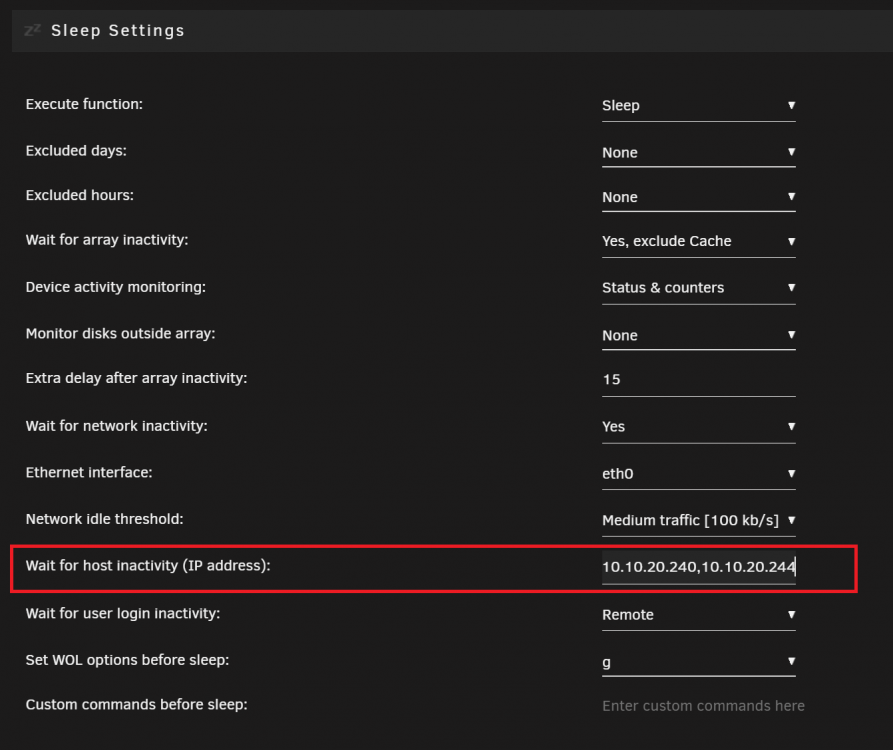
there are 4 on my Radeon RX 6800xt on the bus 10.x.x all passed atleast it is was not a driver issue. infact i found the issue was caused by the S3 sleep plugin. when the plugin didnt pick up any disk activity a sleep command was issued trying to put the server asleep this made the VM crash and sleep was put on hault. my second vm was restarted so that made me think it could also be related to the host, i thought the S3 Sleep plugin would know if any Vms were infact running but it looks like it didnt. to find the ip adress for the VMs i Open unraid terminal and type: arp -a | grep br0 the Vms ip adress to be put to "wait for host inactivity" this made all the issues dissapear 🙂 cheers

-
thank you very much for the advice and for another great plugin 🙂 passed to a vm as a virtual disk, i'll have a look. cheers.
-
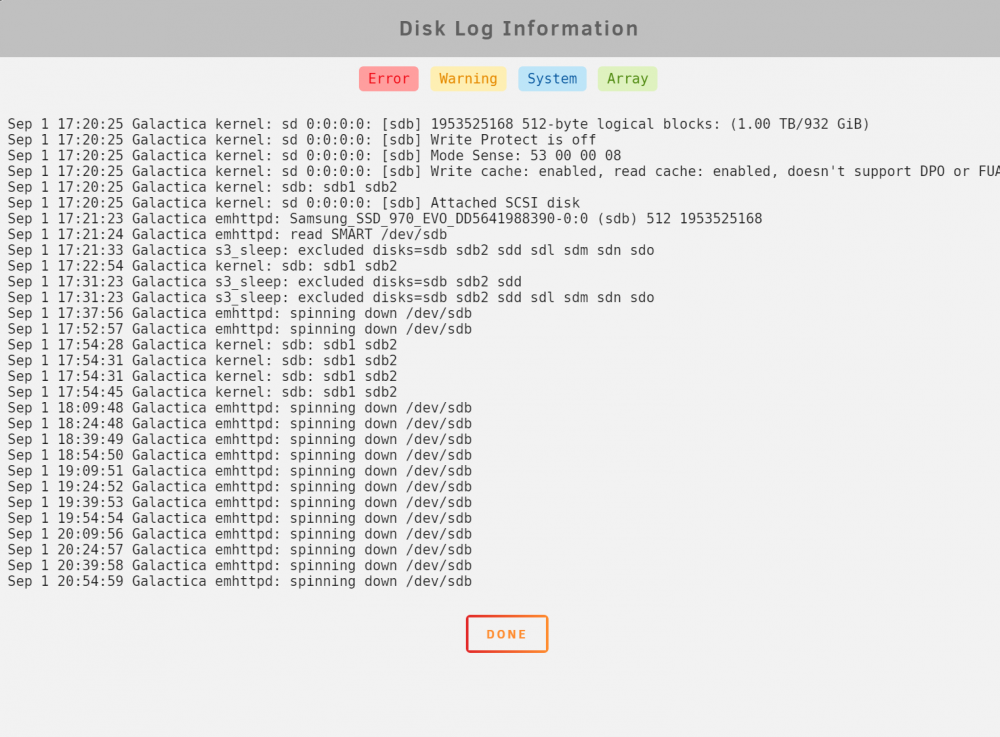
correct the server was rebooted after my first post did not notice the sdX deignation was changed sorry for confusion. see below the timer spin down timer set for 15min. so thats why the disk log is filling up for that particular drive. so unassigned devices do not exclude ssd/nvme drives like unraid is excluding cache drives from spin down? galactica-diagnostics-20210901-2107.zip

-
please find attached diagnostics. galactica-diagnostics-20210901-1855.zip
-
@trurl parity rebuild completed manually stopped the vms and dockers. one docker was not possible to stop and forced the array to not be put offline. for future knowledge it was a docker that i added from github rep that manage the HBA Card Adaptec 71605. i only use this to monitor the temp of the card. hard rebooted and stopped the docker from autostart. now been trying a cuple of shutdown and reboot attempts and everything seems ok. cheers
-
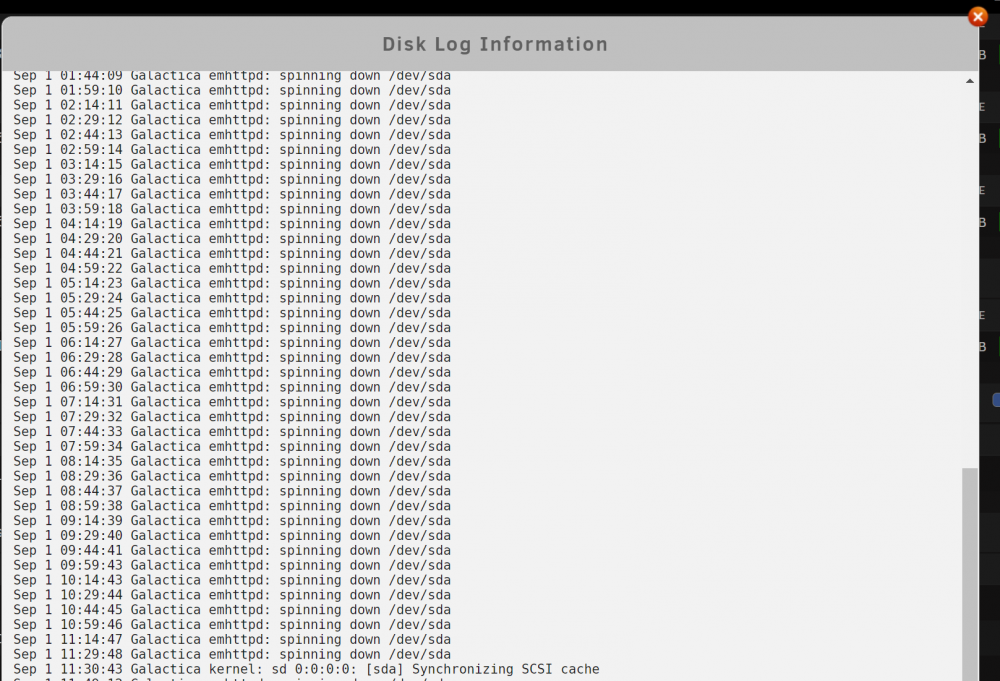
just want to report some feedback on this awesome plugin. have one usb to nvme disk attached and the disk log fills up with spinning down commands.
-
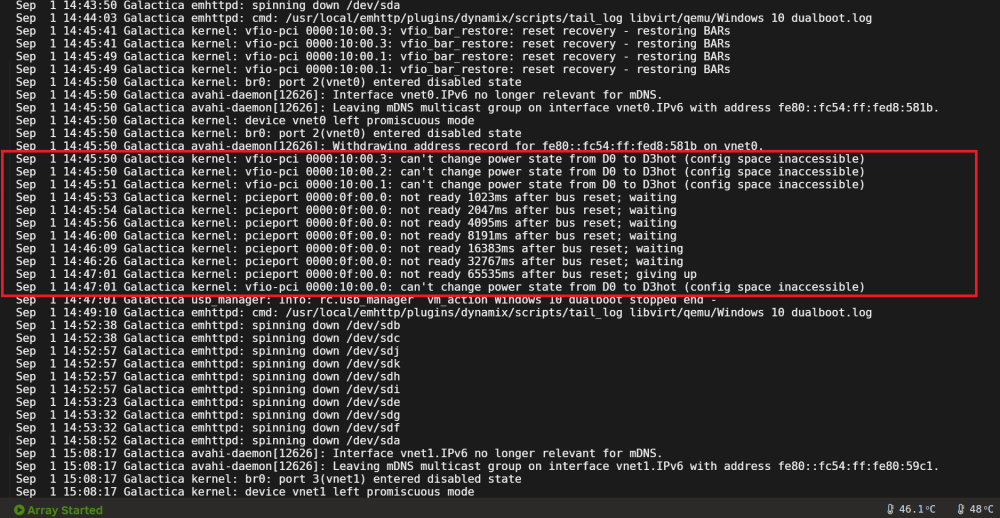
having somewhat similiar problems with my Radeon rx 6800xt. Unraid 6.9.2 All 4 components for the gpu are passed trough to the Win10 Vm. Win 10 VM boots up, running some games and performance tests works. but then randomly from 1 day to 1 hrs running the VM the amd software reports driver crash, the gpu fans ramps up to maximum the monitor switches to windows basic adapter and the Win 10 VM freezes only possible to stop the VM in unraid gui. tested drivers: Adrenalin 21.8.2 and Adrenalin 21.6.1 machine type: q35 -5.0 and q35 -5.1 VM logs show no warnings or error but the system logs does. is there something i should include in the XML as per this post setting a vendor id? or as @ich777 mention in this post upgrading to 6.10 rc1 and install amd vendor reset? the big Navi cars should not be affected by the reset bug so i am strugling at this moment to pin point the cause.
-
at this moment manually before soft reboot the server - stopped the two VM:s before rebooting. - rebooting with external nvme to usb drive attached and unplugged - unmount smb shares - stopped dockers - increased the timer in Settings->Disk Settings->Shutdown time-out to: 420s - increased VM shutdown time-out: 300s at the moment i am doing a Parity-Sync / data rebuild from this morning when i have to replace an old data drive so i am unable to try to reboot at the moment.
-
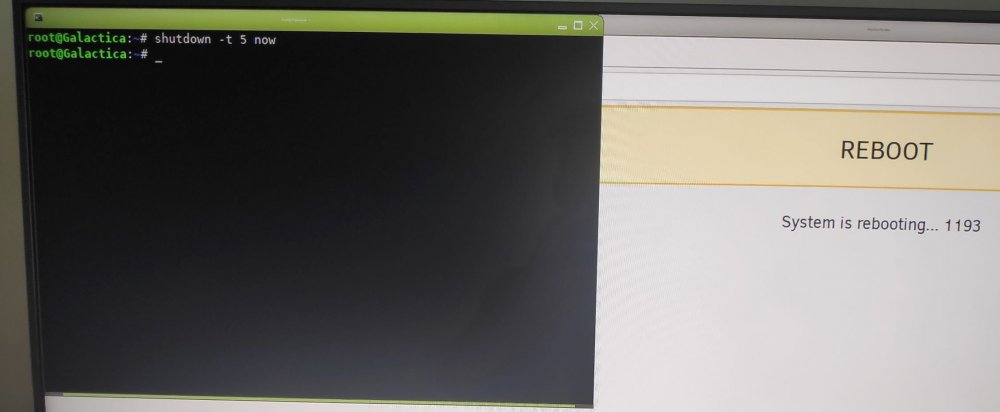
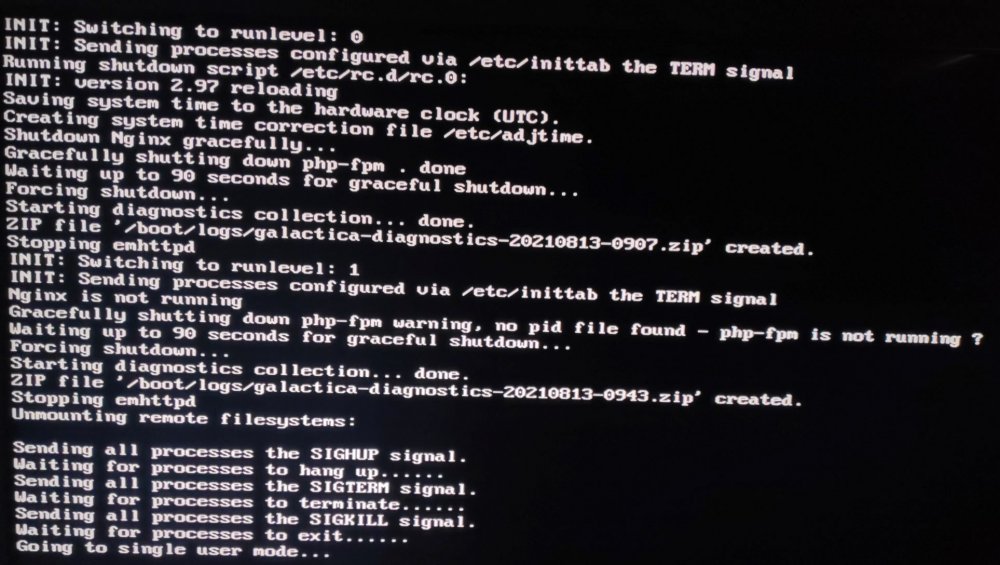
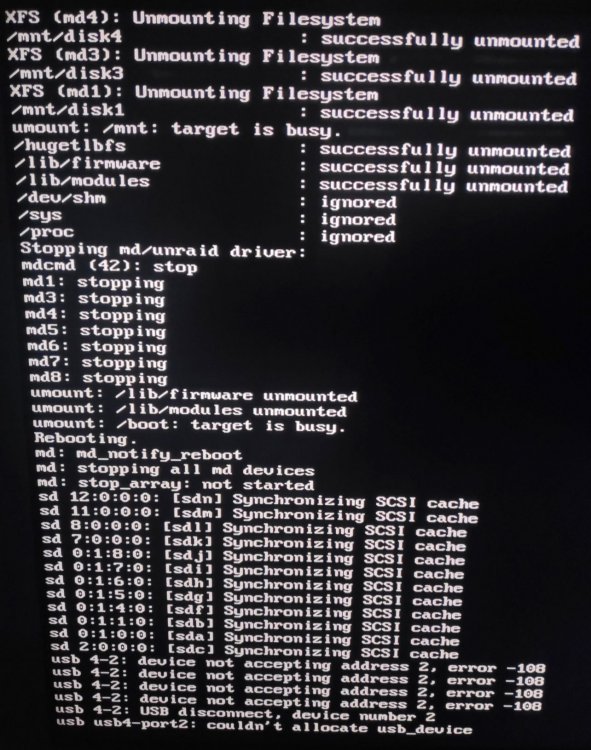
Hello there i have some major problem with my new server setup. server in GUI mode and successfully setup two win10 vms with gpu passtrough. 3 external USB to NVME drives out of two is on the same controller and passtrough to Win10 vm #1 and one ext drive is showed in unraid as unassigned device with the "pass" option enabled and used as a vitrual drive on the Win10 VM #2. at rebooting first the reboot splash screen appears time counting until localhost is losing the connecting then nothing happends. i can still access the terminal window and using command "shutdown -t 5 now" forces the server to action but only until its trying to allocate the unraid usb flash drive and then nothing, forceing me to hard reset the server everytime. can the problem be with the external drive on the controller managed by unraid as rebooting the server with that drive disconnected works? issue also posted for support in the unnassigned devices plugin forum very much apprecietad if someone can have a look at the diagnostic file galactica-diagnostics-20210831-1030.zip
-
Bump
-
understand it is not recommended but as described i tried different ways but the whole server just ends in a state where it is not responding at all for reboot or shutdown commands. maybe it is a plugin or unraid limit thus why the diags attached for the creater or someone to pinpoin the cause. i am more than happy for a reply regarding root cause
-
hello there. i have some major issues with my external usb 3.2 gen 2 to nvme disk. https://www.orico.me/product/nvme-m-2-ssd-enclosure-10gbps-tcm2-c3/ connected to the server as standalone unassigned device or as a part of the cache pool stops the server from clean reboot/shutdown. using gui mode and rebooting first the reboot splash screen appears counting time until localhost is losing the connecting and reboot starting to initialise and then nothing happens. i can still access the terminal window using command "shutdown -t 5 now" forces the server to action but only until its trying to allocate the unraid usb flash drive and then nothing forceing me to hard reset the server everytime. putting the external disk on a usb controller and then passtrough to a win10 vm, reboot server works, as long as unraid is not using the external disk as cache or unassigned device i tried with a different external drive enclosure using the Realtek rtl9210 https://www.orico.cc/us/product/detail/7214.html same issues. pls see att diag. #1 happened again today when trying to reboot server remotely diag#2 galactica-diagnostics-20210813-0907.zip galactica-diagnostics-20210817-0838.zip
-
some more info. ""Further work ... The 8688 can be made to work using the --force_id=0x8688 flag when inserting the module but this will also identify the 8792E as an 8688 leaving you with two chips with the same name which is confusing. To get the IT8688E working with the IT8792E sensor chips and correctly identified first edit the it87.c file replacing all instances of "8686" with "8688" as the chips appear to be identical then make the module."" ""This should work: just paste it into a file in /etc/sensors.d" source: https://linustechtips.com/topic/1095169-x570-aorus-pro-wifi-with-3900x-and-32gig-of-ram/ anyone??
-
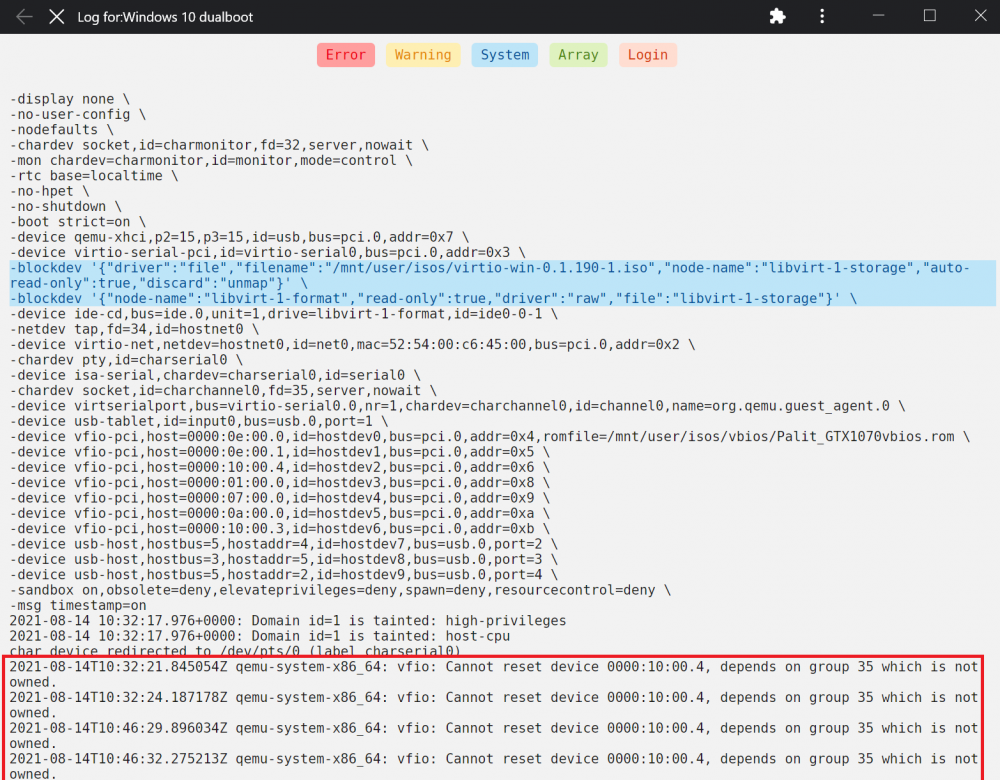
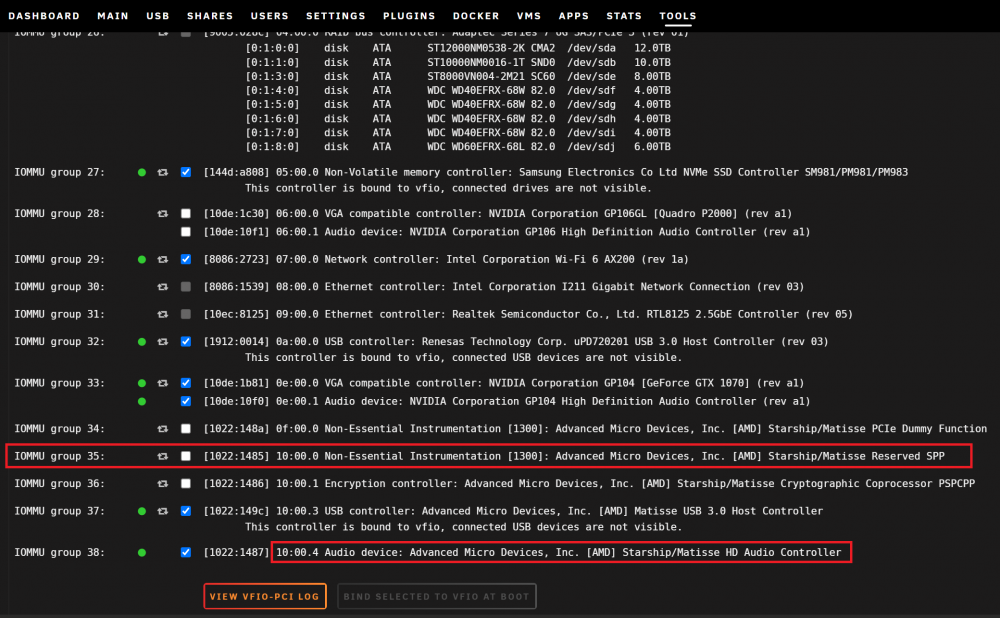
when i tried to passtrough IOMMU group 35 and IOMMU group 36 and start the VM the monitor loose signal to the VM and the server stutters/ freeze only way is to hard reset the server. binding works but passtrough those groups and start the VM freeze the server.
-
PCIe ACS override = disabled i tried to vfio bind the IMMOU group #35 and passtrough to the VM aswell thinking that it might be related to the sound stutters but no success so far the VM did not boot and the server froze forceing me to hard reset. and revert back the changes. *see att screenschots VFIO allow unsafe interrupts = enabled again amd controller IOMMU group #37 vfio bind and passtrough to the VM IOMMU group 32 pcie x1 usb 3.0 card controller vfio bind and passtrough to the VM test RND4K Q32T1 = still the same issues with both amd usb controller and the pcie x1 usb 3.0 card controller
-
the vm is configured as a dual boot so i can restart the machine in baremetal win10, se first post. in baremetal win10 everything works as expected and the performance is close to win10 vm except the last to tests RND4K Q32T1 RND4K Q1T1 where the issues starts in the vitrual enviroment.


