





Pepreal
Members
-
Joined
-
Have problem with the LMS docker. Just downloaded the docker but unraid is giving me this error docker: Error response from daemon: failed to create task for container: failed to create shim task: OCI runtime create failed: runc create failed: unable to start container process: error during container init: error mounting "/var/lib/docker/containers/bd80989a3002e178c6a35578350a96c75e6a6fd3d1e39c9687d1673f84dc65af/resolv.conf" to rootfs at "/etc/resolv.conf": create mountpoint for /etc/resolv.conf mount: create target of file bind-mount: mknod regular file /var/lib/docker/btrfs/subvolumes/e6c9b643f1f70d8cc99f1cb97cbd3839aafe859519ce9519c9116f144201d69a/etc/resolv.conf: read-only file system: unknown. Only thing that i have changed is the media folder and have downloaded the config file. how can i fix this? Update Found the problem, the access to the config was set to read only, setting the access mode to Read/Write fixed the problem and now the docker starts
-
Its located in var/www/spotweb/bin
-
Yes for now its working but the folder is not on the cache, its a separate SSD so its something like /mnt/gaming/... I have now installed it on the cache. That works.
-
Oke found the problem. We had Icarus and steamcmd folder on a different folder called appdata_gaming (ssd). Now i let it install to appdata folder itself and it seems to start normally again. Its weird because we starten like this with appdata_gaming with no problems until today.
-
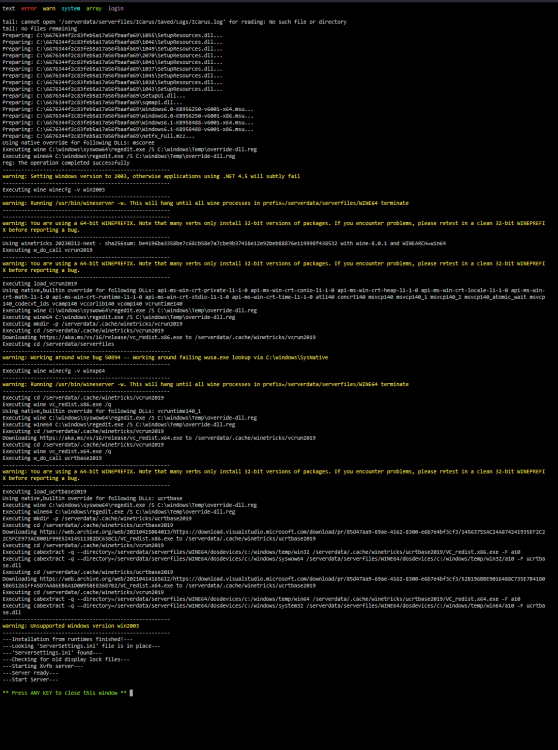
I do not have a Intel based system. both server that i can test/use are AMD based Yes i have tried what you described. Stop the container Go into the directory for Icarus (usually in your appdata) Remove the directory "WINE64" and the file "runtimes" Start the container again and wait <- this could as said take some time and the log probably won't move but its still not working why would for weeks the docker work fine and since today not anymore. The docker image it self hasn't got a update for a month and we have not changed anything to the server itself.
-
When the docker did not work i removed everything, the Icarus folder in the appdata folder, the steamcmd folder and the docker image, went to the appstore downloaded the latest Icarus template, started the docker waited for long time and when it was finished it started to restart constantly. and my screenshot from above is al what its doing. So this is a clean docker, appdata folder and steamcmd folder. Sorry English is not my main language.
-
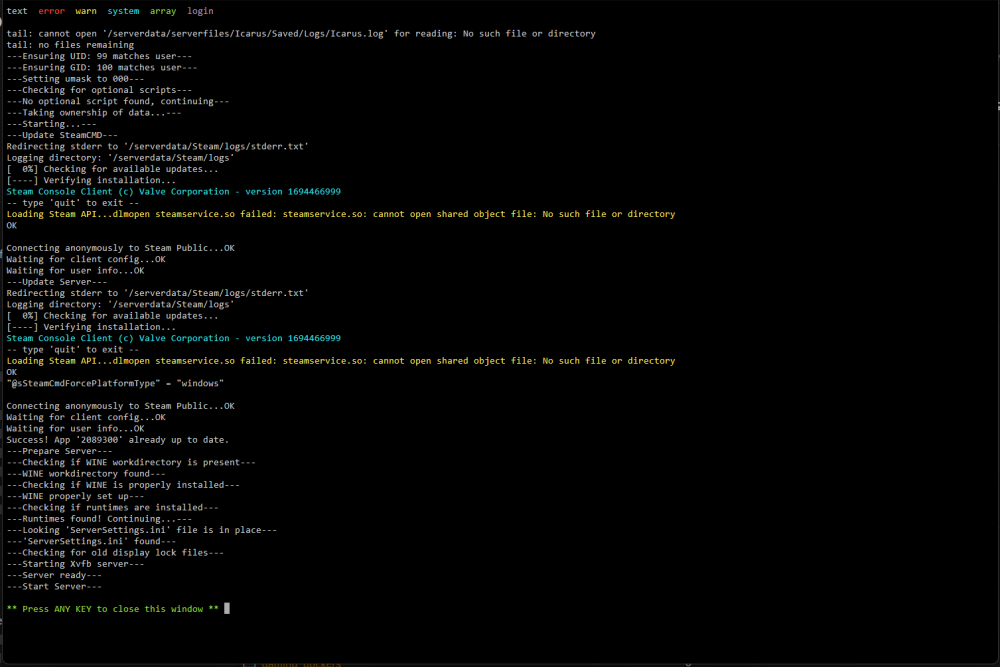
CPU is AMD R5 5600G and yes it supports AVX. We played yesterday with no problems. When start to play we start the docker and when we are done we are stopping the docker thats it. Both server doing the same thing.
-
Just tried it on a different Unraid server which is on a different location with a clean Icarus docker but it does exactly the same.
-
Having the same problem with Icarus. Yesterday everthing was working fine but since today it stops everytime. We change nothing. I have removed everything in appdata and the steam folder went to CA and grabbed a fresh template but with the same result. The log of the docker is the same as @SlyFox
-
Same problem with Surfshark. http seems to work but https wont resolve. anyone has a solution to this?
-
Hi, I have changed VPN providers and the new provider has the option to create wireguard config. I can import the config into Unraid and it works fine. I always used `binhex-privoxyvpn` but what is the more secure better way. Unraid wireguard or the vpn docker?
-
Every time i boot this warning pop-up. Using balance-rr giving me the same warning. Did i forget something in a config file or so? db-fileserver-diagnostics-20230424-1645.zip
-
I have a problem with the S3 Sleep plugin wth balance-rr and balance-xor. It seems when i use one of the 2 that Wait for host inactivity (IP address) is ignored and probrebly also Network idle threshold. Normally when i have the webinterface open on my pc the server stays on but this is not working since using balance-rr and xor. Before using balance-rr or xor this worked fine. I already tried Ethernet interface on bond0 but with no luck. What can i try to fix this?
-
Working here again😀
-
Same here with RC3



