corgan
Members
-
Joined
-
Last visited
Everything posted by corgan
-
Thanks for the GitHub link. I offered my help in the thread. Let's see. @bigbangus The DB-Data are stored on an Docker Volume. I have no idea how docker-compose on the unraid console work together with the UI Settings for folder. But you can make a backup of the database folder and use this data later if we get a working "one-container" solution. Login via ssh: - create folder like backup-compreface mkdir backup-compreface cd backup-compreface nano docker-volumes-backup.sh - create backup script #!/bin/bash # This script allows you to backup a single volume from a container # Data in given volume is saved in the current directory in a tar archive. CONTAINER_NAME=$1 VOLUME_NAME=$2 usage() { echo "Usage: $0 [container name] [volume name]" exit 1 } if [ -z $CONTAINER_NAME ] then echo "Error: missing container name parameter." usage fi if [ -z $VOLUME_NAME ] then echo "Error: missing volume name parameter." usage fi sudo docker run --rm --volumes-from $CONTAINER_NAME -v $(pwd):/backup busybox tar cvf /backup/backup.tar $VOLUME_NAME__ - backup db chmod +x docker-volumes-backup.sh ./docker-volumes-backup.sh compreface-postgres-db /var/lib/postgresql/data

-
CompreFace definitely produced the best results. Yes, for port changes and data folder, we need a proper template.
-
That's great news! I wrote an email to their support team about this some weeks ago, but never got feedback. Did you write them on GitHub where I could track this topic?
-
Look into the First Post in this thread. There are 5 different parts needed to run these app. compreface-postgres-db: compreface-admin: compreface-api: compreface-fe: compreface-core: Besides the postgress-db, that's all parts of the same app. That's the way the developers designed the app structure. https://github.com/exadel-inc/CompreFace#getting-started-with-compreface The only way I would see ATM, is to write an own Dockerfile with the content of all of these single containers.
-
Without Support for docker-compose from the unraid devs, I can't see an easy way to adopt docker-compose based multi-layer app. It can't be the solution to add 5 different Apps to the CA which can't run on their own. All the posted solutions like the starting order/delay in this thread are just workarounds. Re-creating or gluing Dockerfiles with copy & paste from the original app Dockerfiles are also not a good option. Or maybe I don't get it and there is an easy solution I overlook.
-
Actually I'm using the docker-compose solution as described here
-
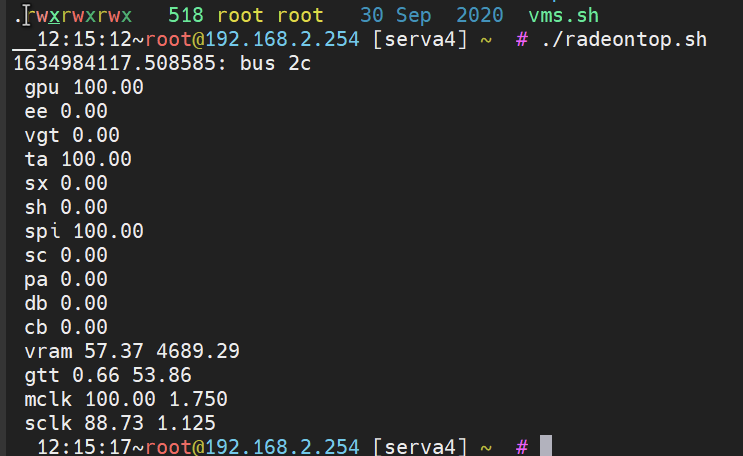
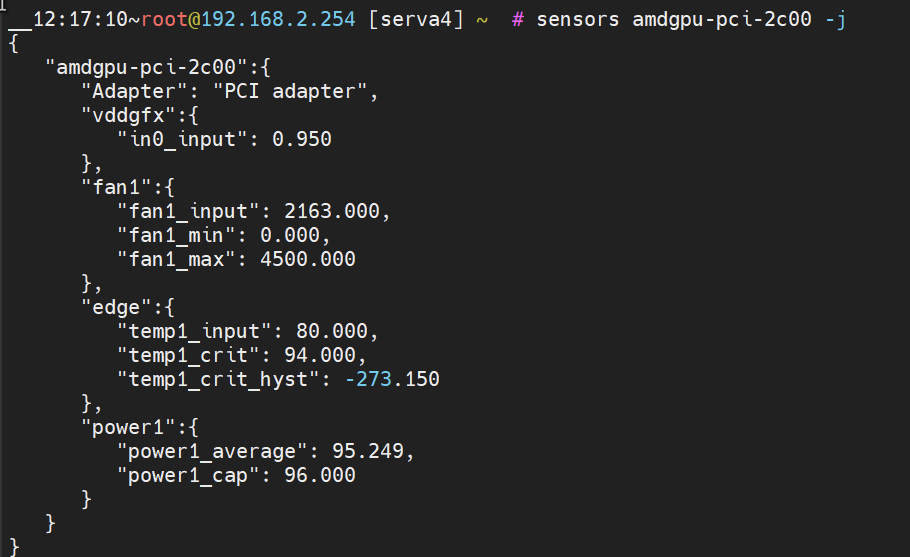
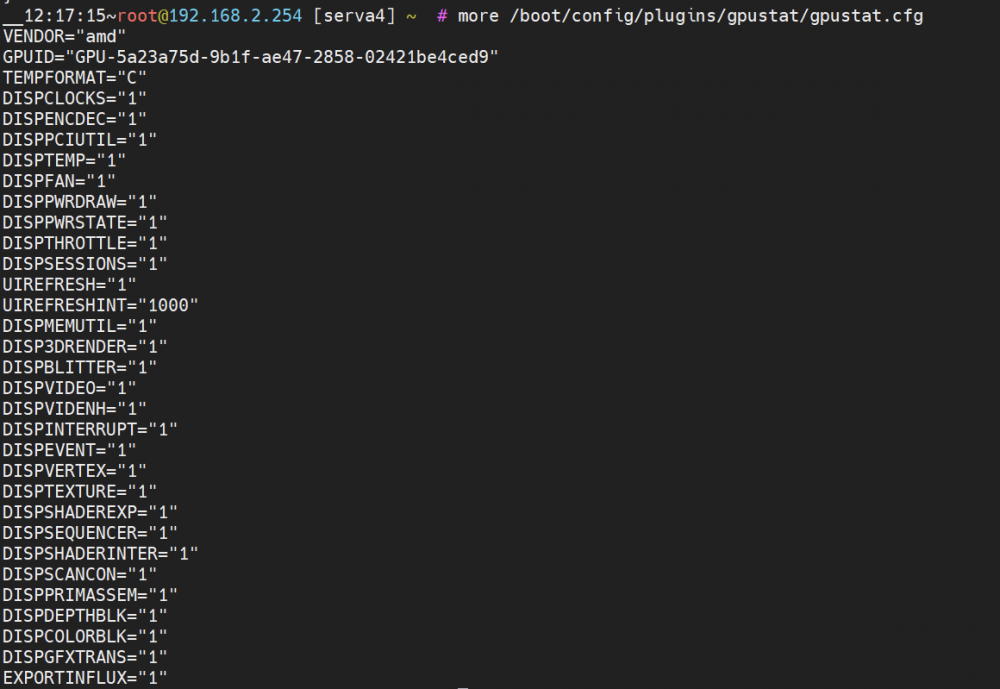
Hello again, I just made a PR on Github, in which I added support for two more App, Shinobi and nfsminer. Sadly the third app is ffmpeg coming from frigate, but there is no clear identifier to be sure that this ffmpeg binary comes from frigate. But this PR was "by accident", because mainly I was troubleshooting why my AMD Card don't get shown. On Paper the sensor data are there. They also get exported via telegrafs sensor plugin. But on the unraid dashboard, the panel is empty if I select AMD Vendor in the Settings. Radeontop is installed and running. Any Ideas?


-
Prometheus is an option. Thanks for the tip. But you only have this for Nvidia? Maybe I can create an AMD version of the Prometheus exporter.
-
Hello and thanks for this Plugin! I want to import the Nvidia Data into influxDB with telegraf. But some variables has their Units shown, like Power(W) or temperature, so telegraf cant read them as values. Would it be possible to provide a clean Version with only ints/floats (where if it is possible) without any Unit? As a workaround for now, I changed the /lib/Nvidia.php and removed them, but that's nasty and only works till the next update. I'm also wondering why the plugin only shows the Nvidia data. Besides an Nvidia 2070 I'm also having a Radeon RX 580 in the unraid system and radeontop runs fine. Is there a way to get the data from both GPU as JSON output?
-
Thanks for the info. I just changed the double-take xml to make the /.storage folder persistent for easy backup in unraid.
-
Nice one! Thanks for this great app! No problem! But I have one question, I could not find in your docs. Are the face information stored in your data container, or is everything stored in facebox/compreface? So which container data should be backuped. Yours, or the others?
-
Thanks, I use unraid now for years, but didn't know that there is something like the wait/delay option. Ok, this is a workaround. I get this running, no problem. But I still think installing 5 single containers, plus setting up the right order and delay, is not the best way for the normal user. I have not locked into the CA App docs, but Isn't there a way to provide a single app for the community that could do all that at once?
-
I already use docker-folder. The icons are only "nice to have". Much more important are the dependency. In the case of my example, the database container compreface-postgres-db needs longer to start as the other containers, which then failed. I have to start them manually after a reboot or raid/docker service restart. Is there a solution for this?
-
Install docker-compose on your unraid. There are two ways to do that: command line: ca-app: after that you can login via ssh and follow the instructions from https://github.com/exadel-inc/CompreFace#getting-started-with-compreface How to install: Download CompreFace_0.6.0.zip archive or run: wget -q -O tmp.zip 'https://github.com/exadel-inc/CompreFace/releases/download/v0.6.0/CompreFace_0.6.0.zip' && unzip tmp.zip && rm tmp.zip To start CompreFace run: docker-compose up -d Open in your browser: http://localhost:8000/login To stop properly run: docker-compose stop To start again run: docker-compose start
-
Ok, I understand. But how to deal with dependency? compreface-admin: depends_on: - compreface-postgres-db - compreface-api With the docker-compose solution, the container starts in random order after a reboot and I have to manually restart them in the correct order.
-
Hello I'm using an app compreface on my unraid server. I'm running this atm via docker-compose, which runs fine. https://github.com/exadel-inc/CompreFace Github: https://github.com/exadel-inc/CompreFace#getting-started-with-compreface DockerHub: https://hub.docker.com/u/exadel docker-compose.yaml: version: '3.4' volumes: postgres-data: services: compreface-postgres-db: image: postgres:11.5 container_name: "compreface-postgres-db" environment: - POSTGRES_USER=postgres - POSTGRES_PASSWORD=postgres - POSTGRES_DB=frs volumes: - postgres-data:/var/lib/postgresql/data compreface-admin: image: exadel/compreface-admin:0.6.0 container_name: "compreface-admin" environment: - POSTGRES_USER=postgres - POSTGRES_PASSWORD=postgres - POSTGRES_URL=jdbc:postgresql://compreface-postgres-db:5432/frs - SPRING_PROFILES_ACTIVE=dev - ENABLE_EMAIL_SERVER=false - EMAIL_HOST=smtp.gmail.com - EMAIL_USERNAME= - EMAIL_FROM= - EMAIL_PASSWORD= - ADMIN_JAVA_OPTS=Xmx8g depends_on: - compreface-postgres-db - compreface-api compreface-api: image: exadel/compreface-api:0.6.0 container_name: "compreface-api" depends_on: - compreface-postgres-db environment: - POSTGRES_USER=postgres - POSTGRES_PASSWORD=postgres - POSTGRES_URL=jdbc:postgresql://compreface-postgres-db:5432/frs - SPRING_PROFILES_ACTIVE=dev - API_JAVA_OPTS=Xmx8g - SAVE_IMAGES_TO_DB=true compreface-fe: image: exadel/compreface-fe:0.6.0 container_name: "compreface-ui" ports: - "8000:80" depends_on: - compreface-api - compreface-admin compreface-core: image: exadel/compreface-core:0.6.0 container_name: "compreface-core" environment: - ML_PORT=3000 But the app creates 5 different containers and has no icons. Is there a way to transform these into an Unraid Docker Template?
-
[Application List] 1. machinebox/Facebox - Facebox detects and identifies faces in photos. You can teach facebox with as little as one sample image. Project Page : https://machinebox.io/docs/facebox Dockerhub Page : https://hub.docker.com/r/machinebox/facebox/ GitHub Page : https://github.com/corgan2222/unraid-templates Latest Version : January 2021 2. double-take - Unified UI and API for processing and training images for facial recognition. Project Page : https://github.com/jakowenko/double-take Dockerhub Page : https://hub.docker.com/r/jakowenko/double-take GitHub Page : https://github.com/jakowenko/double-take Latest Version : Release 1.3.0 - 04.10.2021 switch repo: 2. double-take - Unified UI and API for processing and training images for facial recognition. Project Page : https://github.com/skrashevich/double-take Dockerhub Page : https://hub.docker.com/r/skrashevich/double-take GitHub Page : https://github.com/skrashevich/double-take Latest Version : Release v1.13.11.8 - 20.11.2024 3. machinebox/tagbox Tagbox lets you identify the content of images by getting a list of ordered tags. Project Page: https://machinebox.io/docs/tagbox Dockerhub Page: https://hub.docker.com/r/machinebox/tagbox 4. machinebox/videobox Videobox extracts frames from videos and passes them to other Machine Box boxes for processing. Project Page: https://machinebox.io/docs/videobox Dockerhub Page: https://hub.docker.com/r/machinebox/videobox 5. prometheus-phoenixstats This is a containerised version of phoenixstats for Prometheus. Project Page: https://github.com/corgan2222/Prometheus-phoenixstats-Exporter Dockerhub Page: https://hub.docker.com/repository/docker/stefanknaak/prometheus-phoenixstats 6. compreface - CompreFace is a leading free and open-source face recognition system Project Page: https://github.com/exadel-inc/CompreFace Dockerhub Page: https://hub.docker.com/r/exadel/compreface/ Github Issue: https://github.com/exadel-inc/CompreFace/issues/651 Latest Version: 1.2.0 Release 22.08.2024 6. compreface GPU - CompreFace is a leading free and open-source face recognition system Project Page: https://github.com/exadel-inc/CompreFace Dockerhub Page: https://hub.docker.com/r/exadel/compreface/ Github Issue: https://github.com/exadel-inc/CompreFace/issues/651 Latest Version: 1.2.0 Release 22.08.2024 7. mail2slack - scans a IMAP Inbox and post every Mail to a Slack Channel Project Page: https://github.com/corgan2222/mail2slack Dockerhub Page: https://hub.docker.com/r/stefanknaak/mail2slack Github Issue: https://github.com/corgan2222/mail2slack/issues Latest Version: 1.0.4 Release 15.03.2024 8. ManicTimeServer- ManicTime Server receives data from ManicTime clients installed on your network and provides reports, which you can view with a web browser. Project Page: https://www.manictime.com/ Dockerhub Page: https://hub.docker.com/r/manictime/manictimeserver Latest Version: 2024.3.4.1 Release 06.02.2025
-
Yes, the topics come back every time I start the API. I deleted all topics via command line mqtt-forget -u mqtt://192.168.2.254 -t '#' -f I tested it even on my mini test server, with the same result. All docker container gets reported with the config and the status topic. It would be awesome, if you could look into this. tnxs greetz
-
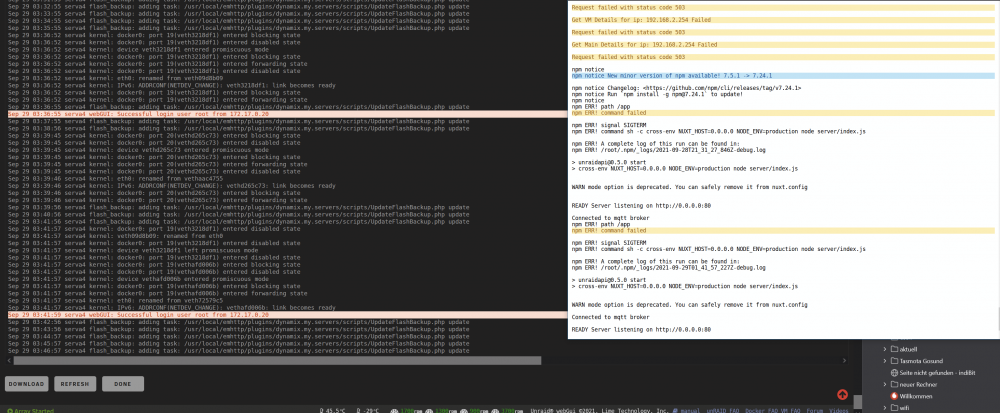
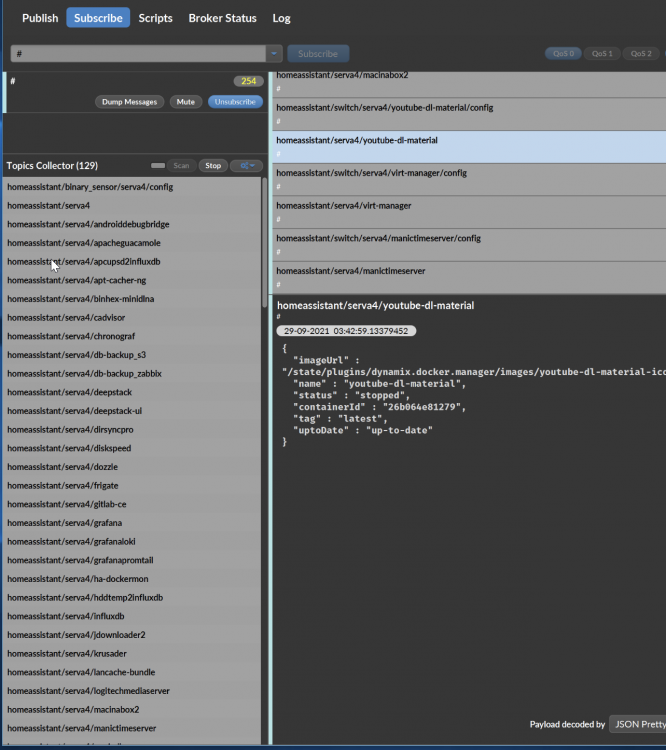
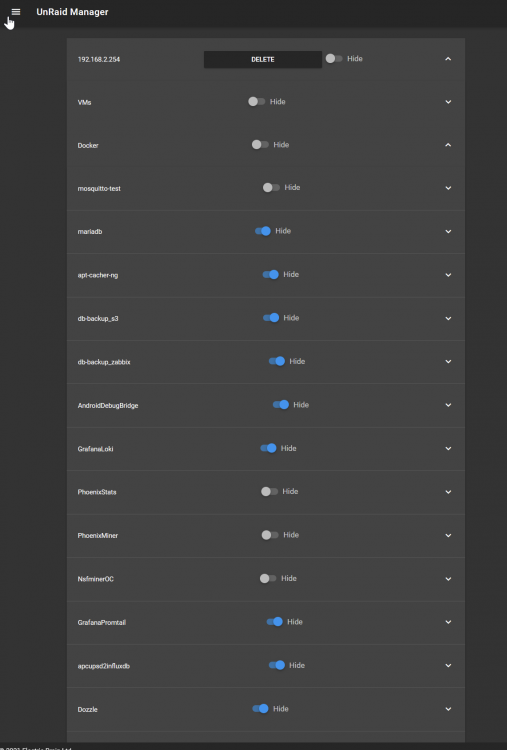
You was right, there was a authentication problem. Now the container can talk to unraid. Sadly the outcomming is the same. I have hidden nearly all docker container, but get a mqtt switch and an entity for each container. This was a complete fresh start. Appdata and the broker db was wiped. App and syslog are fine: 129 MQTT Topics: API manual settings: what do i miss here?
-
Yeah, this must be something with the authentication. I try again tomorrow. Thanks.
-
Thanks for the quick answer.. I deleted my mqtt/ha test server, removed the unraid-api app and the appdata folder to start fresh. But after reinstalling the app, the api cant get docker/vm data? I checked the login ten times, the login is 100% correct. Are there new security restrictions in place?
-
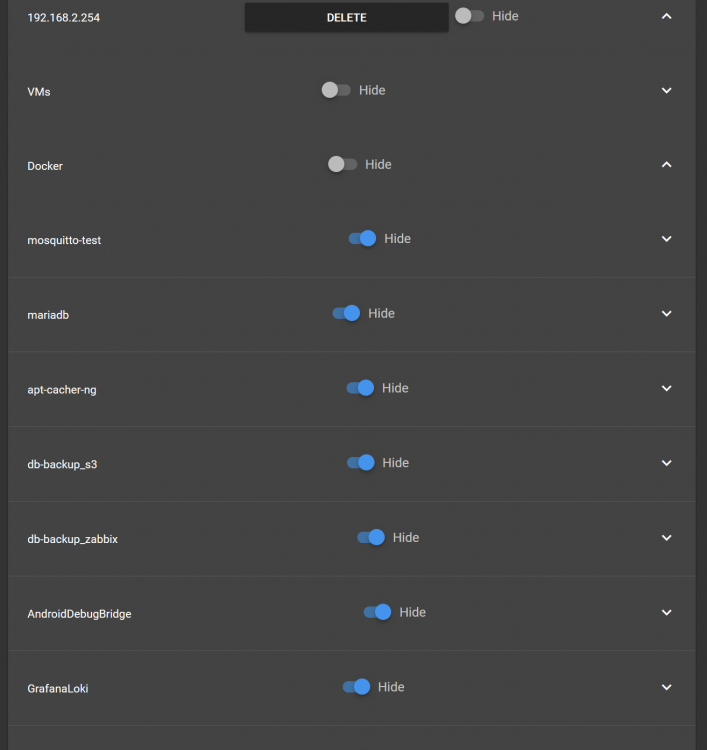
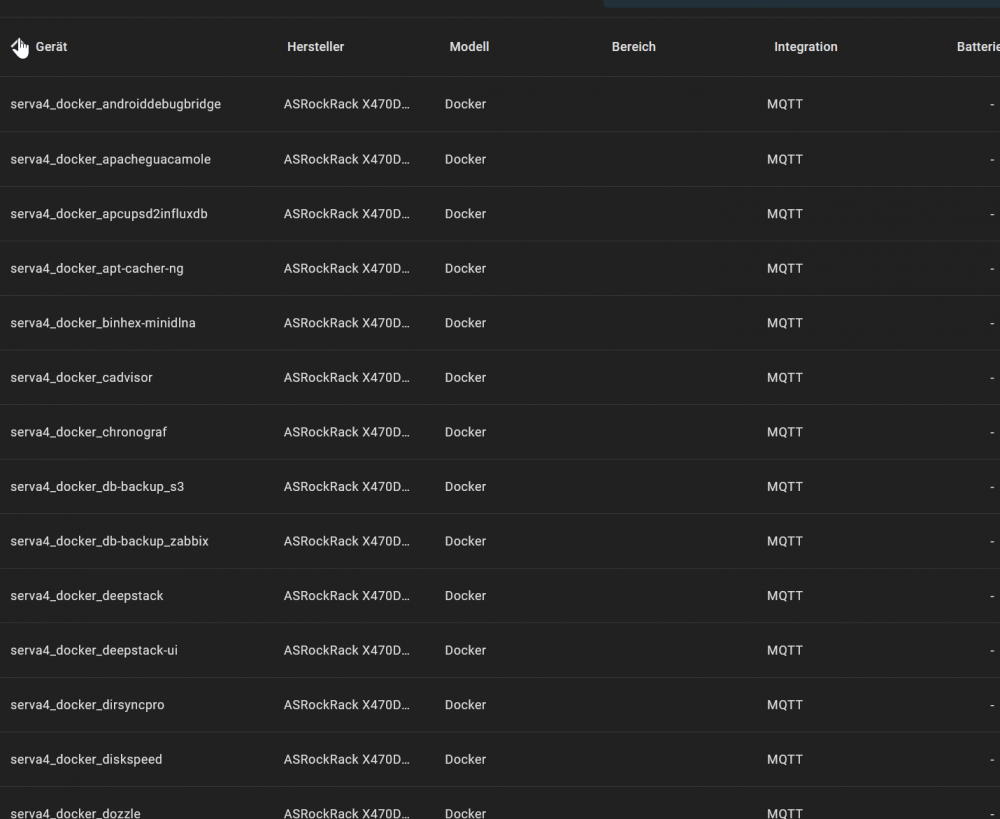
How to hide unused container from blowing up my devices list? I have around 60 docker container, but i only need 2 of them controlled via Home-Assistant. I disabled all containers in the manual settings But they are shown as MQTT Devices + Entity. So how to setup this, that i only see the both container, which are not hidden? tnxs
-
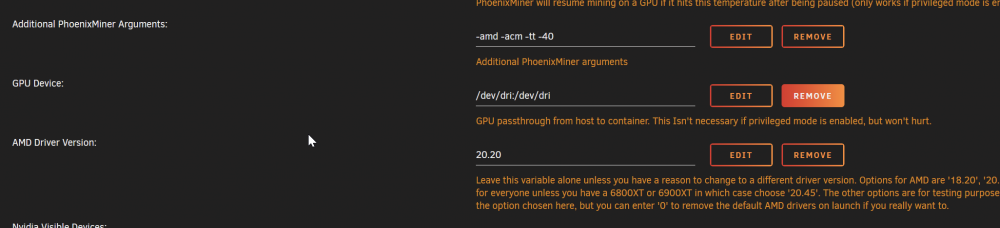
I use for example PhoenixMiner with AMD gpu hardware pass-through. (Only as example, this happens with other containers as well, which use AMD GPU pass-through, so I posted the question here and not in the PhoenixMiner Thread) After some time, the container stopped working. There are now errors in the log. From now on, I can't stop/rm this container. Clicking stop in the GUI, or from the command line, the command runs forever. If I try to stop the docker service, the same thing happens. The docker service never gets stopped. Here are also no logs to be found, that would show an error. With the effect, that I can't reboot the server. I have to hard-reset the server. Is there a workaround for that? How can I fix this problem, without to hard-reset the server every time?
-
Found the problem by myself. After switching from MySql Server to a MariaDB everything runs fine.
-
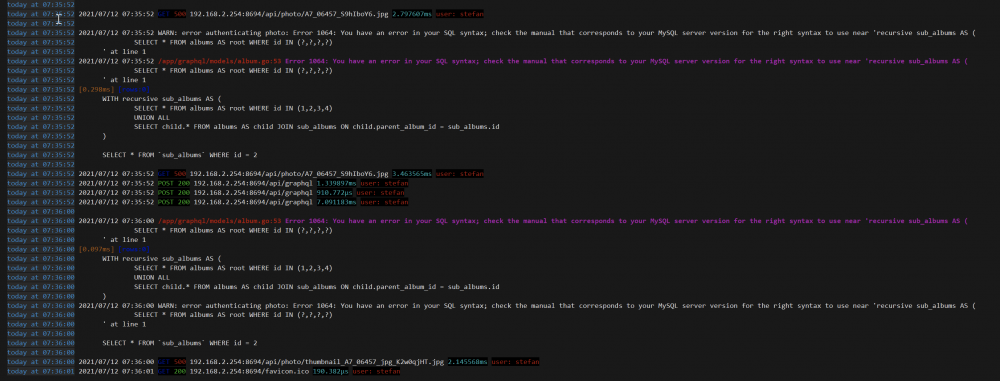
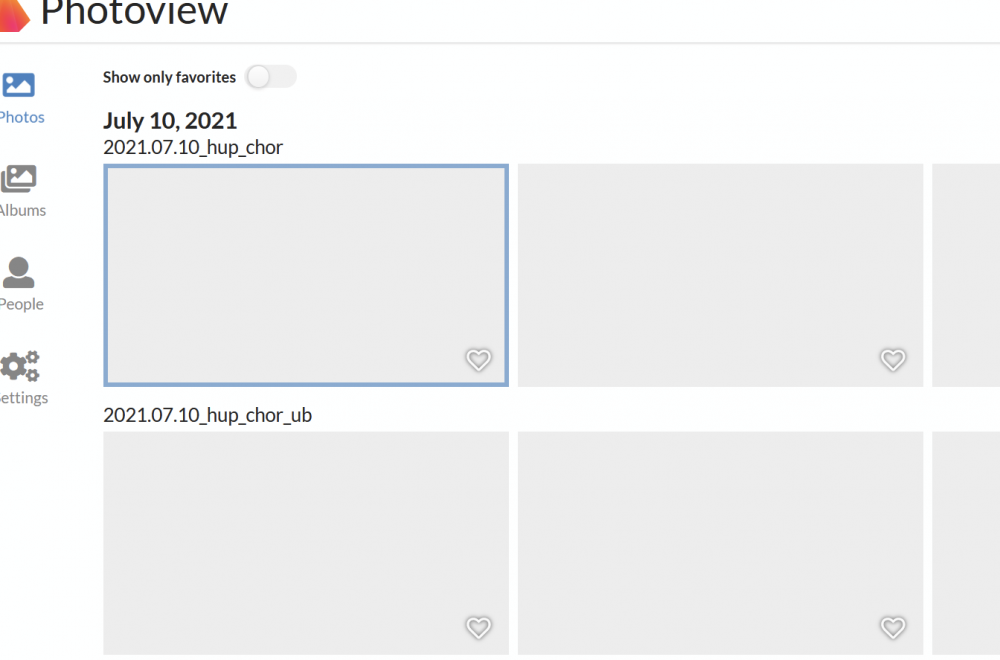
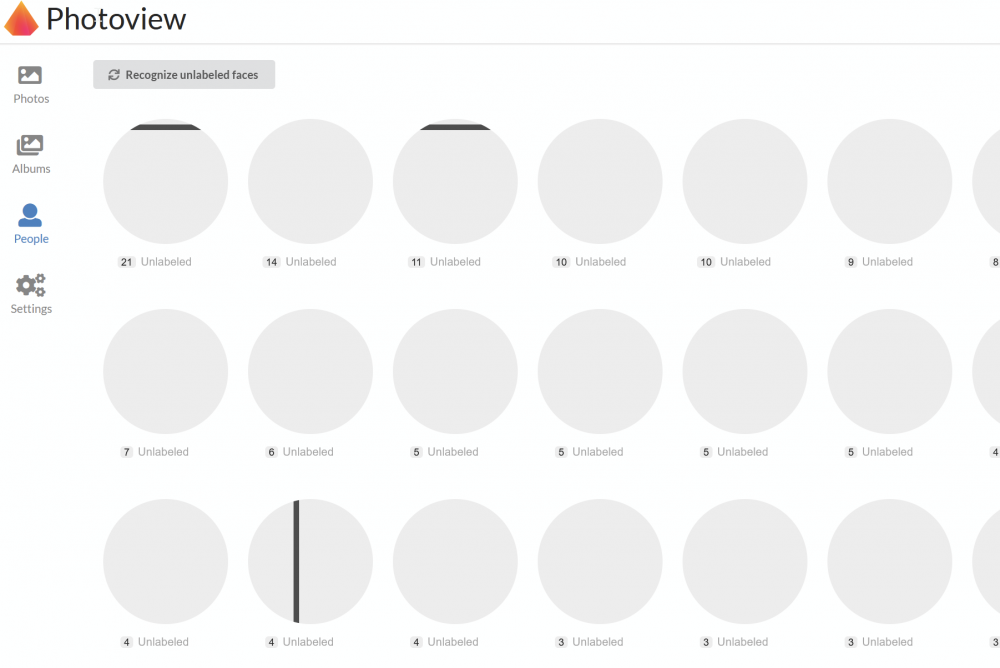
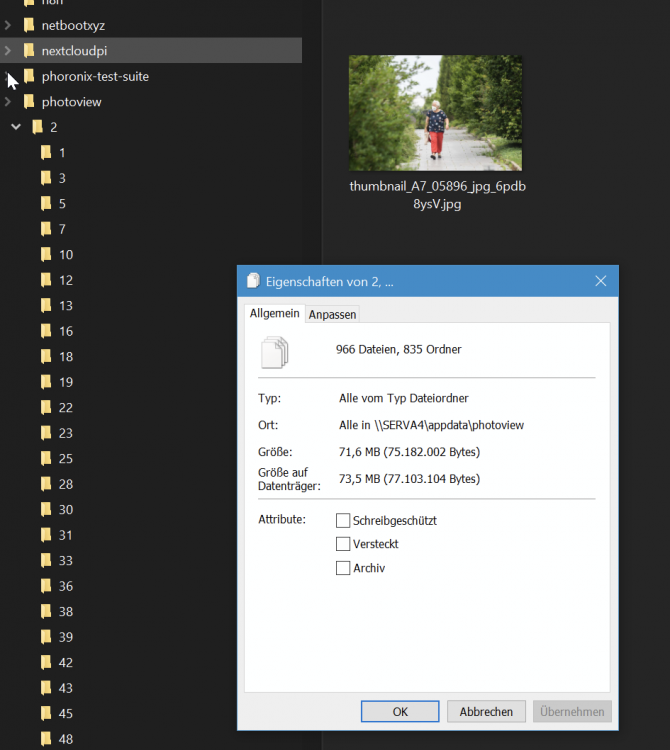
I could install the app, the tables in the database got created and filled up with image information. On the disk, there are a lot of thumbnail folders with correct thumbs. But i can't see any images on the photos page. The Album page returns a sql error SQL Log Errors: People get recognized, but the images are not shown any tipps?