corgan
Members
-
Joined
-
Last visited
Everything posted by corgan
-
may it be possible to update grafana to the newest version 8.0?
-
Have you tried https://github.com/elad-bar/ha-shinobi ?
-
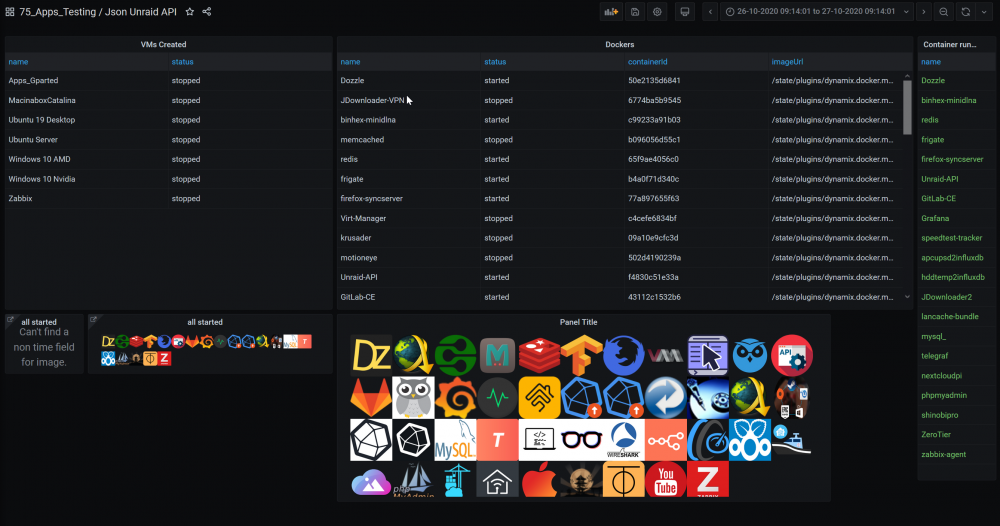
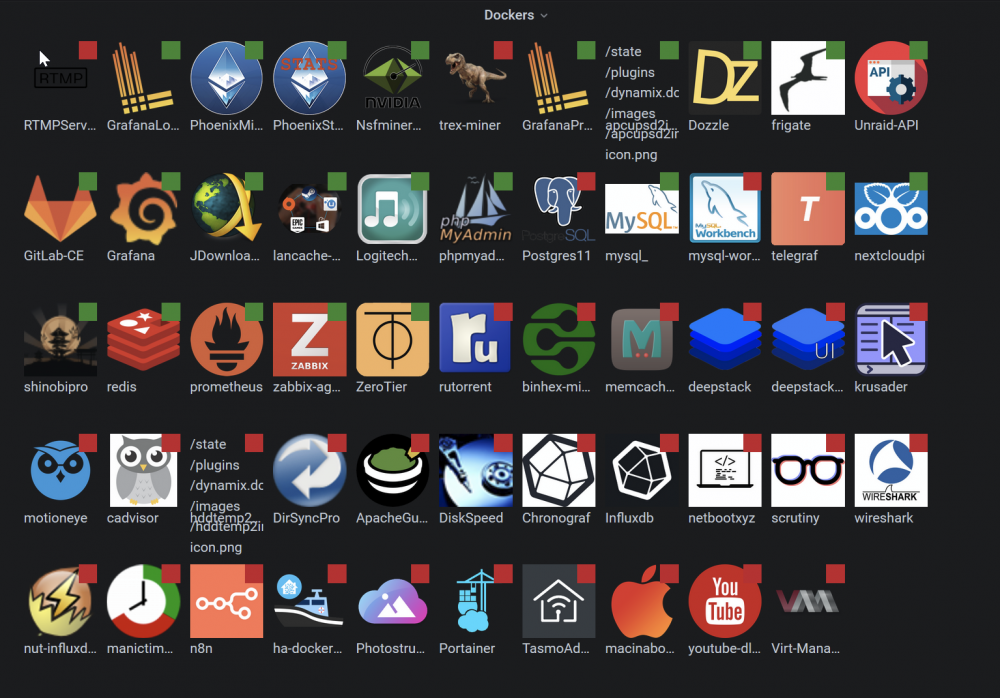
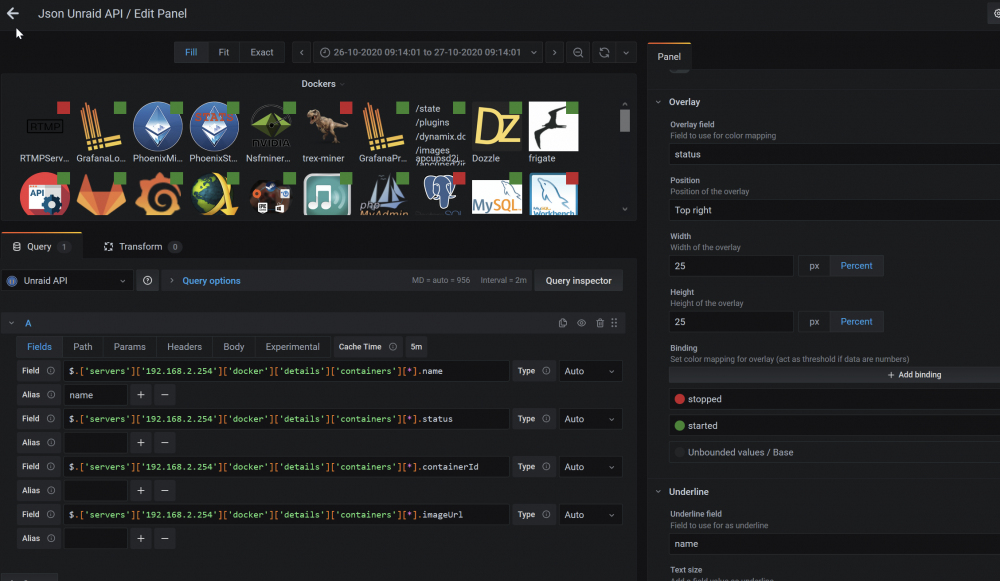
@falconexe The developer of the Grafana dynamic-image-panel just released a new Version with a new feature request from me. It's now possible to show the status of a container/vm as an image overlay. So it's possible to get an overview with just one request. Download pre-release version 2.3.0 or install via grafana-cli command line grafana-cli --pluginUrl https://github.com/Dalvany/dalvany-image-panel/releases/download/v2.3.0/dalvany-image-panel-2.3.0.zip plugins install dalvany-image-panel looks pretty cool Config:
-
in the docs of the original nsfminer i found this so i think it must be started with --api-bind 3333 May this be possible with this container?
-
in the latest release v1.3.13 of nsf they added premetheus /metric support of the api. Is it possible to use this on this container?
-
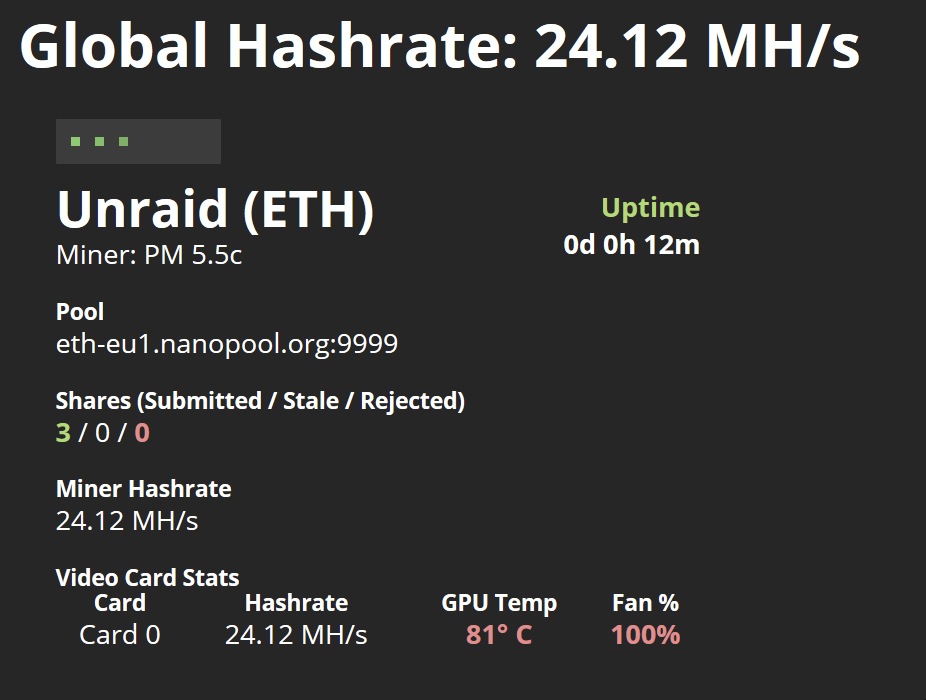
quick feedback: i had problems to get this docker to run with my Radeon RX 570. I got the "no amd gpu found" error. I also could not install "radeon top". After hours of trying i found the problem. Long time ago i added "nomodeset" to my boot/syslinux/syslinux.cfg label Unraid OS menu default kernel /bzimage append rcu_nocbs=0-15 initrd=/bzroot nomodeset After deleting nomodeset i could install Radeon top and got PM running. The difference between a VM and the docker is massive. On the VM i got only 6-9MH/s, now i have ~24MH/s. Thankxs!
-
i finally managed to update my zabbix server to the latest 5.2. Is this release zabbix_agent2 for 5.2?
-
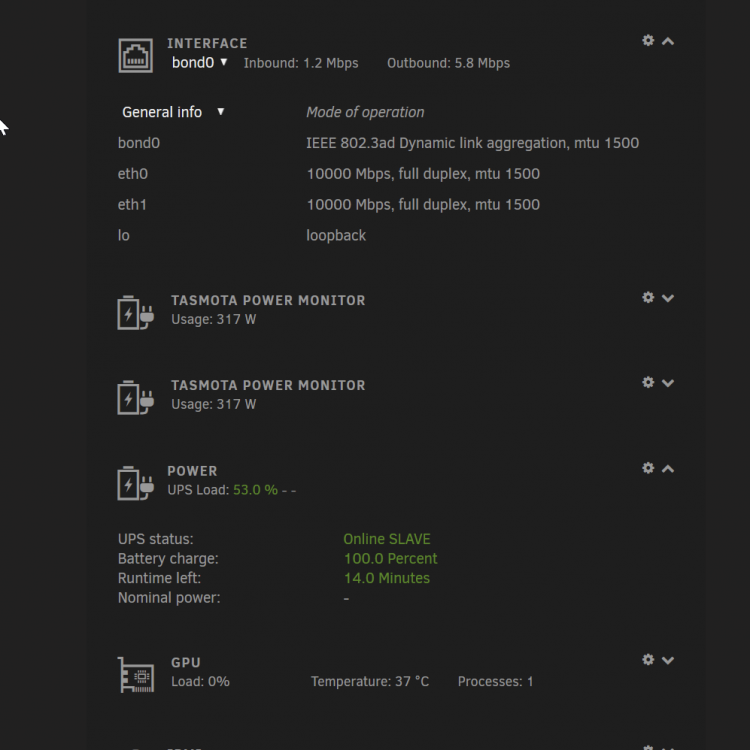
This plugin breaks the layout. I can't arrange the dashboard widget, the sort order randomly changes. The widget is sometimes shown twice, but the corsair widget disappears. Did you change the html classes while adapting from the Corsair PSU Plugin, because i use this also. tnxs greetz Stefan
-
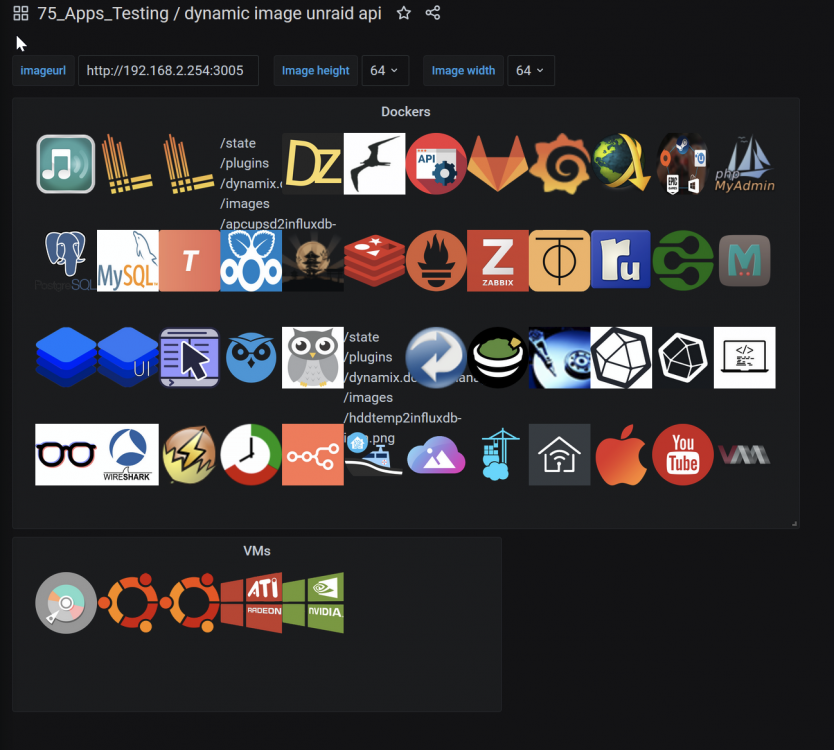
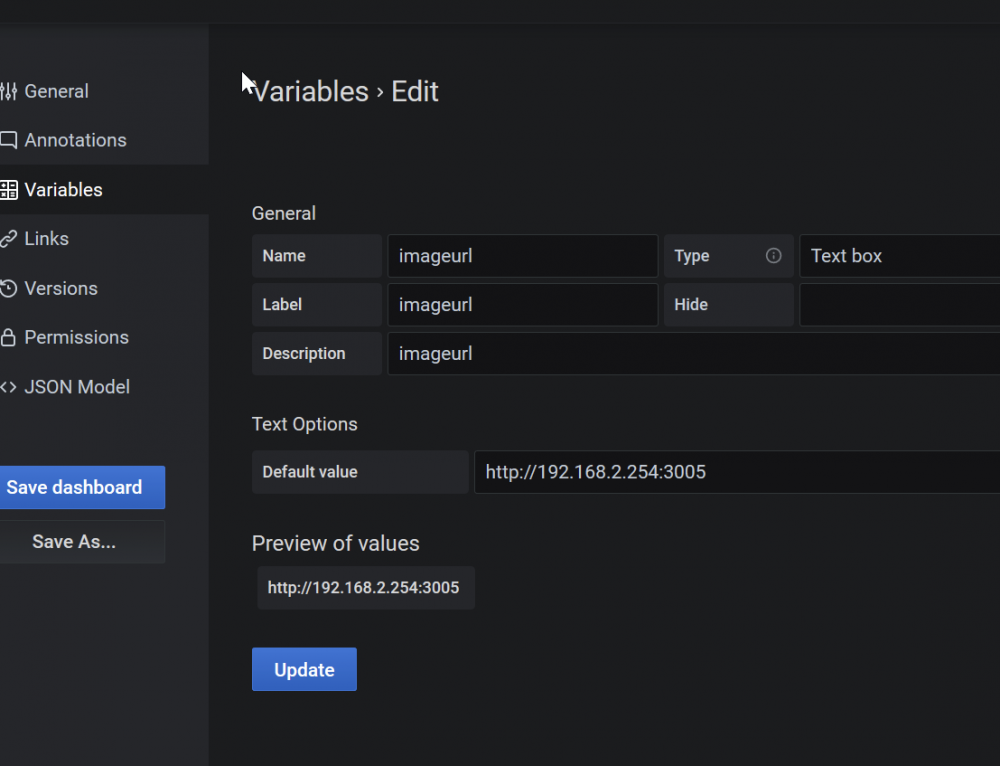
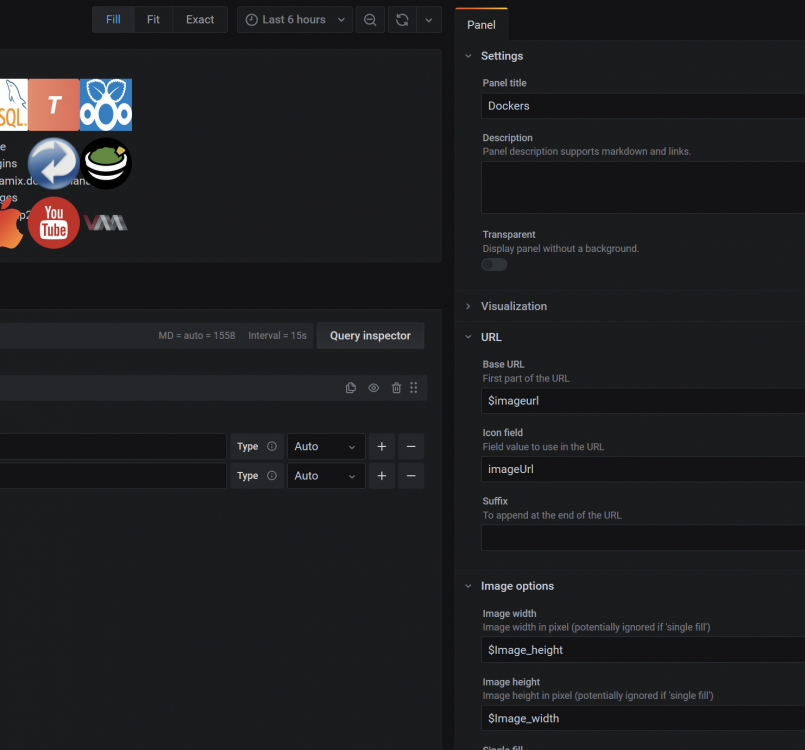
@falconexe I asked the grafana image plugin developer to implement the use of dashboard variables, like image url. He released a pre-release version of the plugin, which runs fine. Now it's much easier to set the Image Path (and width/height if needed) once and reuse it everywhere its needed. Download image plugin pre-release 2.3.0
-
thanks for this tip! this got me crasy!
-
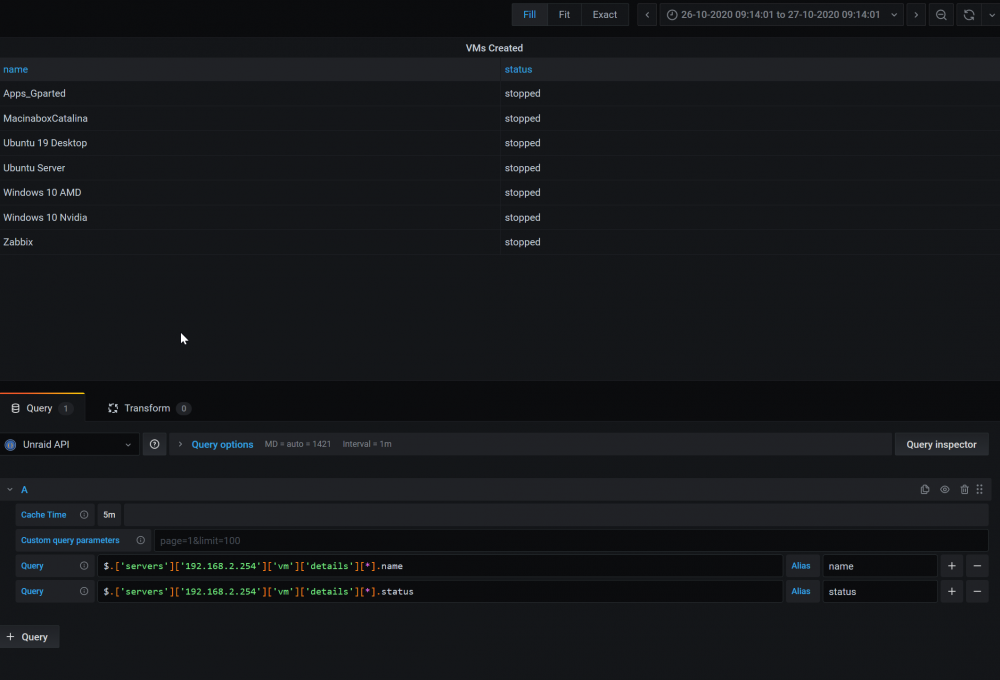
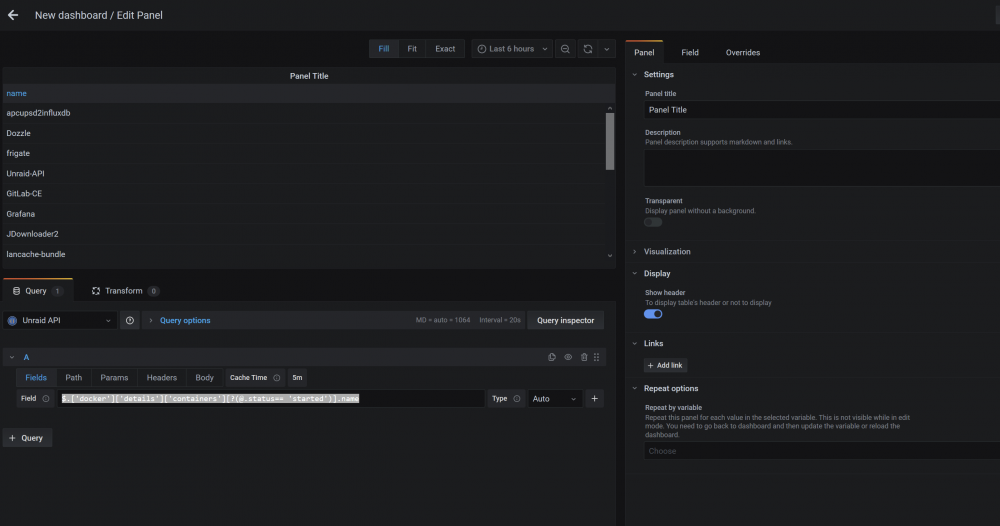
Just for testing, create a new dashboard with a table panel, select the unraid json api as source and paste $.['docker']['details']['containers'][?(@.status== 'started')].name into the field as shown in the screen. Do you get docker information?
-
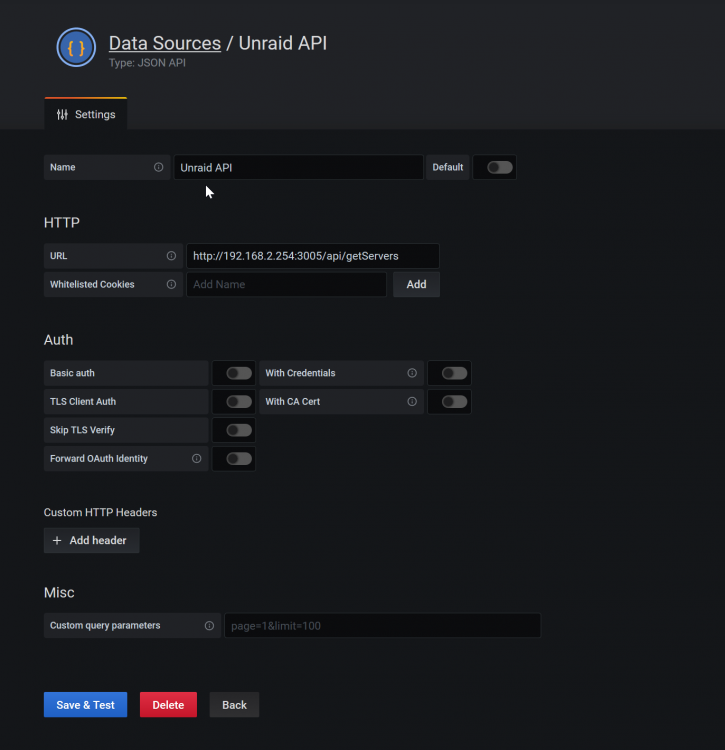
- have you installed the unraid api docker? - do you get information from the api on url http://unraidIP:3005/api/getServers - Have you installed and created the JSON API data source? On save, got you a green "Success" Message?
-
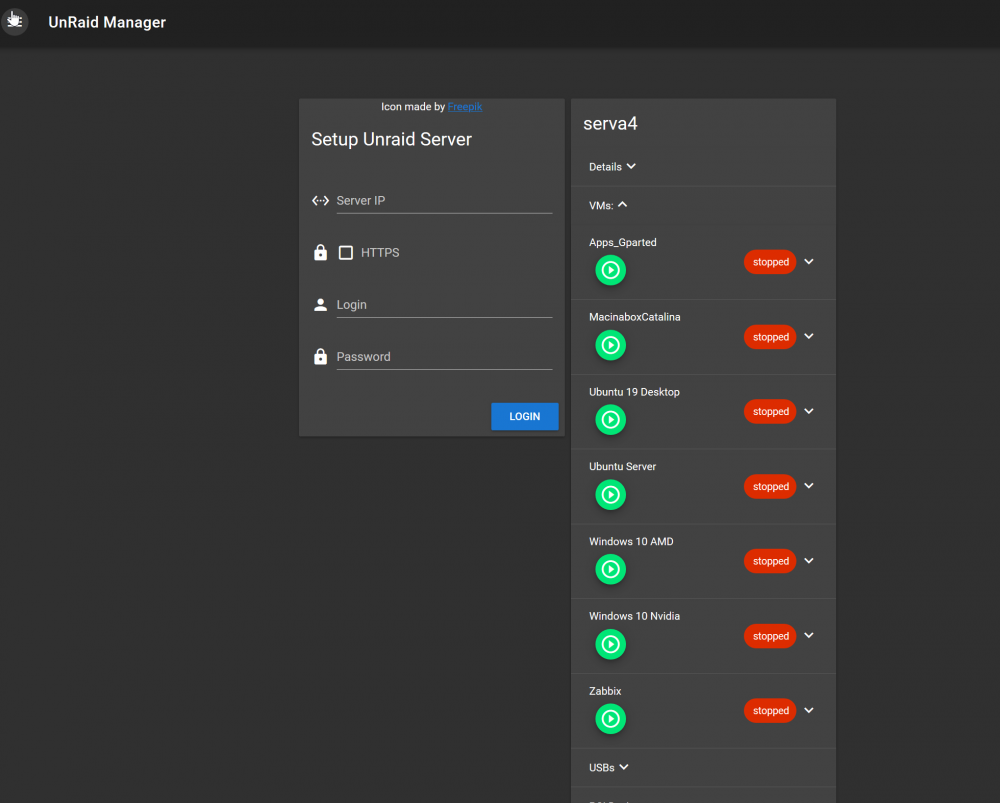
@falconexe don't know if you are aware of, but in the developer branch of the unraid API, @ElectricBrainUK made a nice change, that you can easily access the docker/vm images without to be logged in. i also made a feature request, to get a default icon if a docker/vm don't have one, to not break the layout in grafana. Hope to get this fixed soon. I'm very happy so see, that my API idea get spread out and helped others! ❤️
-
omg, this is so hidden! But its exactly what i was looking for! Thanks!
-
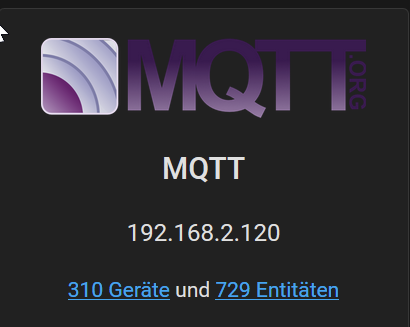
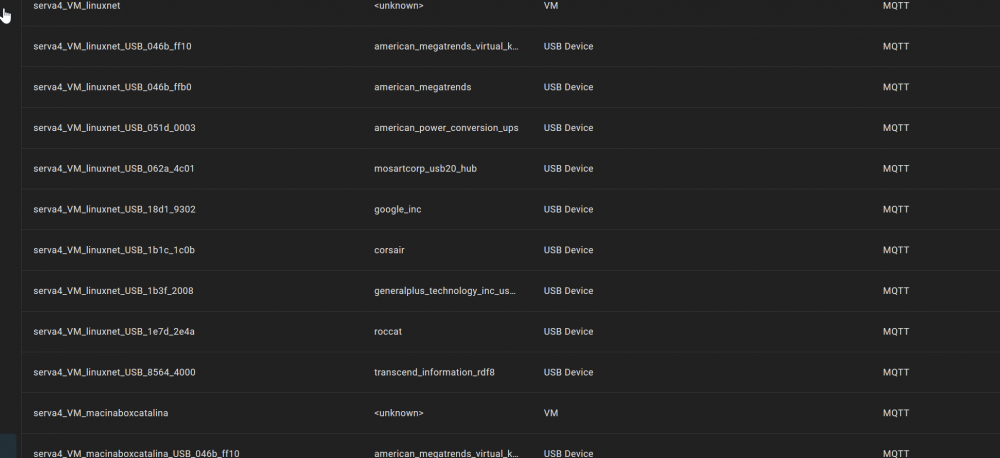
No worries, take your time. If you are re-writing the app, maybe you can think about a feature request. I have a lot of docker containers and some VMs. On mqtt autodiscover this blows up my devices and entities in Home Assistant by factor 100x. But I only need 3-4 Container and 2-3 infos from the API. And it gets worse, if the automatic Amazon Alexa integration via Nabu Case is activated (which normally is a great feature), because then all Container and VM gets registered in Alexa. In HA the devices stays forever as there is no way to delete them, without messing with the database. Really crazy are the VM Infos. Its create around 10 USB Entities for each! VM. For my 5 VMs, that's over 500 useless entities. So long story short, it would be awesome, if you could implement some kind of whitelist/blacklist, which infos gets reported via the api. Without the unraid api i normally i have around 80 devices (geräte) and 300 entities. The rest is from the api.
-
Did you had some time to look into the parity/mover progress thing? thanks
-
Hello, i want to make a docker app for a manictime server. The project is provided by the developers on dockerhub and works fine. https://hub.docker.com/r/manictime/manictimeserver/ docker run -v /var/lib/manictimeserver/Data:/app/Data -p 8080:8080 manictime/manictimeserver Thanks to the guides here in the forum, I could make a docker app in unraid from which it runs the server. No problem so far. But to get this to work, I have to run a command first to create the admin user. docker run -v /var/lib/manictimeserver/Data:/app/Data --rm --entrypoint dotnet manictime/manictimeserver ManicTimeServer.dll addadmin -u <admin email> -p <admin password> If I try to run the command from docker exec. it failed because of a locked Database. So these command have to run once bevor the server get starts. /app# dotnet ManicTimeServer.dll addadmin -u [email protected] -p 1234 ManicTime server 4.2.2.0 started. Authentication configured: Kestrel, ManicTime Starting console host... Connecting to database '/app/Data/ManicTimeCore.db'... Locking database 'Sequence'... Database 'Sequence' lock found and owner alive. Cannot lock database. [Finkit.ManicTime.Shared.DatabaseRegistry.DatabaseRegistryEntry] fail: Finkit.ManicTime.Shared.Logging.ApplicationLog[0] Database 'Sequence' lock found and owner alive. Cannot lock database. [Finkit.ManicTime.Shared.DatabaseRegistry.DatabaseRegistryEntry] Retry 1/3 in 3 seconds... Locking database 'Sequence'... fail: Finkit.ManicTime.Shared.Logging.ApplicationLog[0] Database 'Sequence' lock found and owner alive. Cannot lock database. [Finkit.ManicTime.Shared.DatabaseRegistry.DatabaseRegistryEntry] Database 'Sequence' lock found and owner alive. Cannot lock database. [Finkit.ManicTime.Shared.DatabaseRegistry.DatabaseRegistryEntry] Retry 2/3 in 3 seconds... Locking database 'Sequence'... fail: Finkit.ManicTime.Shared.Logging.ApplicationLog[0] Database 'Sequence' lock found and owner alive. Cannot lock database. [Finkit.ManicTime.Shared.DatabaseRegistry.DatabaseRegistryEntry] Database 'Sequence' lock found and owner alive. Cannot lock database. [Finkit.ManicTime.Shared.DatabaseRegistry.DatabaseRegistryEntry] Retry 3/3 in 3 seconds... Locking database 'Sequence'... fail: Finkit.ManicTime.Shared.Logging.ApplicationLog[0] Database 'Sequence' lock found and owner alive. Cannot lock database. [Finkit.ManicTime.Shared.DatabaseRegistry.DatabaseRegistryEntry] Database 'Sequence' lock found and owner alive. Cannot lock database. [Finkit.ManicTime.Shared.DatabaseRegistry.DatabaseRegistryEntry] Stopping... Stopped listening: ManicTime server 4.2.2.0 stopped. I could run the commands on console, no problem. But I want to make this app to share as CA App. Is it possible with the unraid docker system to get this to work, or do I have to write my own dockerfile (which i have never done and now clue about)
-
This would be awesome! Thanks!!
-
After hours of trying, i give up. The container cant work with my mysql container.
-
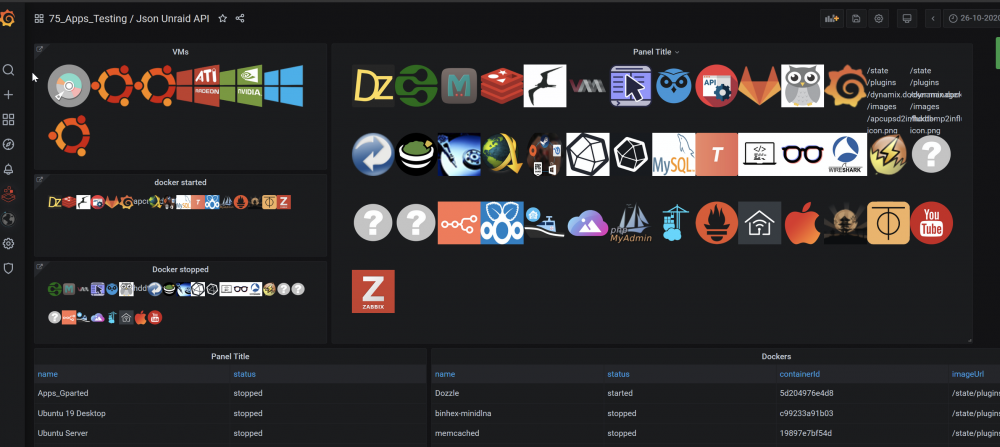
Thanks for this change! One of two Problems solved. I'm using your API to display and control VMs/Docker from inside of Grafana (with json api datasource and dynamic image plugin). This change helped a lot. There is one small problem, if vms/docker has no icons. (as you can see in the screenshot) May it be possible to get a default icon, if there is no icon given? The image plugin I'm using in grafana cant do this. The bigger Problem is, if grafana runs via a https url, it can't show the icons because of security Mixed content. The API Data gets fetched without problems in the background. It's only the frontend. This could be solved by an proxy. Or do you have plans to provide your api via https? And a second kind of feature request unrelated to the above. Could you report the progress of the parity check and mover? This would be very helpful.
-
yes i tried a few hours. But with my little knowledge about that topic i failed... https://github.com/blakeblackshear/frigate/issues/260#issuecomment-789441150
-
Thanks for the Infos and your work!
-
Hello, i updated today for the first time since october.. Seam that there has been some gib changes. Im wondewring how to get the nvenc nvidia stuff to work? https://blakeblackshear.github.io/frigate/configuration/nvdec Im running the Unraid Nvidia 6.8.3. I could manage to get the docker files from blakeblackshear/frigate:stable-amd64nvidia but have to idea how to set the settings from the docs^^ Also i noticed, that im running frigate version 0.8.4-5043040. The latest release is 1.x something. Is this because of the nvidia version, or is this container just outdated? thanks, greetz Stefan
-
Nice hind with the flow control, which was also activated on my CRS312. I will try this. I think you are absolutely right with your last point. I changed the IP range of the BR net away from my normal DHCP IP range some time ago. My crashes went down to 1-2 per month, but I changed a lot at once and didn't figure out which change was the "one". But now as I'm reading your comment, this makes absolutely sense!
-
Hey, yeah sorry, i wanted to write this down for quite some time. So the goal was to view and controll dockers and VMs from in Grafana. - Status of Container / VMs - display the container/vm Icons - Enable/disable Container / VMs Short: install Unraid API Plugin install Grafana JSON API Plugin install Grafana dynamic Image Plugin Long: To get these Infos, i use the Electric Brain Unraid API Luckily, this Unraid Addon creates an Json API, wich we can use. There is nothing special about the APi. Just install and setup. The second Part is to show the Data from the Unraid API in Grafana. Therefore im using the Grafana Plugin grafana-json-datasource https://grafana.com/grafana/plugins/marcusolsson-json-datasource?pg=plugins&plcmt=featured-undefined&src=grafana_footer https://github.com/marcusolsson/grafana-json-datasource?utm_source=grafana_add_ds Install this in Datasource Plugin in Grafana and create a new Datasource. Enter your Unraid IP, with the Port of the API and add /api/getServers like http://192.168.x.x:3005/api/getServers From here, we just have to display the Unraid API Data in some nice way. So how to use the new created Json Datasource Examples Get all VMs $.['servers']['192.168.2.254']['vm']['details'][*].name Get the status of theses VMs $.['servers']['192.168.2.254']['vm']['details'][*].status Get all Docker Container $.['servers']['192.168.2.254']['docker']['details']['containers'][*].name $.['servers']['192.168.2.254']['docker']['details']['containers'][*].status $.['servers']['192.168.2.254']['docker']['details']['containers'][*].imageUrl If you only want to see the running Container $.['servers']['192.168.2.254']['docker']['details']['containers'][?(@.status== 'started')].name From here we can make a Panel which show only the running Container as Icons. For this we need another Grafana Plugin, called Dynamic image panel https://grafana.com/grafana/plugins/dalvany-image-panel?pg=plugins&plcmt=featured-undefined&src=grafana_footer We use again our JSON Datasource and seraching for all started container, get the imageurl and the Container Name as Tooltip. You have to add your Unraid URL as Base URL. $.['servers']['192.168.2.254']['docker']['details']['containers'][?(@.status== 'started')].imageUrl $.['servers']['192.168.2.254']['docker']['details']['containers'][?(@.status== 'started')].name just ask, if there are any Questions left.