





Masterwishx
Members
-
Joined
-
Last visited
Everything posted by Masterwishx
-
Sure I can update it but you refer to two options that have separare help texts. In test mode help text refer to another option that if it set to No. Anyway will try to update it
-
@CkChong What is recommended internal 1 min or 2 min or something else? I deleted cpu fan for now. So I have only case fans and lsi sas card fans...
-
Thanks waiting for it :)
-
OK got it, Thanks. Yep, sorry for confused :)
-
So i can leave it like this (Disabled) to allow to BIOS to control it ?
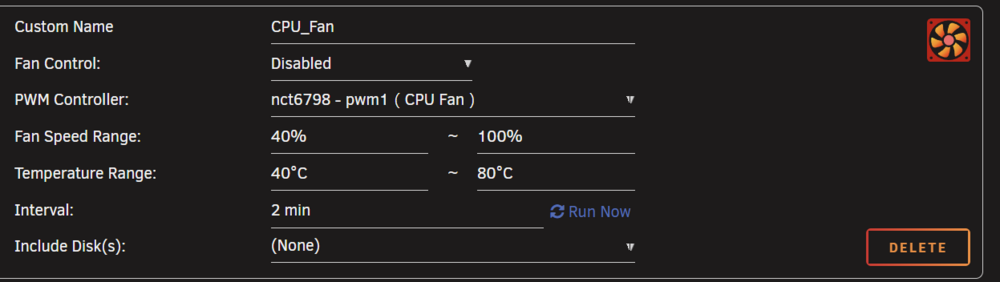
-
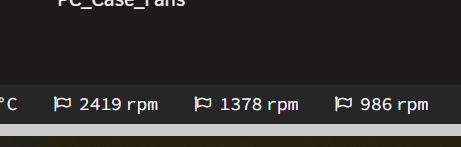
do we have it from plugin : or its becouse not rebooted after removed Dynamix System Autofan ? if so can this to be added to plugin also maybe ?
-
cant we use CPU Fan by CPU Temperature?
-
Do we need to set also Fan for CPU ?
-
can it be used with Dynamix Auto Fan Control ?
-
It's very strange Becouse I didn't had any issues with it. Also with @Mattaton modified CSS it was looked very cool. Sure, this I fixed for docker page but not dashboard. https://github.com/masterwishx/folder.view.custom.css
-
If you expand folder when: folders only disabled , then enable folders only , its looks like this:
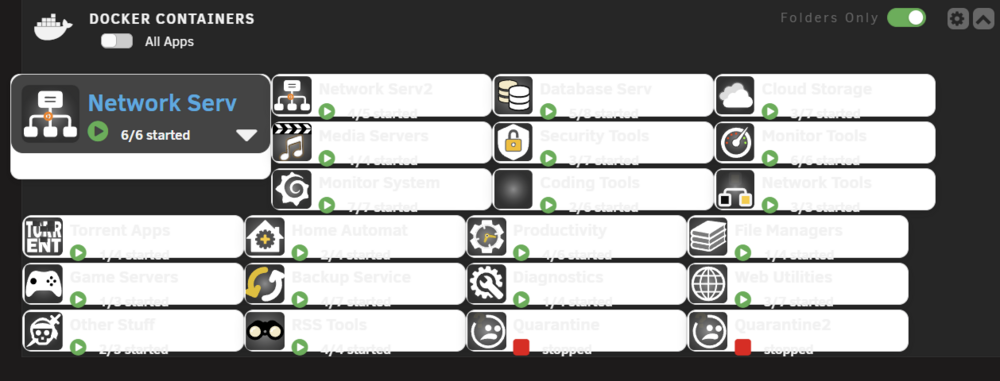
-
Looks OK but seems i need to fix CSS for Black Theme as i was fixed for Docker .... Was any issues for dashboard , that you changed visual style for when folder only disabled/enabled, was all fine for me before two versions (folder.view2-2025.05.16), i mean with original visual structure ?
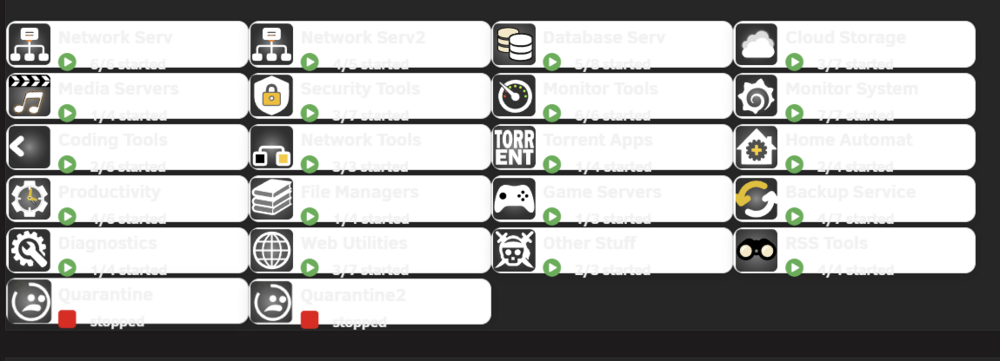
-
Can it be expanded also, when folder only enabled ?
-
Cool, Thanks. Seems the only way to check for bugs is to push New updated version for more people will check it :)
-
Yep that will be cool (as it was befor) Or expand folder.... Thanks will be awesome
-
@VladoPortos is any chance green pentagon can be added back to plugin?
-
If I had smart error: Disk read error rate = 1, but now disk read error rate = 0 in smart of hdd But in plugin it still shows. Should it be updated automatically or I need to change it manually?
-
This is how unraid works
-
It's just visual issue Becouse folder already moved, will be fixed in next version
-
Folder not exist?
-
This will be cool, even if you push new version with fixes in beta for plugin, for people will not write about bugs that was fixed already :)
-
Also added sync for share override if you need different setting for shares.
-
Good, glad to hear that it was not in vain that I spent time by adding options and changing the code to make sync more flexible and useful to users :)
-
Sorry to hear, if playing with thresholds not helping... I'm just trying to fix past issues and added some futures users/I'm wanted with my ability, and most importantly not break already working stuff.
-
You can read in option descriprion: Primary->Secondary (cache:yes) Moving threshold : move after this Freeing threshold : move until this Secondary - Primary (cache:prefer) Fill up threshold : move until this




