





jowi
Members
-
Joined
-
Last visited
Everything posted by jowi
-
You sound very irritated and stressed out. Take a breath or two and try to react normal. FYI, until i upgraded to rc16c a few days ago, my server ran 24/7 over 130 days without any problems.
-
No need to get so cross, I was just trying to help. I am attaching here the script that I used to test my tunables. It does basically the same thing, but in only 60 lines of code. See if you like it, and canibalize it for your purposes any way you see fit. Enjoy the free fruits of my labor. Your script forces makes the webgui unreachable and forces unraid to start a parity check... i would advice NOT using it. Pauven's script can be run without any weird effects.
-
I noticed this too when I upgraded. So what I did to resolve this was to copy the green-blink.gif to green-blink0.gif as a temporary fix. cp /usr/local/emhttp/plugins/webGui/images/green-blink.gif /usr/local/emhttp/plugins/webGui/images/green-blink0.gif Encountered this as well, but did not notice it before...? Been running it for a few days now. I swear i've seen green blinking led's before... and now they're gone. Added issue on github.
-
I know this is not a valid assumption, but for some reason i find the performance of a parity check a good sign of the functioning and speed of the system as a whole. The check should be fast, and not slowed down by opening the webgui (as it did using the latest SF). I'm glad to see that the parity check under v5.0-rc16b running the new webgui is perfect: Last checked on Wed Aug 21 18:04:00 2013 CEST (today), finding 0 errors. > Duration: 8 hours, 24 minutes, 50 seconds. Average speed: 132.1 MB/sec (4TB parity disk)
-
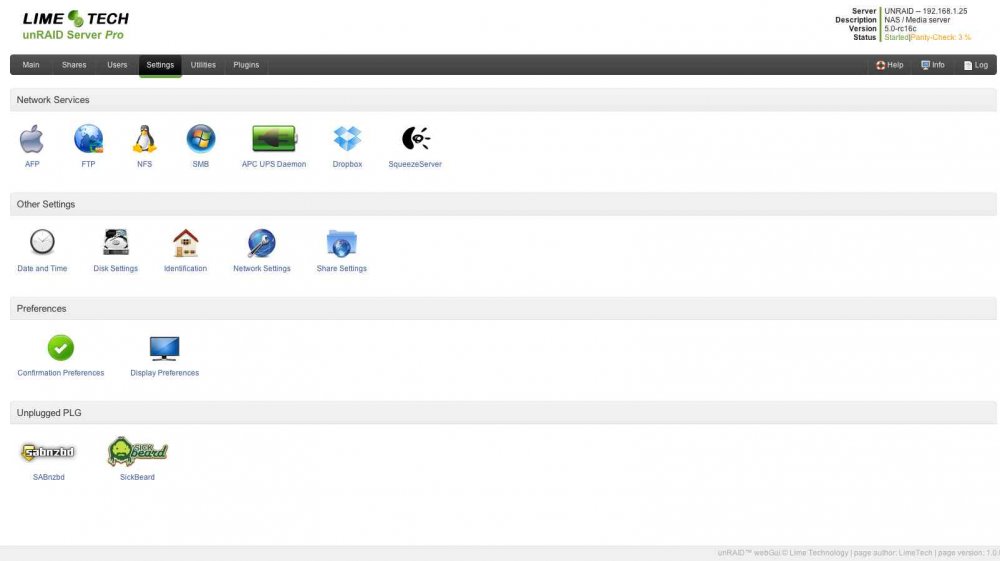
This is a very good initiative. Can we add requests here as well? For me, if the stats page from SF is added, and the page where you can schedule a parity check, makes it more effective. But i'm sure those will show up in time Offcourse a plugin "manager" should be integrated, at this moment it is a bit confusing that the plugins tab actually does not contain active plugins but a list of available (official?) ones, while the active plugins themselves are placed under the settings tab... and even there they are all over the place. I have dropbox, slimserver and apcupsd under 'network services' (?) while the "unplugged" sickbeard and sabnzbd have there own "unplugged" 'chapter'... probably because the developer of those plugins decided so. Would be nice to remove the plugins from the settings tab and have a "plugin" tab that contains actual active (3rd party?) plugins, and a "plugin library" for a list of available plugins? (should even be a subpage within "plugins") Anyway, keep up the good work!
-
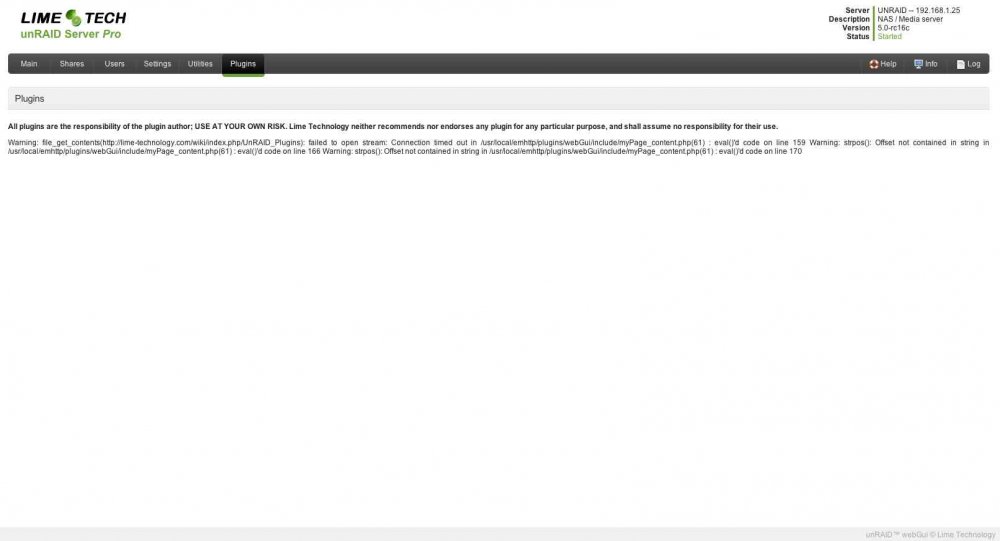
Loading the 'Plugins' page sometimes times out with an error, takes about 30 seconds of waitcursor & no response resulting in: "Warning: file_get_contents(http://lime-technology.com/wiki/index.php/UnRAID_Plugins): failed to open stream: Connection timed out in /usr/local/emhttp/plugins/webGui/include/myPage_content.php(61) : eval()'d code on line 159 Warning: strpos(): Offset not contained in string in /usr/local/emhttp/plugins/webGui/include/myPage_content.php(61) : eval()'d code on line 166 Warning: strpos(): Offset not contained in string in /usr/local/emhttp/plugins/webGui/include/myPage_content.php(61) : eval()'d code on line 170"
-
This has been fixed. http://lime-technology.com/forum/index.php?topic=18310.msg256480#msg256480 Get the latest version from my github page. Thanks. Installed it, but it wont start. Complains about 'Starting LMS... lms.pid not created for some reason...' Any ideas? Issue with rights on some files? *edit* re-installed, re-booted, now works.
-
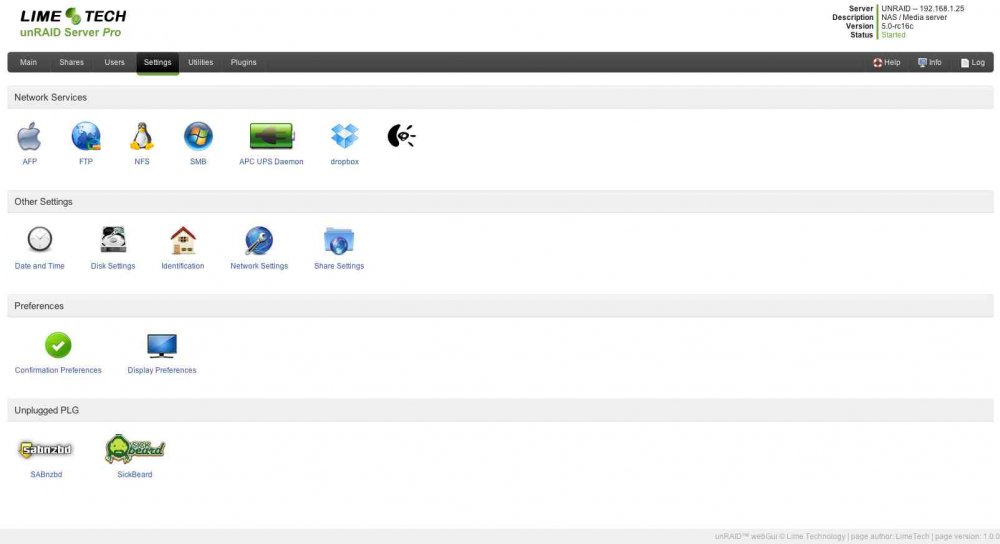
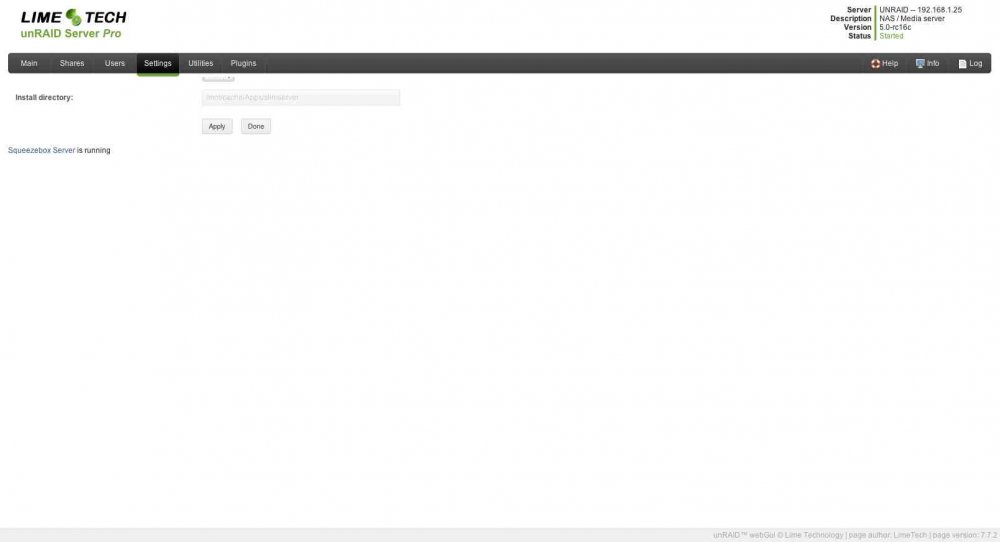
Thanks. Installed it, and noticed a problem with Logitech Squeezeserver plugin, on the settings page it has no description text, and the plugin page itself the layout is messed up. Could be the plugin is faulty, but it worked perfectly under SimpleFeatures.
-
What if i try this and for some reason i want to uninstall? On git it says the installer will delete the stock webgui in emhttp... how do we get the stock gui back after uninstalling the new webgui?
-
You can't just cut the power on the unraid server, i assume you're using a UPS in this scenario, which will do a clean powerdown when you cut power. Besides the fact that you are abusing the UPS this way, there is a bigger risk. Normally, in case of a power loss, you not only want to powerdown the unraid server in a clean way ASAP, but after that is done, also shutdown the UPS. If you don't, in case the power returns for like a minute or a few seconds and powers down AGAIN, you will be in the middel of starting up your unraid server again (because your using 'resume on powerloss') and you can't do a nice powerdown since the UPS probably is empty or near empty... this is why you do NOT want to resume on powerloss. Just stay off. So, do not use the UPS as a handy on/off switch... it's an emergency device, treat it as such.
-
http://cybershop.ri-vier.nl/5-bay-mobile-rack-module-hdr5-p-104.html
-
Try Notepad++ http://notepad-plus-plus.org/
-
The total process took 41 hours. I've compared the preclear report with others, to find that the 3rd part is actually twice as slow as the first two with others as well. Still would like to know why that is. Anyway, for those interested, i've included the reports for this Hitachi HDS724040ALE640 4TB disk. preclear_rpt__PK1311PAG4WKTS_2012-07-14.txt preclear_start__PK1311PAG4WKTS_2012-07-14.txt preclear_finish__PK1311PAG4WKTS_2012-07-14.txt
-
Anyone?
-
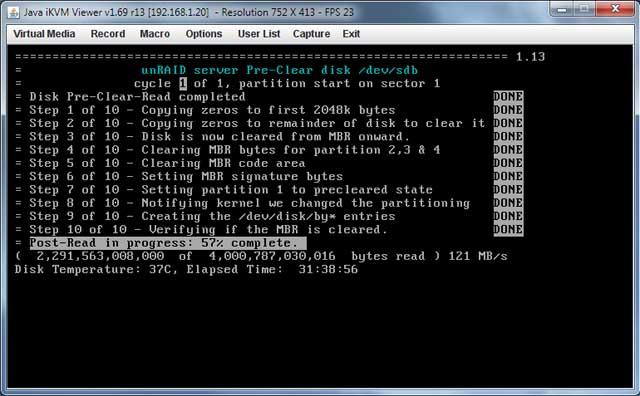
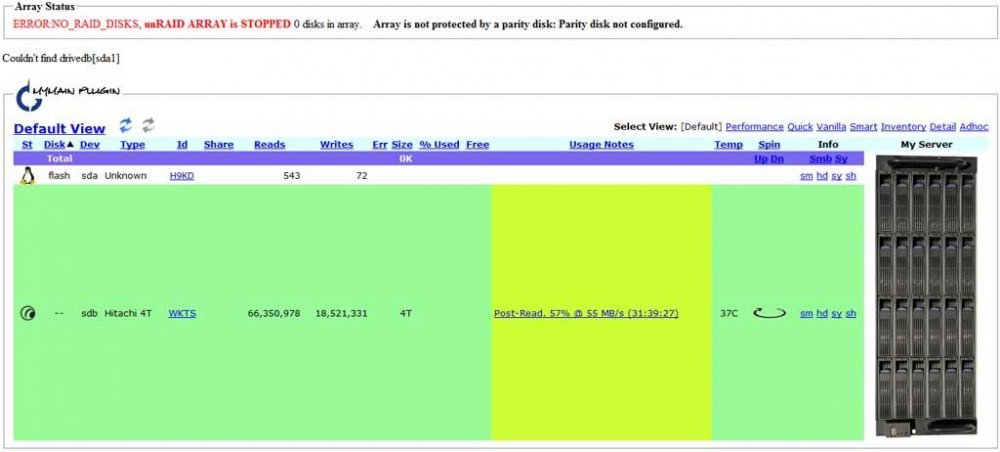
Question about the preclear progress. This is my first build and first time i'm using preclear. I'm running unRAID v5.0 rc5, and i'm trying to preclear a brand new Hitach 4TB disk (HDS724040ALE640). I know it's a lengthy process. I've watched the first 2 steps (pre-read & zeroing) which each took about 10 hours, with a speed varying from 150MB/s at start to about 95MB/s towards the end, which is pretty normal. Now the process is doing it's final post-reading, and i would assume, since the pre-read and zeroing each took 10 hours (totalling 20 hours), this also would take about 10 hours. But now, 10 hours later, it just passed 50% completion. The speed is pretty continue according to the script at about 120MB/s, which is odd, because with that speed things should be finished in 10 hours... see screenshot. What baffles me even more is that unMenu's myMAIN progress shows a rate of about 55MB/s, which is in sync with the time it takes... but why is this taking twice the time it took the prereading/zeroing? Is it normal that the post-read is twice as slow as the other parts? And what about preclear's speed indicator? Is the process still working like it should or do i have some sort of problem?
-
I'm thinking about an unRaid setup, but since this will be placed in the mains utility cabinet, i don't have the space for a tower. There is also not enough depth for a 19" casing. What i'm looking for is a small form factor enclosure, which still can hold 8 to 12 disks, like e.g. the Synology 1812 or 2411: Even a tower casing that can be placed on it's side would be ok, if it's depth doesn't exeed 40cm. But from what i can find, almost all tower enclosures have their on/off switch and controls on top, not on the front of the machine... Any tips?


