





Omri
Members
-
Joined
-
Last visited
Everything posted by Omri
-
what does "Docker DHCP allows for labels" mean? and why do you need --dns in every container? Thanks
-
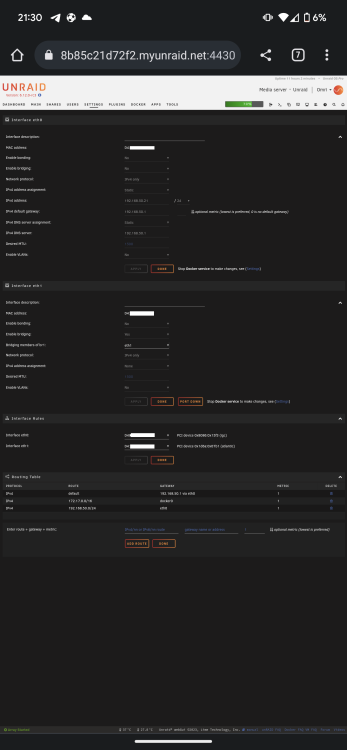
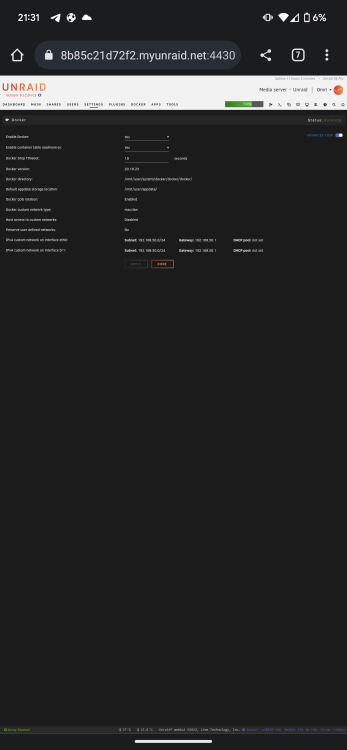
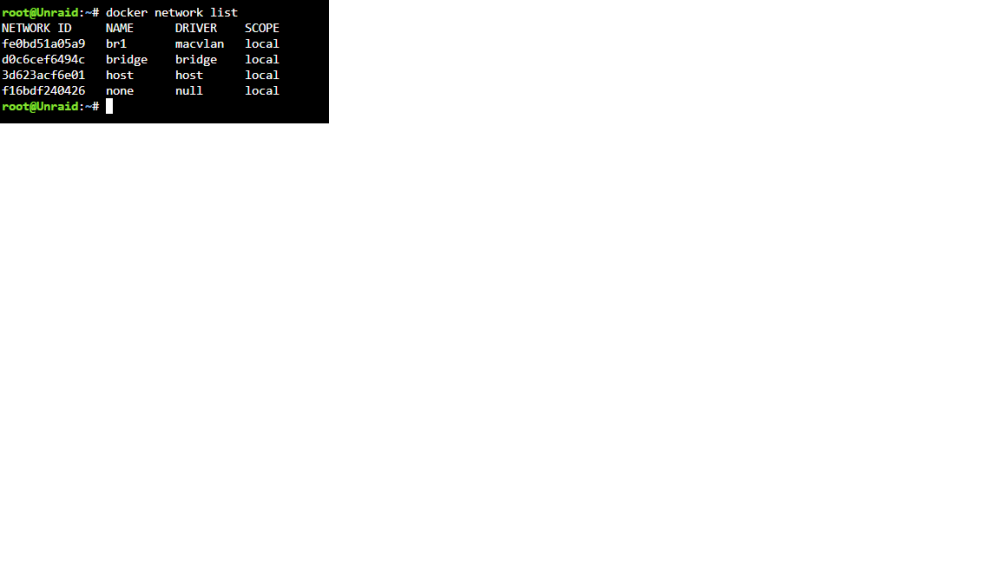
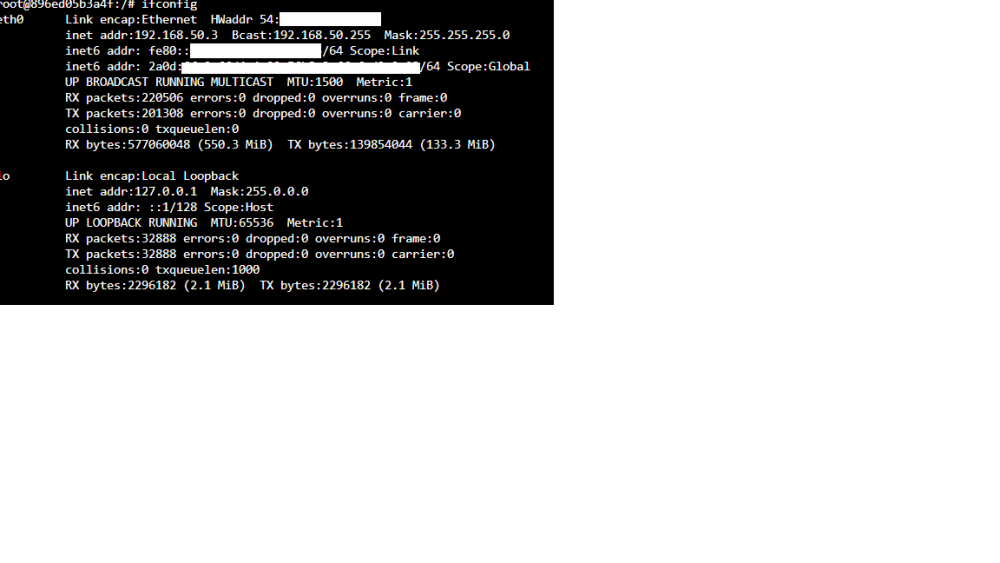
This are the settings I used br1 working, all containers using it ipv6 on containers working using "--sysctl net.ipv6.conf.all.disable_ipv6=0" in extra paramaters of each container so far, no macvlan traces (finger crossed)
-
Don't use auto IPV4/IPV6 on eth0 - use static and define IP/gateway/dns than you need to feel the subnets in docker settings under br1 (but don't check the pool - just the subnet and gateway)
-
Well, figured out a solution (although not perfect) eth0 was using automatic setting for IPV4+IPV6 after setting it to static, docker network br1 appeared and it's working (IPV4+IPV6). eth1 is using automatic setting for IPV4+IPV6 so I didn't need to set addresses in docker settings (which is good because my IPV6 prefix isn't fixed, and a manual setting would not be valid after my prefix will change). The only "problem" now is that Unraid GUI has two IP's in same subnet.
-
Did you find the configuration error?
-
Here is my diagnostics bridging enabled only for eth1 br1 is visible with right settings in routing table is visible in ifconfig can't select it in container settings
-
@bonienl Can you share docker.cfg and network.cfg? Thanks
-
I think it's a bug in 6.12 (rc3) BR1 isn't being created even when I disable bridging on eth0 and enabling it only on eth1 docker filling the right subnet/gateway on br1 but docker doesn't create br1 network (although it's visible in ifconfig) will be glad if someone who got it working will post docker.cfg and network.cfg from /boot/config Thanks in advance
-
@bonienl Hi Can you post a screenshot of your routing table under network settings? Thanks
-
I do Still br1 doesn't exist in containers config It doesn't listed in routing table also Do I need to create a custom network via cli?
-
Hi Tried to follow your guide But I guess I miss something There isn't br1 in my containers config Although I configured eth1 like the screenshot you provided and configured docker setting with br1 instead of br0.
-
Hi Every container gets 2 global IPV6 addresses one is based on the mac address (EUI-64) and one is based on the prefix with ::1/::2... at the end some containers (like linuxservers qbittorrent) only "use" the later which can change between reboots can I disable the second type of global IPV6 address? or can I make it "fixed" somehow?
-
latest unraid version fixed the IPV6 (for most parts) the containers now get address based on their MACVLAN adress which is sufficient for me to open the appropriate ports.
-
Thanks for this release It fixed problem I had with IPV6 allocation to docker containers. (Started with 6.11).
-
have you enabled "Host access to custom networks:" in docker settings?
-
Hi Just a little question (which isn't directly connected to your project) when I set (public hostname) *.mydomain.com to (service) https://swag:443 it's working only if I check "No TLS Verify" mydomain.com has a wildcard certificate by let's encrypt (which obviously isn't being used while using cloudflare proxy/tunnel) my local host/ip (swag/192.168.X.X) doesn't have a certificate (do I need one? and if so, how to issue one?) Thanks in advance
-
Hi, Thanks for this container, it's seems to work great and very easy
-
Too bad recent change in docker behaviour makes it very difficult for me to handle dockers in ipv6 we need a script, which monitor the prefix/ipv6 of eth0 and edit the templates (replace current prefix with new one) in /boot/config/plugins/dockerMan/templates-user and restart docker some kind of "ddns" for docker
-
6.11 rc5 Had some trouble with my network settings Deleted network.cfg and rebooted server File isn't generated as before, getting apipa IP. Tried several times.
-
Hi Did you find a solution?
-
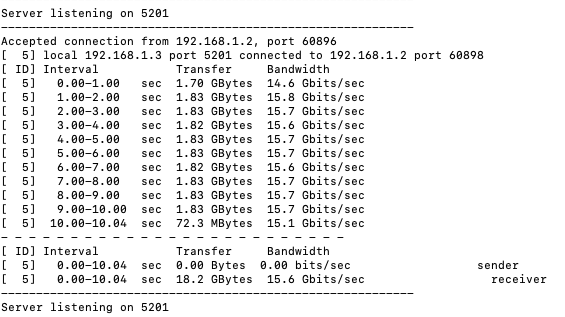
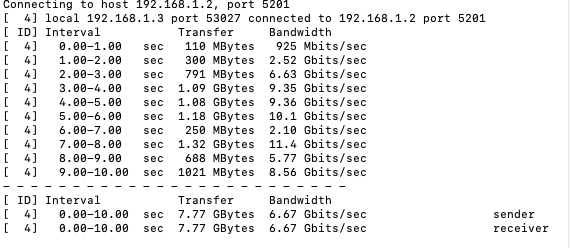
Regarding thunderbolt networking on 6.11rc4 it is working "native" I still need to use "ip link set thunderbolt 0 up" an of course assign static IP with ifconfig the speed is not stable when using pc as server when using unraid as server
-
Hi Before 6.11, docker containers got IPV6 address based on the IPV6 prefix and the container mac address as suffix (EUI-64) (docker using macvlan) after 6.11RC4 (the first RC I installed) the containers get IPV6 address based on prefix and ::2/::3 (etc) suffix. how can I restore old behaviour? Thanks in advance
-
Hi is it possible for Cloudflare-DDNS to update both IPV4 and IPV6? what's the syntax for these ("," or ";" doesn't seem to work. Thnaks
-
Found solution which works for me: under the ddns docker set network to none and under extra prameters set --net=container:swag
-
Hi I'm using several Dockers on br0 network I have dynamic IP which change often Been using cloudflareddns to update my A/AAAA records but one thing I still don't understand: Every docker under br0 has it own unique IPV6 (as it should be) - how do I update this in cloudflare DNS? Currently its updating the host IPV6 (or the cloudflareddns specific IPV6 if on br0). Thanks




