





mattie112
Members
-
Joined
-
Last visited
Everything posted by mattie112
-
Great thanks I will try that! Probably had that set when testing unraid (as this is a case I've tested) but now it was set to 0 indeed.
-
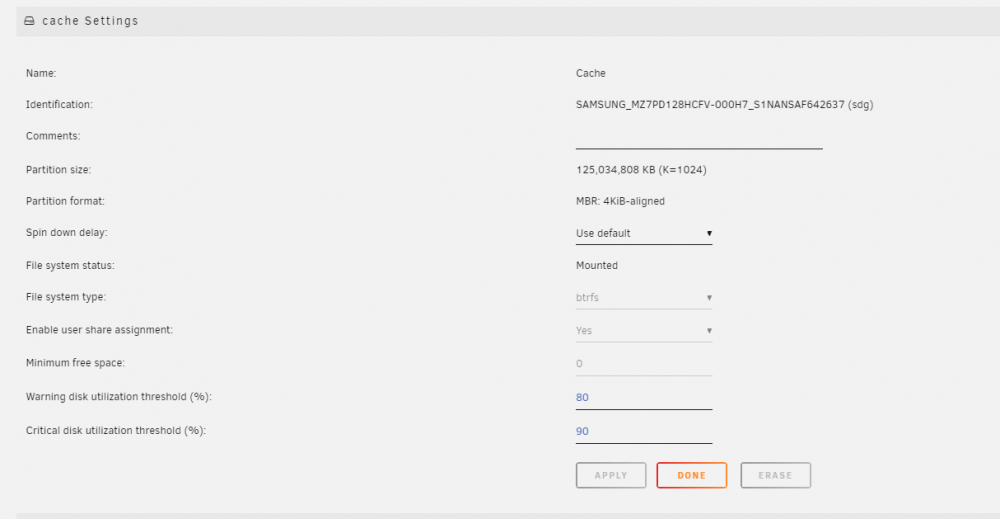
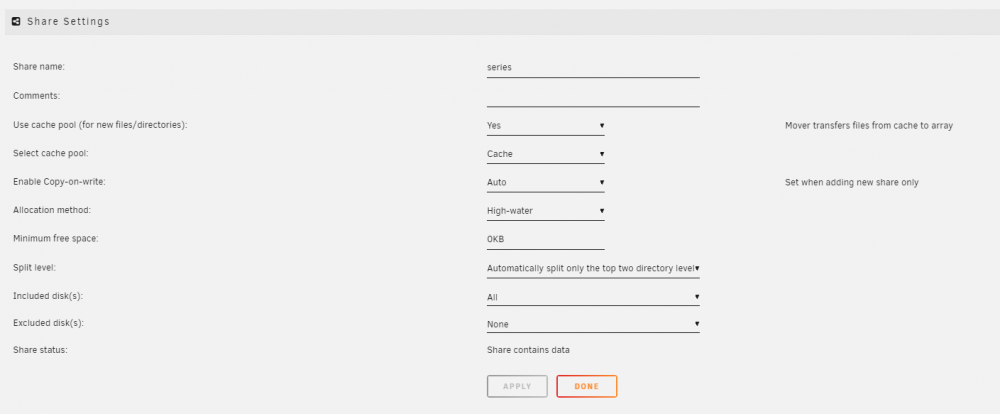
I have been using Unraid for about a year now and today I have been sorting/moving some stuff. At some point my cache drive was full. Not a problem right? It should go to the array? But it does not seem to work, I thought it would automatically do that but perhaps I'm wrong and a full cache drive simply has never happend yet. My cache pool: (I cancelled the file transfer so I guess ~10gb will be removed soon) The share I am writing to: "Yes indicates that all new files and subdirectories should be written to the Cache disk/pool, provided enough free space exists on the Cache disk/pool. If there is insufficient space on the Cache disk/pool, then new files and directories are created on the array. When the mover is invoked, files and subdirectories are transferred off the Cache disk/pool and onto the array." So "if there is insufficient space the file will be created on the array". Right? Then why when I transfer a file through SMB I get a "There is not enough space on <share>"? Am I missing something? I will now run the mover which will most likely fix it but this simply seems strange to me. Thanks for any advice!

-
For the people using my fork, (the port 80/443 one): I have just merged the latest v1.16.1 into my branch and pushed a new version. I'm doing this manually so I don't really push every version (as I have to notice it). But if there is any major issue of a fix that you'd like just send me a message and I will push it
-
You could check the location of the .htpasswd file (if you use one). That should not be readable by the web. Some generic pointers: https://stackoverflow.com/questions/6441578/how-secure-is-htaccess-password-protection/6442113 Not sure if NPM has somekind of bruteforce protection.
-
I did not know that it was so 'fresh' But thanks! Was planning on trying it out this weekend.
-
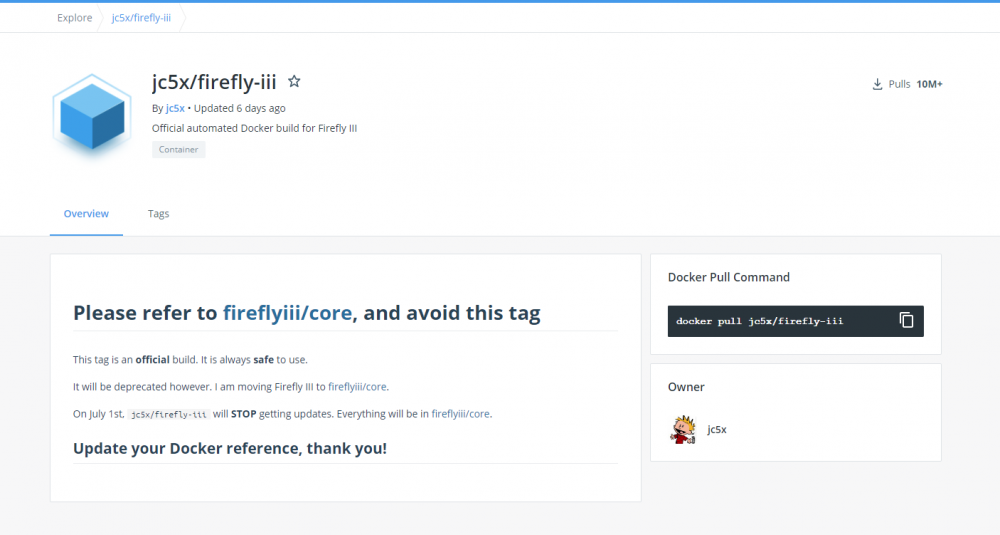
Hm this looks good! When checking out dockerhub (I always roughly check what containers contain) and I noticed: So what is the plan? Can I still use the unraid template and then edit it to fireflyiii/core? Why not change the template now to prevent confusion?
-
I have no issues with the latest version (no update available). Does this happen with all mails? Or only a certain document?
-
https://forums.unraid.net/search/?q=Redis password&quick=1&type=forums_topic&item=100843
-
I don't use CloudFlare: does it also proxies traffic for port 80? If you want to use letsencrypt it will need access to that. Or perhaps cloudflare blocks the .well-known directory?
-
So your bitwarden is on 182.168.100.99 right? In your browser I don't see a port appended so it is running on port 80? Then why are you using port 8888? Or am I missing something?
-
You can try it manually: docker exec -it NginxProxyManager bash And then something like: certbot renew --dry-run or certbot renew --force-renewal Run certbot --help renew to see all options available
-
Try: nc 192.168.100.99 8888 <enter> and then the commands to fetch a webpage (or use curl http://192.168.100.99:8888 to 'download' the page)
-
Please confirm that you can access yourdomain over UNENCRYPTED port 80. Try it from your phone 4G or from an other network then the one your server is in.
-
See: https://forums.unraid.net/topic/76460-support-djoss-nginx-proxy-manager/?do=findComment&comment=944261
-
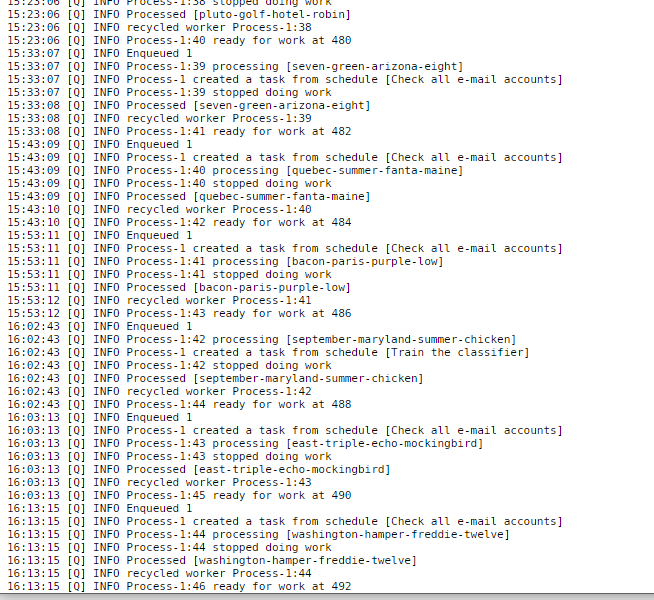
I only see INFO messages: What kind of DEBUG messages do you see?
-
Just updated my server with the new version. Was a bit more work because I manually editted the existing plugin so I could test my changes so it did not allow me to update Simply removed it, rebooted just to be sure, downloaded the new version and pasted my config. Works like a charm Fantastic that now everybody can do it like this simply through the UI!
-
That's not an other question, that is the same question. Either use CA backup or backup the directories listed above with any other tool.
-
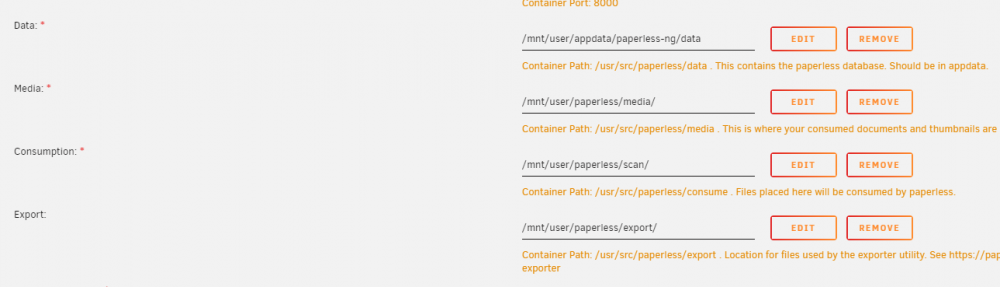
These folders contain the data: Simply backup those with whatever tool you like and you are good to go
-
Just backup the mounted folder in your appdata or use the CA backup plugin
-
You can only request SSL certificates on a hostname (some.domain.xyz) not on an IP (*). So if you either have your own domain or make up a domain and add it to your local DNS server you could do that yes. *) technically you can sign an IP but this will always be somekind of untrusted self-signed certificate Or are you talking about the service you want to proxy being on an other IP, that should be no problem
-
Paperless has its own app. But I use Microsoft Lens (free) as it also supports multi page documents.
-
What if you access paperless directly and not through a reverse proxy. Does it work then? If so the issue is not with paperless. And about the consume: is there anything in the logs?
-
And the certificate is indeed correct? With all the required intermediate certificates? Is it from letsencrypt or an other provider? You can test your certificate with a site like ssllabs.com
-
So :80 works great but :443 does not? What is the issue then when visiting a https link? Do you get an error? No connection? You can also run a wireguard docker: https://hub.docker.com/r/linuxserver/wireguard And then on your NPM container:

-
Is there anything in the logs? If the certificates are "to new" it will not renew them.







