





Jammy B
Members
-
Joined
-
Last visited
Everything posted by Jammy B
-
anyone updated this recently? i have and it has developed quirks. if you do a new permissions on a share. it now pauses NZBGET downloads all the history it had is gone and now clears daily. all i've done is updated the container when it suddenly had an update available.
-
same, but mine usually comes alive around an hour after the container has started. weird as f##k.
-
how do i get to the support page? updating to 0.3.0 borks the ability to access the unmanic dashboard. rolled back to 0.2.9 and the support future development button is borked there too.

-
same issue with cometlake and 20.10.24 version
-
in all honesty, i am feeling a little overwhelmed and unsure what to do next. I have not kept abreast to the new features/abilities that have rolled in over the last year, that and simultaneously some hardware issues [drives playing up] have reminded me that routine maintenance is not enough and i need to be implenting some things. existing setup: Cache/docker/VMs - 1TB NVME Unassigned Devices - 1TB SSD - Plex Metadata I have spent the last couple days reading up and think my best course of action is to: Cache pool - 2x 2TB NVME mirrored - docker Pool 2 - 1x 1TB NVME - Plex metadata / VMs create a schedule to clone/mirror/snapshot Pool 2 to the array or even just the vdisk's nightly. I want Plex metadata/VMs off of cache as i can see/feel performance issues with VMs on the cache. [i had VMs on another NVME until last week when the drive began to play up. so the affected performance is new!] my questions: 1. i know how to move things around with MC. but i have never done a new cache setup before. what is the simplest method to complete that? 2. what is the easiest method to create scheduled backups of Pool2 to the array? thanks all!
-
thanks for the script. i've put that in as even after adding the nominal voltage in yesterday, NUT failed this morning. will report back tomorrow if the script does the job. thank you for the assistance on all this as always.
-
its a cheap UPS, its just had new batteries put into it. when they "fail" in a couple years i will look at it then. in the meantime, is there a script i can make/run that runs 5 minutes after startup to restart Nut? odd that the NUT starting issue only started after i removed the battery voltage and nominal voltage in the ups.conf, i might re-instate the nominal voltage today to see if it "cures" the issue, then if need be, reinstate the battery voltages and reduce "on battery" runtime to 1 minute instead of 2 minutes. thanks for looking at it.
-
no problem, attached. amjam-diagnostics-20240327-1411.zip
-
hi @Rysz new issue now, Server turns off at midnight each night as per sleep scehdule. at 6am it then turns back on via BIOS alarm. but now NUT will not start. when i go into NUT settings and say "Yes" to Start NUT service. it then starts and runs. i attach diag prior to manually starting NUT and after i have started NUT. what have i busted this time? nut-debug-20240327091949 post.zip nut-debug-20240327091532 pre.zip
-
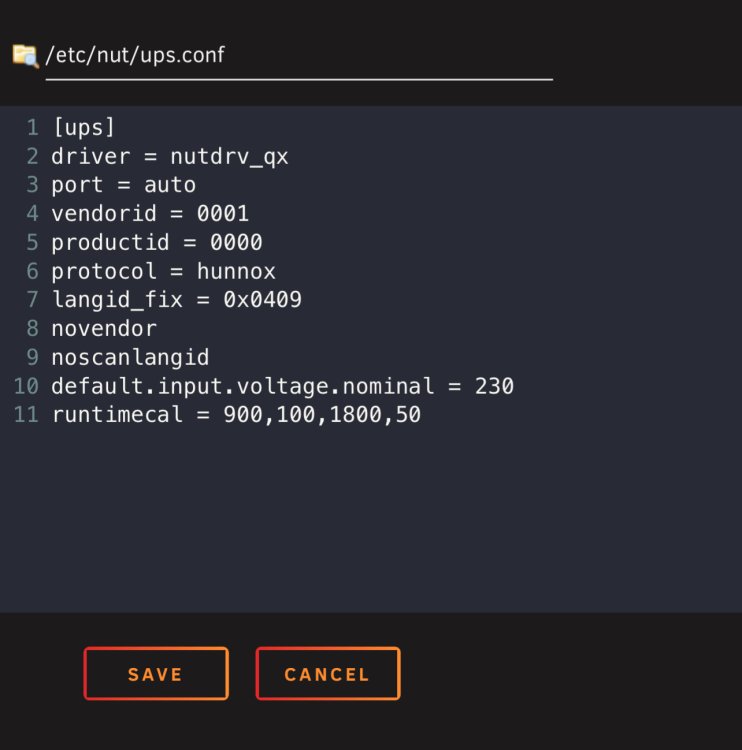
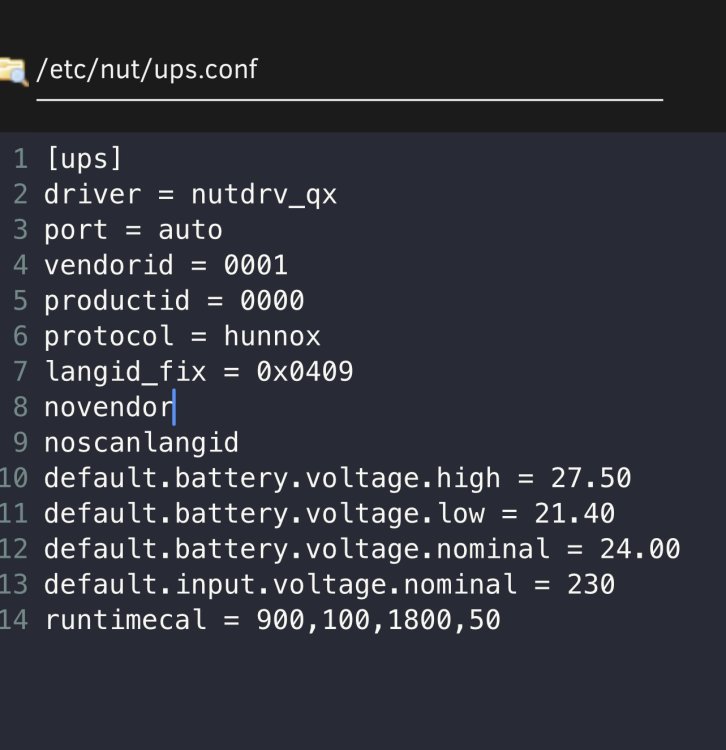
[ups] driver = nutdrv_qx port = auto vendorid = 0001 productid = 0000 protocol = hunnox langid_fix = 0x0409 novendor noscanlangid default.battery.voltage.high = 27.50 default.battery.voltage.low = 21.40 default.battery.voltage.nominal = 24.00 default.input.voltage.nominal = 230 runtimecal = 900,100,1800,50 removed: default.battery.voltage.high = 27.50 default.battery.voltage.low = 21.40 default.battery.voltage.nominal = 24.00 Then Nut would not start. changed the attribute to runtime.low and then it loaded. see how that fares i guess.

-
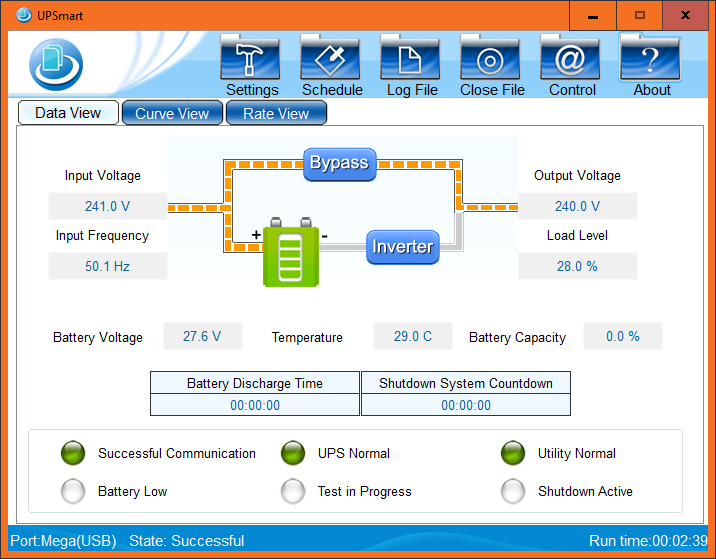
Good morning! i have now replaced the 2no batteries within the Powercool UPS and it is now functioning correctly. running the UPS directly connected to my laptop via USB and running the software that came with the Powercool doesn't tell me anything about the battery health. As far as it is concerned, the batteries within the unit are fine. now that i have replaced the batteries, the 2 minute process is working fine. What do i need to do [besides remove my custom battery voltages] to enable NUT to accurately read from the UPS? edit to add - the "battery capacity" doesn't change even with new batteries. i think the software is a bit "universal" as it has options to do tests that do not do anything.
-
yeah its doing a parity check. looks like the power cut has revealed other issues as when i cut the power to the UPS, the UPS just goes off. so i've directly connected to the UPS with a laptop via USB and the battery is 0%. i don't know if its just because it has been flattened and needs time to re-charge or if its f##ked. its only as old as my posts on here asking if NUT could get it! i've disabled sleep/shutdown on the server as it won't finish a Parity check by midnight. when i get back home from work tonight i will have a look at battery % again. worrying part is the SOC on NUT is dictated by the battery voltages i've manually entered. seems i need to do some further investigation on this as NUT won't know the battery is flat either. will update this evening. thanks again.
-
you are the best! that fixed it and re-instated my old settings. thank you. no notifcations as i wasn't home when it lost power so it couldn't get the messages out. thanks for remembering how "cool" my Powercool was!
-
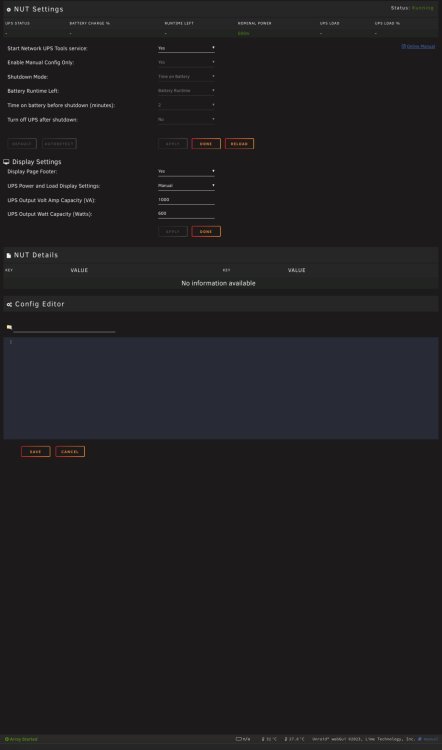
running == nut-2.8.1-x86_64-2stable.ssl11 has something been updated to remove the settings on NUT to set Battery level to initiate shutdown (%): Runtime left to initiate shutdown (minutes): Time on battery before shutdown (seconds): as i seem to have lost those options in NUT settings and we have had two power cuts in the last 12 hours and the server has not switched off due to not being told to. i had it set 2 minutes after noticing a power cut, shut down. how do i put that back?
-
removing those 3 lines of code causes NUT to not function. whilst they aren’t necessarily correct, the config works enough that when on battery it then powers off after 2 minutes. what do you recommend I do next?
-
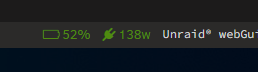
Now “charged”

-
no screen on my basic UPS - https://www.cclonline.com/pc-1000va-powercool-smart-ups-1000va-3-x-uk-plug-2-x-iec-rj45-x-2-usb-led-display/ the charging indicator is solid green which means charged and that doesn't change unless i have a powercut or manually kill power to it. it powers my Unraid machine, UDMPRO, switch and CCTV NVR no problem. its never switched off and we don't get many powercuts and when we have its been flawless in signalling the Unraid machine to switch off. its now on 52% charged as well. it was on 3% when i posted this morning is there a setting i might have put in to it that it is reading the wrong thing, but what would increase over time? my 3 year old thread -
-
i've had NUT running a couple years now and one thing it does i still cannot solve. the UPS runs 24/7. my Unraid server does not, its on from 6am to midnight each day. When Unraid first boots, the battery % is at 0%. some point this afternoon, it have steadily "charged" itself up and got to 100%. i don't understand why it does this when it is 100% already as it is fully charged and on 24/7! any suggestions on what i need to check/alter to make it display correctly? or am i totally misinterpreting something?
-
i've just seen the reddit post about the current installs expiring 1/1/24. i'm running controller 5.14.23 with 12 or so sites on it. can i migrate to this reborn or do i need to do something else? edit - went for it to 8.0.24. it went without a hitch and is working great. thank you.
-
Yeah it’s loading up fine. Just normally a blank screen on boot. Only change is updating to 6.11.5
-
done the update, updated virtio drivers. VM works but curious what to do to clear the messages.

-
thanks for the tip, I have added the array disks to the outside setting. will report back how it fares.
-
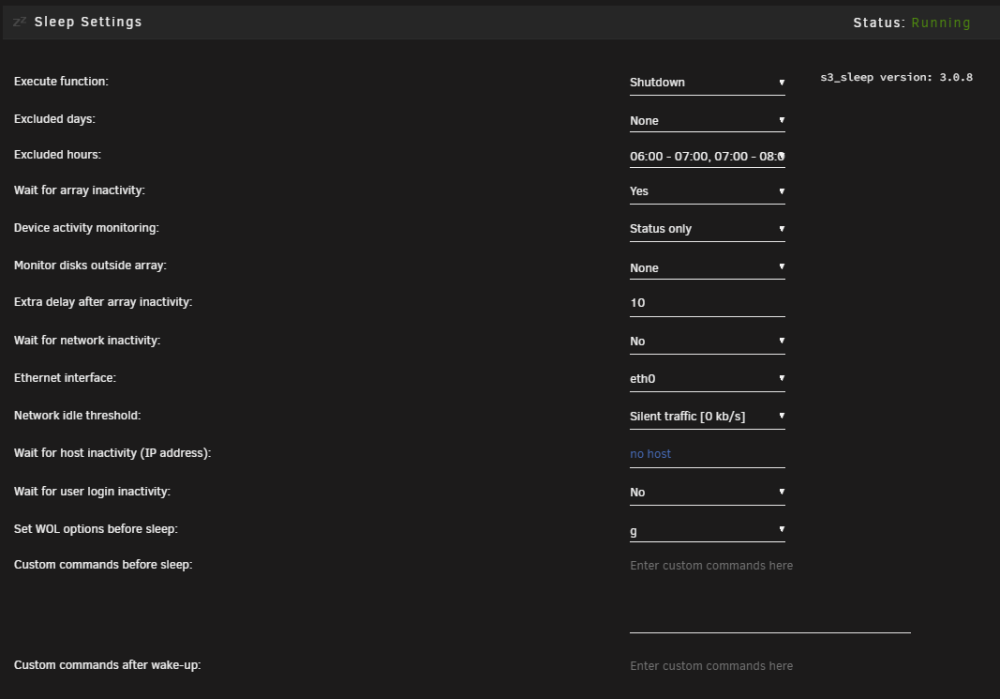
Dynamix S3 Sleep running latest stable unraid. Can someone help me please? i've setup S3 Sleep and so far was working fine. but now it seems to ignore its own rules and turns itself off. by that, i have it set to switch off from midnight onwards. typically it might stay on till around 1am then switch off due to activity on the server. now it switches off bang on 12:10am every night [as the 10 minutes is the "extra delay" set on the plugin] it aborted my parity check to switch itself off last night. if people are watching Plex, it switches itself off. it didn't do this before. i attach a screenshot of my settings in hope that someone tells me i've ticked something!
-
nothing jumps out at me.
-
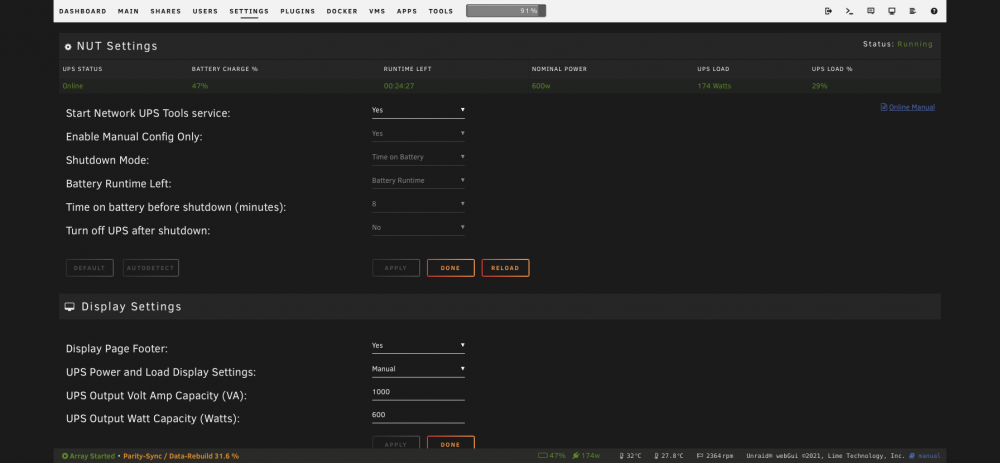
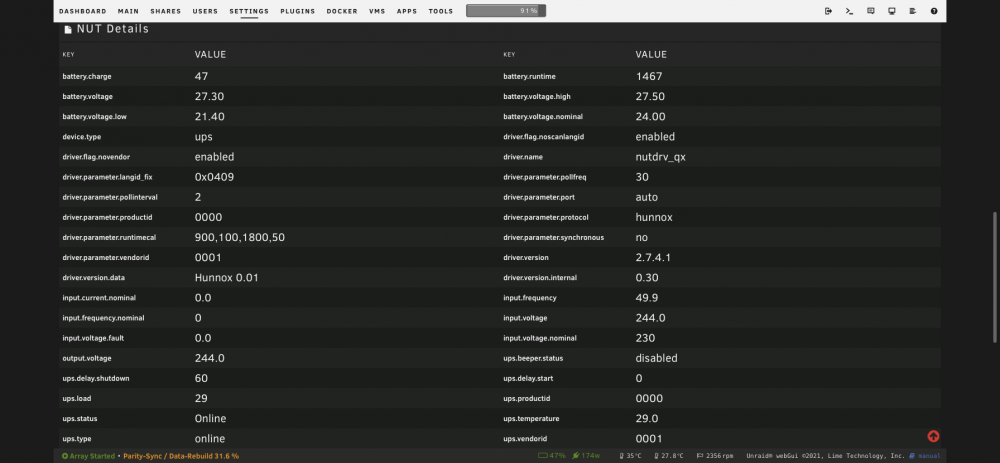
@SimonF had read errrors last night so done the usual power off, pull the drive, power up, start/stop array. turn off, reconnect and power on and re-build. but i noticed NUT reporting 0% and charging. [its now on 1%] i didn't touch the UPS, nor turn it off. any ideas? normally a power cycle wouldn't mess with that.




