






doesntaffect
Members
-
Joined
-
Last visited
Everything posted by doesntaffect
-
Have a look here:
-
does this board support PCI Bifurcation for the x16 slot?
-
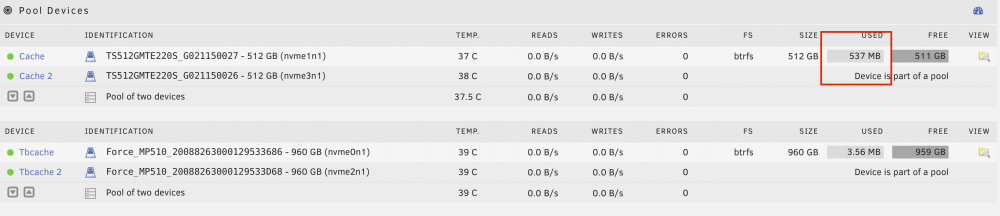
I think this worked out so far, however there are still 500MB on my first cache pool. When I click Browse, the cache seems to be empty. I asume the 3,56MB on the second pool are related to the file system? Any advise? See attached screenshot.
-
This is good advise, thanks guys! I clicked the GUI help icon several times during my trial however only now realized that this injects the help into the GUI.
-
I'll give it a try tonight and hopefully dont mess this up. Is the data of shares, where I did choose "yes" for the caching option also present on the disk array, once move did his job? Or will there be data left on the cache? My understanding is, that only "Prefer & Only" keep data on the cash beyond a mover run. I still struggle to understand the flow of data between cache and the array. With the increasing usage of SSDs I think this could be a feature ("Cache Migrator") that would be usefull for a lot of users.
-
I installed another set of caching SSDs and want to move my appdata from the old cache to the new. Do I simply change the used cache in the share configuration (from cache to cachex in my case) and hit the mover button? I want to delete the data on the old cache pool later.
-
I am fairly new to Unraid and want to put Authelia in front of my nextcloud / heimdall. What I understood so far is that the template https://github.com/ibracorp/authelia.xml/blob/master/authelia.xml is meant as a docker template. Please correct me if thats not the case. My question is, how do I get a authelia container set up, which is based on this template? In the CA "Apps" I see only the official authelia container for download. Thanks for any advise
-
The plugin does not recognize my 3 cache drives (NVMEs). Is that on purpose?

