





Gunny
Members
-
Joined
-
Last visited
Everything posted by Gunny
-
So I tried the nightly build and I'm getting approximately 50% slower encodes on the nightly build compared to the latest build. Are nightly builds of handbrake inherently slower or do you think theres an issue on my side? I timed it and by a set amount of time latest was at 10.2% complete, and on the exact same file, exact same encoding settings, nightly was at 5.5% complete. Still waiting for nightly to finish its run so I can collect the activity logs.
-
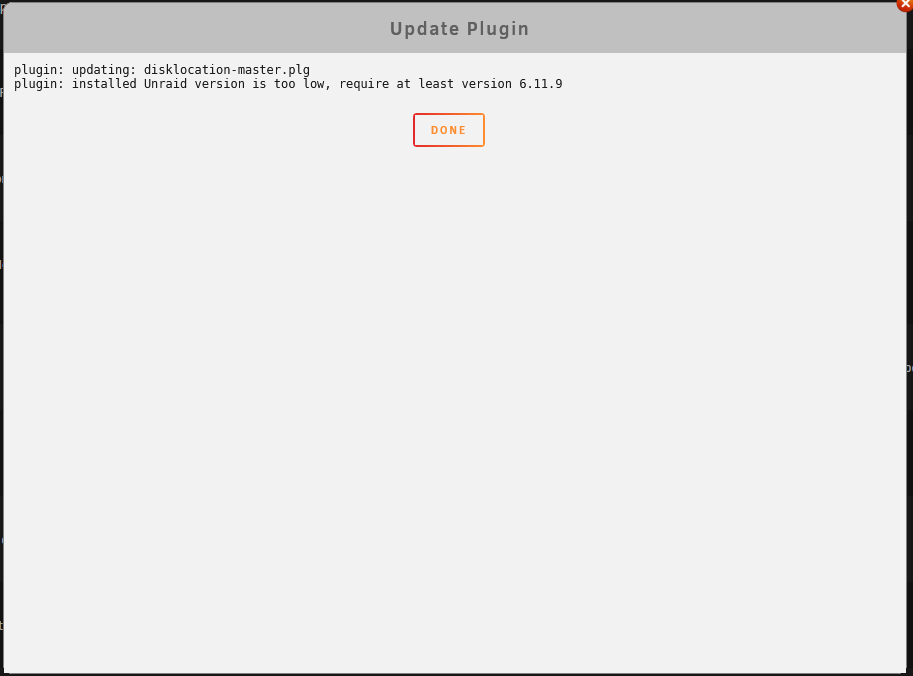
So I figured I could always restore the old one from backup anyways if it broke, but it looks like it shows an update button even though it prevents you from updating:
-
Yeah I read that, but what do you mean by dashboard though? Is it the widget on /dashboard, the configuration dashboard in settings, or something else?
-
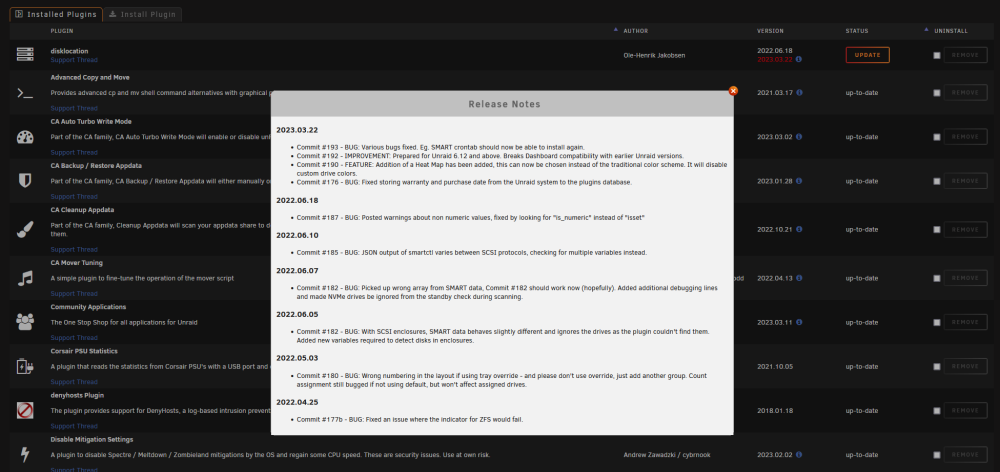
So I'm on 6.9.2, and it is showing that update 2023.03.22 is available to me, but its not actually compatible with 6.9.2. What happens if it gets installed on 6.9.2?
-
Since installing the forked plugin (and uninstalling the original), the backup status is reporting an error occurred so it doesn't delete old backups, but there isn't an error displayed in the status window. Any help diagnosing this?

-
I wrote a User Script to automatically replace the files and restart the ipmi service on reboot: #!/bin/bash cp /mnt/user/ipmifan /usr/local/emhttp/plugins/ipmi/scripts/ipmifan cp /mnt/user/ipmi2json /usr/local/emhttp/plugins/ipmi/scripts/ipmi2json /usr/local/emhttp/plugins/ipmi/scripts/fanctrl_stop /usr/local/emhttp/plugins/ipmi/scripts/fanctrl_start
-
For @bushbashathen, if you follow my comment chain ending in here: you can see the files I now use, so if you want, you can use the ipmi command info posted by @Elmojo above to modify your files in a similar way to make them work for you board. Just make sure to save your modified files somewhere as by default they will get overwritten on unraid reboots
-
If you know what IPMI commands you need, you can do what I did and modify this plug-in’s php file to use your motherboard’s version of the commands. Works perfectly for me.
-
If you can get fan control for your board working via an ipmi terminal command (or really any terminal command), I can tell you how to modify the plugin to support your board.
-
If you can find the correct IPMI-RAW command to control the fans and what each value does, its pretty straight forward to modify the scripts to support your system.
-
The two files you need to modify are /usr/sbin/ipmifan /usr/sbin/ipmi2json but they get overwritten each time you restart Unraid (not very often for me so copying the files back isn't an issue) They don't need a file extension, they are marked via chmod as a executable and if you open them in a text editor you'll see they are shell scripts, text files that get fed into a specific interpreter. After you change the ipmifan file, you need to turn off the fan control setting then turn it back on so it reads in the new script file.
-
My drives are spun up 100% of the time, but if they weren't why would spinning them up, then immediately stopping the array be beneficial?
-
The array was started, but nothing was using it since all VMs and containers were stopped. Is it good practice to manually stop the array prior to restarting?
-
Thanks for the Settings tip, I'm not too worried, I was overdue for a parity check anyways. The weird thing was I had already manually shut down all vms and docker containers, so I don't know what would've caused it to hang for 90 seconds (my previously set timeout) unless of course that bug you mentioned doesn't use the default value as the lower bounds, and instead force shutdowns immediately. Either way I've changed the timeout to 120s just to be safe.
-
Upgraded from 6.9 to 6.9.1, on restart a notification popped up saying an unsafe shutdown was detected and so a parity check was started automatically.
-
sorry about the delay, if you want to modify the live files the IPMI plugin uses, they are stored in /usr/sbin/ The two I had to modify were ipmi2json and ipmifan. The former is the thing that scans the motherboard to see what fans are plugged in, the latter is the service that runs that actually controls your fans based on temperature. If you do a diff of the files in your system to the ones I uploaded, you can see my changes and hopefully figure out how to get the commands that work for you into your local files. The files in /usr/sbin get reset every time you restart so make sure you save the final versions somewhere permanent then move them back on server restart.
-
Looks like you would need to update the scripts to support the Dell IPMI command setup, https://github.com/NoLooseEnds/Scripts/tree/master/R710-IPMI-TEMP
-
@Squid I think I found the issue, I opened an issue on Github with the line and suggested fix: https://github.com/Squidly271/ca.backup2/issues/2
-
So there are 4 settings, max fan speed, min fan speed, high temp threshold, low temp threshold. If the temp drops below the low temp threshold, the fan will always be the min fan speed setting. If the temp goes above the high temp threshold then the fan will be stuck at the max fan speed setting. In between is basically a straight line if you were to plot temp on the x axis of a graph and fan speed on the y axis of the graph. So if your min temp is 30 and max temp is 50, if the temp is actually 40, then the fan speed should be halfway between your max and min speeds in terms of pwm percentage. So to finally answer your question, if your max temp is set to 45, and your max fan speed is 100%, then at 45 and any temp above, the fan will be at 100%.
-
The Exclude Folders option does not seem to be working for me. I'm trying to exclude some subfolders in one of my docker container's appdata area (Plex for reference). I've tried both absolute paths and relative paths. Relative: Plex-Media-Server/Library/Application Support/Plex Media Server/Cache/ ,Plex-Media-Server/Library/Application Support/Plex Media Server/Media/ ,Plex-Media-Server/Library/Application Support/Plex Media Server/Metadata/ Absolute: /mnt/cache/appdata/Plex-Media-Server/Library/Application Support/Plex Media Server/Cache/ ,/mnt/cache/appdata/Plex-Media-Server/Library/Application Support/Plex Media Server/Media/ ,/mnt/cache/appdata/Plex-Media-Server/Library/Application Support/Plex Media Server/Metadata/
-
Try reducing fan speed minimum and or increasing low temperature threshold.
-
@doesntaffect @limes @ramblinreck47 the two files I needed to modify to get my asrock rack board to work are: /usr/sbin/ipmifan /usr/sbin/ipmi2json My board is the EP2C612 WS, but I was getting the same issues you were getting as well, so my change may work for your model. if you run dmidecode -qt2|awk -F: '/^\tProduct Name:/ {print $2}' that should give the motherboard model that dmi sees, you can then modify the script to key off of that model name like I did for "EP2C612 WS" see the files I uploaded in this comment: Just try replacing the text "EP2C612 WS" in those files with your motherboard model as outputted by that dmidecode command If that doesn't work, make sure you are able to control your fans via IPMI commands outside of the plugin, ipmi-tool should be on the path on your unraid installation. Then you can figure out how to make your motherboard work in those 2 files. ipmifan is what actually controls the fan speed during production ipmi2json is what the configure buttons runs to build up json files stored in. This is the details for the ipmi command for my motherboard model, they may work for you:
-
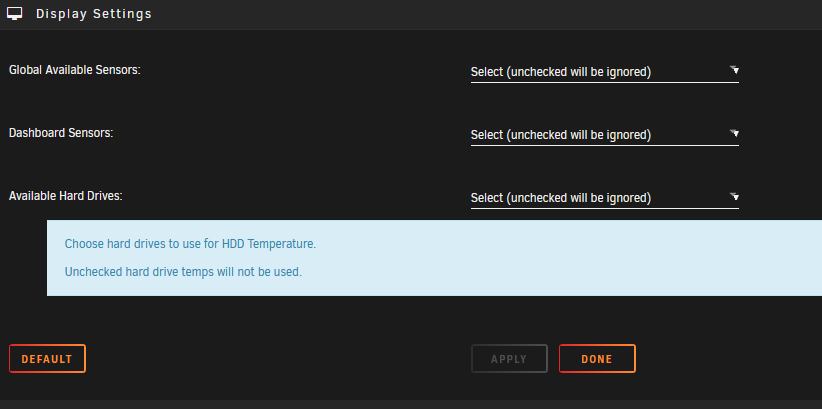
you should be able to de-select the ssd's from the list here.
-
This did it for me! Thanks a bunch for posting that.
-
Cheers, I didn't see that specified in the release notes, but that makes sense. I was confused because I only just setup remote shares yesterday and didn't know if I had done something wrong.




