PilaScat
Members
-
Joined
-
Last visited
Everything posted by PilaScat
-
Did it but same problem, not changed anything other then uninstalling powertop nut-debug-20240419001806.zip
-
strange on powertop there is nothing USB related enabled, however, in theory if I uninstall it and restart, any changes will go back to default, right?
-
here I am again with a new problem, after the various low battery nut now freezes and remains at the same wattage for days, I have to restart it manually to fix it but after a while it continues to freeze It's a big problem because it doesn't seem to communicate with the UPS (which is new, less than a month old) and therefore if there was a blackout it wouldn't do its job nut-debug-20240416210804.zip

-
Trying to use the dark theme for months, without success, now I need it to use with the new OLED monitor How can I enable it?
-
From what I can see the problem started after march 11 release, I'll try to switch backend when I can reboot the server
-
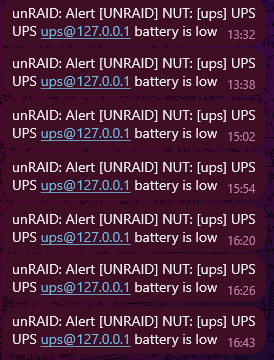
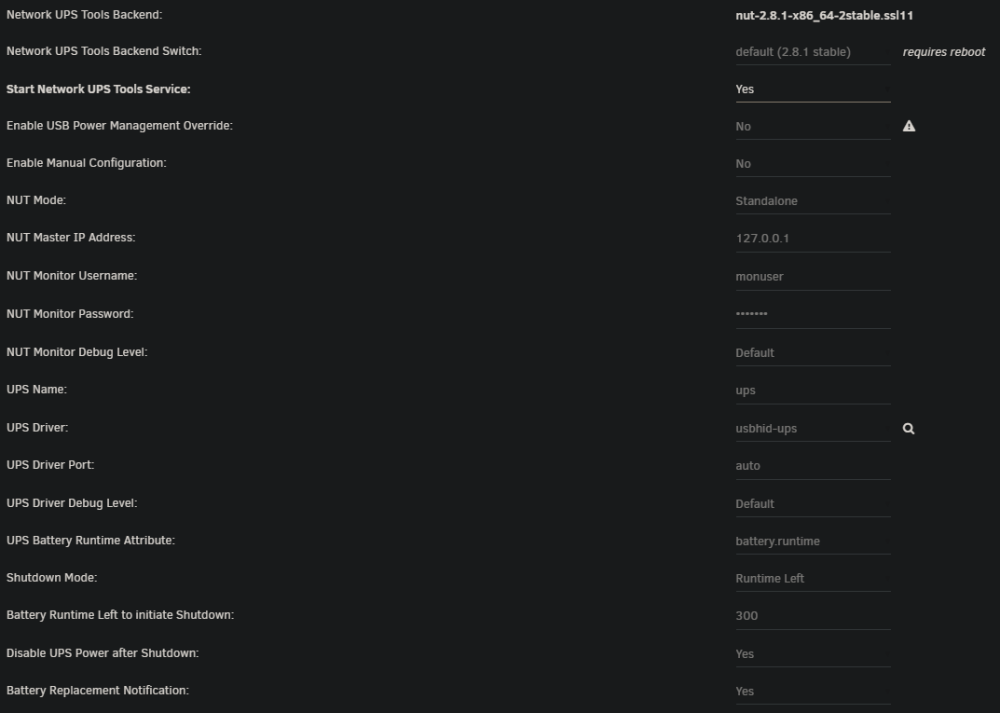
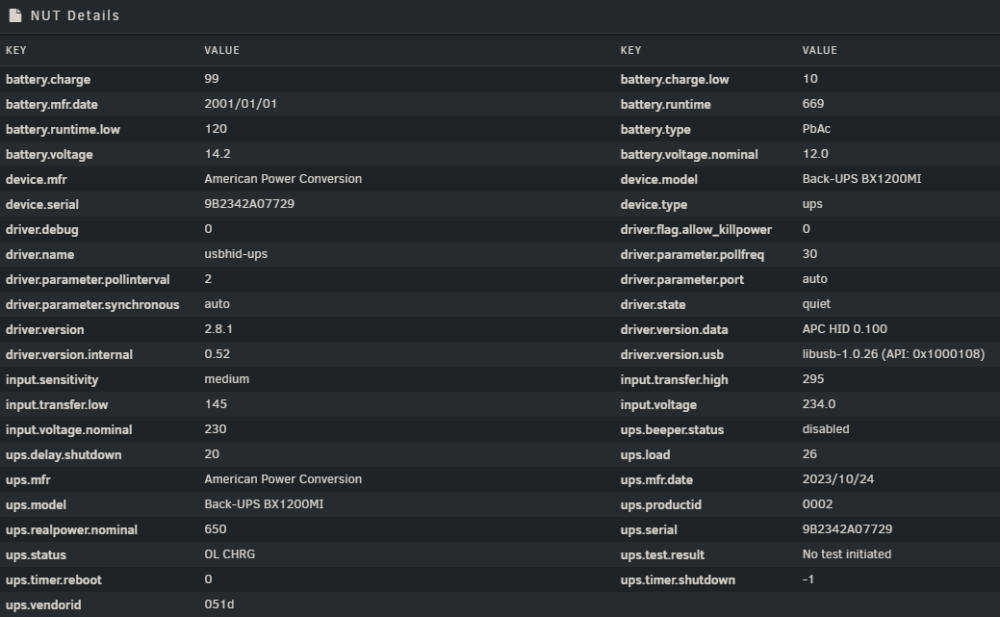
Hi, today my new UPS (APC BX1200MI-GR) arrived, set it up and charging, but in the notification I'm getting this: Is not true, it's going to 100% Other screens: While making the screens I saw live the percentage going to 0% then back to 99%, triggering the notification I'm connected to NUT with Home Assistant for automation, but I'm on standalone, it works but is it correct? Yes I have powertop but I checked and it isn't touching the UPS USB, and it worked the same with the old UPS, same UPS but 950VA nut-debug-20240316165522.zip
-
It is the first and only time that it happened, I'll ignore, thanks
-
Didn't know what happened and when, don't know if its safe, I'll reboot but I'd like to know why it happened unraid-diagnostics-20240101-1506.zip
-
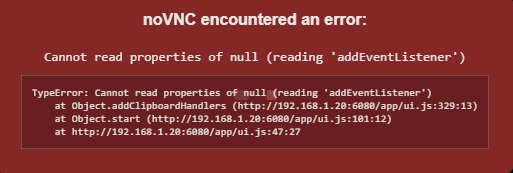
After last update the webgui tell me this:
-
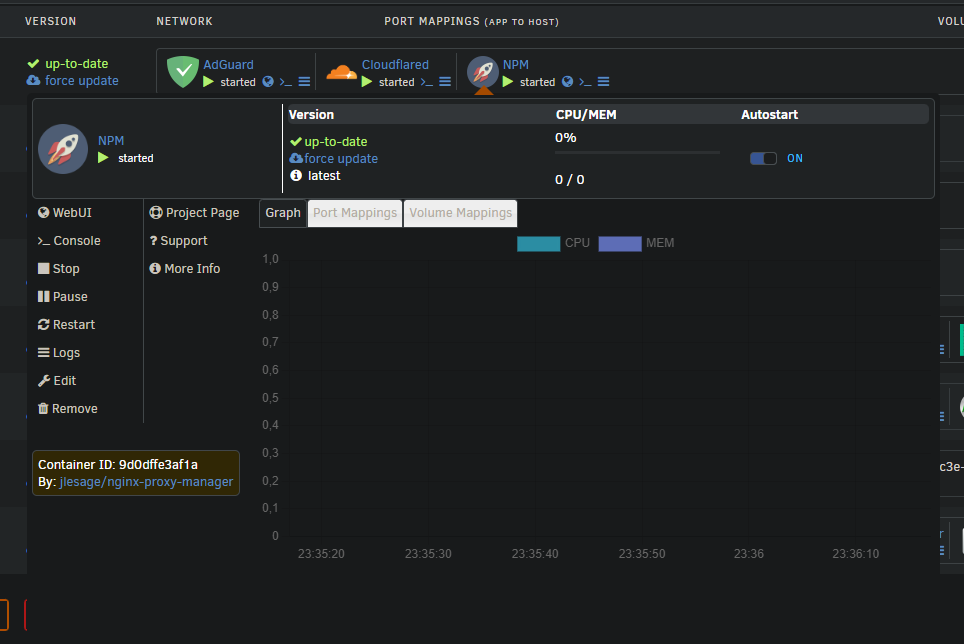
Mine have some problems, latest version, I use dark reader dark theme, stats aren't visible and box is too big
-
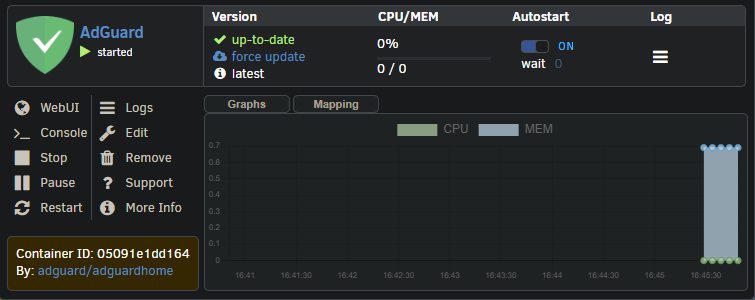
Could you re-implement this? And maybe if you can use this style for the bar? Now it is a bit little and too much blue
-
-
Now with unraid 6.12 it shows: There was a problem retrieving a field for a docker image Cannot read properties of undefined (reading '0')
-
Tried with advertise route 192.168.1.0/24 and exit node, all working like a charm, thanks, I hope next boot it remains
-
I don't use the VM anymore
-
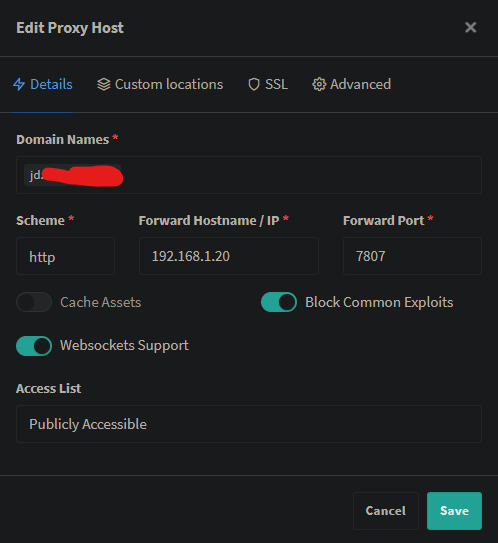
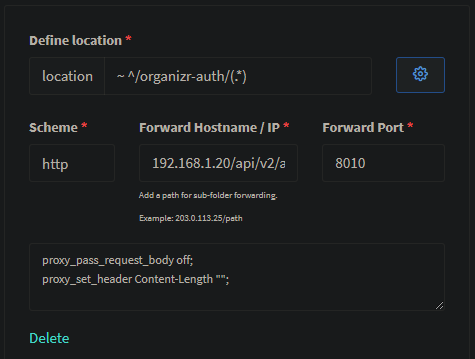
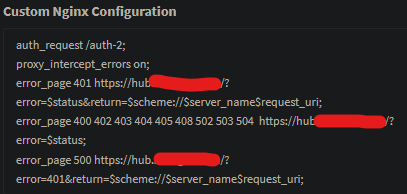
Error 1006, only in wan, I use NPM and Organizr auth It happens even with your mkvtoolnix docker They are in a custom docker network
-
How did you set it up? It gives me websocket error 1006 I have tried all the combinations
-
HI, I have this problem, when I pass throught a usb pcie card the vm doesn't boot I tried replacing with another one and I tried all pcie slot, it's seems it has boot priority 0, even without nothing connected This is my xml: <?xml version='1.0' encoding='UTF-8'?> <domain type='kvm'> <name>Windows 10</name> <uuid>c5b64a25-2a87-abed-f4b4-b6b119cf085b</uuid> <metadata> <vmtemplate xmlns="unraid" name="Windows 10" icon="windows.png" os="windows10"/> </metadata> <memory unit='KiB'>4194304</memory> <currentMemory unit='KiB'>4194304</currentMemory> <memoryBacking> <nosharepages/> </memoryBacking> <vcpu placement='static'>4</vcpu> <cputune> <vcpupin vcpu='0' cpuset='0'/> <vcpupin vcpu='1' cpuset='4'/> <vcpupin vcpu='2' cpuset='1'/> <vcpupin vcpu='3' cpuset='5'/> </cputune> <os> <type arch='x86_64' machine='pc-i440fx-5.1'>hvm</type> </os> <features> <acpi/> <apic/> <hyperv> <relaxed state='on'/> <vapic state='on'/> <spinlocks state='on' retries='8191'/> <vendor_id state='on' value='none'/> </hyperv> </features> <cpu mode='host-passthrough' check='none' migratable='on'> <topology sockets='1' dies='1' cores='2' threads='2'/> <cache mode='passthrough'/> </cpu> <clock offset='localtime'> <timer name='hypervclock' present='yes'/> <timer name='hpet' present='no'/> </clock> <on_poweroff>destroy</on_poweroff> <on_reboot>restart</on_reboot> <on_crash>restart</on_crash> <devices> <emulator>/usr/local/sbin/qemu</emulator> <disk type='file' device='disk'> <driver name='qemu' type='raw' cache='writeback'/> <source file='/mnt/user/domains/Windows 10/vdisk1.img'/> <target dev='hdc' bus='virtio'/> <boot order='1'/> <address type='pci' domain='0x0000' bus='0x00' slot='0x04' function='0x0'/> </disk> <controller type='pci' index='0' model='pci-root'/> <controller type='virtio-serial' index='0'> <address type='pci' domain='0x0000' bus='0x00' slot='0x03' function='0x0'/> </controller> <controller type='usb' index='0' model='qemu-xhci' ports='15'> <address type='pci' domain='0x0000' bus='0x00' slot='0x07' function='0x0'/> </controller> <interface type='bridge'> <mac address='52:54:00:14:4c:a4'/> <source bridge='br0'/> <model type='virtio-net'/> <address type='pci' domain='0x0000' bus='0x00' slot='0x02' function='0x0'/> </interface> <serial type='pty'> <target type='isa-serial' port='0'> <model name='isa-serial'/> </target> </serial> <console type='pty'> <target type='serial' port='0'/> </console> <channel type='unix'> <target type='virtio' name='org.qemu.guest_agent.0'/> <address type='virtio-serial' controller='0' bus='0' port='1'/> </channel> <input type='mouse' bus='ps2'/> <input type='keyboard' bus='ps2'/> <hostdev mode='subsystem' type='pci' managed='yes' xvga='yes'> <driver name='vfio'/> <source> <address domain='0x0000' bus='0x01' slot='0x00' function='0x0'/> </source> <address type='pci' domain='0x0000' bus='0x00' slot='0x05' function='0x0'/> </hostdev> <hostdev mode='subsystem' type='pci' managed='yes'> <driver name='vfio'/> <source> <address domain='0x0000' bus='0x01' slot='0x00' function='0x1'/> </source> <address type='pci' domain='0x0000' bus='0x00' slot='0x06' function='0x0'/> </hostdev> <hostdev mode='subsystem' type='pci' managed='yes'> <driver name='vfio'/> <source> <address domain='0x0000' bus='0x04' slot='0x00' function='0x0'/> </source> <address type='pci' domain='0x0000' bus='0x00' slot='0x08' function='0x0'/> </hostdev> <hostdev mode='subsystem' type='usb' managed='no'> <source> <vendor id='0x03f0'/> <product id='0x0953'/> </source> <address type='usb' bus='0' port='1'/> </hostdev> <hostdev mode='subsystem' type='usb' managed='no'> <source> <vendor id='0x046d'/> <product id='0xc52b'/> </source> <address type='usb' bus='0' port='2'/> </hostdev> <hostdev mode='subsystem' type='usb' managed='no'> <source> <vendor id='0x1ea7'/> <product id='0x1005'/> </source> <address type='usb' bus='0' port='3'/> </hostdev> <memballoon model='none'/> </devices> </domain> And this is my configuration:
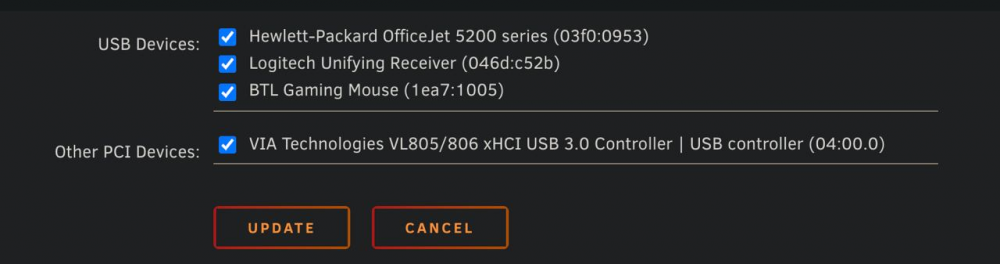
-
Ok found, it was custom server set to the ip but not the port
-
I dunno because plex is working even with tautulli
-
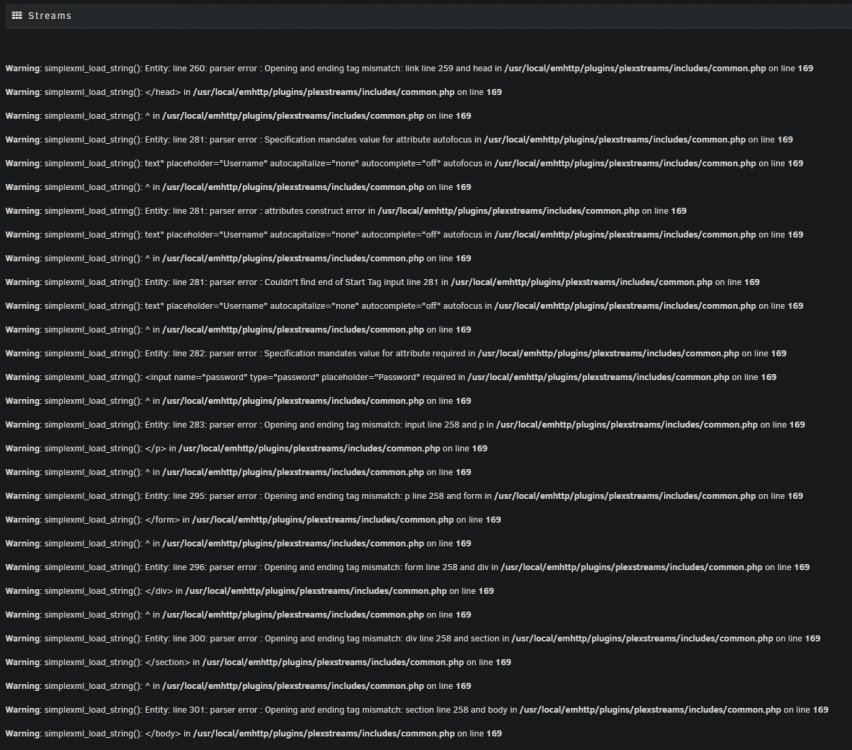
The latest, tried reinstalling the plugin and rebooting, I can tell that the problem I thinks started with tinkering with dns setting (because I have a dns server), but nothing else changed
-
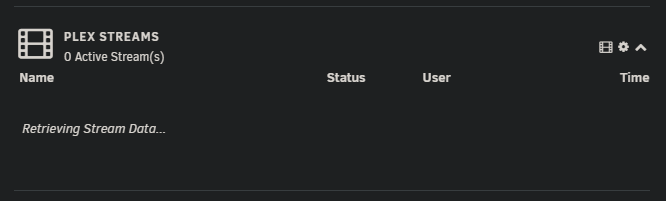
In recent days this appeared: and opening the full page submit this: tried reinstalling but nothing