





foo_fighter
Members
-
Joined
-
Last visited
-
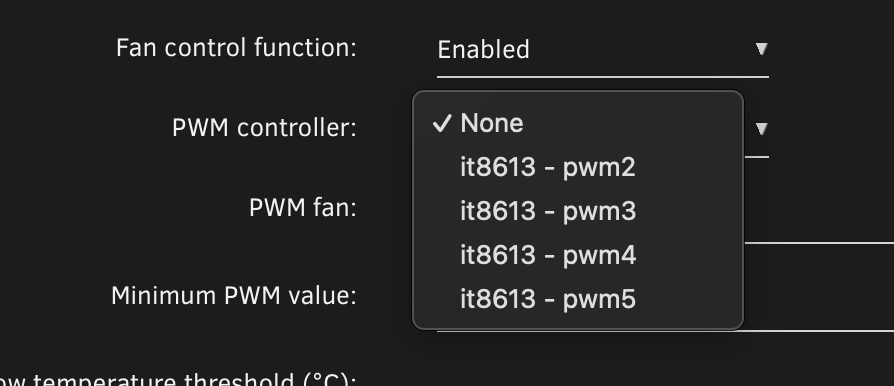
I see similar behavior on CPU temps even after re-pasting. CPU fan is pwm2 I believe, but I've turned it off and just let BIOS control it.
-
I'm not sure of the syntax, but yeah the whole thing did work for me. I didn't try without the ghcr.io/
-
I used: ghcr.io/immich-app/postgres:16-vectorchord0.3.0-pgvectors0.3.0
-
You should try to get the s3_sleep plugin working.
-
You have a degenerate case, where in a 1 parity, 1 data disk system, the parity disk would contain identical bit-for-bit information as the data disk.
-
Assuming your windows dir is mounted as /mnt/windows/dir https://explainshell.com/explain?cmd=rsync+-avu+--delete+/mnt/windows/dir /mnt/user/backups/
-
FYI, updating to Hub 10 (V31) seems to have gone smoother than from V29 to V30 for me. ================================= Initializing nextcloud 31.0.0.18 ... Upgrading nextcloud from 30.0.6.2 ... .. [Fri Mar 14 13:16:43.945450 2025] [mpm_prefork:notice] [pid 1:tid 1] AH00163: Apache/2.4.62 (Debian) PHP/8.3.17 configured -- resuming normal operations [Fri Mar 14 13:16:43.945487 2025] [core:notice] [pid 1:tid 1] AH00094: Command line: 'apache2 -D FOREGROUND' ==================================
-
ZFS in the array is certainly viable. Having 1 or 2 ZFS disks allows for replication from cache(real-time backup of docker data without stopping containers) for example, plus the snapshotting, compression and scrubbing.
-
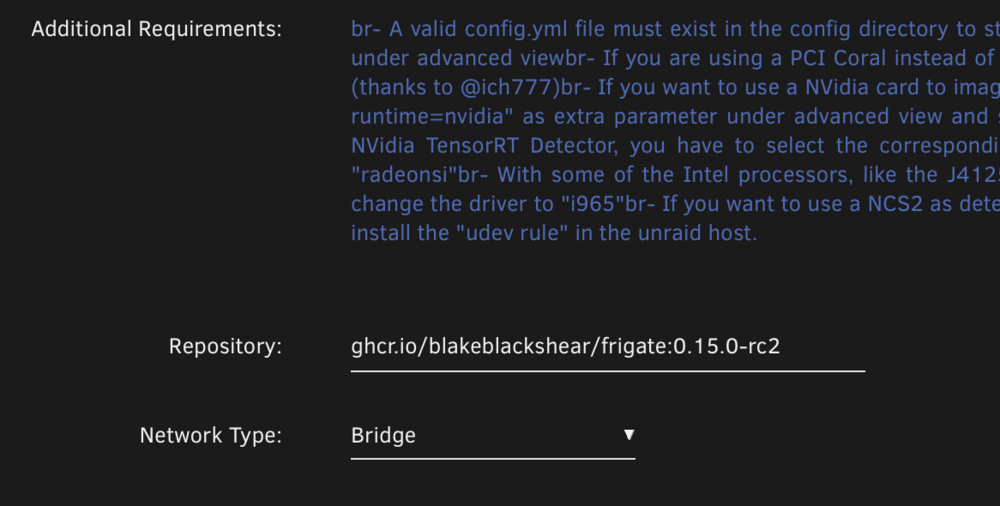
Set the version in the repository section: ghcr.io/blakeblackshear/frigate:0.15.0-rc2
-
Best case scenario is that they are exactly the same size or the new nvme is slightly bigger. If not, here is a post I made about a situation where the nvmes are slightly different sizes:
-
data-root is docker setting, either a vdisk image (docker.img) or a directory.
-
precleared devices don't have a filesystem. You have to format it to a chosen filesystem first and then you can mount it.
-
You could also use user.scripts and run it in the background with a log: Example: rsync -avuXizhP --size-only --delete --stats --log-file=/mnt/cache/rsync_logs/sync_Video_to_Tower_`date +%Y-%m-%d_%H.%M`.log --backup --backup-dir=/mnt/user/rsync_backup_dir/Video_`date +%Y-%m-%d_%H.%M` /mnt/user/Video [email protected]:/mnt/user
-
Unraid won't let you switch boot drives, only bios can do that, but there is a way to run a Win11 VM, from a bare metal install path as a VM. There is a YouTube video from SpaceInvaderOne on how to do it.
-
You can use a combination of CLI commands: zfs rename -p pool/old_dataset pool/new_dataset (must be in the same pool) or syncoid -r old_pool/old_dataset new_pool/new_dataset and zfs destroy pool/dataset to delete datasets to help speed things up.


