





Nodiaque
Members
-
Joined
-
Last visited
Everything posted by Nodiaque
-
and it's still running or the docker stopped? Is this the proton or wine version? For me, this is a server not loaded cause you should see the enshrouded log file in there. Check in the server folder for the log file and look what it says. This look like something that never started. Try starting from scratch, delete the folder, docker and image.
-
You cannot ping the docker network. You can also not specify a port to ping, ping use its own port. Check the server log to be sure its currently running and not downloading. Check which network you took. Bridge? Host? Custom eth0?
-
The server close fast? If the windows close it means it's restarting. Remove the extra param --restart-unless-stopped and see if it's stay up. You have have way more log than that, here we just have the backup daemon
-
Don't know what I missed, didn't see anyone talking about TCP ports. Maybe in the first page when I said I wasn't sure which was on launch day. This log doesn't show a running server, it show a server that is currently downloading.
-
This is what was said multiple time in the thread to do. Also, the template use only udp port.
-
Proton or wine version, they are both the same. Server browser is 100% game side. If player can join using direct play, it means your port are open. This is nothing I can do since it's server browser problem. We can see this type of behavior in various of other games. As long as your port are properly open, nothing can be done on our side. Check with steam browser instead of game browser. VAC not secure is normal. Same with the krc file, it create it on run. Your mileage may varies. Other said no difference (like me) even on low spec configuration. It's "emulation", will never be as good as native.
-
Did you edit the config file while the server was running?
-
Only thing that can do that is the game itself. Very that your mapping are ok and also that your permission are ok. If you change the permission, the game could lose access and overwrite the files. Samething with the json. The only thing my docker do is install steam, install the game and copy over the config if the file is not found. Everything else is done by the game itself and I have no control over it. Also, do not change anything while the server is running and be sure to let it initialize completely before stopping it and overwriting the files. Check the log to see what happen at 5am.
-
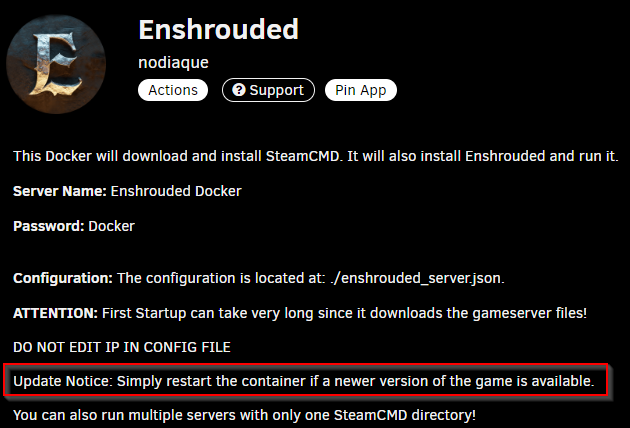
Hello, As per the documentation of the container, just restart and it will autoupdate.
-
I'm on pfsense with no problem. Check your Nat and rules, also don't forget the order is very important.
-
Oh that's nice. I'll have to play with that later on. Waiting on app data backup to have per container script to have it fire before the backup start
-
I don't know about the rcon plugin but you can simply put the mcrcon binary and call it. That's how I'm using it. I agree that your way with the function is cleaner, was too lazy when I created that for my conan servers years ago #!/bin/bash /mnt/cache/mcrcon/mcrcon -H 192.168.0.4 -p pass -P 25575 -w 5 "broadcast Server restart in 5 minutes" sleep 60 /mnt/cache/mcrcon/mcrcon -H 192.168.0.4 -p pass -P 25575 -w 5 "broadcast Server restart in 4 minutes" sleep 60 /mnt/cache/mcrcon/mcrcon -H 192.168.0.4 -p pass -P 25575 -w 5 "broadcast Server restart in 3 minutes" sleep 60 /mnt/cache/mcrcon/mcrcon -H 192.168.0.4 -p pass -P 25575 -w 5 "broadcast Server restart in 2 minutes" sleep 60 /mnt/cache/mcrcon/mcrcon -H 192.168.0.4 -p pass -P 25575 -w 5 "broadcast Server restart in 1 minutes" sleep 55 /mnt/cache/mcrcon/mcrcon -H 192.168.0.4 -p pass -P 25575 -w 5 "broadcast Server restarting now" sleep 5
-
Sorry, I do not do mods. This is a path that you start and never ends. I don't get why an allowlist when you can simply use a password
-
Well, it's coming, it's planned for futur.
-
Any game, you should never copy over the savegame before the server is installed and at least ran once. That's a best practice cause it need to be initiated. Don't forget the server isn't installed inside the docker (thus initialize), it's downloaded and installed on first docker run. Proton for now doesn't provide real improvement. For now, even on other thread, it's "hey look it's sooo much better" but then one to two day laters with more player, goign back to samething or worst. It was provided as experimental feature and will disappear when the linux native get release (which is announcement coming soon by the company).
-
I think I did state somewhere to let the server properly start at least once before overwritting with the savegame. It's a good practive in any game server unless stated otherwise (there's a handfull where if you do that, it won't yield good result). On first start, the server don't expect to have a savegame and it start a blank world since nothing is initiated to tell him "hey here's your savegame". That's a normal behavior for me. Also, the first save take about 5 minutes after the start if I recall. And yeah, replacing a savegame while the server is running is sure to yield into an overwritten file since the save is not the actual world but really a save. The world run in ram and is dump to the savefile, and not read from it (except at load).
-
Was this error while you were loading the proton version? Might had both using same port? I only run the wine version and never had that issue
-
A bit why running in proton is skeptical. I did offer both since it gave me some opportunity to learn more but I don't think it's going to change much. The linux native one will be the game changer (well should be).
-
never had the message in wine or proton (players are currently on wine). It might be due to cpu issue too. As I said, I do have a very beefy computer. I had lag issue last 5 days, no one told me (had the information this morning). But, I have using 75% of my CPU of video transcoding which left 4 cores for everything else. I'm doing the transcoding only on 4 cores now and no lag from user. I also have daily restart for the backup.
-
gui as having the game running in it, not having a GUI for the server. Which mean having the game running on the screen.
-
Proton is a set of library develop by Valve on top of Wine. They might have some stuff more optimized for this game. I cannot say, Proton is technically used to run game in GUI mode not dedicated server. I myself struggle to have a working docker with steam and proton working to play game from my docker. But it seems at least the server one work.
-
Ok I manage to update to latest version of unraid and install production. Now I do have it starting and steam running. But when I start a game, it's says running and I never see the game, it just sit in running. After sometime, steam return as if the game nicely closed. I tried using the vnc and steam remote play and all yield same result. I tried installing protonge and samething. Any clues? Is there something I'm missing?
-
wine or proton image?
-
I really can't say, I have nothing that write to that folder, only read. All the rest are up to steam and the game. Unless you have something externally that change the permission of the folder and the game can't write anymore. I did read somewhere that proton has network library that isn't present in wine that could help in specific condition. There's also other library which could help. Just a hunch, I'm no way knowledgeable in proton.
-
It's because you create 4 port forward. You are deleting 2 that you must NOT delete that are variables and crucial for it to work. Restart from the template

