





mathomas3
Members
-
Joined
-
Last visited
Everything posted by mathomas3
-
tower-diagnostics-20230220-0751.zip

-
Thank you for that tip... been running it this way for a while and I have never come across this before... it's these little bits of knowledge that make you a god among us mortals
-
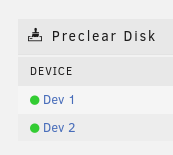
I did as suggested and the drive name/IDs have returned to what I would call normal and no longer have 4 digit names... I reinstalled the plugin and it now only shows the two drives and they properly ID the drives... dlandon, Should I still be able to see the two drives on the UD page? they are currently missing after installing the plugin again
-
I recently built the server chassis into what it currently is... the relevant hardware is listed below but basically it's a 1u server with a SAS card which is then connected to a DAS with two controller cards in the DAS(should one fail) Dell R430 chassis LSI SAS2308 SAS controller HP DAS
-
as requested tower-diagnostics-20230220-0621.zip
-
This was after uninstalling this plugin
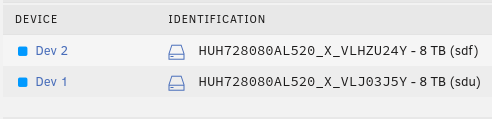 Sorry... but what is a UD page?Another interesting thing about this plugin is that I had to uninstall it to get the Main page to list the unassigned disks.In the screenshot you will notice that I have 4 devices listed of which only two of them are clearable while I only have 2HDDs that are not currently in the array... The selected device is the "Dev 1" device and yet on this confirmation page it shows conflicting information for Dev 1 and sdg... You will also notice that SDG is not a drive letter for one of my unassigned devices...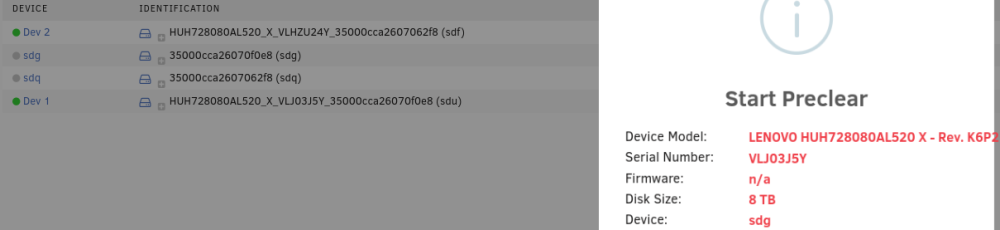
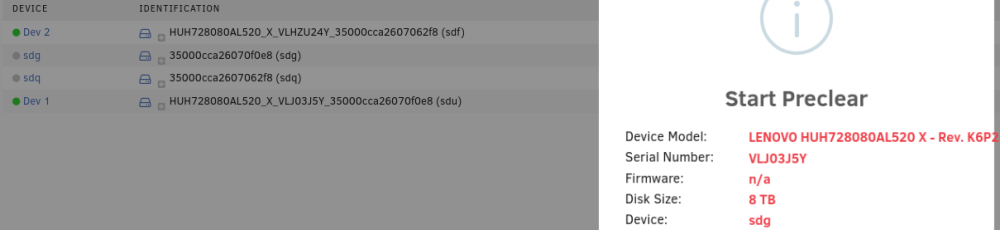
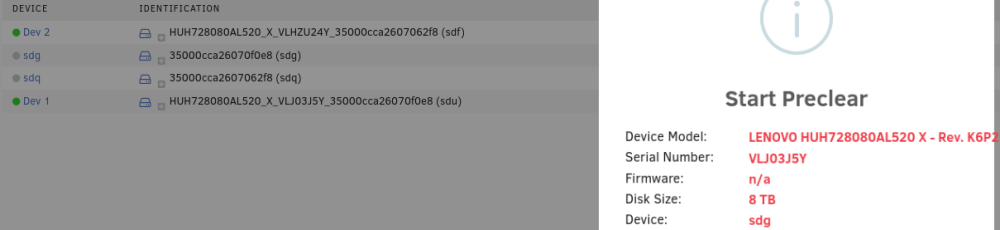

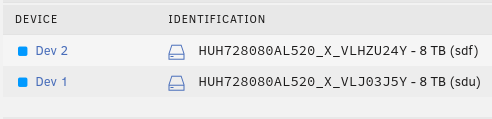 I will not argue with the One Wise Man here... I would expect that you will end up recovering the data from the 'failed' disks and rebuilding parity... From your initial post it seems that you have a faulty SATA connector or controller... if you willing to rely on some of these 'failed' disks... I would expect that you could build a new array and copy the data from these disks that failed...This plugin is very questionable... I had only 2 drives that were new to my setup... yet I had 4 disks listed... and while only 2 of them were clearable... the second clearable disk listed conflicting information as to which disk I would be clearing... I can provide screenshots should they be required... but I dont trust this current version of the software I stand corrected... It turns out that since I had 2 HBA cards in my DAS, conflicting information confused the plugin with strange data...ah... so your saying that the minimum setting also applies to the cache drive(s)... interesting... kinda feels like that should be a separate setting imo... but oksound advicelong story shot... move EVERYTHING off the cache drive/s after that is done... remove the drive and start the array... stop it once more... add the new cache drive and start it...You might also check the setting for the share that you are copying too... and ensure that the 'Use cache pool' is set to yes... sounds like you currently have it set to only
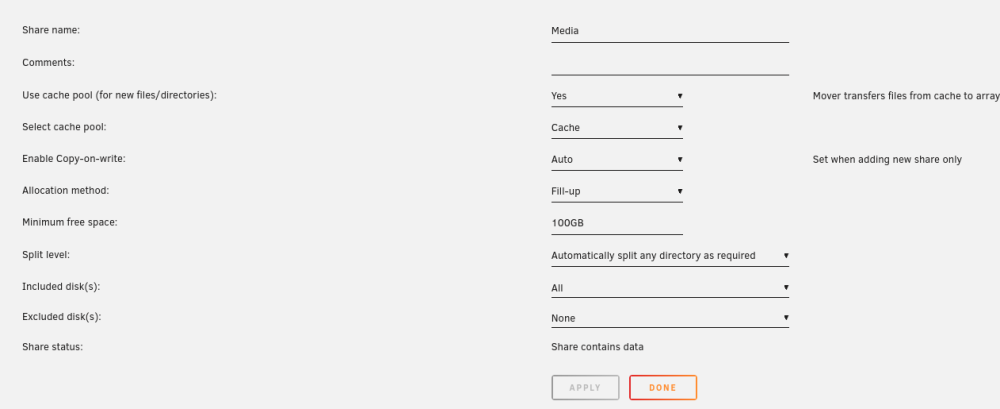 From my experience, disable docker and envoke the mover which should move everything that is not currently being accessed... in short... disable everything that would have access to the cache drive to include vms if that's where you have them running from and then envoke mover I learned this the hard way when I moved somethings around in my system... but that's the way I would go about itKeep this in mind... files are written as a whole on a single drive(while also having the parity drive) so if you lost 2 disks... you would still have access to the files on the remaining disks... A suggestion that I tell everyone. When looking at your shares and what write method to use... I suggest using the 'fill-up' choice... Files will be written on disk 1 till it's full then it will go to the next... decreases wear on the other disks and you dont have to wait for 3 disks to spin up...You might consider it... It would give peace of mind... next time it happens plug up a monitor to the machine and see if the console is responsive For me. The machine was still up and running but the console was blank... a restart later with a UPS helped...The last time this happened to me was when we had a power hiccup... Is your server behind a UPS?Also something to consider... unRAID is hard on hdds... Imo fill it up and leave it like that... The excess read/writes ever time kill a hdd... Write to the drive and be done with it...I wouldn't say it's time to pass on it... Just from my experience these drive have failed regularly... Of the 20 drives in my array I only have two 5tb drive remaining... I will be replacing them soonI have never received a used hdd with wiped smart history before... is that a thing?!? my two golden rules for used hdds are... that they have to be SAS disks and also enterprise disks... I have a good stack of 3,5,6tb reds and greens that all died a young death... 8tb sas drives have done me well... that's why I have 26 of them... 8 currently waiting to be added to the arrayA question... I have 3 SSDs that I have in my 24 bay DAS... when I tried using these three drives in the old server chassis they came up with a weird ID, thus UR wasnt able to identify them as my cache/app drives... once I added them into the DAS everything was normal again... I would like to reclaim these three slots for data disks moving forward... Given that this is a new server with a new RAID controller... what are the odds that I will have this issue again... What caused that issue to begin with? Should I try to move these drives into the R430 chassis and I run into this same issue... what can I do to correct the issue? Thank youthat or looking up the smart history on the drive...I have only been buying used HDDs of recent... havent had issues yet 14 HDDs into it... if your happy with the price and the drive doesnt give you many red flags... roll with it... I recently spent 45$ for each of my 8tb drives... and I bought 10 of them... yea... I should have only bought 5 of them given my current restrictions on adding addl HDDs... but meh... it was a good price




