Mrtj18
Members
-
Joined
-
Last visited
Everything posted by Mrtj18
-
Thanks for all your help!
-
I don't have pfsense or anything like that running on my network. Only thing I have running is pihole to block ads. And I have my server i.p. whitelisted with pihole so it does not interrupt unraid services I have running. The server is only visible on my Internet tab. Nothing appears in my lan section. So the Internet section is the only way I can attempt to connect.
-
Is the server open and available on the server list? Yes Does the server use the default password? No I removed the password requirement. It's open to anyone I am trying to connect from within my own network. I have attempted to connect using my cellphone data so I'm off my local network. But I have had the same issue.
-
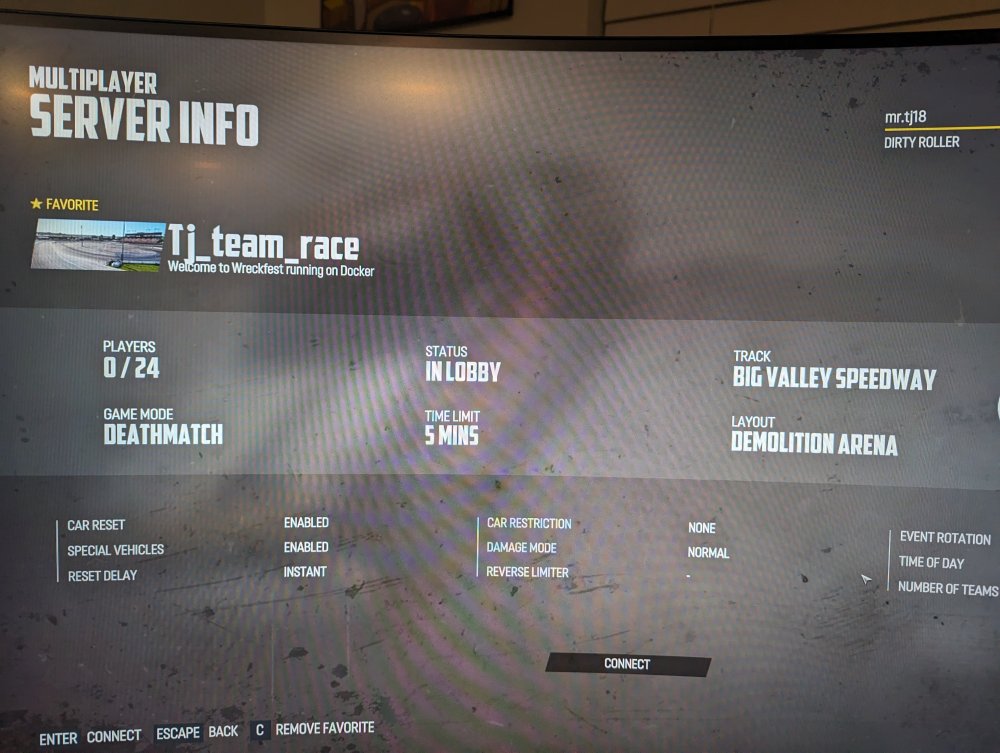
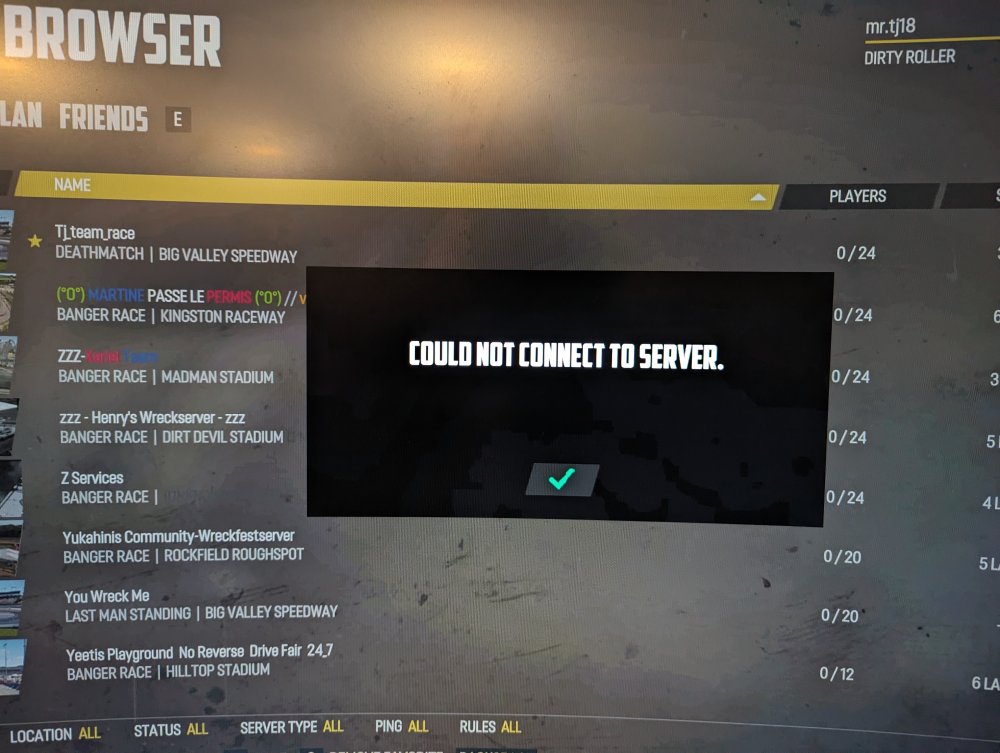
Looks like a no go for me still. Changed my router settings to the correct ports, changed my settings for the server_config.cfg and still can't connect. With or without the password parameters on the server config. Maybe my ISP is blocking the 33540 port.
-
Ohh okay, so you think it's a port forwarding issue with my router?
-
You once again, are 100% right. I kept attempting to connect to a wreckfest game called "wreckfest docker" ( which I thought was the default) I had no idea a server would be opened under my user name.... Look for a "beer" coming your way due to all the help you assist us with!
-
Okay I deleted the docker container and the app data folder, so it can re-download the container. Left the default ports on wreckfest within the template. And changed all the ports needed for wreckfest within my router to be UDP only. The game does appears on the internet tab, within the server select screen. After entering the password for the server, which is the defualt "Docker" without the quaots. I still get a cannot connect to server error. Any suggestions?
-
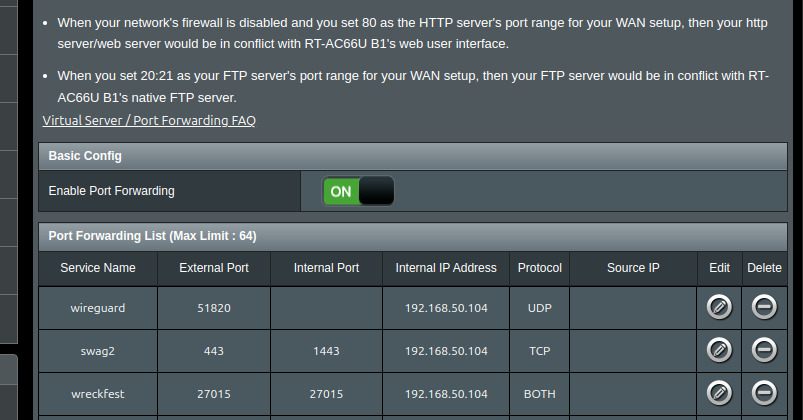
yes I even opened the ports on both ends as you can see on the picture attached. I opened 27015,27016, and 33540. Still a no go. I can connect to other people's server on the server list but not my own. Thanks
-
Sorry, I have one last question, the wreckfest server I have running, everything is default. No Port changes added or mods. But I cannot connect to the server no matter what I try. Even deleting the game folder, and docker container and starting from scratch. Still won't allow me to enter my server. Am I missing something?
-
Wow that did the trick never added the port number on the GAME_PARAMS.... Thank you!!
-
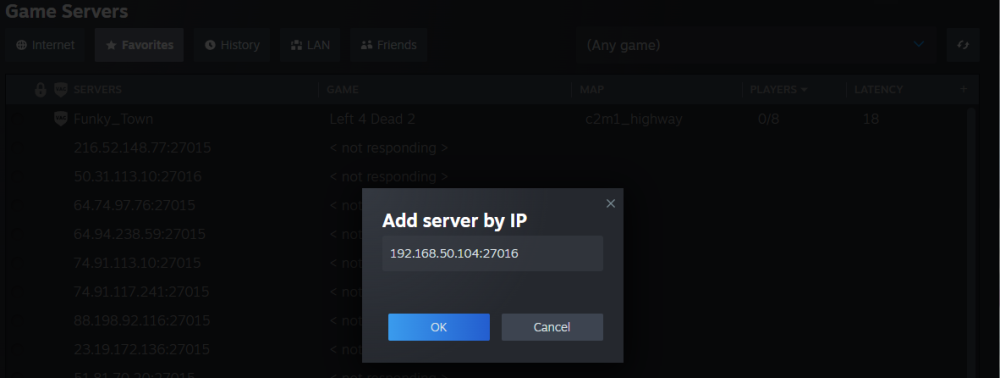
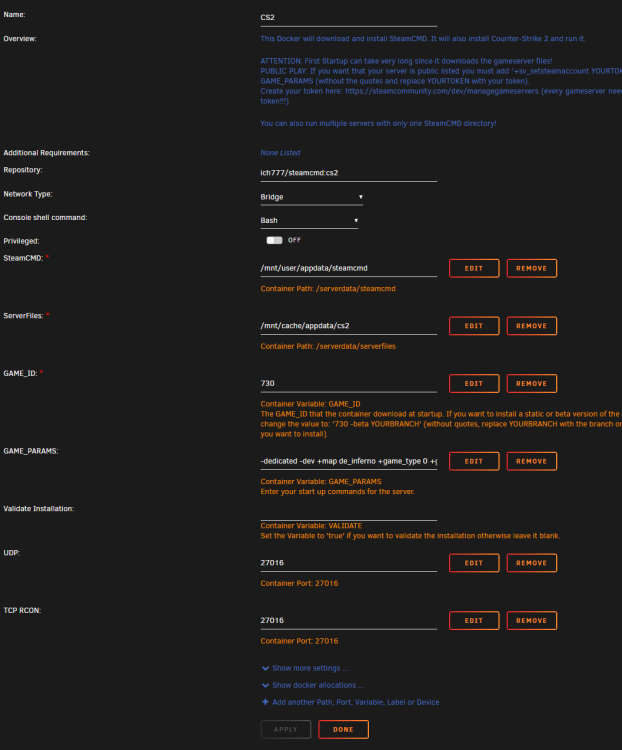
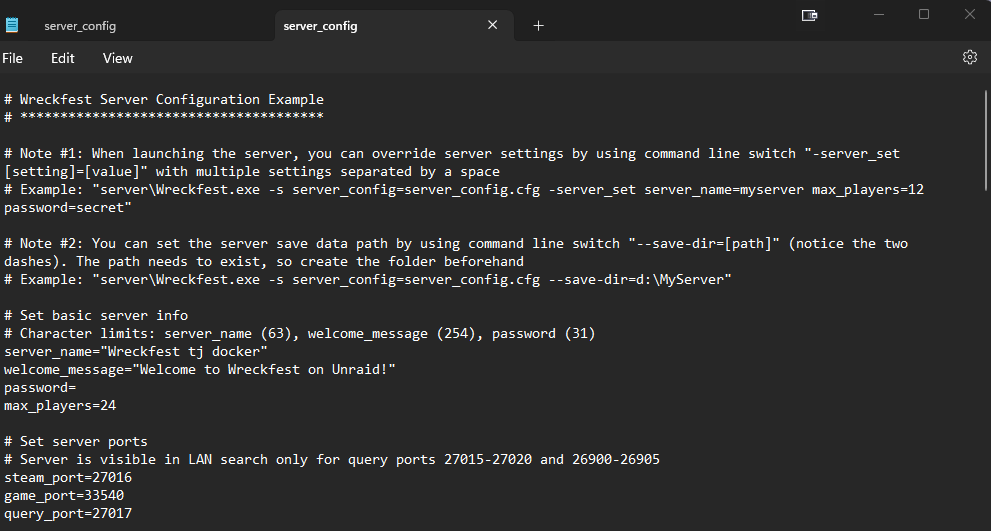
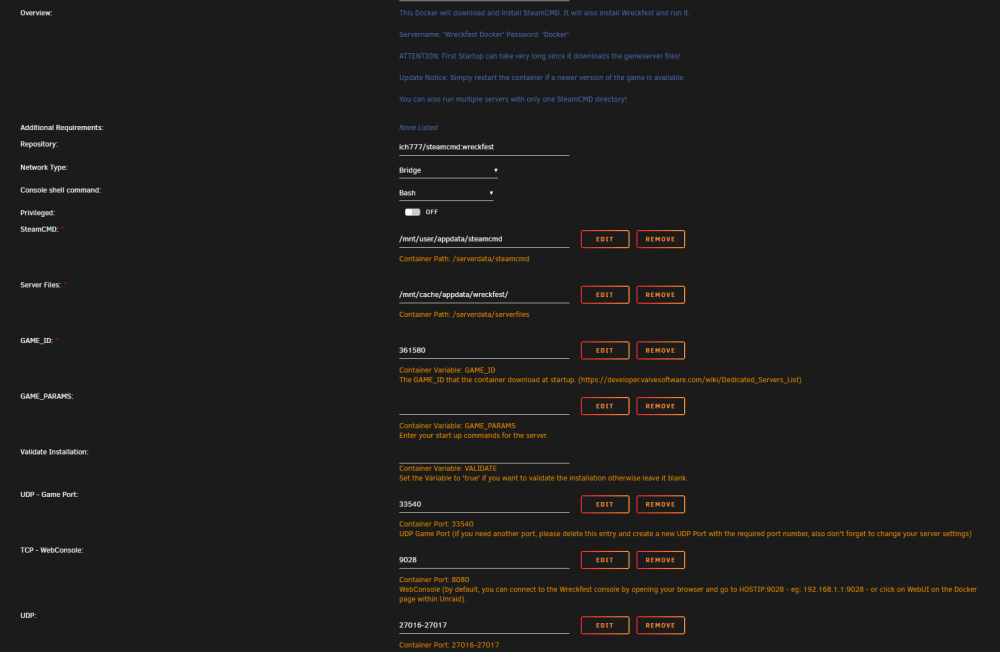
Please see attached for my docker setup template, ingame server brower (when i attempt to connect to the server) and a screenshot of my ports. Once again i have l4d2 running just fine on the default 27015. But attempting to get cs2 to work on anything other than 27015 does not work. I get an error message saying cannot connect to server server.cfg

-
I tried the suggestion and i could not get two seperate games that use steam's 27015 port to work. The only time either game would work, is if i left the default ports alone. Or run one game server L4d2 or Wreckfest at a time, not both. If you could manage to get two steam dockers that intaially use 27015 port to work please let me know! I also tried running a cs2 container and could not get that to work either. Just incase wreckfest was being picky and it was a no go. Thanks for all your help!
-
By the way if anyone else was stuck on the reverse proxy with ngix proxy mananger with the Invidious containter this is what i had to do.... -from the directions i had to set my external_port to 1443. ( I changed this from 443 on my setup, unraid was already on 443) -the domain is set to my top level domain so its domain.com, not your subdomain.domain.com -then the http_only line was set to true. -then i restarted the ngix, the invidious container, then I had to clear my cookies in my browser. Because the invidious app would error out and not play any vidoes if you dont do this! Then Bam! Profit By the way the way the scheme is set to http in my ngix setup. Hope this helps someone!
-
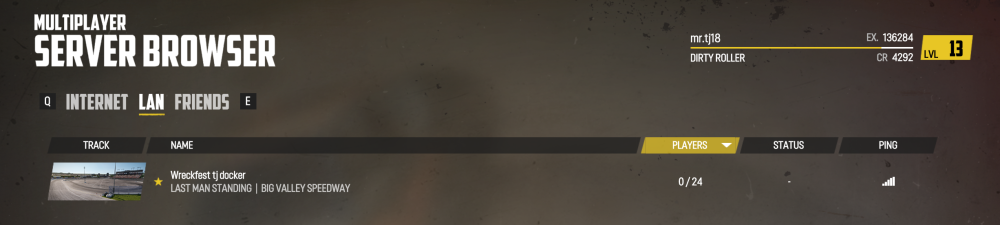
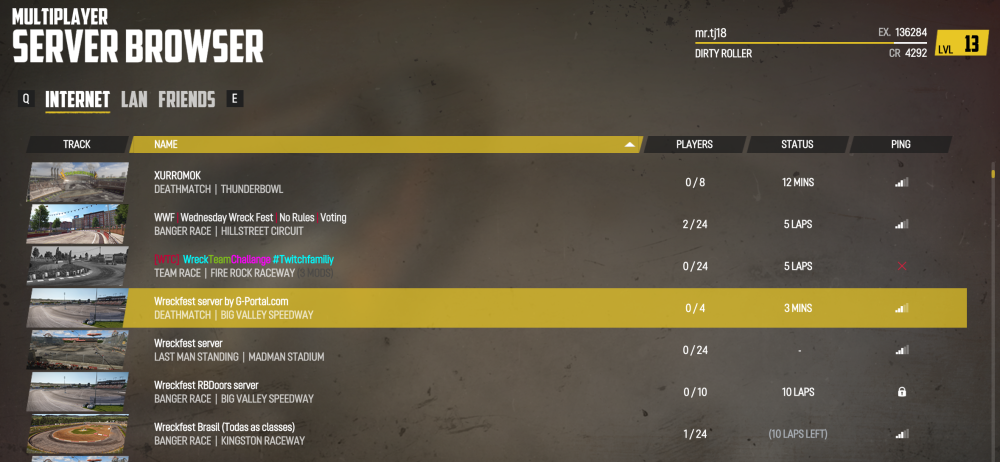
Howdy back again with more questions unforteunatly. I have a steam server running left4dead2 on the default port mappings. And everything is great, people are able to join and have a good time. Now I am attempting to set up a Wreckfest server and I had to change the default ports because l4d2 already uses 27015. So i changed the default ports to 27016 and 27017. The wreckfest server is visable Lan side but not on the Internet side. Plus I cant join even on the lan side. Any help would be appreciated. Thanks!

-
After watching the podcast, I am okay with the changes they are making, because instead of trying to grab more and more users for an operating system ( or a better term would be a hypervisor) that has a huge learning curve, which most people don't have the time for. They rather invest in current users they have today with us supporting them. My issue, is while help on the forums is great, I still have unresolved issues with my server. ( I can't get the native wireguard to see docker containers that use custom networks, I have to use the wireguard docker for that) will we get even better support with this new pricing change? Mentioned in the video? And how would that look? I'm okay with the pricing change, if the support improves. Because as a total Linux noob, I have had every issue under the sun trying to get things to work. ( Usually do to user error) and my only option was too pay more money for help. ( The one on one user help) but there are still some things such as native wireguard app, that I just can't figure out.
-
I would like to thank you so much for the invidious container, I had to read, read and re-read the comments and install instructions before attempting to install the container. But I got it working in less than an hour. I would like to mention, if your new to this like me, the big hangup I was stuck on. It's the postgres install. When you initially download the container it is pre-filled with info for the database name, user, and database password. I had to remove all that and just use postgres for all the above on install. If not I couldn't login.
-
I gotcha, thanks for the response
-
Was you able to find any info on this? I'm interested as well.
-
There's an option within TV headend ( I don't have access to my server at the moment) where it is set to run a cron job that will auto pull your epg data. Make sure you have that set. Should be under the epg grabber section.
-
Check my post on November 7 22 maybe it can help you get started in the right direction.
-
Yeah im running 2 Gaming gpu's in my system. One is a rtx 3080 which runs this docker app, and the other is a gtx 1080 which drives my VMs. My setup runs very well. I did have a few issues running some of my games at the correct frame rates and such. But it took some trail and error to tweak my game settings right, and it didnt happen over night. lol
-
I am by no way an expert but you may find my answers useful To help you with your first question, if you haven't figured it out, your question 1is just like your question 4. Once you open steam you have to go to steam, then settings, then capability and click to turn on the two options to force steam to work with your library. And choose a default proton layer. And to update the apps you have installed within the container your going to go to the start menu ( Applications) then system, then software, and there should be an option to update all your installed apps through this option. Also If you install apps using this software manager its easier to install what your looking for like kodi, and other applications. Hope this help.
-
This was happening to me as well. I had to reset the container every 2 days or so, when I had 32G of RAM. If I didn't the container would eventually eat all my available RAM and start causing server issues. Oddly once I upgraded to 64G of RAM I haven't had this issue. Very odd indeed.
-
I would like to add that i used the same fix outlined by everyone else in this thread and now i can play lost ark again!!! ( easy anti- cheat was keeping me from playing) Thank you very much! Also after implementing this fix I started having mouse lag during gaming. Only way I was able to fix this was to download the driver's software for my mouse ( I have a deathadder V2) and change the mouse pooling rate down to 125 it was set default at 1000. Then perfect gaming again!
-
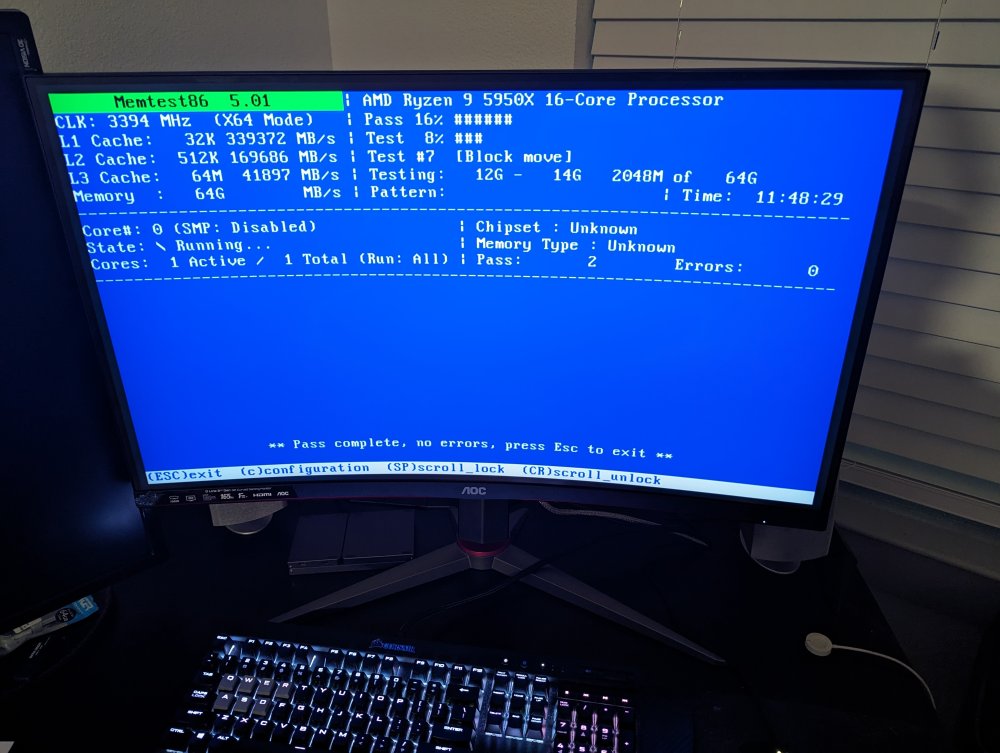
Update, so after running the ram test for 11 hours with no errors I decided to open up my case and double check if everything was plugged in correctly, double check my bios and even move the ram to the other 2 slots on my motherboard. Upon opening my case I noticed that I had one pcie cable split into two 8 pin connections plugged into my rtx 3080 gpu at once. Which I think caused the random reboots because the GPU was not getting enough power. Once I plugged the rtx 3080 into different 8 pin cables, I have been running my system for 11 hours no errors ( it was crashing once every 6-7 hours )with both ram sticks in. So i will mark this as solved and chalk it up to user setup error. due to GPU pins lol. Thanks for all your help!