





xokia
Members
-
Joined
-
Last visited
Everything posted by xokia
-
hard one to answer. I use chrome, brave and safari.
-
I am using btrfs for cache pools. I think I read somewhere that was what you wanted for SSD and NVME drives.
-
Your post came after I rebuilt. I didnt wait around for an answer.
-
This has bit me twice when swapping out a cache pool for a larger cache drive. 1.3 days to rebuild the parity. Hopefully you folks can improve this in the latest update (wether that is improved documentation or a more user friendly GUI IDK). I didn't see anyway to proceed without rebuilding the entire thing. So sucked it up and rebuilt the parity. I couldn't restart the array without agreeing to restart parity. Can I dynamically change the cache pool size? My cache pools are NVME or SSD. I have a bunch of files I leave in the cache pool because they are lots of small files. Seek times on HDD are terrible specially for lots of small files. This has served me well but I may hit my specified size sometime in the near future.
-
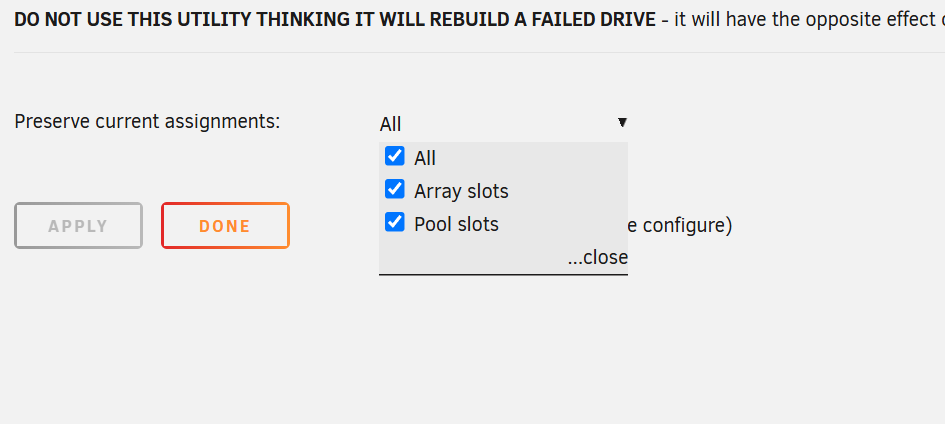
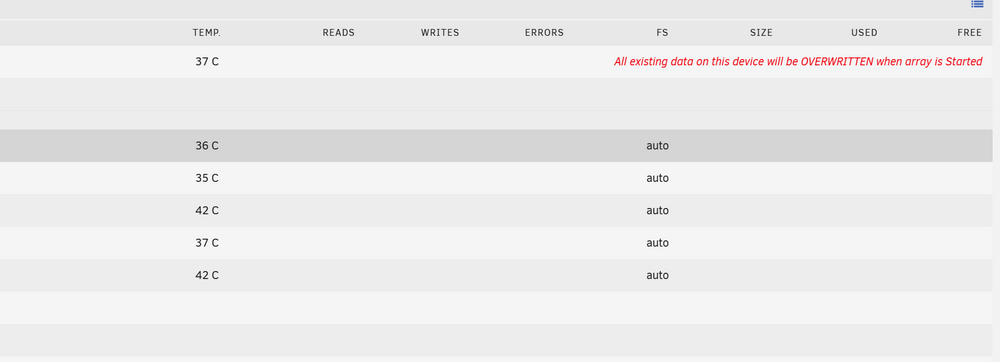
No way to change cache drive without rewriting parity So this is annoying. I want to change a cache drive and I MUST recalculate parity I swapped in a larger cache drive Chose preserve current assignment Then go to start the array For those saying you can swap out the parity drive without a costly parity rebuild IDK know how you folks are accomplishing that. That information does not seem correct.

-
I have had almost zero luck with passive cooled NVMEs. Even with fairly decent sized heatsinks if you have large data transfers it will eventually slow down. I gave up and only use active cooled heatsinks now. I no longer get slow down on large data transfers. Brand of NVME also matters some run hotter then others and will hit slow down faster. They all seem to regulate around 42c. Some just start closer to that 42c value from idle.
-
Can I partition a 4TB NVME into 2 2TB partitions and then assign them individually as cache pools?
-
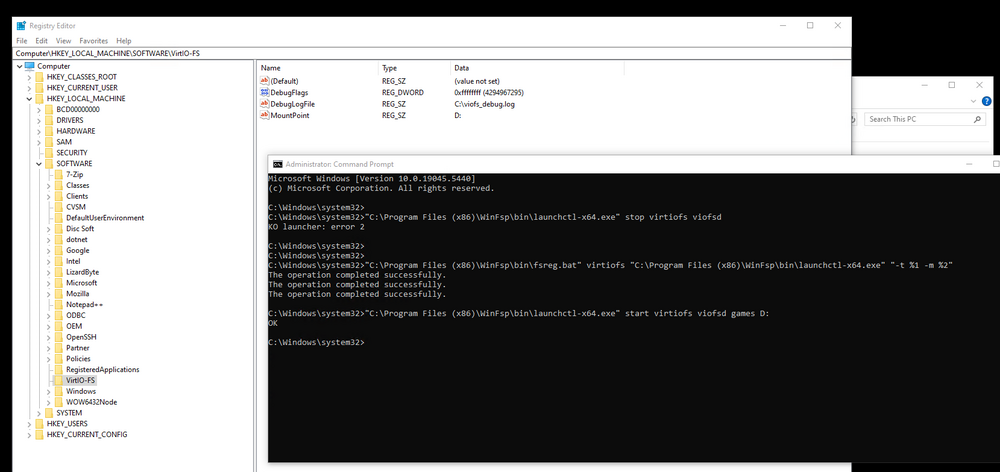
No D drive. I honestly couldn't follow this. Do not know if something in unraid cmd prompt need to be done here. Where exactly am I adjusting the QEMU command line parameters? QEMU Run virtiofsd daemon: /usr/libexec/virtiofsd --socket-path=/tmp/virtiofs_socket -o source=/home/user/viofs Adjust following QEMU command-line parameters: Instantiate the character device for socket communication between QEMU and virtiofsd: -chardev socket,id=char0,path=/tmp/virtiofs_socket Instantiate the virtiofs PCI device: -device vhost-user-fs-pci,queue-size=1024,chardev=char0,tag=my_virtiofs Force use of memory sharing with virtiofsd (replace 4G with your desired VM RAM size): -m 4G -object memory-backend-file,id=mem,size=4G,mem-path=/dev/shm,share=on -numa node,memdev=mem virtiofsd Modern virtiofsd is written in Rust and supported here: https://gitlab.com/virtio-fs/virtiofsd To build virtiofsd: cargo build
-
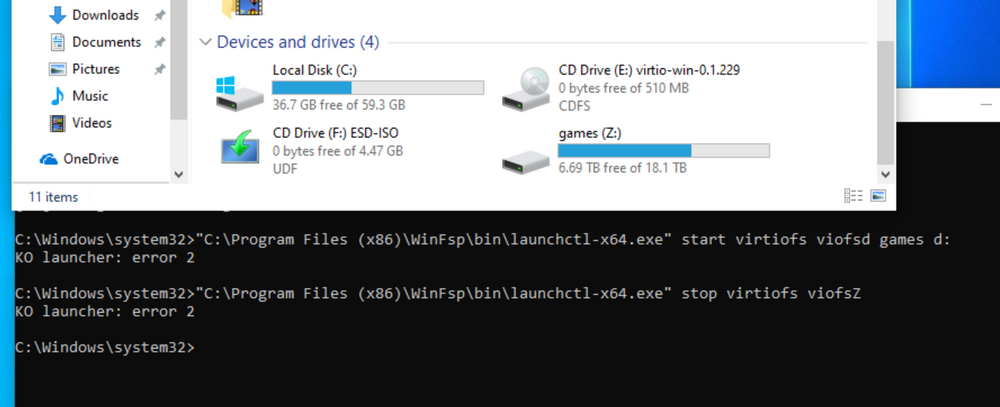
I Get the following error "C:\Program Files (x86)\WinFsp\bin\launchctl-x64.exe" start virtiofs viofsD games D: KO launcher: error 2 The unraid mount tag is games I have followed everything up to the point of starting the service because I want the drive to be called D instead of Z Sure enough it starts as z but I cant stop it
-
Anyone know how to change the drive letter? It wants to use drive Z. I have a specific App that requires drive D.
-
Is there a way to name the specific Fans? Instead of Fan1 is it possible to rename to NVME cache drive?

-
I copied 12TB from a sketchy USB HDD (bad smart parameters) to a good drive in my unraid array. 99.9% of the files copied correctly. I had a couple files that looks like failed to copy as a message popped up. Is there a log file that I can look at to get the files that failed to copy?
-
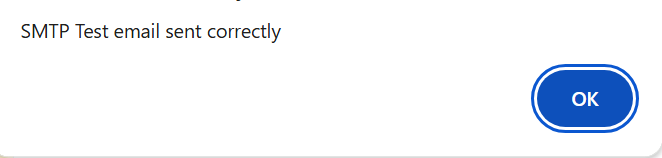
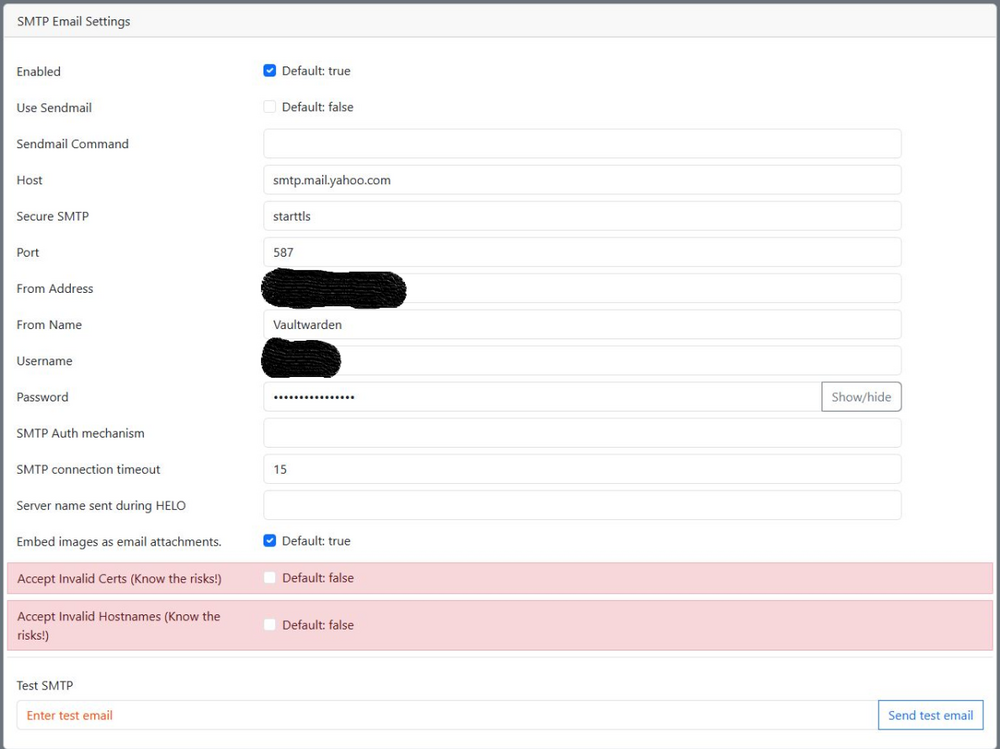
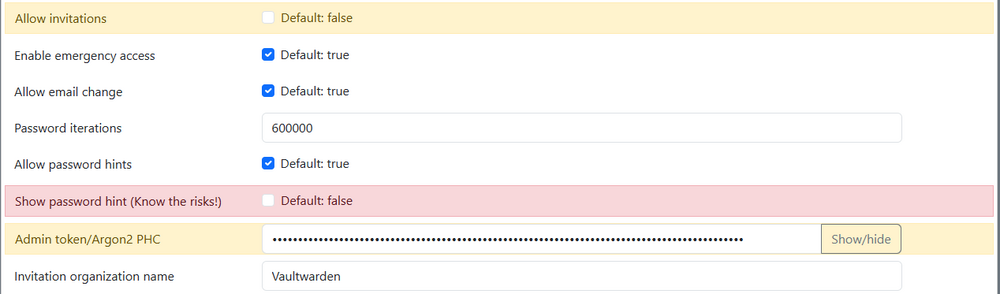
yea email test works fine. Not a stupid question appreciate the help. I went through the basic things and couldnt get it to work. VW itself is fully functional and we use it for our passwords both on PC and our iphones. The emergency access and shared "organization" to share specific passwords I cant seem to get to work.
-
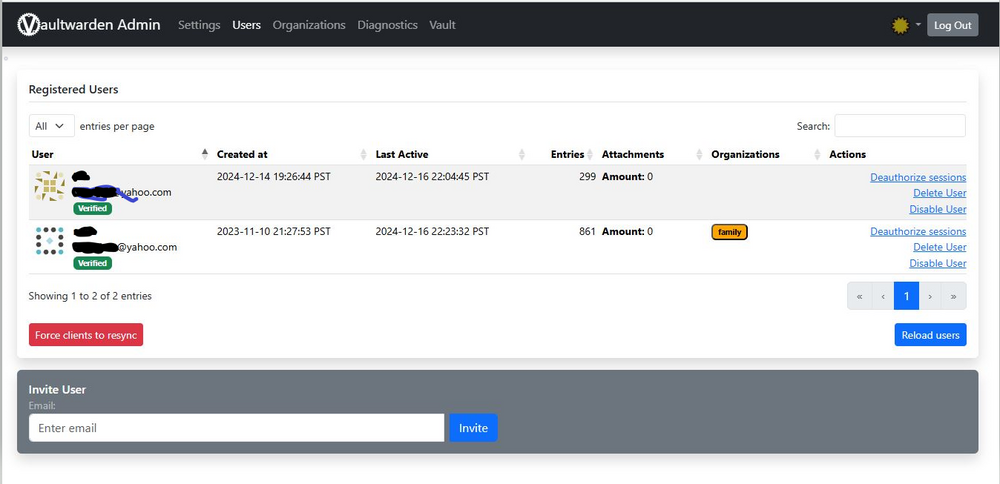
Yea I setup the admin email I am part of "family" but I cant set the other user as part of family. And the emergency contact thing refuses to "save"
-
I wish it would have been that easy but it would not allow me to do that. When I tried their was a big red X next to the cache drive and it stated "wrong" I had to create a new config with the cache drives swapped and then recalculate parity. It all works now. I have not upgraded to 7.0 yet I'd like to hear its stable and everything works before making that jump.
-
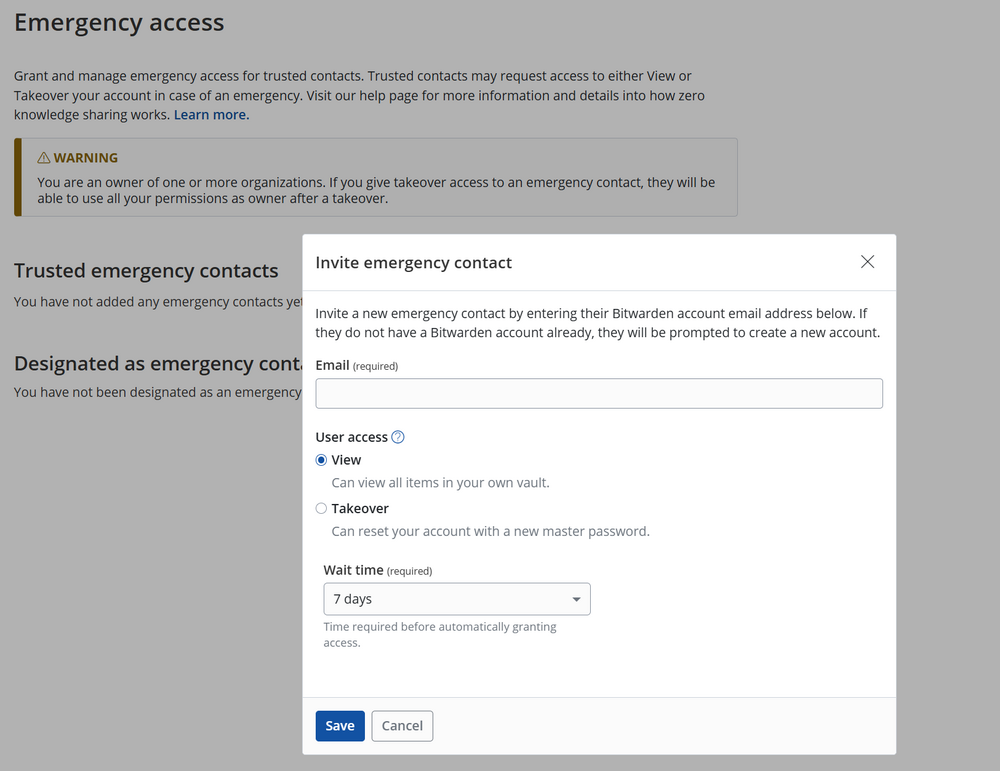
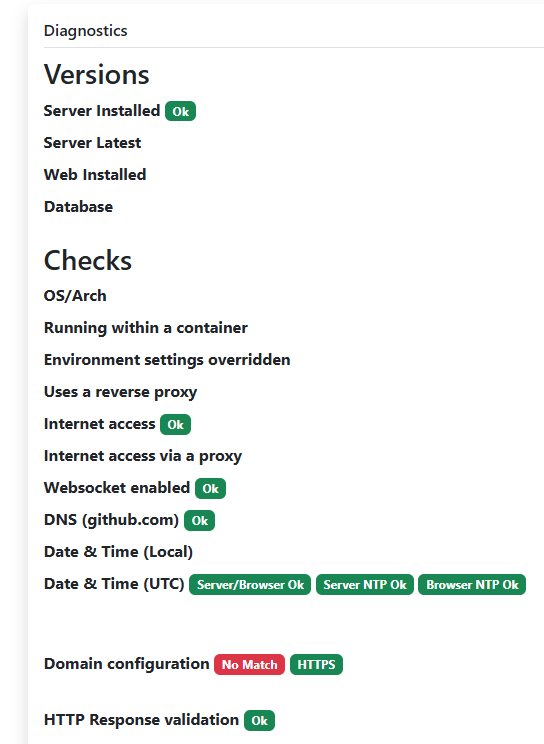
I have a two part question: Maybe a dumb question but I'm not an IT guy. Just a hobbiest. 1. I have Swag running and have ssl running on swag. So to access any of these feature you must put <https://webaddress_name>/api or whatever, the outside connection is https. internally it forwards to http location ~ (/vaultwarden)?/api { include /config/nginx/proxy.conf; include /config/nginx/resolver.conf; set $upstream_app 192.168.x.x; set $upstream_port 4040; set $upstream_proto http; proxy_pass $upstream_proto://$upstream_app:$upstream_port; } location ~ (/vaultwarden)?/notifications/hub { include /config/nginx/proxy.conf; include /config/nginx/resolver.conf; set $upstream_app 192.168.x.x; set $upstream_port 4040; set $upstream_proto http; proxy_pass $upstream_proto://$upstream_app:$upstream_port; } I am assuming this is ok? externally its encrypted internally its not. Second question: I have enabled emergency access. But when I go to try to enter the info and then click "save" nothing happens. What am I doing wrong? Maybe I have a third question if its not to much. I created a "organization" called "family" which I would like to be able to share some passwords across. I am the owner of the organization and the admin. Maybe I should have created a separate admin account or does it matter? I want to invite another user to that "family" but cant seem to find how to add them? Any tips?
-
When I tried that it told me I was "wrong" and prevented me from starting. I copied ssd cache ->nvme cache using file manager stopped the array unassigned the ssd cache and assigned the nvme cache to the prior SSD slot. When I did that I get a red X and it says "wrong" It wont let me add a different drive to a slot used by a prior drive. I am way past the easy fix at this point and I created a "new config" to allow me to assign the new cache drive. Once it complete I'll post some pictures hopefully it makes it more clear.
-
What I am saying is if I do as you suggest the "new config" will require recalculating the parity for the array drives. I cant swap or reassign the cache drives without creating a "new config"
-
yes I have array disks assigned. Why must I be forced to recalculate parity on a non parity protected drive?
-
I have a 1TB Sata SSD I am currently using for my cache drive. I recently installed a 1 TB NVME drive that I want to use as the cache drive instead. Ideally I would like to copy what is on the SSD over to the NVME and then just assign the NVME to the prior SSD drive slot. I tried using file manager to copy the drive over. That worked. But then when I took the pools offline and tried to assign the NVME to the SSD slot it just responded "wrong" and would not let me restart the pool. Since this isnt parity protected am I still required to create a new "new config" and start parity all over?
-
Since upgrading to 6.12.14 every time I shut down or reboot it states unclean shut down even though it shut down just fine. It starts back up and wants to do a 2 day parity check. It did not do this with 6.12.13
-
That worked thanks
-
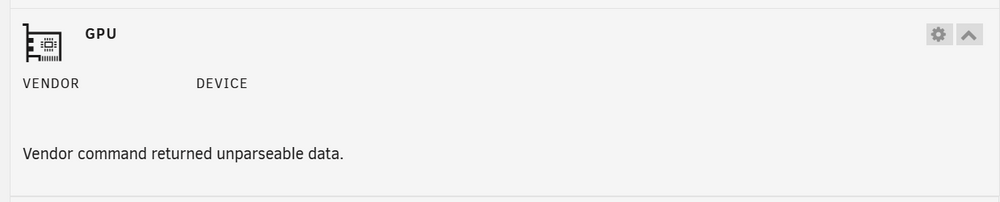
This is dead for me. I have the latest version this is on an intel iGPU

-
fixed it. Went to previous apps under apps then reinstall. deleted the offending change and it reappeared
-
made a setting change in my plex server that I guess docker didnt like. Now its orphaned. Is there a way to go back and remove the docker setting I changed?


