Everything posted by maTTi
-
How to reset root password?
-
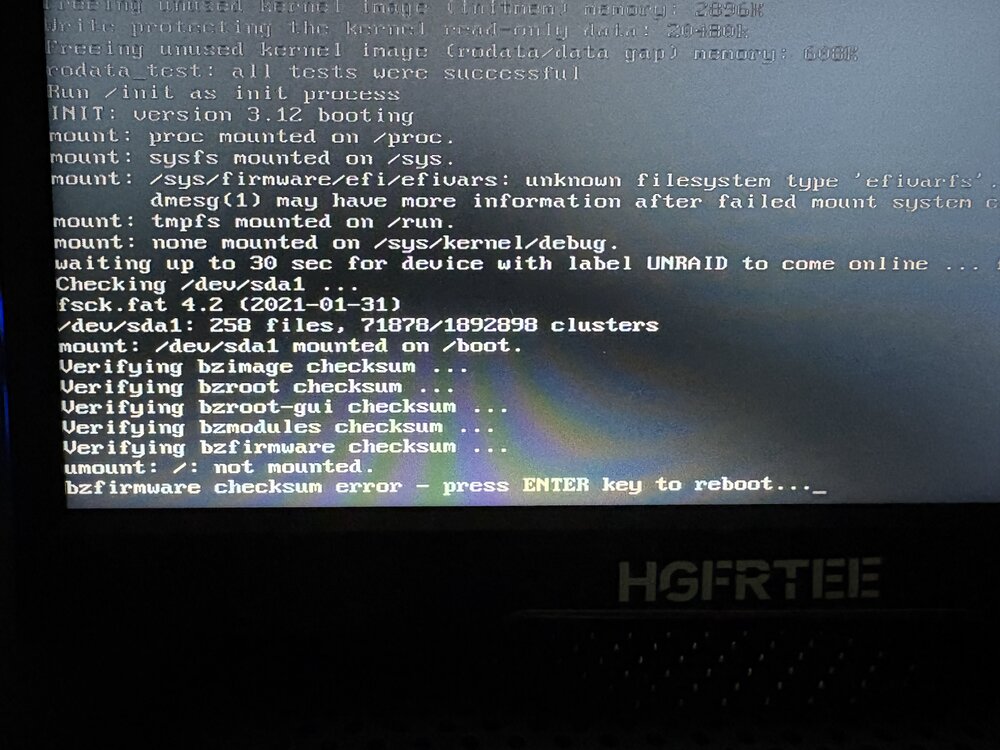
"bzfirmware checksum error -press Enter key to reboot..." I get this error every reboot I make after updating to v7
-
I sold that piece of shit and bought this https://cwwk.net/collections/nas/products/cwwk-12th-gen-i3-n305-n100-2-intel-i226-v-2-5g-nas-motherboard-6-sata3-0-6-bay-soft-rout-1-ddr5-4800mhz-firewall-itx-mainboard
-
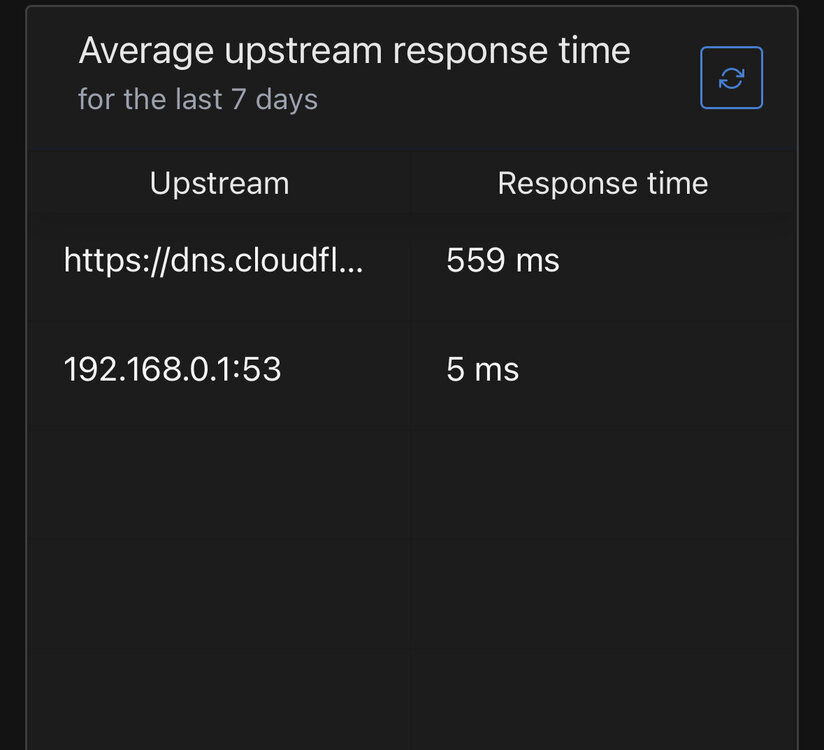
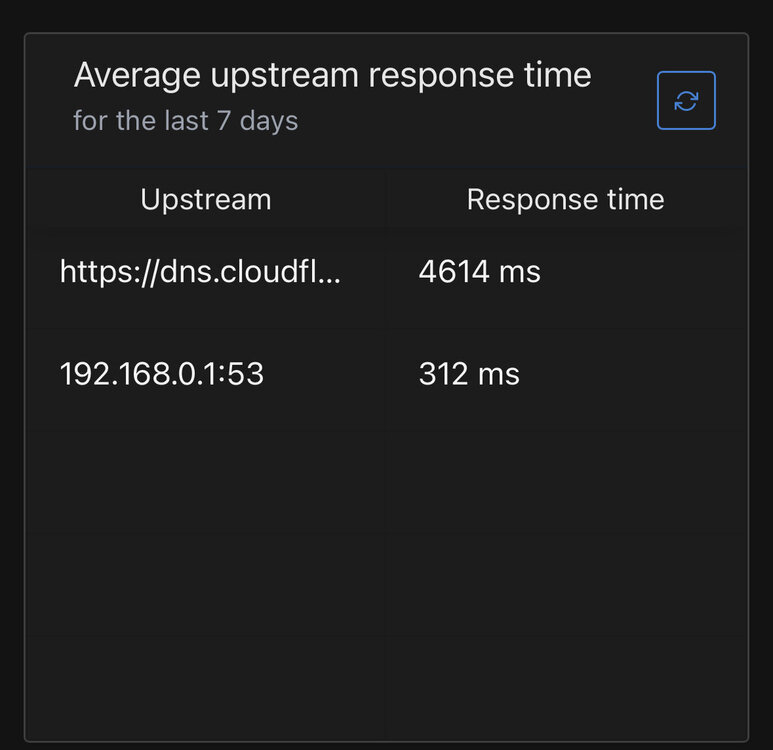
Hi, I have recently noticed that docker speed for unraid containers are really slow compare to docker containers on raspberry pi Unraid docker: Raspberry pi docker: Does someone know what could be the reason? I use default br0 network for docker on unraid
-
I want to clear the disk before selling and have this error: [error] 12201#12201: *109048 open() "/usr/local/emhttp/plugins/<" failed (2: No such file or directory) while sending to client, client: 192.168.0.43, server: , request: "GET /plugins/%3C?=UNASSIGNED_PRECLEAR_PLUGIN;? HTTP/1.1", host: "192.168.0.5", referrer: "http://192.168.0.5/plugins/unassigned.devices.preclear/Preclear.php?action=show_preclear&serial=PNY22342208260100F95"
-
Sure, maybe after I update to unraid v7 things will work ok
-
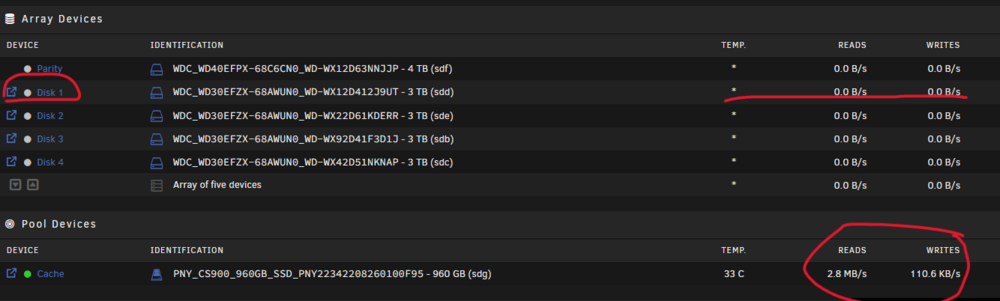
I see cache drive reading on Main tab (the file is on Disk 1)
-
I don't think it is a docker related issue. When I run the file through samba share in VLC, the result is the same. Reboot does not help.
-
Will check that tomorrow @JorgeB 1. Array restarted, run pv command, first run, disk 1 spin up and the file is accessed from disk 1: 2. second run reading from the cache drive You can see the difference in speed when running command pv for the second time because the cache drive is reading. From now every time I access the file it is accessible from the cache drive, WTF... It seems somehow the file is caching in the cache drive, but again, I don't use any plugin/script for caching...

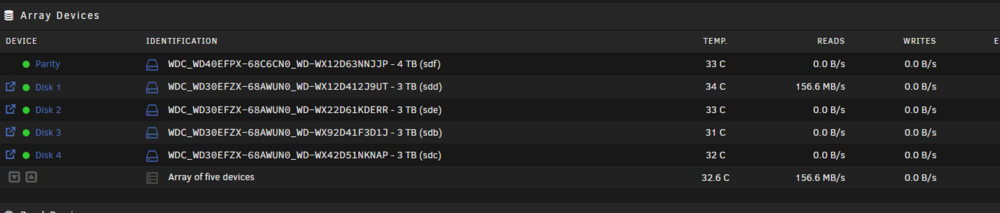
-
I don't have any caching script/plugin and still, the file is reading from the cache (at least the dashboard is showing reading/writing on cache drive when accessing this file) meanwhile disk 1 where the file is placing is sleeping. That is really weird because when I open other files, data disk is spins up correctly. File activity plugin shows correct disk: But the disk 1 is spin down And the Main tab is showing activity on the Cache drive when accessing this file. My God...
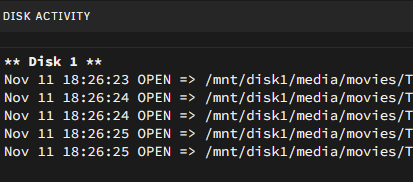
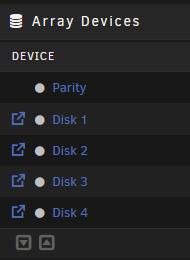
-
The Appdata is on Cache as expected The Media folder is on Array (file is on disk 1) as expected:


-
My docker settings are correct: This is really weird because everything works as expected for other files, for example, when I open a file that is on disk 2, disk 2 spins up. This weird situation is only for this file.

-
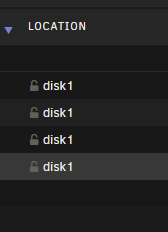
Everything looks fine in the media folder settings: also, file browser shows this file is on disk 1 only:
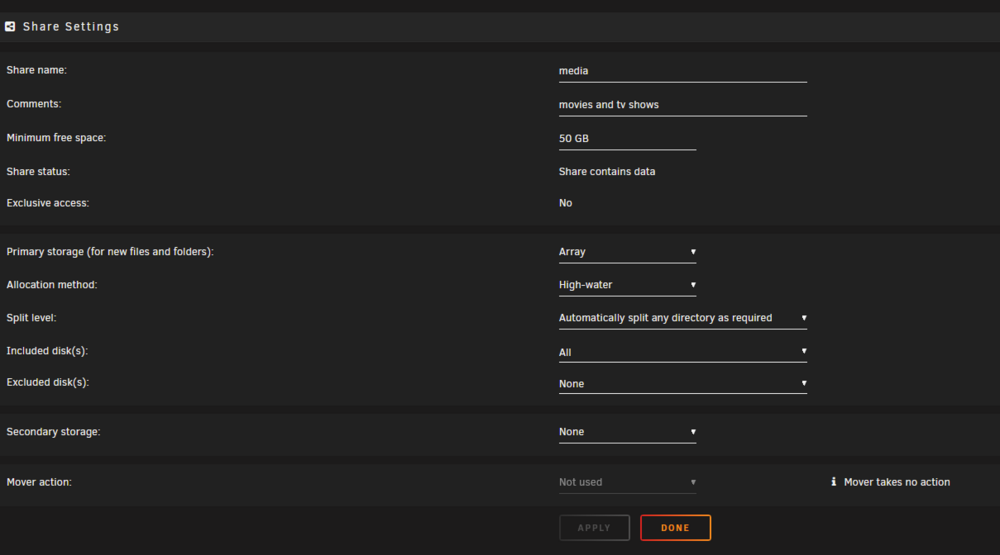
-
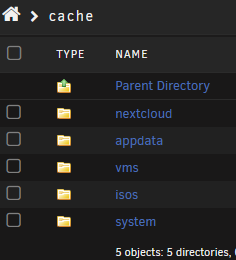
Hi, I have a file on disk 1: but when reading it (VLC) the disk 1 is not spin up, but the file is somehow reading from cache drive How is this even possible? When browsing cache drive can't find this file

-
Hmm, makes sense.
-
-
Would it be possible to control fan speed depending on CPU temp, not a disks' temp using System AutoFan plugin? I have two fans in the case, one is for the array and one is the CPU fan, and the speed of this one I want to control depends on the CPU temp.
-
I will answer my question: Add this line to boot\config\docker.cfg DOCKER_OPTS="-H unix:///var/run/docker.sock -H tcp://0.0.0.0:2376"
-
I want to manage my containers on my phone. I have found app that can connect to docker directly thru TCP port. Is it possible to expose docker TCP port that is running on Unraid so I can connect to it and manage containers?
-
Hello, Default option when select ipvlan network type in settings is l2 mode. Is it possible to set default ipvlan network as type l3 without creating custom network by running: ``` docker network create -d ipvlan --subnet=192.168.214.0/24 -o ipvlan_mode=l3 eth0 ```
-
I have only one PCIe slot on this motherboard, NIC works in PC with windows
-
I have replaced onboard NIC (Realtek) with Intel 2.5G pcie but can't make it works. I see "Device "eth0" does not exist" when Unraid starting. Removing network.cfg does not help. I have found this in logs: Oct 9 16:29:29 Tower kernel: Copyright(c) 2018 Intel Corporation. Oct 9 16:29:29 Tower kernel: igc 0000:02:00.0: Unable to change power state from D3cold to D0, device inaccessible Oct 9 16:29:29 Tower kernel: igc 0000:02:00.0: PCIe PTM not supported by PCIe bus/controller Oct 9 16:29:29 Tower kernel: igc 0000:02:00.0 (unnamed net_device) (uninitialized): PCIe link lost, device now detached I have tried to play with BIOS settings but without success tower-diagnostics-20241009-1635.zip
-
How to make plugin stop create backup xml file for a containers that are already deleted and not exists anymore? In backup folder I can see plenty of my-*.xml files that point to the container that is not exists.
-
How to set "Delete backups if older than x days:" but for "Backup the flash drive?" Is it even possible or I have to manually delete old flash drive backup files?
-
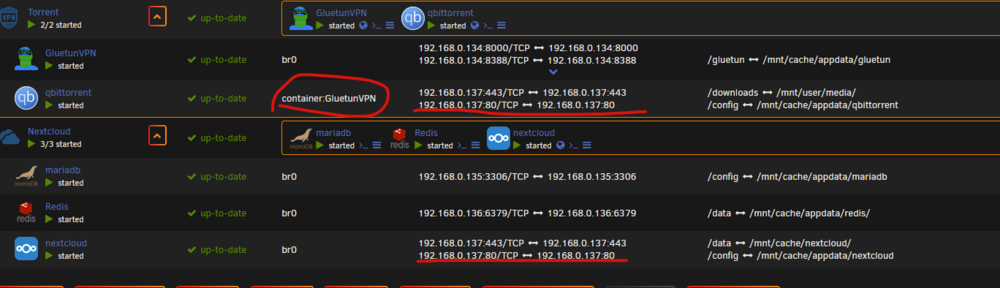
There is a bug with port mappings (IP addresses) when container uses network from other container. qBittorrent shows the same IP as Nextcloud but it should have GluetunVPN IP (192.168.0.134)