





Yusseiin
Moderators
-
Joined
-
Last visited
Everything posted by Yusseiin
-
Congrats 🎉 🎉 🎉
-
Application Name: UnMove Template: https://github.com/Yusseiin/unmove/blob/main/unmove-unraid.xml Source container: https://github.com/Yusseiin/unmove Registry: https://hub.docker.com/r/yusseiin/unmove Overview Unmove is a self-hosted web application that works on mobile helps you organize your downloaded media files by identifying them using TVDB (The TV Database) or TMDB ( The Movie Database) and moving them to your media library with proper naming. FeaturesFile Browser - Browse your downloads folder and see parsed information (title, year, season, episode) TVDB Integration - Search and identify movies/TV shows using TVDB API TMDB Integration - Search and identify movies/TV shows using TMDB API Auto-Match - Automatically matches files to TVDB/TMDB results based on filename similarity Batch Processing - Identify and move multiple files at once Smart Renaming - Automatically renames files following media server conventions (Plex/Jellyfin/Emby compatible) Configurable Paths - Set custom download and media library paths Mobile friendly view - Set custom download and media library paths InstallationInstall from Community Applications or add the repository manually Set your paths: Downloads Path: Where your downloaded files are (e.g., /mnt/user/downloads) Media Path: Your media library root (e.g., /mnt/user/media) Get a free TVDB API key from thetvdb.com Get a feee TMDB API key from themoviedb.org Enter your API key in the app settings Enjoy :)
-
The shares are pretty simple, Cache -> Array. In the array i have 4 disk + parity. This behavior was not happening before thats why i am asking it.
-
Hi everyones, i think i have a problem/doubt with the mover. I have the mover setup for moving file when the cache is more than 65% full, now for some reson i have the cache full at 75% so the mover will run, but the files that are causing this are all inside an ignore.txt file so no file will be move. So the mover is checking the share but in the end not moving anything. Even if nothing is being move the Parity Disk and the Disk 1 and Disk 4 are getting spinning up can some one explain to me why? is this intended? and why the disk 2 and 3 are not getting spinned? I am on Mover 2025.12.10 and Unraid 7.2.2 this was not happening before Debug_Mover_tuning_2025-12-12T185434.log Mover_tuning_2025-12-12T184525.log
-
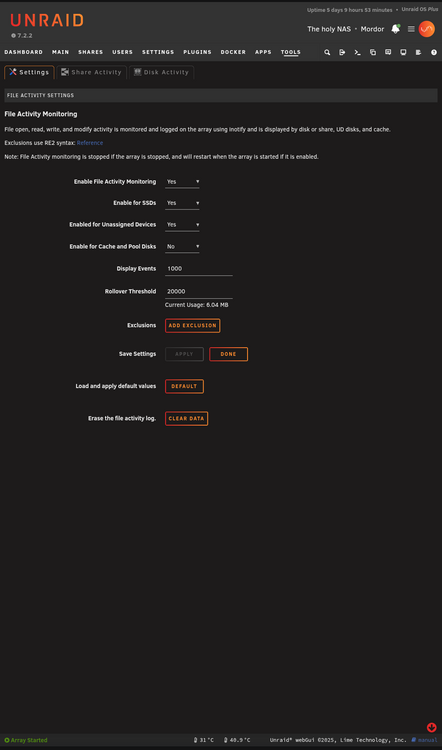
It is working fine on 7.2.2? I just need to check file activity on disk.
-
I cannot find the original one on the CA :(
-
Seems missing on my page
-
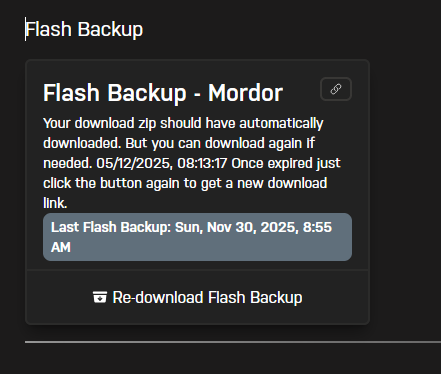
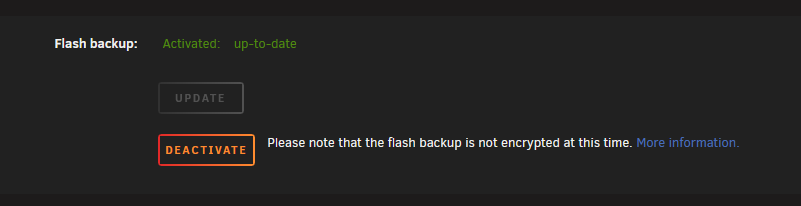
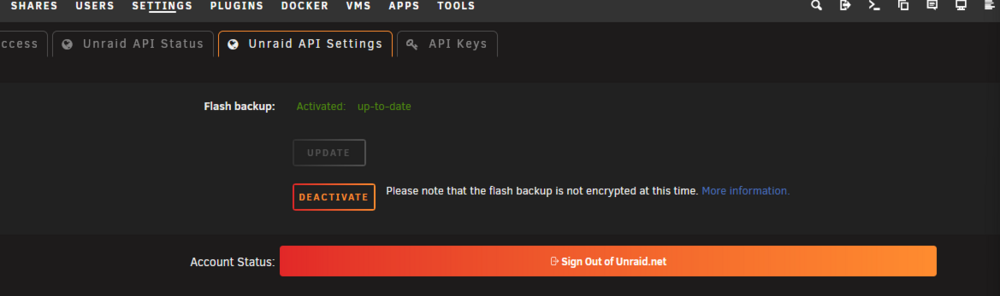
I was meaning that you do not state in your first message that you where having still a problem with the backup. But lets restart from scratch and sorry for bad english since is not my main language. Has i can see from your screenshot you have a different problem, not the same of the post, since you are seeing that the backup in not up-to-date but you do not have an infinite spinning. When you press Update button what is happening ? It should spinning with the "Processing..." text and then pass to up-to-date. I do not know why the other user has August in his Unraid Connect Web Page, but in my i see 30 Nov that is the last time i have made some changes to my system
-
Indeed is not written on the release note, but all the user that was having problems and myself have this feature fixed in 7.2.2. If you still have a problem please provide information regarding it and not a "political complain" or we are not able to help you. What kind of problem do you have? Do you have the infinite spinning ? Do you not see the Unraid Backup feature? What Unraid Connect version do you have? Have you install/remove the unraid plugin? If you have done it have you completly reboot?
-
The issue is fixed in 7.2.2 so please do not overextended this topic if you do not have an issue with the flash backup even if you are on 7.2.2. If you have other questions, that are not an issue with the flash backup, please create a new post or send an email to the Unraid support. Thanks.
-
@JorgeB Thanks for your help, the bios manufacturer ( Zima, it is a Zimacube ) told me " The fact it can boot from shutdown would suggest to me that something is not being cleared or reset on a reboot but I have no idea where to help as we have no way yet to know if its hardware or software.. It could be that something on the drives not being reset, so a drive is being considered dirty if it not correctly closed on a shutdown, ana unmounted but that's just guesswork on my art. " And they need some more log or anything to understand what is happening. Are there any UNRAID Tech member that can give me a way to extract more log from the system during a reboot so that Zima/Unraid team can understand what is happening and how to fix it?
-
Seems something related to the CA Mover, it makes the disk spin even if it wont move any file. For now i have disabled the scheduler, as soon i have some more time i will try to see the log and check why.
-
Thanks, i will ask the bios manufacturer
-
Can this do not trigger the file view? I will try to understand more but this wont happening before upgrading to 7.2.2, but if i downgrade it remains.
-
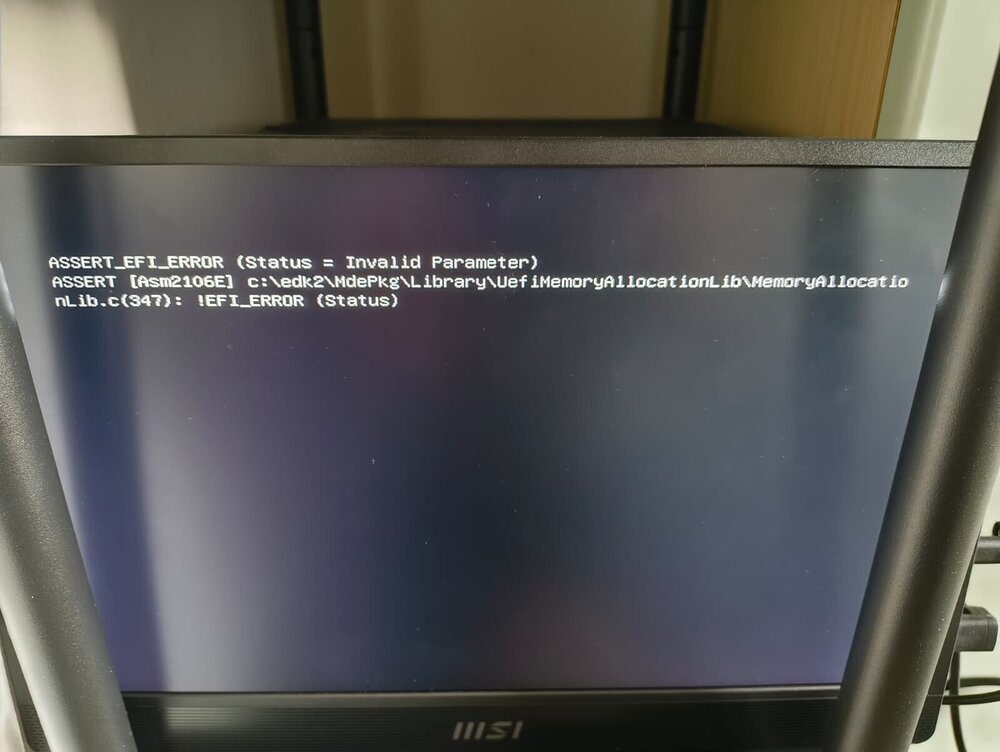
Hi all, i have manually reboot the system and now i am getting this error ASSERT_EFI ERROR (Status = Invalid Parameter) ASSERT [Asm2106E] c:\edk2\MdePks\Library\UefiMemoryAllocationLib\MemoryAllocationLb.c(347): !EFI_ERROR (Status) Powering off and power up again seem to not trigger this error. Someone knows if this is USB / Mobo / Unraid related ?
-
Fixed in 7.2.2
-
Fixed in 7.2.2
-
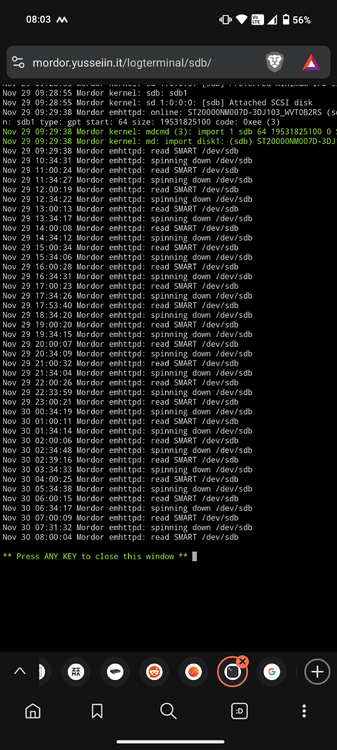
Are there any one with the same behavior? This is getting really annoying disk 1/2 will spin up/down every 30 minutes without no one using it... These seems happening after updating to 7.2.2 and having Unraid Connect Plugin working
-
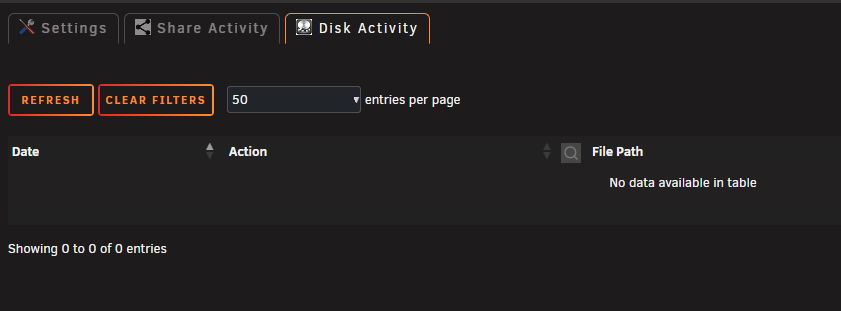
My File Activity stopped working in 7.2.2, even adding "Enable for Cache" wont show any file in the logs. Someone has the same problem?
-
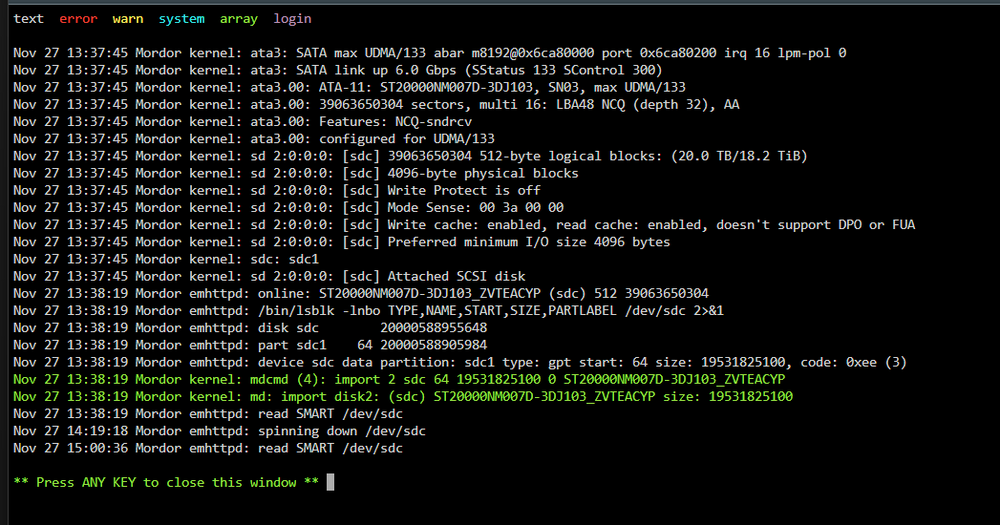
Hi everyone, i have a problem on my Unraid, some disk will randomly spin up without giving any "signal" on why. i have File Activity but it is empty, i have disabled all the docker that have access on media on those disk, but they will keep randomly spins. Not all the disk will spin up at the same time but only 1/2 will spin up. Someone has some insight on how to understand this? In the disk log i have read SMART but, as i understand, the SMART is triggered because someone spin up the disk and it is not the cause mordor-diagnostics-20251127-1509.zip
-
Do you have the unraid connect plugin installed? If you install/remove it you have to do a completly reboot to make it working
-
After a full reboot mine is working too in 7.2.2
-
For me it was working on 7.1.*. Are you using an AdBlocker or Brave? It was not working on Brave.
-
Your welcome :) Enjoy N8N :)
-
You indeed can, just create a user script that runs at the start of your unraid this command docker exec -it TailscaleDockerName tailscale serve 5678





