





Capt.Insano
Community Developer
-
Joined
-
Last visited
Everything posted by Capt.Insano
-
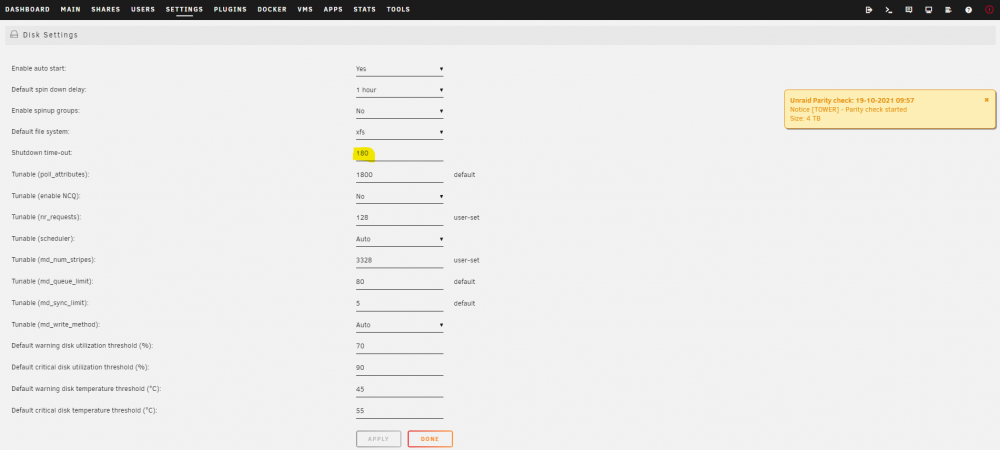
I updated VM shutdown time-out to 180 secs and still a parity check after reboot. I have 3 VMs as you can probably see from prev logs: HomeAssistant VM (Hassio) PiHole (Debian Based) Windows 10 (With latest virtio-win-0.1.208 drivers installed) New diags (from USB key) attached. tower-diagnostics-20211020-0819.zip
-
I am running this docker with the deafult (latest) tag. Current version: HTS Tvheadend version 4.3-1979~g8fc2dfa7e I am not sure if that is currently recommended or not? When recording via autorecs the recordings fail with a file missing error, the scheduled recording "starts" there is no file outputted: During a "recording": Status > Subscriptions lists the output as 0kb/s and there is no file created in the unRAID filesystem It is not a permission issue (either filesystem or user permissions) as: If I stop the autorecording and start it manually via either WebUI or Kodi the recording works correctly. The Priority and DVR Configurations for the autorecs are the same as manually triggered recordings but only manully triggered or schedued recordings work. I have tried searching this bug in regular tvheadend forums but got nowhere. Anyone here having the same issue?.
-
I did, infact they were already installed but I also updated them and all drivers to latest stable: virtio-win-0.1.208
-
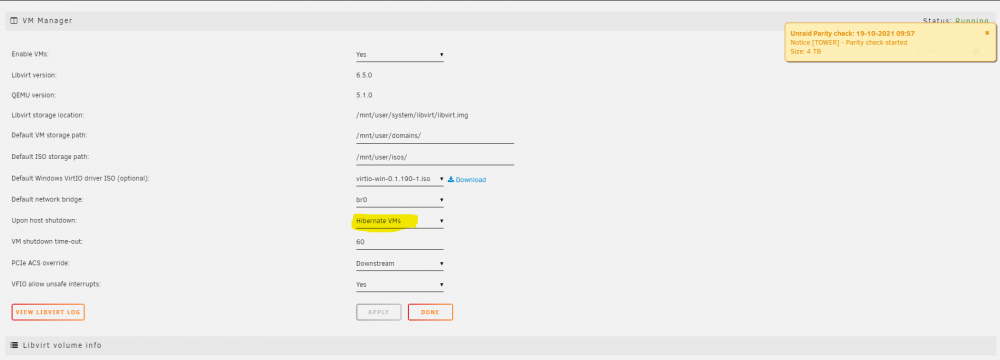
I followed your recommendation of changing my VMs to hibernate instead of shutdown, any other recommendations seeing as libvirt is the culprit?
-
Anyway of figuring what was using Cache? If I monitor top/htop during a shutdown would that tell me?
-
@JorgeB Sorry, I didn't realise there were other logs: Attached are the 2 zips dated today from /boot/logs Are these the diags that you were after? Thanks for the help BTW tower-diagnostics-20211019-0953.zip tower-diagnostics-20211019-1001.zip
-
Hi @JorgeB, Diags were attached to the post above yours, these were the diags from the latest unclean shutdown (this morning) that caused the parity check again. I will try and stop the array manually again and time it when I get home but as per one of my prev posts above; the last time it took 1 min 9 secs to stop and the disk timeout in my settings is now 180 secs
-
Spoke too soon, Just tried another clean reboot there and again a parity check started after power up: Diags attached again. Any further advice? tower-diagnostics-20211019-1001.zip
-
This seems to have fixed it. Increasing the timeout to a high vaue (180 secs in my case) has ensured enough time for safe shutdown even in the event of a Windows update during VM shutdown. Thanks @Frank1940. Update: See below, problem returned after array runnning for any length of time.
-
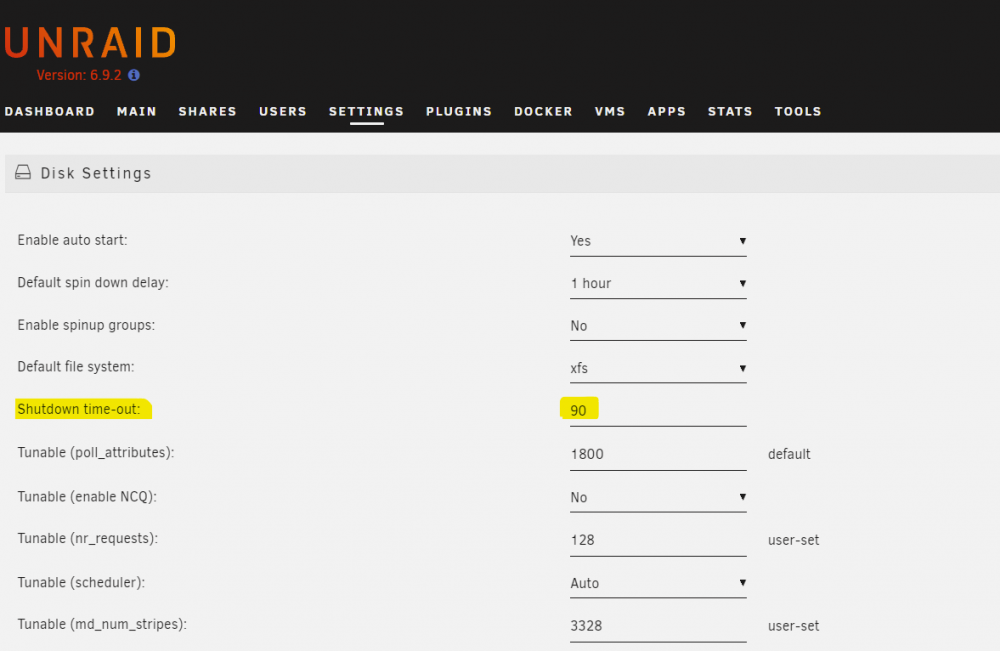
I timed how long it took to stop the array from the Main tab: 1 minute & 9 Seconds. Could it be that 90 secs is not long enough in my setup for all my VMs (x3) and Docker Containers (x30+) to shutdown fully if something like a windows update kicks in? I am going to up the timeout to 180 secs and see if a parity check starts on reboot.
-
Everytime I reboot or shutdown my system a parity check starts when it powers back up. I am aware from reading other topics that this usually means an unclean shutdown but there is no errors appearing in the syslog during the shutdown process. I have read a very similar topic here: I based on that topic, have tried replacing my flash-drive to a new one and have tried chaging the shutdown timeout as per this comment in above thread: "Timeout appears to be kicking sooner than it should, go to Settings - Disk Settings and change the shutdown timeout to a different value just to re-apply, set it to like 60 secs." But still I get a parity check starting after reboot. Diags Attached, I would greatly appreciate any help. Thanks to all. tower-diagnostics-20211018-1428.zip
-
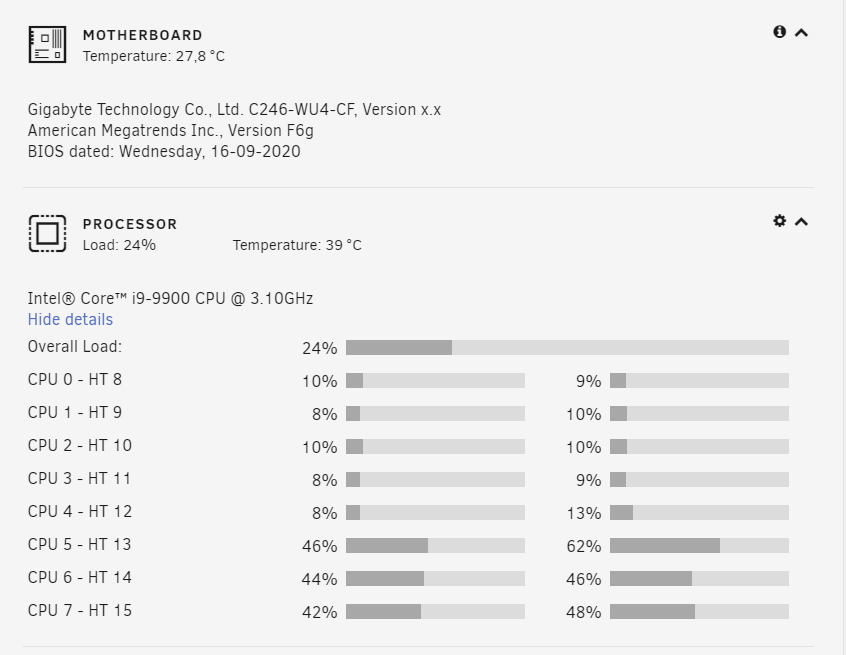
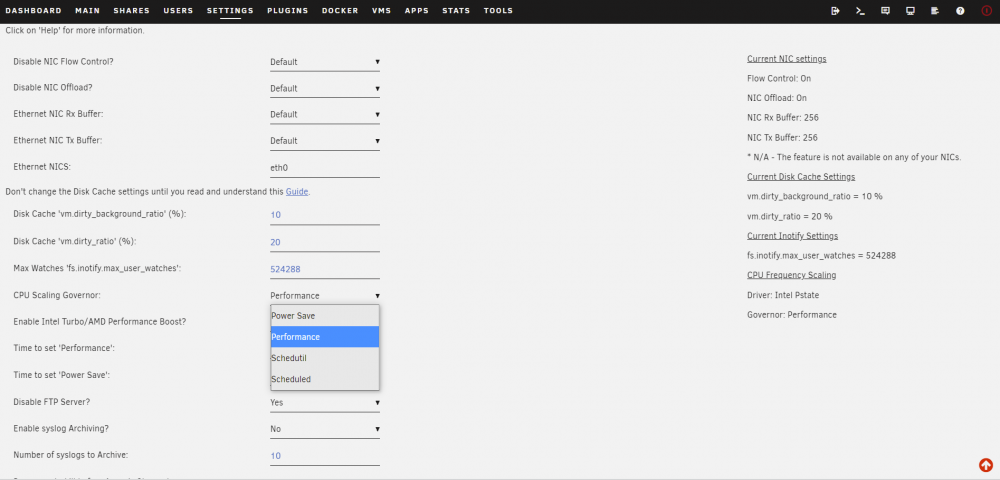
EDIT: Nevermind! Found the below comment that explains governors on Intel Pstate driver: _________________________________________________________________________________ Original Post: Under CPU Scaling Governor I have no option for ondemand, not sure if this is normal? Running unRAID 6.9.0: Is this as expected? Thanks a million for your work.
-
I just download this container for the 1st time and I am getting the same errors in my log unRAID 6.8.3
-
Anyone know how to use the "theme folders"? I have been trying to add 3rd party themes from here: https://github.com/artyuum/ruTorrent-Themes but I cannot figure out how to add them persistently to this docker container. Thanks in advance
-
Thanks a million @binhex. I am away for the next week but will defo get on it once I am home!!
-
I had actually tried that container prior to posting but I could not get my .opvn file to be correctly seen by the container, I kept getting errors in the log about no configuration file found. I do not want to be too off topic but, would you mind posting a picture of your configuration if you have it successfully working? Otherwise: @binhex do you have ant interest in making such a container with unRAID based settings?
-
I was actually coming here to ask for the same thing! 1. Would it be possible to get a Privoxy/OpenVPN container without any associated app? 2. Is it possible to run a privoxy container on a static IP (Custom: br:0)? Anytime I try and set a static IP for a Privoxy/OpenVPN container the proxy fails when connected from my Win10 laptop. Thanks a million for all your hard work binhex!
-
Scratch that, Container is now updated to latest Tonido version! (tested on my server and running well here) The Capt.
-
Hi lads, So sorry for the delay on this I have not been around and am only seeing this now. I am away this weekend but I have set a reminder to update this docker next week. Sorry again, The Capt.
-
Apparently, I have been running it hourly for the last 315+ days!! You cannot blame me, it is a great plugin !! +1 This would be a great feature!
-
Great plugin dmacias! I have been using it pretty much since launch, there in lies the problem!!: I recently moved house and moved ISP and I was eager to compare speeds and ensure no problems with my line: When I fired up the speedtest UI I realised that I have a total of 7579 results!! This stalls my browser (Firefox and Chrome) which prompts me to kill the script, if I allow the script to continue the webUI does load but it is impossible to navigate. I realise that I could just delete the speedtest.xml from /boot/config/plugins/speedtest but that would mean I would lose all of my past data. Would it be possible to set an option in the plugin to only keep X amount of weeks/months/years of results and then start deleting older ones, or even just keep X amount of results themselves? As an intermediate solution; I went through the xml and realised that the earlier the result in the file the earlier it was in time although none of the xml entries have a date stamp on them so I just deleted the first half of the xml entries. As always, thanks a million for your work in unRAID. The Capt.
-
Is it possible to request modules for lm-sensors? sensor-detect has advised me to load the module i5500_temp but that module is not included in unRAID. I put in a feature request here: https://lime-technology.com/forum/index.php?topic=46439.0 back in Feb but no reply from lime-tech. Would anyone mind having a look and see is this is a possibility to add the module to unRAID myself? (currently running 6.2 rc5) I think I have found 2 places from where to compile the module: http://jdelvare.nerim.net/devel/lm-sensors/drivers/i5500_temp/ http://lxr.free-electrons.com/source/drivers/hwmon/i5500_temp.c but I am honestly a little out of my depth compiling modules!
-
Working now as of version 2016.09.03. Thanks a million.
-
@bonienl Just a FYI: While trying to update this plugin I get the following: plugin: updating: dynamix.disk.io.plg plugin: downloading: https://raw.githubusercontent.com/bergware/dynamix/master/archive/dynamix.disk.io.txz ... done plugin: bad file MD5: /boot/config/plugins/dynamix.disk.io/dynamix.disk.io.txz
-
Is it possible to hide a device from unassigned devices? I have an SSD that I have passed thru to a VM and I would prefer if if was not listed under unassigned devices incase someone tries to mount it while attached to the VM and cause corruption. Thanks for all your work!


