






craigr
Members
-
Joined
-
Last visited
Everything posted by craigr
-
Hi bonienl, Could you or someone who knows please tell me if "Dynamix SSD TRIM" works only on cache drives, or will it also work on an SSD within my array as well? Once the program is installed the description says, "SSD TRIM allows the creation of a cronjob to do regular SSD TRIM operations on the cache device(s). The command 'fstrim -v /mnt/cache' is executed at the given interval." However, I read in another location (can't find it now) that "Dynamix SSD TRIM" will work on all mounted drives that support trim. I looked at your TrimSettings.page file and it does indeed point to the cache drive and I don't see anything else that would indicate that it will TRIM any other drives. I tried changing cache in your TrimSettings.page file to disk15 and then recompiled everything... that didn't go well and I now finally have my server working again as it should Lastly, I have never found a consensus that using TRIM on array drives is deleterious to parity or not. Does anyone actually now? I have heard that TRIM should not be used on array SSD drives, I have heard that it is fine and makes no difference, but i have also heard it depends on how a given drive handles TRIM... I suppose I could run TRIM on my array SSD and do a parity check set to NOT correct parity errors, but if there are errors than I will have to run parity again to rebuild parity anyway, or reformat the SSD drive and rebuild the array (probably a better option). I am certainly no expert in Linux so if "Dynamix SSD TRIM" won't work on my array drive than how could I setup a cron job (or something to do this daily)? I have run trim on an unassigned device using the command prompt and that worked so I know where to start. Thanks and kind regards, craigr
-
Just want to say thanks dlandon. Found this plugin today and am hoping it can help me identify why some hard drives are occasionally spun up for no apparent reason. Kind regards, craigr
-
Can anyone point me towards a starting point? Thanks craigr
-
Firstly I am a complete novice with Linux so this is a bit tough for me and I will probably use the wrong syntax to describe what it is I am trying to do. I would like to install wdidle3 on my unRAID tower. I found this page that has all the info for compiling and installing: http://idle3-tools.sourceforge.net/ I started to follow the instructions, but ran into my first obstacle when I tried to execute: root@Tower:make -bash: make: command not found So I did some searching and found this page: http://www.lime-technology.com/wiki/index.php/Building_a_custom_kernel The page describes how to build a custom kernel and how to install: bc binutils gcc glibc infozip kernel-headers make ncurses perl I followed along and used: root@Tower:/boot/packages# uname -a Linux Tower 4.4.30-unRAID... So I entered: root@Tower:/boot/packages# wget https://www.kernel.org/pub/linux/kernel/v4.x/linux-4.4.3.tar.gz root@Tower:/boot/packages# tar -C /usr/src/ -zxvf /boot/packages/linux-4.4.3.tar.gz root@Tower:/boot/packages# ln -sf /usr/src/linux-4.4.3 /usr/src/linux That all seemed to work, but the next part, "Add unRAID mods to kernel source," is dated and for 32-bit systems as can be seen in the commands. So my question is, what do I do next? Is anyone out there willing to help a total noob? Thanks and kind regards, craigr
-
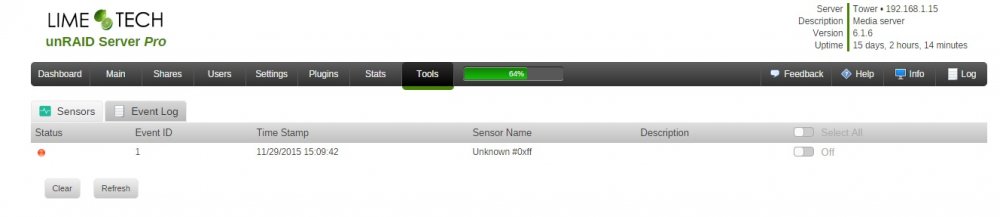
This is absolutely excellent dmacias! I have been dying for an app like this. Thank you One problem I have that is a very minor inconvenience is that I have a constant event. If I clear it, it comes right back. I've attached a screen shot. Any ideas? Thanks craigr
-
Just installed on unRAID 6.1 and everything looks good. Thanks for this. craigr
-
Thanks for this script. It seems to do the job perfectly. Best, craigr
-
This would be nice to have in the GUI, but it isn't hard to run preclear from the terminal either. Nice feature idea. craigr