





xdriver
Members
-
Joined
-
Last visited
Everything posted by xdriver
-
So, I am trying this on a different box with the same specs. Gigabyte G1 sniper M3 with the same updated BIOS, but when my H310 SAS9211-8i card is installed, it starts up for a few seconds, does not get to the BIOS, and then reboots. If I take the card out, it will boot to BIOS. I tried installing graphics card in the same PCIE slot, and the computer will boot to the BIOS. I am pretty sure the BIOS settings are the same as the other motherboard I was using, but is there something specific other than the AHCI and not RAID mode that I need to do? This seems quite odd since the card worked in the other MOBO that I was having different issues with.
-
I have tried multiple PSU on this, so it must be the board/USB/somethine elgse. Super frustrating since I really didn't want to buy new components. Any suggestions on a board for mostly PLEX, and I would like to set up paperless and calibre for some better management of file backup/storage/photos, 8 drives and about 30TB? I have a SAS9211-8i SATA/RAID card, for 8 drives so I don't really need that many SATA ports. I'd prefer to use the current RAM if possible, which is DDR3. If that doesn't seem realistic, What are some of the less expensive options for newer equipment? I back all of files and photos up to an external drive every few weeks and store it in a safe in case of fire, etc., I just like the redundancy since there are a lot of work files on it.
-
Tried 4 sticks of ram and every usb port on the computer with the unraid/memtest on it, they all crash during the memtest. What else could this be? I am about to try the ram on a "clone" - same motherboard, and CPU and see if the ram runs on that.
-
Thanks. I have 4 sticks of it so I’ll try all those, and then pull a stick from my main computer and check that for the sake of it. Sent from my iPhone using Tapatalk
-
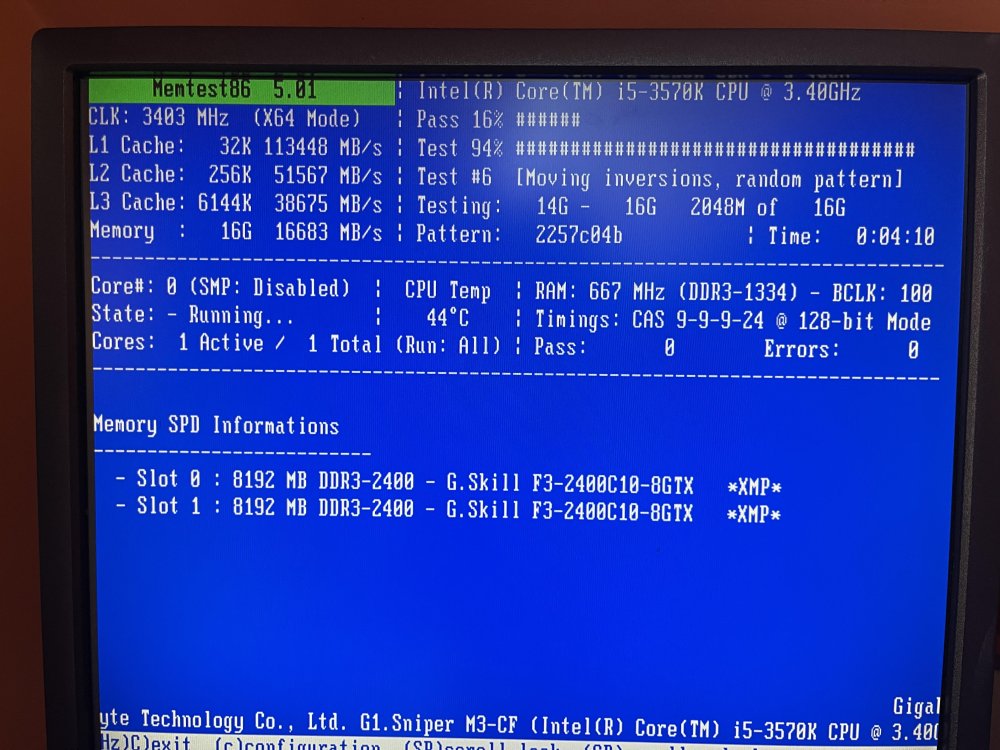
I have been unable to keep my "new" server running for more than a 11% new drive parity copy/rebuild on a new drive. It just occurred to me that I should run a memory test and see what happens with that. I was in the middle of running the memory test available on start up where you can choose Unraid with or without GUI, with or without plugins, etc., and probably 5-10 minutes into it the computer crashed. What can I rule out, and is there any way to figure out why it crashed? Does it mean the memory is bad, or should it report an error and not crash if it is memory? Are there reports somewhere, etc. Attached I have a screenshot about a minute before it crashed. Note:when it crashes, it just shuts down and I typically will need to turn the power supply off and unplug it for a while before it will boot again. This is a new power supply that I purchased to try to rule it out from being the issue. Help would be appreciated. Thank you
-
Any idea if I can monitor the temperature with unraid, and if so, with what? Sent from my iPhone using Tapatalk
-
Is there a temperature sensor on the SAS9211-8i megaraid card, and if so, how would I access it? I am having an issue with my server crashing on a parity rebuild and am trying to rule things out one by one. That being said, is it possible for it to overheat with poor airfloow and cause the computer to crash? Is this still the best temp sensor pugin? https://wiki.unraid.net/Setting_up_CPU_and_board_temperature_sensing I don't happen to see Perl in the list of NerdTools
-
Thank you. I had some other threads about possibilities but no one mentioned and I didn’t even consider the SATA card actually overheating. I’ll start a new thread on this. Thank you again. Sent from my iPhone using Tapatalk
-
Sorry, version 20.00.07.00 Sent from my iPhone using Tapatalk
-
Can an LSI SAS9211-8i handle 14TB drives? IT does show up in the drive list but can it manage it ok? The utility says v7.11.10.00 (2011.06.02) and FW revisions 20.00.02.00-IT Enabled. I am still trying to figure out a reason for my server crashing, and I am trying two different gigabyte MOBO Gigabyte G1.Sniper.M3 and they don't want to stay running during a new parity upgrade build for a failed data drive. I have a new power supply and I have tried using just one stick out of my 4 sticks of 8GB ram, systematically going through each one. I also have a Rosewill 3 x 5.25-Inch to 4 x 3.5-Inch Hot-swap SATAIII/SAS Hard Disk Drive Cage - Black (RSV-SATA-Cage-34). After that, I still don't know what to do.
-
Is there any possibility that my Dell UCSA 801 Poweredge sata raid controller E105106 could cause a crash and to shut down, and if so, how would I test it?
-
Is it at all possible that my Dell UCSA 801 poweredge sata raid controller E105106 can cause the computer to crash and shut itself off? Sent from my iPhone using Tapatalk
-
The heat is just an assumption, there was some question about USB ports being above voltage, but I have tested them all to be under 5 volts, more like 4.8. I was hoping there was a way to check the CPU temp while the server was running to either confirm or rule it out.
-
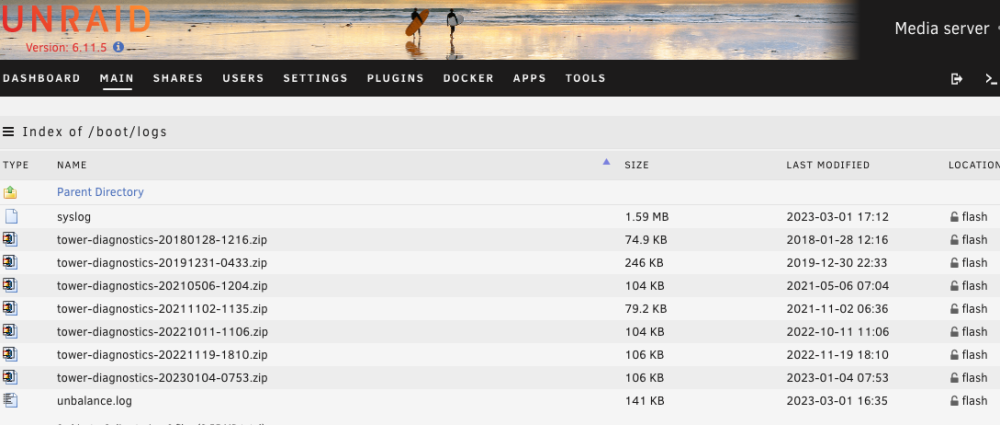
I don't happen to see a pause parity on the main screen, just a "cancel." I can run it for probably 10 hours and be safe to do a clean shutdown, but as it stands now, the server will just crash/shut itself off. Are there any plugins that monitor CPU temp and report in a crash log? Do drive temps get reported in a crash log? I have it set to save the log to the flash drive, but it crashed today at maybe around 10am and I do not see a .zip log right now. Any idea why that would be? I probably do need new hardware, but if it is something basic, I'd rather just repair it.
-
I am replacing a failed drive with a larger drive than my current parity. Old parity is 12TB, new Parity is 14TB and the failed drive was 6TB. That being said, the new parity will end up being the 14TB and the replacement for the 6TB will be the old 12TB parity. My question is, is there any way to Pause the parity rebuild and shut down the server to cool? I believe I am having an overheating issue that is causing my server to crash, and I would like to do the rebuild in increments if possible. What is the best way to monitor the CPU temperatures in Unraid, and will the server log record the crash if it is heat related? If the server crashes during the parity rebuild, will I lose data?
-
I think it may be heat related because when it shuts down, I can not boot it right back up. The longer I wait to boot it, the longer it will stay running. How can I monitor temperatures while the server is running?
-
Thank you for taking the time, I’ll run those all down when I’m back there tomorrow. Thanks a ton Sent from my iPhone using Tapatalk
-
I ended up purchasing a USB tester, and all the ports are 4.83 volts. Still seems odd. Any idea if there could be a BIOS setting that shuts the computer down? Any suggestions on a new MOBO to reuse my ddr3 memory and LGA 1155 CPU?
-
I am having issues with my current board crashing and I am unable to figure it out (it is hardware related for sure). I would like to purchase a new inexpensive board that can utilize my gear, since it is more than enough for plex, and some other basic things. Suggestions or maybe you have something sitting in a parts bin? I may want to add a basic GPU at some point in time, but I don't really need one now. Thanks. For compatibility, I have: intel i5-3570K CPU @ 3.40GHz. (4 cores) LGA1155 socket 32GB ddr3 ram LSI SAS9211-8I sata (x8) expansion card
-
I'll try the flash firs, but I don't think it's that since it came from a different rig and worked fine, plus I moved the flash drive into a different location on this rig that is located on a different part of the motherboard, yet it still has that usb3 and usb4 current error. Thank you very much for sticking with me and working through trying to sort this out
-
Correct. flash drive, ps/2 keyboard, DVI cable, network cable.
-
I pulled the plug on the front USB cable and put my flash drive in a different port, but it appears there is still an overcurrent. This time I was able to get a diagnostics file syslog (2) tower-diagnostics-20230104-0753.zip
-
It crashed last night and I was able to boot it up for about 5 minutes just now and this is the only log I was able to get from the flash drive before it crashed again (this time being 5 minutes into booting rather than 10-12 or so hours yesterday. There was no tower-diagnostic with any dates other than the attachment in my previous post. Should there have been one with yesterday's date on it? syslog (1)
-
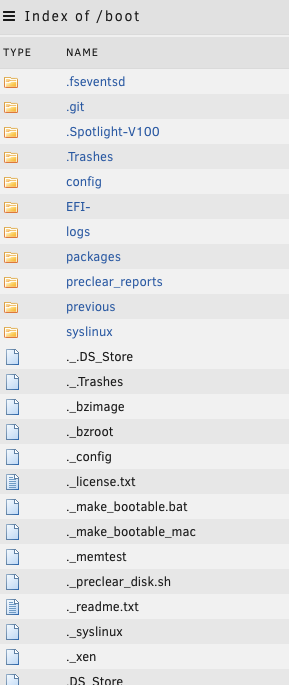
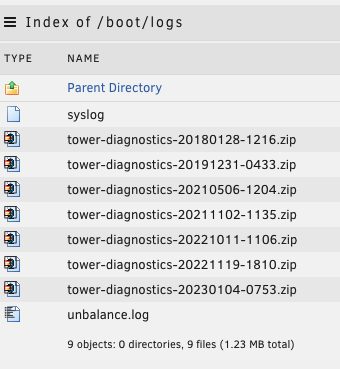
I wasn't able to see it by browsing on my mac to the flash drive, but I can see it by browsing through the GUI on the "Main" tab for my server. I have attached the current file that I believe is it. However, the server has not crashed yet. syslog
-
I am having an issue where I can not find the media to add in a new library when I click the Browse For Media button. Specifically my Home Movies folder on the server. Why can't Plex find all my media folders which are all at the root of a single share? I can see Movies, Fitness, Dog Training, but not Home Movies. What do I need to check on? Fixed: The paths I used for containers for the library were very specific. Instead of having Main Paths for Music, Movies, I had them down to specific ones in the PLEX - Edit settings area Such that it was Music-FLAC Albums, Music-Albums, Music-Old iTunes, and Movies-Movies, Movies-Dog Training, and I did NOT have Movies-Home Movies as a path. I am going to go back and Set a path to Movies, and then in Plex I will just add libraries that drill down into Movies, Dog Training, Home Movies, etc.



